
Travel connectivity guide
Dilijan eSIM: Mobile Internet Guide
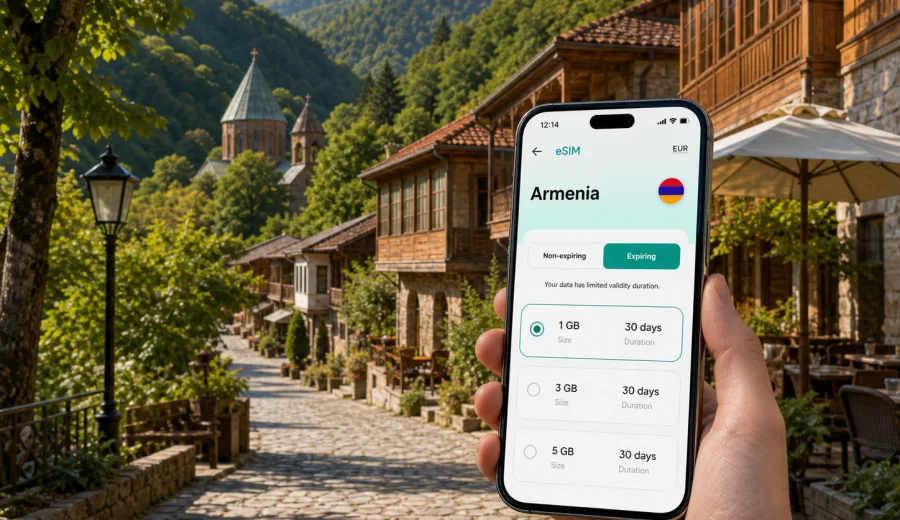
Dilijan eSIM: mobile connection and internet for a trip to Armenia
Dilijan is a compact mountain city, but a trip there often depends on mobile internet from the first hour. You may arrive through Yerevan, continue by road through mountain passes, check into a guesthouse in a forested district, use maps for Old Dilijan, or coordinate a day trip to Haghartsin, Goshavank, Lake Parz, or nearby villages. An eSIM can make that routine simpler because you do not need to look for a physical SIM card shop before you start moving.
This guide explains how to think about eSIM, mobile connection, and internet access specifically for Dilijan. It is not a general country guide. The focus is practical: arrival, transfers, navigation, accommodation, cafes, business calls, weekend routes, and the moments when stable mobile data matters more than it seemed during planning.
Why mobile internet matters in Dilijan
Dilijan is often described through forests, quiet streets, mountain air, and restored old architecture. For a traveler, that calm setting does not remove the need for a working connection. In fact, the city can make mobile data especially useful because many plans involve moving between the city center, hotels on slopes, trailheads, monasteries, lakes, and roads where you may want navigation rather than guesswork.
Typical online tasks in Dilijan include:
- opening a map while your driver is approaching the guesthouse;
- checking the exact location of a hotel, apartment, or restaurant;
- messaging a host before arrival;
- confirming a transfer from Yerevan or Vanadzor;
- reading reviews before choosing a cafe or dinner spot;
- sharing a live location with travel companions;
- checking weather before a forest walk;
- using translation tools if you do not speak Armenian or Russian;
- joining a work call from a hotel or coworking-friendly cafe;
- planning a short route to Lake Parz, Haghartsin, Goshavank, or Ijevan.
Public Wi-Fi can help in hotels and cafes, but it is not the same as having mobile data ready on your own device. You may need internet before check-in, while walking between neighborhoods, during a road transfer, or when the hotel network is slow in a room. An eSIM gives you another option for mobile internet in those moments, provided your device supports eSIM and the selected tariff is valid for Armenia.
Arrival: getting online before the road to Dilijan
Most international visitors reach Dilijan after arriving in Yerevan and continuing by car, shuttle, or bus. That means your first internet need may appear before you are actually in Dilijan. You may want to message a driver, check the route north, compare taxi prices, or tell your hotel when you expect to arrive.
The road from Yerevan to Dilijan is part of the experience: city traffic, open landscapes, mountain sections, and the approach into the Tavush region. It is also a practical reason to prepare mobile data early. If your connection is ready before the transfer starts, you can follow the route, estimate arrival time, keep travel documents accessible, and avoid relying only on the driver's phone or public Wi-Fi at the airport.
For a smoother arrival, prepare these items before you leave home:
- confirm that your smartphone supports eSIM;
- check whether the device is locked to one operator;
- install the eSIM while you still have reliable Wi-Fi;
- save the activation instructions offline;
- keep your hotel address in a note or booking app;
- download an offline map for Yerevan and Dilijan as a backup;
- decide which SIM profile will use mobile data after arrival.
This preparation matters because installing an eSIM usually requires an internet connection, while using it later requires the correct mobile data settings. The exact steps depend on your phone, software version, and selected tariff conditions.
What an eSIM does, and what it does not do
An eSIM is a digital SIM profile that can be installed on a compatible smartphone or tablet. For a trip to Dilijan, the main use is mobile internet. You choose a tariff for the destination, install the profile, and use mobile data according to the tariff conditions.
It is important to set expectations correctly:
| Point to check | What it means for Dilijan |
|---|---|
| Data focus | Many travel eSIM tariffs are for mobile internet, not a local phone number. |
| Calls and SMS | Voice calls and SMS are not included unless the specific tariff says otherwise. |
| Messengers | Internet-based calls and chats can work through mobile data. |
| Validity | The tariff has a duration, and conditions can differ by option. |
| Coverage | Connection depends on local network availability and the selected tariff. |
| Device support | The phone must support eSIM and must not be restricted by an operator lock. |
This is why an eSIM should be treated as a travel internet tool, not as a full replacement for a local mobile subscription. It helps with maps, messages, ride apps, bookings, email, browser searches, and app-based calls. If you need a local number for a specific Armenian service, check that requirement separately before you travel.
Dilijan scenarios where eSIM is useful
Dilijan is small enough for slow travel, but your online needs can change several times in one day. A weekend visitor may use little data, while a remote worker or family group can use much more.
| Scenario | Why mobile data helps | Sensible preparation |
|---|---|---|
| Transfer from Yerevan | Route tracking, driver messages, hotel updates | Activate data after landing or before leaving the airport |
| Guesthouse check-in | Door codes, host chat, map pin, translation | Keep booking details available offline too |
| Old Dilijan walk | Navigation between streets, cafes, museums, viewpoints | Use maps, but avoid streaming in the background |
| Forest or lake trip | Weather, route checks, coordination with driver | Save offline map areas before leaving the city |
| Business stay | Email, calendar, video calls, hotspot for laptop | Choose more data and test settings before meetings |
| Family travel | Messaging, photos, transport, entertainment for children | Set app updates and cloud backups to Wi-Fi only |
The key is not only how much data you buy, but when you expect to use it. Dilijan trips often combine city time with short drives into nature. You may spend the morning in a cafe, the afternoon near Lake Parz, and the evening in a hotel above the center. Mobile internet bridges those transitions.
How much data to consider for Dilijan
There is no single correct data amount because travel habits differ. A traveler who mainly uses maps and messaging can manage with a modest package. A traveler who streams video, uses cloud photo backup, or works from a laptop through a hotspot should plan more carefully.
Use this simple estimate:
- Light use: messaging, maps, ride coordination, email, and a few web searches.
- Medium use: everything above plus social media, photo sharing, restaurant research, and regular browser use.
- Heavy use: video calls, hotspot for a laptop, streaming, large file sync, or frequent cloud backup.
For Dilijan, many visitors underestimate navigation and messaging rather than streaming. You may not watch much video, but you may repeatedly open maps, booking apps, weather forecasts, and chat threads while moving between places. If you will work remotely, join calls, or use your phone as a backup connection for a laptop, choose a tariff with more data and a validity period that covers the full stay in Armenia.
Before buying, check:
- whether the tariff covers Armenia;
- how long the tariff remains valid;
- when the validity period starts;
- whether top-ups are available;
- whether hotspot use is allowed by the tariff and device;
- whether your phone can keep your regular SIM active for calls while eSIM handles data.
If you are comparing options before a trip, you can use Kaspersky eSIM Store to choose an eSIM tariff for your trip to Dilijan in Armenia and review the available data amounts, duration, destination, and cost before you travel.
Installing eSIM before or after arrival
For Dilijan, the practical choice is to install the eSIM before the road transfer if possible. You can complete the setup while you still have stable home or airport Wi-Fi, then switch mobile data to the eSIM profile when you are ready to use it. Some travelers prefer to install at home and activate after landing; others complete all steps after arrival. The right option depends on the tariff instructions and your device.
A simple installation flow looks like this:
1. Check device compatibility and operator lock status.
2. Choose the destination and tariff that match your Armenia trip.
3. Complete the purchase flow in the site or app.
4. Install the eSIM profile using the on-screen steps or QR code.
5. Name the profile clearly, for example Armenia data.
6. Set mobile data to the eSIM profile when you want to use it.
7. Enable data roaming for the eSIM profile if the instructions require it.
8. Test a small browser page before relying on the connection for navigation.
If you use Android, follow the Android eSIM installation instructions. If you use iPhone, follow the iOS eSIM installation instructions. Keep the instructions available while you travel, especially if you will arrive late or continue directly toward Dilijan.
Device compatibility: check this before you pay
Not every phone supports eSIM. Some models vary by country, operator, or hardware version, and some devices can be locked by a mobile operator. Before you choose a tariff, check your device and confirm that it can install and use an eSIM profile.
This check is especially important for trips where Dilijan is not your first stop. If you discover a compatibility problem only after landing, you may have to solve it while also arranging transport, currency, accommodation, and luggage. It is easier to check at home.
Use this checklist:
- your phone model supports eSIM;
- your phone software is up to date enough for eSIM setup;
- the device is not locked to a single mobile operator;
- you know where SIM or Cellular settings are located;
- you can receive the QR code or installation details on another screen if needed;
- you understand which SIM profile is for calls and which one is for mobile data.
If you keep your usual SIM active, you may still receive calls or SMS on that line depending on your home operator and roaming settings. To avoid unwanted roaming costs, review your primary SIM settings and set mobile data to the travel eSIM profile when you start using it.
Getting around Dilijan with mobile data
Dilijan rewards flexible movement. You may decide at breakfast to visit Old Dilijan, then continue to a monastery, then return for dinner in town. Having mobile data makes it easier to adapt without standing in a hotel lobby to research every step.
For local movement, mobile internet helps with:
- map search for streets, hotels, restaurants, museums, and trail starts;
- taxi or transfer coordination;
- checking whether a place is open before walking uphill;
- sharing a meeting point with a driver or guide;
- translating short messages with hosts or service staff;
- confirming the next stop if weather changes;
- comparing routes back to Yerevan, Vanadzor, Ijevan, or Sevan.
Dilijan has a slower rhythm than a large capital, so mobile data should support the trip rather than dominate it. Turn off unnecessary background use, keep photo backup for Wi-Fi, and let maps download offline areas in advance. This keeps the eSIM package available for tasks that actually matter during the day.
Hotels, work, and side trips from Dilijan
Many visitors choose Dilijan for guesthouses, boutique hotels, quiet work stays, and short routes into nature. Accommodation Wi-Fi can be convenient, but signal quality may vary by room, building materials, router position, or the number of guests online at the same time. An eSIM can be a useful backup when you need to message a host, send a work file, join a call, coordinate pickup from a property outside the center, or check a route before leaving for Lake Parz, Haghartsin, Goshavank, Sevan, Vanadzor, or Ijevan.
Use mobile data deliberately on these routes. Save offline maps, keep hotel and driver contacts in your phone, charge a power bank, and turn off cloud photo backup or app updates on mobile data. Connection quality can vary in forested or rural places, so eSIM mobile internet is best combined with basic offline preparation.
| Good habit | Why it matters in Dilijan |
|---|---|
| Download maps before leaving town | Helps if signal drops near forest roads |
| Keep large uploads for Wi-Fi | Preserves data for navigation and messages |
| Check data line settings | Helps avoid accidental roaming on your home SIM |
| Monitor usage during work calls | Video and hotspot sessions can consume data quickly |
| Keep instructions saved | Useful if you need to review settings after arrival |
Dilijan eSIM planning checklist
Use this checklist before departure and again before leaving Yerevan for Dilijan:
- I know the dates of my Armenia trip and the expected time in Dilijan.
- I have checked that my phone supports eSIM.
- I have reviewed whether my device is operator locked.
- I have chosen a tariff with enough data for maps, messages, and planned work.
- I know when the tariff validity starts.
- I have installed or saved the installation instructions.
- I have downloaded offline maps for Yerevan, Dilijan, and planned day trips.
- I have saved hotel, driver, and emergency contacts.
- I have turned off mobile-data app updates and cloud photo backup.
- I know which SIM profile will handle mobile data after arrival.
This is enough for most travelers. The goal is not to turn eSIM setup into a technical project. The goal is to make sure your phone is ready when you need a map, a message, or a booking confirmation in Dilijan.
FAQ: eSIM and mobile internet in Dilijan
Is eSIM useful if my hotel in Dilijan has Wi-Fi?
Yes, because hotel Wi-Fi only helps when you are at the property and the signal is good. eSIM mobile data can help during arrival, walking routes, taxi coordination, day trips, and backup work tasks.
Can I use eSIM for calls and SMS in Armenia?
Many travel eSIM tariffs focus on mobile internet and do not include a standard phone number, calls, or SMS unless this is stated in the tariff conditions. You can usually use internet-based messengers through mobile data.
Should I install eSIM before arriving in Armenia?
It is often more convenient to install it before arrival while you have stable Wi-Fi. Follow the tariff instructions carefully, especially around activation timing and data roaming settings.
Will eSIM work everywhere around Dilijan?
No travel mobile connection should be described as guaranteed everywhere. Connection depends on local network availability, device settings, terrain, and the tariff conditions. Keep offline maps and key contacts saved.
How much data do I need for a weekend in Dilijan?
For maps, messaging, restaurant searches, and light browsing, a modest package may be enough. If you plan video calls, hotspot use, streaming, or heavy photo uploads, choose more data.
Can I keep my regular SIM active?
Many phones allow a regular SIM and an eSIM profile to be active together, but behavior depends on the device. Set the travel eSIM as the mobile data line if you want to use it for internet, and review roaming settings on your primary SIM.
Choose mobile internet for your Dilijan trip
Dilijan is a city where mobile internet supports the practical parts of travel: the transfer from Yerevan, the first message to your host, the map to Old Dilijan, the weather check before Lake Parz, the driver pickup after Haghartsin, and the work email you did not expect to send from a mountain hotel.
Kaspersky eSIM Store helps you prepare for that routine through a site and app where you can choose, arrange, and activate an eSIM tariff for mobile internet in a foreign trip. Before you go, check your device, compare the available data amounts and validity periods, install the eSIM with reliable Wi-Fi, and keep your settings under control.
When your route is set, prepare an eSIM tariff for travel in Armenia so your phone is ready for maps, messages, bookings, and day trips from Dilijan.