Travel connectivity guide
Dingle eSIM: Mobile Internet for Ireland Travel
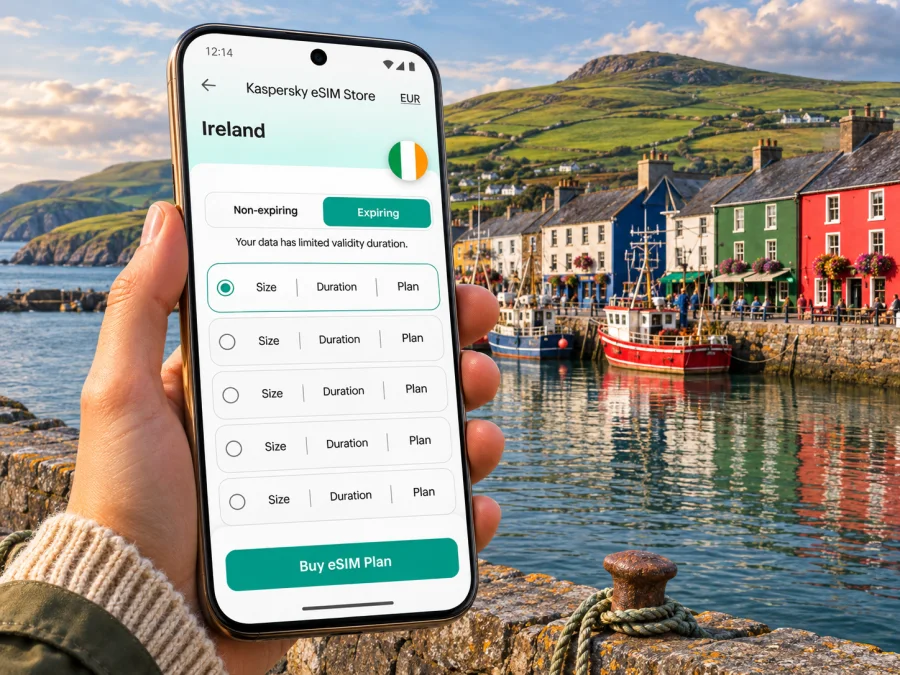
Dingle eSIM: mobile connection and internet for your trip
Dingle is a small harbour town on the Dingle Peninsula in County Kerry, at the western edge of Ireland. A phone with mobile internet can make the practical parts of a visit easier: finding your accommodation after a late arrival, checking a bus connection, navigating narrow peninsula roads, confirming a boat trip, or messaging someone when plans shift. An eSIM can provide a way to use mobile data without taking out your usual SIM, provided your phone supports eSIM and the selected plan covers Ireland.
What to plan before you arrive
Dingle is not a large urban centre with a dense transport grid. The harbour, central streets, shops, cafés and many places to stay are within a compact area, while popular viewpoints and peninsula stops are spread along rural roads. That difference matters for both navigation and mobile data: you may use maps frequently while moving around town, then rely on downloaded information or a planned route farther west.
A useful first-hour checklist is simple:
- Save your accommodation address and check-in instructions offline.
- Keep the name of your arrival stop and the onward transport option somewhere accessible without data.
- Download an offline map of Dingle and the peninsula before leaving reliable Wi-Fi.
- Confirm whether a tour, restaurant or accommodation expects a call, a message or an online booking confirmation.
- Check that your phone is unlocked and eSIM capable before choosing a plan.
The town’s Irish-language name is Daingean Uí Chúis; you may encounter it alongside “Dingle” on signs, transport information and local references. Keep both spellings in your notes if you are searching for a stop or matching a booking with a map result.
Getting to Dingle and staying oriented
For many visitors, Tralee is the practical interchange on the way to Dingle. Transport for Ireland currently lists Bus Éireann route 275 between Tralee and Dingle, and route 276 between Killarney and Dingle. Timetables, operating days and connections can change, so check the journey for your specific date rather than relying on a remembered departure time. If you are connecting from rail, Tralee has a railway station; allow a comfortable margin between services, especially when travelling with luggage or arriving late.
Kerry Airport is at Farranfore, away from Dingle. Treat the airport-to-town leg as a separate connection to plan, not as a direct town transfer. Check current airport transport and onward bus or rail options before you travel. A route that looks short on a map can take longer when it involves a change of vehicle, limited departures or a wait between connections.
| Journey stage | What to plan | Why mobile data helps |
|---|---|---|
| Arrival at the airport or station | Confirm the correct stop, transfer and departure time | Recheck a live journey update and contact your accommodation |
| Tralee to Dingle | Check the current route 275 timetable and boarding point | Keep the timetable, map and booking details together |
| Killarney to Dingle | Check whether route 276 operates at a suitable time | Compare the planned connection with your arrival schedule |
| Arrival in town | Confirm the walk or taxi from the stop to your stay | Follow the final turn and message your host if needed |
| Peninsula excursion | Check the return option before setting out | Review route changes and let others know if plans shift |
The central area is manageable on foot, but the peninsula beyond it is a different kind of trip. A map can help you identify a walking route from the bus stop to the harbour, locate your lodging, and distinguish a nearby street from a road that leaves town. For rural stops, do not assume that the map’s estimated walking time accounts for narrow roads, limited footpaths, weather or darkness. Ask your host or a local information point about the safest final approach when in doubt.
If you are driving, download maps before setting off and keep your attention on the road. Many visitors follow the scenic coastal route around the peninsula, including the Slea Head area; mobile navigation is useful for orientation, but it should not replace road signs, safe driving or local advice. Pull over legally before checking your phone, and avoid stopping where visibility is poor or the road is narrow.
Where an eSIM fits into a Dingle visit
An eSIM is a digital SIM profile stored on a compatible device. For a trip to Dingle, a travel eSIM may be useful for mobile data when you need to check a route, open a booking, use a map or send a message. It does not make rural coverage uniform, and it does not automatically include an Irish phone number, ordinary calls or SMS. Those services depend on the terms of the specific plan; for voice calls, keep your usual number available if you need it, or use internet-based calling and messaging where appropriate.
Before choosing, check that the plan’s destination is Ireland and that its validity period covers the dates you need. Then estimate data from your actual itinerary. Occasional map checks and text messages use less data than uploading video, frequent video calls or streaming. If you expect to work remotely, use cloud services or share large files, plan more generously and identify Wi-Fi options at your accommodation or workplace as a backup.
You can review available options for mobile data in Ireland and compare the plan details shown for the destination. Kaspersky eSIM Store is an app and website where you can choose, arrange and activate an eSIM with a suitable plan for mobile internet while travelling abroad. Check the amount of data, validity, activation instructions and any stated limitations before completing your choice; these details belong to the individual plan and can change.
Town centre, harbour and peninsula routes
In Dingle town, mobile internet is useful for small decisions that happen throughout the day: checking opening details, finding a café recommended by your host, confirming the meeting point for a harbour activity, or arranging a lift back to your accommodation. Keep an eye on battery life. A phone used as a map, camera and ticket wallet can run down sooner than expected, so a charged power bank is useful for a long day outside.
Boat trips and sea activities are weather dependent. Use the operator’s latest instructions and confirm the meeting location and check-in time directly. Do not assume an online listing guarantees that a departure is running. If the weather changes, a current message or call can save an unnecessary walk to the harbour.
Local Link and Bus Éireann services connect Dingle with places on and around the peninsula, but rural service patterns are not the same as frequent city transit. Transport for Ireland currently lists Local Link routes serving Dingle, including route 268 and route 277a toward Dún Chaoin; the precise route, stops and timetable should be checked for your travel day. If your itinerary includes a coastal walk or a stop outside town, verify the return journey before you leave. A data connection can help you look up updates, but do not make the last bus your only contingency if a delay would leave you stranded.
For a self-drive day, decide in advance where you plan to stop and where you can safely turn around. On a coastal road, a navigation app may reroute you in a way that is technically possible but unsuitable for your vehicle or comfort. Use common sense, road signs and local knowledge. Keep an offline copy of the route, and tell someone your rough plan if you are walking or driving into less populated areas.
Coverage: plan for variability
Dingle town and the open peninsula are different environments. A phone may have a usable signal in one place and a weaker or unavailable connection farther along the coast, on a hill, indoors or in a sheltered valley. Coverage depends on the local network used by the selected plan, terrain, buildings, weather-related conditions and device. No travel eSIM should be treated as a promise of uninterrupted reception at every viewpoint or walking trail.
A sensible approach is to combine live data with offline preparation:
- Download a map of the town and your planned peninsula area while connected to Wi-Fi.
- Save addresses, confirmations, bus details and emergency contacts where you can access them offline.
- Check the current weather and transport information before leaving town.
- Tell your travel companion where you intend to go, particularly for a longer walk or rural drive.
- If the signal drops, follow the saved route and local signs; wait until you have a safe connection to make non-urgent updates.
For a work trip, ask your accommodation about its Wi-Fi and workspace before arrival. A mobile connection can be a helpful backup for messages and light tasks, but it is not a substitute for confirming that a particular room or rural property has the bandwidth you need for a meeting.
Check your phone before selecting an eSIM
Not every phone supports eSIM, and compatibility can vary between regional versions of what appears to be the same device model. Some devices are also locked to a mobile provider. Before purchase, confirm eSIM support for the exact model and market version, check that your device is unlocked, and make sure you can access the email or account used for installation details. Check whether your device is compatible with eSIM before you select a plan.
Keep your regular SIM active if you need its number for calls, text verification or contact from home. Once installed, choose which SIM should handle mobile data, and review data roaming settings for the travel eSIM according to the plan’s instructions. Do not delete an eSIM profile during troubleshooting unless the provider’s guidance says to do so; reinstalling may not always be available in the same way.
Installing and activating before the trip
If your phone is compatible, you can usually prepare the eSIM before leaving. Exact menus differ by operating system and device version, so use the instructions supplied with your plan and follow the steps on your screen.
- Connect to reliable Wi-Fi and open the installation details for your selected plan.
- Add the eSIM using the available method, such as a QR code or in-app installation flow.
- Label the profile clearly, for example “Ireland travel data,” so it is easy to identify beside your regular SIM.
- Choose the eSIM for mobile data when the plan is meant to be used, while keeping your normal line configured for calls or messages if you need it.
- Review the plan’s activation timing and data-roaming instructions. Some plans start on installation, while others start under different conditions; follow the specific plan terms.
- After arrival, enable the profile and check that mobile data is assigned to it. If it does not connect, confirm the selected line and settings, then follow the troubleshooting guidance for that plan.
For device-specific steps, see the Android eSIM installation instructions or the iOS eSIM installation instructions. Installation and activation are separate steps on some devices and plans, so read the timing details before you begin.
Frequently asked questions
Is Dingle a city?
Dingle is a town in County Kerry, on the Dingle Peninsula. It is a compact harbour settlement rather than a large urban centre.
Can I use an eSIM in Dingle?
You can use a travel eSIM if your exact device supports eSIM, is unlocked where required, and the plan includes Ireland. Reception depends on the network and your precise location, so download maps and essential information before travelling around the peninsula.
Will mobile data work everywhere on the peninsula?
No plan can guarantee that. Signal can vary between the town, indoor spaces, roads, valleys and exposed coastal areas. Treat mobile data as useful support and prepare offline information for important routes.
Can I call a hotel or make a normal phone call with the eSIM?
Only if the selected plan specifically includes voice service and a number. Travel eSIM plans are often data-focused, so check the terms. You can use internet calling or messaging apps when you have a connection, and retain your regular number if you need conventional calls or SMS.
Is public transport available to Dingle?
Transport for Ireland currently lists Bus Éireann routes 275 from Tralee and 276 from Killarney, along with Local Link services in the area. Check the timetable, operating days and transfer details for your travel date because services can change.
Should I install the eSIM before travelling?
Often, preparing it on reliable Wi-Fi before departure makes it easier to follow the setup steps. Whether the plan should be activated before or after arrival depends on its terms. Check when validity begins and keep the installation information accessible.
What if I only need data for a short visit?
Choose a plan whose destination, allowance and validity fit the actual stop. For a brief stay, save maps and confirmations offline, then use data for live updates and messages when needed. Review the current plan details rather than relying on a general estimate.
A calm connection plan for Dingle
When you are ready, choose an eSIM plan for your trip to Ireland through Kaspersky eSIM Store, the app and website for selecting, arranging and activating an eSIM with a suitable mobile-data plan for travel abroad. Check the current allowance, validity and activation terms, install it on a compatible unlocked device, and keep your usual number available if you need calls or SMS.


