Travel connectivity guide
Disney Mobile eSIM in Japan: what to check
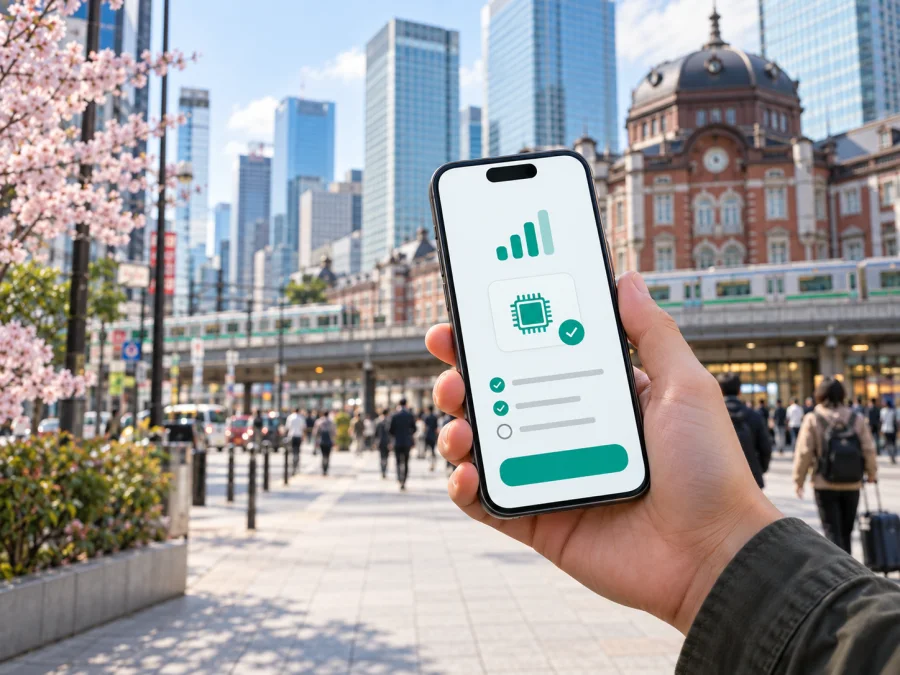
Disney Mobile eSIM in Japan: what travelers should check
If you are planning a trip to Japan and searching for Disney Mobile eSIM, first separate the historical brand name from a currently supported mobile service. Disney Mobile has been used for mobile products connected with Disney in Japan, but the public information available today does not confirm an active Disney Mobile eSIM offer for travelers. This page explains what was verified, what remains uncertain, and how to prepare mobile internet without relying on an outdated assumption.
Current status of Disney Mobile in Japan
The official Japanese Disney closure notice says that the Disney Mobile on SoftBank service ended on August 31, 2016. It also directed users of the former Disney Mobile on docomo service to a separate historical page. That notice is not a current eSIM support page and should not be read as evidence that an eSIM can be issued or activated today.
The current Disney.jp website and online help pages focus on entertainment, accounts, stores, games, and other digital services. The current environment page describes supported browsers and operating systems for the website; it does not provide a current Disney Mobile eSIM activation flow, compatibility list, network map, or traveler registration process. As of September 20, 2026, no current official Disney page was found that confirms Disney Mobile eSIM availability in Japan.
That is the practical answer for a traveler: confirmation of a current Disney Mobile eSIM offer was not found on the verification date. Do not purchase a product or prepare a device on the assumption that the Disney Mobile name identifies a currently active Japanese mobile operator. If you have an old Disney Mobile device, account, physical SIM, or saved activation information, ask the relevant official support channel whether anything remains usable. Check the service name, issuing company, device status, and current terms together.
What to verify before choosing an eSIM
An eSIM, or embedded SIM, is a digital SIM profile installed on a compatible phone without inserting a plastic card. A carrier or travel service supplies the profile, which is normally downloaded through an app, a QR code, or manual details. The eSIM technology is separate from the Disney brand. A phone may support eSIM while a particular legacy service does not.
Before making any decision related to Disney Mobile eSIM in Japan, check these points:
| Check | Why it matters |
|---|---|
| Current provider | A brand name, handset model, and mobile network are not always the same thing. Confirm who issues the profile today. |
| eSIM availability | Look for a current official page explaining ordering, installation, activation, and support. An old product page is not enough. |
| Device compatibility | Support can vary by model, sales region, firmware, and carrier configuration. |
| Carrier lock | A device locked to another network may reject an otherwise valid travel profile. |
| Travel requirements | Registration, identity checks, and other restrictions depend on the provider and service type. |
| Data and calls | Many travel eSIMs are for mobile data rather than a local telephone number. |
| Activation timing | Installing a profile and starting its data service can be separate steps. |
The absence of current Disney Mobile confirmation also means that supported radio technologies and coverage should not be attributed to Disney Mobile. A legacy handset label does not prove access to present-day LTE or 5G service, and it does not show where a travel eSIM will connect. For a current product, verify technologies and coverage in the documentation of the actual issuing provider. For Disney Mobile specifically, no current technology or coverage statement was established as of September 20, 2026.
Japan travel connectivity: practical context
Travelers in Japan may move between airports, cities, rural areas, islands, rail corridors, and indoor venues. The useful question is which current profile will be installed on which device and through which network arrangement. Coverage can vary with geography, buildings, terrain, local conditions, and the radio bands supported by the phone.
For any current eSIM, read the provider’s service-area description carefully. “Japan” is not a promise that every underground station, mountain route, ferry, or building will have the same experience. A data-only eSIM may support maps, translation, reservations, and messengers, but may not include a Japanese phone number, ordinary calls, or SMS. Select the travel eSIM for data and understand how the home line handles roaming.
Prepaid and tourist eSIM offers are generally available in Japan’s travel-connectivity market, but that fact does not confirm an offer from Disney Mobile. Availability, identity requirements, activation rules, supported devices, and coverage are set by the provider named in current documentation.
How a travel eSIM differs from a local operator service
A local operator service is connected with a local account, support rules, and a numbering or network arrangement. A travel eSIM is selected for a destination and intended for mobile data during a trip. A search result, old handset, or entertainment-brand association cannot establish who issues a profile or whether it can be activated on a traveler’s phone; the current provider must be named in the purchase flow and installation instructions.
Kaspersky eSIM Store is a separate option for preparing mobile internet for travel. It is an app and website for choosing, arranging, and activating an eSIM with a travel data plan for a selected destination. It is not a mobile operator, does not own a Japanese network, and should not be described as providing network coverage itself. The Japan service page identifies the local telecommunications providers behind its travel connectivity, while the customer uses Kaspersky eSIM Store to select and manage the eSIM.
The Kaspersky official travel article published on June 17, 2025 explains the general flow: check device compatibility, choose a destination, install the profile, and select the eSIM for mobile data. It also explains that installation needs an internet connection and that some devices may require data roaming to be enabled for the eSIM. The current Japan page and app listing describe data-focused eSIM use, installation instructions, and account tools for managing the profile. Conditions can change, so review the live purchase and help screens before completing an order.
If you need a travel option for Japan, choose an eSIM plan for Japan only after checking the device and current terms. This destination link is an option from Kaspersky eSIM Store; it is not a Disney Mobile offer and does not establish affiliation between the two brands.
Device compatibility and carrier lock
Compatibility is the first technical gate. A phone may have a modern operating system and still lack eSIM support, or it may support eSIM only in some regional versions. Check the manufacturer’s specifications, the device settings, and the compatibility information shown by the current provider. If the phone was purchased through a carrier, confirm that it is unlocked for another profile.
On an iPhone, look in Mobile Service or Cellular settings for an option to add an eSIM or mobile plan. On Android, look for SIM manager, mobile network, or add eSIM. Menu names vary by version. Do not delete an existing profile simply to test a new one, and keep the QR code and purchase information until installation is complete.
For a more detailed pre-purchase check, review eSIM device compatibility. Make sure the phone has a stable internet connection while the new profile is downloaded. If possible, install and check it before departure while you still have reliable access to your normal connection.
How to install and activate a travel eSIM for Japan
The exact screens depend on the phone and provider, but the sequence below is a useful general guide. It is not a Disney Mobile activation procedure, because current public confirmation of one was not found.
1. Confirm the provider and destination
Make sure the order refers to Japan or the region covering your route. Check whether the service is data-only, which device is assigned to the activation code, and where support instructions are located.
2. Check and install
Confirm eSIM support, remove any carrier lock, and charge the phone. Open the provider’s app or mobile-network settings, choose add eSIM, and follow the flow or scan the QR code. Install only when the code belongs to the intended device, then label the profile clearly.
3. Select the data line
When you arrive, choose the travel eSIM for mobile data. If the provider requires data roaming for that profile, enable it only there. Check that the home line is not selected for data, and review automatic switching between lines.
4. Test and keep support details
Turn off Wi-Fi briefly and open a simple web page or map. If the connection does not start, check that the eSIM is enabled, the correct line is selected, the phone is unlocked, and the provider’s steps are complete. Keep the order reference and do not delete the profile before support has checked it.
Traveler requirements and common restrictions
The requirements for Disney Mobile cannot be confirmed as current because no current Disney Mobile eSIM support page was found. The following points apply as a general travel-eSIM checklist and must be matched against the current provider’s terms:
- You need an eSIM-compatible phone that is not carrier-locked.
- You need internet access during installation unless another documented setup route is offered.
- You may need to scan a QR code or approve an in-app installation.
- The eSIM may be data-only and may not supply a local number for calls or SMS.
- Some devices require data roaming to be enabled for the travel profile.
- An activation code or installed profile may be limited to one device.
- Regional device variants can differ even when the model name looks identical.
- A profile does not guarantee service in every indoor, underground, remote, or maritime location.
- Purchases, refunds, activation timing, and identity requirements follow the current provider terms.
Do not infer a traveler’s eligibility from the Disney name. Check the issuing provider, intended country, phone model, and current rules as one set. If the trip is for work, study, or a longer stay, also consider whether you need a local number, regulatory registration, or a service supporting voice and SMS.
Frequently asked questions
Is Disney Mobile eSIM currently available in Japan?
Current availability was not confirmed by a public official Disney source on September 20, 2026. The official Japanese Disney closure notice records the end of the Disney Mobile on SoftBank service in 2016, while current Disney pages do not provide a new eSIM activation process. Check with the relevant official support channel before relying on the name.
Does a travel eSIM replace a Japanese phone number?
Usually not when the product is data-only. It can support maps, web pages, email, and internet messaging, but ordinary voice calls and SMS require the appropriate telephone service. Check the current product description rather than assuming that every eSIM includes a number.
Does Kaspersky eSIM Store operate the Japanese network?
No. Kaspersky eSIM Store is an app and website that helps users choose, arrange, install, and activate a travel eSIM. It is not a Japanese mobile operator, network owner, or mobile-internet provider. The actual connectivity is supplied through the providers identified in the current product flow.
A simple decision path
If you specifically need a current Disney-branded mobile service, pause and seek confirmation from an official, current source. As of September 20, 2026, no current Disney Mobile eSIM offer, activation guide, compatibility list, or coverage statement for Japan was located. Do not treat an old page, archived handset description, or search result as a current purchase path.
If your priority is mobile internet in Japan, begin with the practical checks: a compatible and unlocked phone, stable internet for setup, a provider that explicitly supports Japan, and a clear distinction between the home line and travel data line. Kaspersky eSIM Store can help you review a destination-specific travel option, but confirm all live terms in the app or current store page before purchase. A travel eSIM may be an alternative to physical SIM handling or standard roaming, but no option is automatically right for every route or device.
If the name Disney Mobile is essential to your plans, contact the relevant official support team first and ask for written confirmation that the service is current in Japan.
Kaspersky eSIM Store is not affiliated with Disney Mobile and is not its official partner or distributor. Kaspersky eSIM Store does not own the Japanese network or provide a Disney Mobile service; it helps users choose and activate a separate travel eSIM for mobile data. Conditions, supported devices, coverage, and availability can change, so verify the latest information with the relevant provider on the date of purchase.
When you are ready to review a separate travel-data option, choose an eSIM plan for Japan and check compatibility and current conditions before completing the setup.


