Travel connectivity guide
Djezzy eSIM in Algeria: what to check
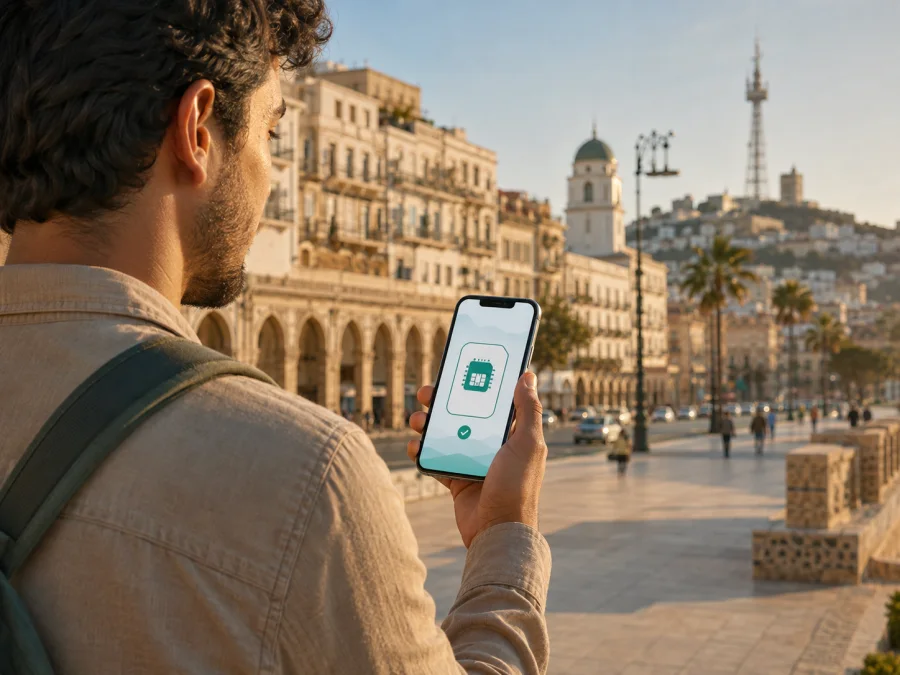
Djezzy eSIM in Algeria: what travelers should check
If you are planning a trip to Algeria and searching for “Djezzy eSIM”, separate three options: a local Djezzy line, roaming on an existing SIM, and a travel eSIM that uses a local network. They have different activation paths and service models. Your choice depends on whether you need a local number, data only, or continuity for an existing line.
This guide reflects public information checked on 3 September 2026. Djezzy’s current pages describe prepaid, data, roaming, customer-care and network services. The Djezzy pages located during this check do not clearly document direct eSIM issuance or physical-SIM conversion. At the same time, the current Algeria page in Kaspersky eSIM Store lists Djezzy as a local telecommunications provider for its Algeria eSIM flow. That supports the availability of a Djezzy-linked route in that particular travel-eSIM flow, but it is not proof that every Djezzy customer can obtain a separate retail eSIM directly from the operator.
If direct operator eSIM matters, confirm the procedure with Djezzy before traveling. For trip data, check compatibility and current Algeria conditions in the Kaspersky eSIM Store flow before purchasing.
Djezzy’s place in the Algerian mobile market
Djezzy is a mobile operator serving Algeria under the commercial name Djezzy. Its public website currently groups services into prepaid, postpaid, internet, roaming and digital account-management categories. The site also points customers to the Djezzy App and service centers. This makes Djezzy relevant both to residents managing an everyday mobile line and to travelers deciding between a local SIM, roaming and a travel eSIM.
Djezzy’s current public channels include service centers, customer care, the Djezzy App, an online account area and supported USSD menus. The Ministry of Post and Telecommunications’ Djezzy FAQ, checked on 3 September 2026, also describes prepaid account management, balance checks and roaming support. Menus and procedures can change, so use current instructions. A travel-eSIM page can identify a local network without documenting direct Djezzy eSIM retail support.
Is Djezzy eSIM available in Algeria?
The careful answer as of 3 September 2026 is that a Djezzy-branded direct eSIM offer was not clearly documented on the current Djezzy public pages found in this verification. The official Kaspersky eSIM Store page for Algeria does currently name Djezzy among the local telecommunications providers used for its Algeria eSIM products. Therefore, there is public evidence for Djezzy being associated with the Algeria travel-eSIM route shown by Kaspersky eSIM Store, but not enough Djezzy documentation to promise direct issuance to every traveler.
The absence of a clear operator statement is not evidence that direct eSIM is impossible. It means the procedure could not be verified from the Djezzy pages located for this article. Support can depend on the phone variant, sales region, customer status and current systems; eSIM hardware alone does not guarantee activation of a carrier profile.
Ask Djezzy whether eSIM is available for a new or existing line, whether your model and sales region are supported, which document is required, and whether activation is done in a store, account area or with a QR code.
For the travel route, Kaspersky eSIM Store is an app and website that helps a user choose, arrange and activate an eSIM with a data plan for an international trip. It is not a mobile operator, does not own Djezzy’s network, and does not provide Djezzy coverage. The Kaspersky Algeria page currently presents the country flow and names Djezzy as a local provider. Check compatibility and read the current conditions shown at purchase.
Prepaid and tourist use: documents and restrictions
Djezzy publicly presents prepaid services and travel-related roaming categories. Individual conditions can change, so the useful distinction is between a prepaid local line, roaming for an existing customer, and a special travel-oriented service. Their purchase and activation requirements can differ.
Current Djezzy prepaid pages direct customers to a service center or authorized sales point and refer to valid identification. A current announcement for a specific pilgrimage context refers to a passport and visa. That is not a universal tourist rule, so bring your passport and confirm whether registration or another document is required.
Do not assume every step can be completed online. Some services may require an in-person identity check, while existing customers may manage a line through the app or customer care. Business and postpaid profiles can have additional rules.
Roaming is a separate scenario. The Ministry FAQ says that prepaid or control customers can use roaming when the applicable conditions are met, while postpaid customers may have additional requirements. It also explains that a Djezzy line can be managed through operator channels while abroad. Before departure, check that the line is active, international use is enabled where required, and you understand which phone settings apply to data, calls and messages.
A travel eSIM is generally considered when data preparation is more important than obtaining a local number. The Kaspersky eSIM Store Algeria page describes its travel eSIM as data-only. It is suitable for online maps, translation, reservations, messaging and work tools, but ordinary voice calls and SMS are not part of that travel-eSIM service unless the current conditions explicitly state otherwise. Internet calling and messaging apps can work through data, subject to the app and device settings.
Network technologies and coverage
Djezzy’s current 5G Conditions of Use describe mobile services across 3G, 4G and 5G. The same document warns that, during deployment, a zone shown as covered may not be continuously available. It also explains that a device can fall back to GSM, GPRS or EDGE when 3G, 4G or 5G service is unavailable. This is an important qualification for travelers: a technology listed by an operator is not a guarantee that your handset will use it at every location.
In a second-quarter 2025 press release, Djezzy reported 4G population coverage of 95.2% at that time. This is an operator-reported national population figure, not a promise of reception inside a particular building, on a mountain route, in a border area or in every rural and southern location. For travel planning, treat it as market context and check the current status for the places on your route.
Local Djezzy line, roaming or travel eSIM?
Choose by use case. A local Djezzy line may fit a longer stay or a need for a locally managed number and store assistance. It may involve in-person purchase, identification and local activation. Confirm the rules with Djezzy.
A travel eSIM may fit a short visit when data preparation and avoiding a physical-SIM exchange matter more than a local number. Kaspersky eSIM Store lets the user select Algeria, review conditions, receive the profile and manage it through the site or app. The official page says to check compatibility, describes QR-code activation and states that the travel eSIM is data-only.
The options can coexist on one compatible phone: keep the home SIM for number-based services and use a travel eSIM for data. Review automatic data switching so the phone does not move data back to the home SIM while roaming.
| Setup point | Local Djezzy route | Travel eSIM route |
|---|---|---|
| Main model | Operator-managed mobile line | Digital data profile for a trip |
| Number | Confirm what the selected Djezzy service provides | The Kaspersky travel eSIM is described as data-only |
| Purchase | Service center, authorized point or current Djezzy channel | Website or app, subject to the current product flow |
| Installation | Depends on the Djezzy procedure and SIM type | Profile or QR code on a compatible, unlocked phone |
| Documents | Confirm current identification requirements | Check the current purchase and verification conditions |
| Support | Djezzy’s current service channels | Kaspersky eSIM Store instructions and support |
This is a setup reference, not a comparison of network quality or promised performance.
When you are ready to review the current travel-eSIM flow, choose an eSIM plan for Algeria after checking that your phone is compatible and unlocked.
How to prepare and activate a travel eSIM
These steps describe a general Kaspersky eSIM Store setup, not Djezzy’s direct procedure. Menu names vary between Android and iOS.
1. Check the phone
Confirm that the exact model supports eSIM and is not operator-locked. Check the manufacturer’s specifications, the device settings and the product compatibility checker. Regional variants can differ.
2. Prepare an internet connection
Keep the phone on reliable Wi-Fi or another working line while installing the profile. A stable connection can be needed to download the eSIM. Preparing it before departure leaves more time to resolve an issue.
3. Select Algeria and review conditions
Open the Kaspersky eSIM Store website or app, select Algeria, and read the current conditions for the chosen product. Check the destination, activation timing, data-only limitation and device requirements. Do not rely on a label without reading the current details.
4. Install the profile
Open the profile in your account or use the QR code from the confirmation. In mobile-network settings, choose to add an eSIM and follow the prompts. Give the profile a clear label such as “Algeria data”.
5. Select the data line
Set the travel eSIM as the mobile-data line. Review automatic data switching and turn it off if you do not want the phone to move data to the home SIM. Keep the home line for the uses you still need.
6. Configure roaming if required
Some devices require data roaming to be enabled for the travel eSIM to connect to a partner network. This does not mean that the home SIM must use roaming. Select the correct line first and follow the product instructions.
7. Test the connection
While Wi-Fi is available, open a simple webpage or map, then confirm which line is carrying data. Installation and an active data connection are separate steps. Test again with Wi-Fi off before you need directions or a booking confirmation.
8. Keep the profile on its assigned phone
Do not delete the eSIM just to test another phone. The current Kaspersky eSIM Store Algeria page says that an activated eSIM cannot be transferred to another device because its activation code is unique. Contact support before removing a profile after a problem.
Common traveler questions
Does Djezzy directly offer eSIM in Algeria?
Direct operator eSIM issuance was not clearly confirmed on the current Djezzy public pages checked on 3 September 2026. The Kaspersky eSIM Store Algeria page does name Djezzy as a local provider for its travel-eSIM flow. Ask Djezzy to confirm direct issuance if you specifically want an operator-issued profile.
Can a tourist buy prepaid service from Djezzy?
Djezzy publicly presents prepaid services, but registration and purchase requirements depend on the product and customer situation. Current pages refer to service centers, authorized points and valid identification. Bring your passport and confirm any additional step before relying on the service.
Does a travel eSIM replace my phone number?
No. The Kaspersky eSIM Store Algeria page describes its travel eSIM as data-only, without a regular phone number, voice calls or SMS. You can keep the home SIM for number-based services and use the travel profile for data, subject to settings and home-operator conditions.
Will the phone always use 4G or 5G?
No specific location can be promised. Djezzy’s 5G conditions describe 3G, 4G and 5G and note that availability may be non-continuous during deployment, with fallback to older technologies in some situations. Terrain, buildings, device bands and local deployment affect the result.
What should I do if installation fails?
Confirm compatibility and that the phone is unlocked. Recheck the QR code or profile, internet connection, selected data line and roaming setting for that profile. Avoid repeatedly deleting the eSIM. If the issue remains, use the support channel in the current Kaspersky instructions or ask Djezzy about a direct operator service.
Final checklist for a connected trip
Before departure, decide which line will carry data and which will receive calls or messages. Check the phone model, regional variant and lock status. Keep your passport available for a local purchase or identification step. If you already use Djezzy, check roaming and account status. Distinguish a Djezzy-linked travel route from a direct Djezzy retail eSIM request.
After installation, label the profile, select it for mobile data, review automatic switching, and enable data roaming for that profile only if instructed. Test a webpage with Wi-Fi off and keep support details accessible. Djezzy’s official pages, checked on 3 September 2026, describe prepaid, roaming, customer support and 3G/4G/5G conditions. The official Kaspersky Algeria page lists Djezzy as a local provider and gives compatibility, installation and data-only guidance.
Operator support, device lists, partner arrangements, coverage and activation rules can change. Confirm current information with Djezzy and in the Kaspersky eSIM Store product flow before purchase or activation.
Kaspersky eSIM Store is not affiliated with Djezzy and is not Djezzy’s official support channel. Djezzy, its name and related marks belong to their respective rights holder. Kaspersky eSIM Store is an app and website that helps users choose, arrange and activate an eSIM data plan for an international trip; it is not a mobile operator, network owner or provider of Djezzy coverage.


