Travel connectivity guide
Docomo Pacific eSIM in Guam: what to check
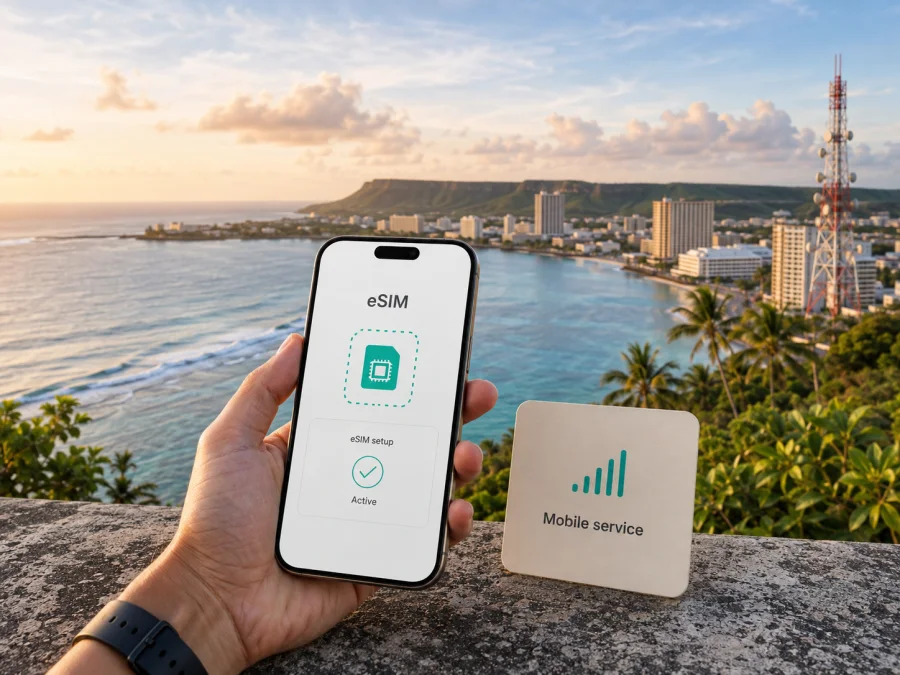
Docomo Pacific eSIM in Guam: connection, activation, and travel checks
Publication date: September 7, 2026
Verification date: September 7, 2026
Docomo Pacific and related names belong to their respective owners. Kaspersky eSIM Store is not affiliated with Docomo Pacific and is not its official partner or distributor.
The short answer
If you are visiting Guam and searching for a Docomo Pacific eSIM, the operator’s current public eSIM page confirms support on compatible devices for its postpaid and prepaid mobile plans. It says that a customer should visit a Docomo Pacific retail store to obtain or switch to an eSIM and receive the QR code used for activation.
That confirmation comes with an important traveler caveat. The page does not promise that every short-term visitor can obtain an eSIM online before arrival, and its conditions refer to Guam and CNMI residential subscribers. The operator also publishes prepaid and visitor-oriented mobile information, but that is not proof that every visitor option is offered as an eSIM. Ask Docomo Pacific to confirm your eligibility and the current store process before relying on it as your only arrival connection.
Kaspersky eSIM Store can help you select, arrange, and activate a separate travel eSIM option for mobile internet. It is an app and website for a travel-data workflow, not Docomo Pacific, a local network owner, or a mobile operator.
What the eSIM service means
An eSIM is a digital SIM profile built into a compatible phone. It removes the need for a plastic SIM and may allow several profiles to be stored on one device; active-profile options depend on the model and software. The Docomo Pacific eSIM page describes its associated service as supporting calls, messages, and web access.
For Guam, eSIM is part of Docomo Pacific’s regular mobile service. The current official page refers to both postpaid and prepaid mobile plans and says that the device must be unlocked or locked to Docomo Pacific. The handset, radio hardware, account, and customer status must also fit the current requirements.
The ordering route is relevant to travelers. Docomo Pacific directs customers to a retail store to obtain or switch to an eSIM, where they receive a QR code. Plan time for the visit and confirm the store, opening hours, account steps, document requirements, and replacement procedure in advance. The public page does not give one universal visitor process.
Is Docomo Pacific eSIM available to tourists?
The answer is not a blanket yes. Docomo Pacific publicly confirms eSIM for compatible devices across its postpaid and prepaid mobile plans. Its mobile shop has a prepaid section and a page intended for people visiting Guam or the Northern Mariana Islands. These pages support the general conclusion that prepaid and short-stay connectivity options exist in the market.
They do not establish that every tourist can apply remotely for an operator eSIM. The eSIM instructions center on a retail-store visit, and the same page contains conditions referring to residential subscribers. The visitor page describes a visitor-focused SIM and Wi‑Fi route, but its public instructions are not confirmation that the visitor route is digital.
Before departure, ask Docomo Pacific directly:
- Can a short-term visitor receive an eSIM rather than a physical SIM?
- Is a retail-store visit required, and which store handles it?
- What information or documents are needed?
- What happens if the QR code is lost or needs replacement?
If support gives a newer answer than the website, follow the latest direct instruction. Store procedures, eligibility, and mobile products can change. Keep the answer in writing if you arrive outside normal business hours or are arranging service for several people.
Check your phone before flying
First confirm that the exact phone model supports eSIM. In settings, look for “Add eSIM,” “Add cellular plan,” or “Add mobile plan.” The wording differs between iOS and Android, and regional versions of a phone can have different capabilities. The model number and country of purchase matter more than the product family name alone.
Next check the carrier lock. Docomo Pacific says that a device must be unlocked or locked to Docomo Pacific. A phone locked to another operator can reject the profile even when its hardware supports eSIM. If the phone was bought through a contract, confirm its status with the original operator before travel.
Finally check radio support. Current Docomo Pacific network materials refer to LTE and 5G and carry a notice about the retirement of 3G by the end of June 2026. Since this article is verified on September 7, 2026, do not plan around a 3G-only handset. Use a phone that supports relevant LTE or 5G operation and confirm the exact model with Docomo Pacific. A 5G icon alone does not prove that every local band will work.
A quick compatibility checklist
- Locate the option to add an eSIM or mobile plan.
- Record the exact model number and sales region.
- Confirm that the device is unlocked or locked to Docomo Pacific.
- Install updates and check LTE or 5G band compatibility.
- Keep account access and your primary SIM available.
Do not erase your primary profile before the new line has been tested. Deleting an eSIM can complicate troubleshooting or reissue. Retain the QR code and activation paperwork for troubleshooting or SIM replacement, as the operator advises.
How activation works
The operator’s public instructions describe a QR-based process. You first obtain the QR code through the Docomo Pacific retail-store route, then use an internet connection and the phone’s eSIM controls.
1. Confirm eligibility and receive the QR code
Ask a representative to confirm that your status and handset qualify. Check the QR code before leaving the store.
2. Connect to the internet
Docomo Pacific says that Wi‑Fi or cellular data is required for activation. Use a dependable connection. If the primary SIM supplies it, check roaming conditions first. An airport or hotel network may use a captive portal, so do not assume it will complete a profile download without interruption.
3. Add the profile
On an iPhone, open cellular settings, choose the option to add a cellular plan or eSIM, scan the QR code, and follow the prompts. On Android, the path varies and may be under Connections, SIM manager, or Mobile Network. Choose the add-mobile-plan option, scan the QR code, and follow the prompts. Docomo Pacific also describes manual entry when scanning fails, using activation information supplied with the paperwork.
4. Select the line
Give the new profile a clear label such as “Guam travel.” Choose which SIM handles mobile data, calls, and messages. Available choices depend on the phone and service. If you use a separate travel-data eSIM, make the data selection explicit and avoid automatic switching unless you understand it.
5. Test the connection
Allow the phone time to register, then check the signal indicator, mobile data, and a basic webpage. If it does not work, confirm that the profile is enabled and selected for data. Some travel profiles require data roaming; follow the relevant instructions. Do not repeatedly delete and reinstall a profile without support advice.
Keep the QR code and paperwork until the connection works and you know the replacement procedure.
Traveler preparation
An arrival plan should include store access, a backup connection, and enough time for setup. Individual requirements can change, so confirm these points before departure:
- Confirm eSIM eligibility with Docomo Pacific for your exact status: resident, returning customer, temporary worker, or visitor.
- Ask whether the prepaid or short-stay service you need is offered as eSIM.
- Check the latest store location, opening time, documents, and replacement procedure.
- Bring the phone, model details, account access, and a charged device.
- Keep your main number and a backup connection available for messages and support.
The operator’s visitor materials show that short-stay travelers are a recognized customer group in Guam. They also show that visitor connectivity can follow a different route from ordinary resident mobile service. Ask “Is eSIM available for my visitor status?” rather than assuming that prepaid means visitor eSIM.
Coverage and network technologies
Docomo Pacific’s current public materials identify LTE and 5G as part of its network direction. The eSIM page tells customers with questions to check whether a handset is LTE/5G capable. These are useful device-preparation facts, not a promise that every phone will connect everywhere.
The operator’s network page describes service activity in Guam and the CNMI and provides a coverage-checking route. Read it as broad geographic guidance, not a guarantee of identical service in every building, road, coastline, valley, or indoor location. Terrain, construction, handset bands, maintenance, local conditions, and network load can affect a connection.
Download essential maps before leaving Wi‑Fi, keep software current, save support details, and verify the selected data line after landing. Actual service depends on location, device, account, and network conditions.
Local eSIM versus travel eSIM
A local Docomo Pacific eSIM is tied to the operator’s customer process and its eligibility, store, account, voice, messaging, and data conditions. It may suit someone who needs the operator’s local service or relationship; confirm the exact functions directly.
A travel eSIM is prepared for mobile internet during a trip. It can suit someone who wants to arrange data before departure, keep the physical SIM in the phone, or separate travel data from the everyday line. It is not automatically a Docomo Pacific subscription, does not create a local voice number merely because the phone has an eSIM slot, and does not bypass a carrier lock.
The source of service is the key distinction. A local operator eSIM is issued through the operator’s customer process. Kaspersky eSIM Store is an application and website that helps a traveler choose, arrange, and activate a travel eSIM option. It is not a mobile operator, network owner, or provider of local coverage.
For a Guam trip, you can choose an eSIM option for Guam after checking device compatibility and current service conditions. This is a travel-data continuation of the article, not a Docomo Pacific activation link.
Kaspersky eSIM Store in the travel workflow
Kaspersky eSIM Store is an app and website for choosing, arranging, and activating a travel eSIM option for mobile internet. Before using it, verify that the phone is not carrier-locked, that Guam is included, and when activation begins.
Keep the primary line available if you need its number for authentication. This workflow can reduce physical-SIM steps after arrival, but you still need to check the handset, internet access, and service conditions.
Kaspersky eSIM Store is not Docomo Pacific’s account, retail store, network, or support channel. Questions about an operator profile, local eligibility, local number, billing, or an operator-issued QR code should go to Docomo Pacific; questions about a travel eSIM arranged through Kaspersky eSIM Store should go through that service’s support route.
FAQ
Does Docomo Pacific support eSIM in Guam?
Yes. Its current public eSIM page confirms support on compatible devices for postpaid and prepaid mobile plans and directs customers to a retail store for obtaining or switching to an eSIM. Traveler eligibility is a separate question and should be confirmed before arrival.
Can a tourist assume that prepaid means visitor eSIM?
No. Prepaid and visitor-oriented connectivity are publicly presented, but the eSIM process includes a store visit and conditions referring to residential subscribers. Ask Docomo Pacific specifically whether your short-term stay can use eSIM.
What is needed for activation?
You need a compatible phone, an unlocked device or one locked to Docomo Pacific, the QR code and activation information supplied through the operator’s process, and Wi‑Fi or cellular internet. Menus vary by model.
Final arrival checklist
- Your phone supports eSIM and relevant LTE or 5G operation.
- The phone is unlocked or its lock status matches the operator’s requirement.
- Docomo Pacific has confirmed your eligibility, especially if you are a visitor.
- You know whether a retail-store visit is required and have allowed time for it.
- You will have internet during installation.
- You have saved the QR code and activation paperwork securely.
- You know which line handles data, calls, and messages.
- You have a backup connection before store support is available.
- You have checked current network and coverage information for your route.
Docomo Pacific’s public eSIM information provides a starting point for eligible customers. For a visitor, confirm status, store access, handset compatibility, and the form of service available for the stay. A travel eSIM can be part of that preparation when its data-focused conditions suit the trip.
Kaspersky eSIM Store can help you review the Guam travel-data option and prepare an eSIM workflow. This does not replace Docomo Pacific support for operator eligibility, local service, or an operator-issued QR code.
Availability, store procedures, device compatibility, activation requirements, technologies, coverage, and visitor conditions may change. The statements above were checked on September 7, 2026 against public Docomo Pacific eSIM, mobile, visitor, and network pages and official Kaspersky eSIM Store information. Confirm the latest conditions with the relevant service before purchase, a store visit, or activation.


