Travel connectivity guide
Doha eSIM: Mobile Internet for Your Trip
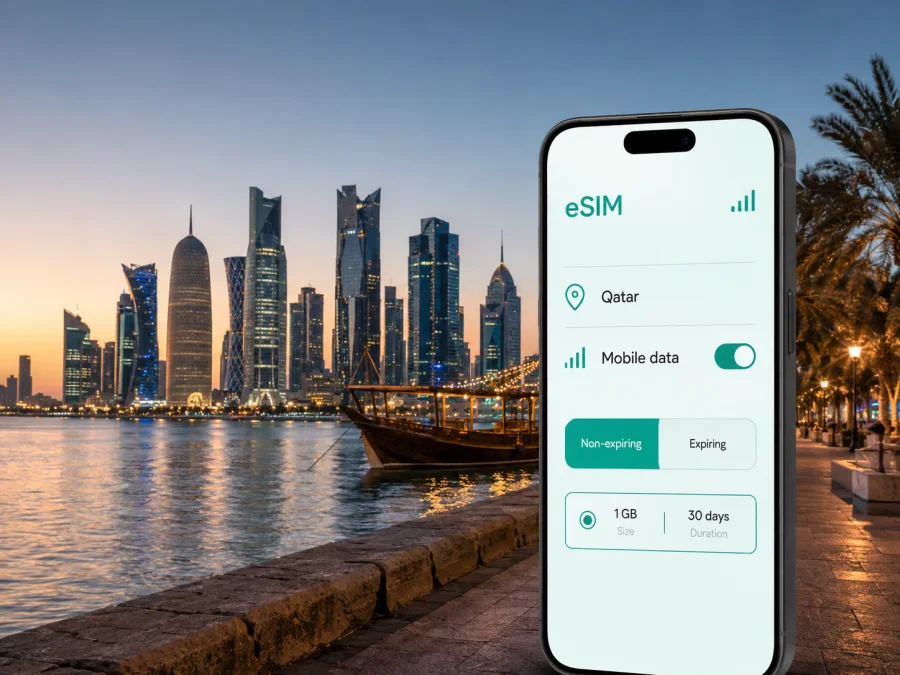
Doha eSIM: Mobile Connection and Internet for Your Trip
Doha is easier to navigate when your phone is ready before you leave the airport. You may need a hotel address, a ride, a booking confirmation, a map, a message to a colleague, or a translation during your first few hours in Qatar. An eSIM, or digital SIM, can help you prepare mobile internet without removing your everyday physical SIM card.
The useful question is how you will use your phone in Doha: at Hamad International Airport, on the way to West Bay or Msheireb Downtown, between a hotel and a meeting, along the Corniche, or during a stopover. This guide focuses on those scenarios.
What an eSIM changes in a Doha trip
Kaspersky eSIM Store is an app and website that helps you choose, arrange, and activate an eSIM with a suitable tariff for mobile internet during an international trip. Before proceeding, you can review the destination, traffic allowance, validity period, and price of the selected option. The eSIM is intended for mobile data; it does not automatically include a regular phone number, voice calls, or SMS unless the conditions of the specific tariff say otherwise. Internet messengers can handle calls and messages when you have data.
For a Doha visit, that data can support practical tasks rather than constant entertainment:
- open a map and confirm the entrance to a hotel, tower, or venue;
- request a taxi or check a metro connection after landing;
- receive a reservation or send your arrival time;
- navigate between the Corniche, museums, Souq Waqif, and business districts;
- join a work call or exchange files between appointments;
- keep translation, travel documents, and family messages available.
An eSIM reduces the need to find a physical SIM counter immediately after landing. Public Wi‑Fi can still be useful, but mobile data is available while you are moving between places. Keep your home SIM if you need its number, and check its roaming conditions separately.
The first hours at Hamad International Airport
The airport is where a prepared connection has the clearest value. You may be carrying luggage, arriving at an unfamiliar time, or trying to reach a hotel. Install the eSIM in advance and keep the purchase details or QR code accessible offline.
Before departure, save your accommodation name, full address, airport route, and return destination in a note. This gives you a fallback if an app needs to reload.
After landing, use this short sequence:
- Turn off airplane mode.
- Confirm that the eSIM line is enabled.
- Select the eSIM for mobile data.
- Enable data roaming for that eSIM only if its instructions require it.
- Wait briefly for network registration.
- Test a map and send a short message before leaving the terminal.
The Doha Metro map includes Hamad International Airport T1 on the Red Line. The metro may suit a destination near a station; with luggage or a remote hotel, a taxi or ride-hailing service may be simpler. In either case, mobile data helps you compare the route, identify the correct entrance, and show the destination clearly.
Choosing a tariff for your Doha itinerary
Start with the trip, not with the biggest traffic allowance. Count the days in Doha, decide whether you will travel beyond the city, and identify the tasks that cannot wait for hotel Wi‑Fi. Maps, messaging, email, bookings, and occasional browsing need a different allowance from video calls, photo backup, or laptop hotspot use.
| Doha travel pattern | Main data needs | What to check |
|---|---|---|
| Short stopover | One airport transfer, maps, messages, and a few bookings | Validity for the whole stopover plus room for route changes |
| City break | Navigation, reservations, translation, photos, and messaging | Traffic for several days and the places on your itinerary |
| Business visit | Email, work messages, authentication, calls, and updated meeting details | Whether your work pattern or hotspot use needs more traffic |
| Doha base with day trips | Maps, transport, bookings, and communication outside the centre | Qatar destination conditions for the complete route |
Compare each available Qatar tariff by five points:
- Destination. Confirm that the option is for Qatar and matches any route beyond central Doha.
- Validity. Check the period and when it begins. Installation, activation, and the start of traffic use may be separate events.
- Traffic. Include navigation, work, photos, video, and hotspot use in your estimate.
- Top-ups. If you may need more data, check whether and how the selected tariff can be topped up.
- Device conditions. Confirm eSIM support and that the phone is not operator-locked. Check your device compatibility before payment.
For a short city visit, a smaller allowance can be reasonable if you mainly use maps, text messages, and bookings. For remote work or regular video calls, allow more capacity and monitor usage. Avoid choosing only by the largest number: validity and actual phone habits matter just as much.
Once the length and style of your visit are clear, you can choose an eSIM tariff for your trip to Qatar. The link is to the country page because the tariff is selected for Qatar, while your daily use may be concentrated in Doha, at the airport, or on a route outside the city.
Doha districts: where mobile data helps most
The neighbourhood you choose changes the shape of the day. It also changes how often you will open navigation, request transport, or look up a meeting point.
Msheireb Downtown and central Doha
Msheireb Downtown is a useful base for combining central transport, cafés, museums, and an evening walk towards Souq Waqif. A map helps when a destination has several entrances or when a short walk needs to be adjusted. Save the hotel or venue name as well as its pin so that you can confirm it with a driver.
For several short stops, check the next place, walk, send a message, and update a reservation. Turn off automatic photo backup over mobile data if you want to reserve traffic for these tasks.
Souq Waqif and the Corniche
Souq Waqif is a historic market area with winding passages, food, shops, and nearby cultural sights. Mobile data is useful for meeting companions at a precise entrance, translating a message, and finding the way back to the station or hotel. The Doha Corniche is a waterfront promenade around Doha Bay, known for skyline views; a map can connect the walk with nearby museums, parks, or a restaurant reservation.
Here, navigation is often about orientation rather than a long car journey. Check a route, walk, then use data for the next meeting point. In a group, agree on one meeting place and save it in every phone.
West Bay
West Bay brings together high-rise offices, hotels, restaurants, and conference venues. A business traveller may need data for a changed meeting room, a ride to another tower, authentication, email attachments, or a call between appointments. Building and tower names are more useful than a broad district label, so check the exact address before leaving.
Decide whether only the phone will use the tariff. Laptop work through hotspot can use data much faster than messaging, so check the tariff’s conditions before relying on tethering.
Mina District and Doha Port
Mina District is by Doha Port and close to the Corniche, Souq Waqif, and the National Museum area. It suits an itinerary that combines the waterfront with a short cultural visit. A route app can help when a cruise or shore visit gives you limited time.
For a brief visit, prepare a compact route, save the return destination, and allow time for the journey back.
The Pearl and Lusail
The Pearl is north of central Doha, with marinas, residences, restaurants, and hotels. Lusail is farther north and may be part of a longer Qatar itinerary. If you stay in Doha and plan a route in that direction, check travel time and the return route before leaving. A country tariff can be relevant when the journey includes several places in Qatar.
Three useful travel scenarios
A first visit to Doha
Prepare the hotel address, airport route, and one meeting point before departure. After landing, test the eSIM with a map and a message. Reserve data for directions, bookings, translation, and transport.
A business trip
Separate essential work from background synchronization. Use the eSIM for meeting updates, email, work messaging, and authentication. Add every meeting building to your calendar. If the itinerary changes, data is useful for a new taxi destination or an updated invitation. Review hotspot use before connecting a laptop.
A short stopover
The priority is a clear sequence: airport, one or two central areas, a meal or meeting, and a return route. Install the eSIM before departure if possible, check validity, and save boarding details. Include room for an unexpected route change.
How to install and activate an eSIM
Complete setup while you have a dependable internet connection. Keep the purchase confirmation or QR code accessible, and do not delete the profile unless the tariff instructions say to do so.
1. Check the device
Make sure the phone supports eSIM and is not operator-locked. Models can vary by market, so use the device compatibility check before choosing a tariff.
2. Select Qatar and review the conditions
Check traffic, validity, activation conditions, top-up information, and the route you plan to take from Doha.
3. Add the eSIM
Open mobile-network settings and choose the option for adding an eSIM. Scan the QR code or follow the on-screen flow. For device-specific steps, read the Android installation guide or the iOS installation guide.
4. Name and select the line
Give the profile a clear name such as “Qatar travel”. Keep the home line for its intended services, and assign the eSIM to mobile data when you are ready.
5. Activate and test
Follow the tariff’s activation rules. After selecting the eSIM for data, open a map and send a short message. Connection may take a few minutes and depends on the device and local network. Enable data roaming for the eSIM only when required, and check that the home line is not using roaming data unintentionally.
Before you pay: a Doha checklist
- [ ] The phone supports eSIM and is not locked; check compatibility.
- [ ] The destination is Qatar and the conditions fit the full itinerary.
- [ ] Validity covers arrival, accommodation, meetings, and departure.
- [ ] Traffic reflects maps, messages, work, photos, video, and hotspot use.
- [ ] You know when validity and traffic use begin.
- [ ] You know whether data roaming is required for the eSIM.
- [ ] The QR code or profile and your account details are accessible.
- [ ] The hotel address, airport route, and meeting points are saved offline.
- [ ] You understand that ordinary calls and SMS are not included unless stated.
Installing a profile and getting data service are separate steps: the wrong line may be selected, or a required setting may still be off. Check one item at a time.
Managing data while you move around Doha
Use the phone’s data-use panel to see which apps consume the allowance. Turn off automatic updates and photo backup over mobile data if maps and messaging are the priority. Save key documents before departure where possible, and close navigation after reaching a destination.
For a day from West Bay to the Corniche and then Souq Waqif, the phone may need several short route searches. On a remote-work day, email, cloud files, calls, and hotspot may dominate.
If data stops working, confirm the eSIM is enabled and selected for mobile data, check airplane mode and the tariff instructions, and restart if needed. If the problem continues, contact support with the device and purchase details. If traffic is low, review app usage and check for a top-up before your next airport or intercity journey.
Frequently asked questions
Is an eSIM suitable for a trip to Doha?
Yes, if the phone supports eSIM and is not operator-locked. It can help with airport arrival, maps, transport, bookings, work messages, and communication. Check device compatibility and the Qatar tariff conditions first.
Can I install it before flying?
Yes, installing before departure can simplify arrival when the tariff’s activation conditions allow it. Use a dependable connection, keep the QR code available, and select the eSIM for data when you are ready to use it.
Does it replace my usual SIM?
No. A compatible dual-SIM phone can often keep the regular SIM and add an eSIM, but exact behaviour depends on the device. This eSIM is for mobile data and does not automatically include a standard number, voice calls, or SMS.
How much data do I need in Doha?
It depends on the stay and your habits. Maps, messaging, email, and browsing generally need less data than video, photo backup, video calls, or hotspot use. Estimate the entire route, including places outside central Doha, then compare traffic and validity.
Prepare your Doha connection
The process is straightforward: confirm the device, select Qatar, match traffic and validity to the itinerary, install the eSIM with a stable connection, assign it to mobile data, and monitor usage. Save airport, hotel, meeting, and return details before departure so that mobile data supports the trip rather than becoming another task.
When you are ready, choose an eSIM tariff for your Doha trip through Kaspersky eSIM Store. Install and activate the profile according to its conditions, select it for mobile data, and test a map before setting out.


