Travel connectivity guide
Dolisie eSIM: Mobile Internet for Your Trip
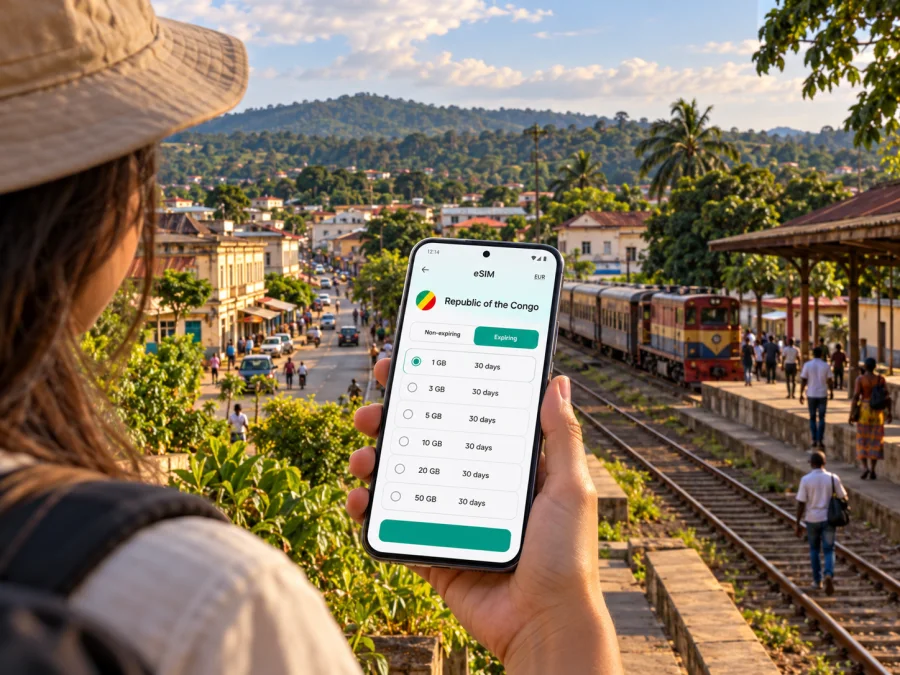
Dolisie eSIM: mobile connection and internet for your trip
A visit to Dolisie often combines a town stay with a longer journey through Niari. Mobile data can help you confirm a pickup, check an accommodation message, keep maps available and contact colleagues or family while moving between stops. An eSIM is a digital SIM profile: it can provide mobile internet without replacing the physical SIM already in your phone, provided the device and selected plan support the setup.
Dolisie is in the Niari Department of the Republic of the Congo. The country is sometimes confused with the neighbouring Democratic Republic of the Congo, so check the complete destination name before choosing a travel plan. This distinction matters: the two countries are separate destinations and a plan for one should not be assumed to work in the other.
What a mobile connection is useful for in Dolisie
Dolisie is a practical stop on journeys through the south-west of the Republic of the Congo. You may arrive by road, check whether a rail or air leg suits your itinerary, or use the town as a base for business in Niari. In each case, having data available can make the small transitions easier: finding a meeting point, sharing an arrival time, retrieving a booking, or checking directions when plans change.
A phone with mobile data is useful for:
- messaging a driver or accommodation about your arrival;
- opening saved map areas and checking a route before leaving;
- translating short messages and reading travel details;
- confirming work appointments, documents and video-call times;
- contacting someone if a road journey takes longer than expected;
- using messaging or internet-calling apps with your existing account.
These are practical uses, not a guarantee of continuous coverage. Signal strength and data performance depend on the local network, the exact place you are in, your device and the conditions at the time. Download essential information before leaving a hotel or town centre, and keep important phone numbers and addresses available offline.
Arrival: plan for the first hour
Dolisie has a national airport, but a listed airport does not by itself confirm that a particular flight is operating on your travel date. Check your ticket, airline updates and ground-transfer arrangements before departure. If you arrive by air, do not assume that a driver, accommodation or public Wi-Fi will be immediately available. Save the address where you are staying, the name and phone number of your contact, and any confirmation details before boarding.
If you arrive by road, agree on a clear pickup point and share it with the person meeting you. A map pin is helpful, but keep the written name of the location too: map labels and mobile data can vary. When you first get a signal, send a short message confirming that you have arrived and where you are waiting.
Moving around town
For short journeys, ask your host or local contact how drivers identify the pickup point and whether a landmark or street name is more useful than a map pin. Keep the destination written in a form you can show, and check the route before getting into a vehicle. When travelling with luggage or arriving after dark, arranging the pickup in advance reduces the need to search for a connection and transport at the same time.
Do not rely on live navigation as your only route plan. Before setting out, note the main turns and destination, save a map area if your app allows it, and confirm the intended route with your driver. If mobile data pauses, those steps help you continue without repeatedly reopening the map.
Work and longer stays
For a business visit, mobile internet is most useful when it supports specific tasks: checking a calendar, receiving a one-time sign-in code, sending a document, or joining a call. Download work files over a trusted connection before travel, enable multi-factor authentication methods you can access abroad, and agree on a backup way to reach your team. If you expect to use a laptop hotspot, confirm that both the eSIM plan and your device permit tethering; availability can depend on the selected plan and local network.
For video calls or large uploads, avoid assuming that a mobile connection will be stable at every venue. Ask your hotel or meeting host what connectivity is available and keep a lower-bandwidth option ready, such as audio-only participation or sending a document later. An eSIM can complement those arrangements; it cannot control the quality of a building’s network or the local mobile signal.
Dolisie as a travel junction
The town’s location makes it relevant to more than a single overnight stay. The RN1 road runs through the Niari Department and connects the Brazzaville and Pointe-Noire direction via Dolisie. Government material also identifies a national airport in Dolisie and a section of the Chemin de fer Congo-Océan (CFCO) line through the department. These connections can be useful when planning a wider itinerary, but current departure times, passenger services, road conditions and ticket arrangements should be confirmed with the relevant transport provider before you travel.
| Journey situation | What to prepare on your phone | Practical backup |
|---|---|---|
| Arrival in Dolisie | Lodging address, pickup contact, booking message | Keep the address and contact written down |
| Local appointment | Meeting point, contact number, calendar details | Confirm the location directly before departure |
| Road journey toward another city | Route notes, booking details, check-in message | Download map areas and carry offline instructions |
| Possible rail or air connection | Confirmed ticket and current departure information | Verify the service with the transport provider |
| Work during a stay | Calendar, files needed offline, sign-in method | Agree on a call or messaging fallback |
A connection to another city or a different transport mode does not mean the same signal or service conditions continue throughout the route. Check the coverage terms for the whole itinerary, especially if you will leave Dolisie for smaller settlements or rural stretches. A country plan is relevant to the Republic of the Congo; it should not be treated as a regional plan for neighbouring states unless those destinations are specifically included in its terms.
If you want to prepare data before travelling, you can review eSIM options for the Republic of the Congo. Check the current destination and plan details carefully; the landing page is for the country, not a Dolisie-only tariff, and listed conditions can change.
Choosing an eSIM plan for a Dolisie itinerary
Start with the trip rather than a headline data amount. A short visit with maps, messages and occasional email has a different pattern from a longer stay with frequent uploads or hotspot use. Estimate how many days you will be in the country, whether you will move beyond town, and which tasks you need mobile data to support.
Before choosing, compare these points in the plan details:
- Destination. Confirm that the plan explicitly covers the Republic of the Congo. Do not rely on the word “Congo” by itself; the Democratic Republic of the Congo is a different country.
- Validity. Check how long the package lasts and when its validity begins. Purchase, installation and first connection can be separate events; follow the wording shown for the specific plan.
- Data amount. Maps, messaging and browsing generally use less data than video, cloud backups or repeated hotspot sessions. Choose an amount based on your own habits and trip duration.
- Network and coverage terms. The current Kaspersky eSIM Store destination page lists Airtel among the local providers for its Republic of the Congo offers. That identifies the provider associated with the listed offer; it is not a promise of reception in every part of Dolisie or along every road.
- Calls and texts. Travel eSIMs are commonly data-focused. Check the exact terms for the selected plan rather than assuming it includes a local phone number, standard voice calls or SMS. Messaging and internet calls may work through apps you already use, subject to data availability.
- Tethering. If you plan to share data with another device, confirm that tethering is supported by both the plan and your phone.
An eSIM may be a convenient alternative to relying only on your home operator’s roaming, but it is not automatically less expensive in every situation. Compare the displayed plan cost and terms with your own roaming conditions and likely data use. The useful plan is the one that fits the destination, validity window and expected use—not simply the one with the largest allowance.
Estimate data by activity
Use these categories as a planning aid, not as fixed consumption figures. Apps differ, map quality can change usage, and automatic syncing may consume data in the background.
| Your typical day | Likely data pattern | Before you leave |
|---|---|---|
| Messaging, directions, email | Light to moderate | Turn off automatic photo and file backups on mobile data |
| Frequent browsing and social feeds | Moderate | Prefer lower-resolution media and check app settings |
| Video meetings or streaming | High and variable | Use Wi-Fi when suitable and confirm plan limits first |
| Laptop hotspot and large files | High and variable | Check tethering terms and schedule downloads in advance |
For a trip with uncertain transport times, leave some data for navigation and essential messages near the end of the journey. If your phone supports data-use warnings, set one before departure. Also check which line is assigned to mobile data: leaving your home SIM selected by mistake can create roaming charges under your home plan.
Before you buy: device and account checks
An exact model name does not always settle eSIM support. Hardware can vary by sales region, and a device may also be locked to a carrier. Before purchasing, check the manufacturer’s specifications for your exact regional variant and look in the phone’s cellular settings for an option to add an eSIM. If available, check your device’s eSIM compatibility and confirm that the phone is unlocked for use with another provider.
Also prepare for installation:
- update the operating system while you have a reliable connection;
- make sure you can access the email address and account used for the purchase;
- keep the QR code or installation details available on a second screen or printed page if needed;
- do not delete an eSIM profile during troubleshooting unless the instructions say it can be installed again;
- charge the phone and keep access to Wi-Fi for the setup process;
- check the plan’s activation and expiry rules before buying.
If the phone has two SIM lines, decide which line should handle mobile data and which should remain available for your regular number. A data-only travel eSIM does not replace your usual number for standard calls and SMS. Your home line may still incur charges if it is used abroad, so review its roaming settings and your operator’s terms.
Installing and using the eSIM
If the device is compatible and the selected plan is suitable, Kaspersky eSIM Store lets you choose, purchase and activate an eSIM for a trip through its website or app. Keep the original SIM in the device if you need it for your usual number, and follow the on-screen instructions for the eSIM profile.
A simple preparation sequence is:
- Connect to Wi-Fi and open the eSIM order in your profile or confirmation message.
- Follow the device-specific steps to add the eSIM profile. Use the QR code or in-app installation option provided for your purchase.
- Label the new line clearly, for example “Travel data,” so it is easy to select later.
- Before travelling, leave the profile installed and review the plan’s activation conditions. Do not switch off your home line unless you intend to do so.
- When you want to use the plan, select the travel eSIM for mobile data and follow the plan instructions. Some devices may require data roaming to be enabled for that eSIM line; check the instructions and make sure roaming is not enabled on the wrong line.
- Allow time for registration on a local network. If the connection does not appear, check the selected data line, the plan’s destination and validity, then restart the phone if appropriate.
For step-by-step help, see the Android eSIM installation instructions or the iOS eSIM installation instructions. Menu names can differ by operating-system version and device manufacturer, so use the instructions shown for your phone.
If mobile data does not work
Start with basic checks rather than removing the profile. Confirm that the eSIM is turned on, selected for mobile data, and covered by the plan’s destination and validity. Check whether the plan requires data roaming on the eSIM line. Move to a place where you can safely wait and try again after a short interval; network registration can take time.
If there is still no data, connect to Wi-Fi if available and review the order details and device instructions. Keep the original QR code and purchase confirmation. Contact support using the details available in your account if the problem continues. Do not assume that the cause is poor coverage alone: a wrong destination, an inactive profile, an exhausted allowance, a locked device or a line-selection setting can also prevent data use.
Practical scenarios in and around Dolisie
A short stop between journeys
For an overnight stop, prepare only what you need for the next leg: accommodation details, departure information confirmed by the transport provider, and a route or pickup contact. Use mobile data for updates, but keep a screenshot or written copy of the essentials in case a connection is delayed. Choose a package whose validity matches the full time you will be in the country, including a buffer for schedule changes.
Several days of work in town
Before the first meeting, save the address and contact details offline and ask the host to confirm the entrance or meeting point. Use mobile data for email, messaging and quick document checks, while downloading large files over a trusted connection when practical. If your work depends on video calls, agree on a backup time or audio option in advance. Test any hotspot arrangement before relying on it for a presentation.
Continuing toward Pointe-Noire or Brazzaville
Dolisie’s position on the RN1 makes it a natural reference point for road travel between the two larger cities. A route on a map is not a live report on road conditions or travel time. Ask a local host or transport provider for current advice, check the journey before departure and tell someone your intended route. A phone can help with communication, but the battery, mobile signal and availability of transport remain separate considerations.
Visiting places outside the town centre
For a side trip in Niari, check the return plan before leaving. Download route information and relevant documents, carry enough battery power, and do not assume that every smaller settlement has the same mobile-data conditions as the town. If a return journey relies on a driver or host, agree on a meeting time and a backup contact method before you go.
Questions travellers ask
Is Dolisie in the Republic of the Congo or the Democratic Republic of the Congo?
Dolisie is in the Republic of the Congo, in Niari Department. The Democratic Republic of the Congo is a separate neighbouring country. Check that the full country name on your eSIM plan matches your destination.
Does an eSIM guarantee mobile internet throughout Dolisie?
No. An eSIM profile and a plan do not guarantee a signal at every address. Availability depends on the local network, the place you are visiting, your device and current conditions. Check the plan’s network and coverage terms, and keep offline information for essential travel details.
Will the eSIM give me a local number for calls and SMS?
Not necessarily. Check the selected plan’s terms; travel eSIMs may provide data only. You can often use internet messaging or calling apps with your existing account when data is available, while ordinary calls and SMS continue to depend on your regular SIM and its operator terms.
What should I do if the phone shows the eSIM but has no internet?
Confirm that the profile is enabled and selected for mobile data, check destination and validity, and review whether data roaming is required for that eSIM line. Restarting may help. If the issue remains, use Wi-Fi to review your order and contact the service support channel shown in your account.
Prepare your Dolisie trip
A little preparation makes it easier to handle arrival messages, route checks and work updates without depending entirely on a public Wi-Fi connection. Confirm transport and accommodation details, save essential information offline, check your phone’s eSIM compatibility and choose a plan that explicitly matches the Republic of the Congo and your dates.
Use the Kaspersky eSIM Store website or app to review current terms and choose an eSIM plan for travel in the Republic of the Congo. Read the selected plan’s destination, data allowance, validity and activation conditions, then install the eSIM on a compatible, unlocked device before you need it.


