
Travel connectivity guide
Dominican Republic eSIM for mobile internet
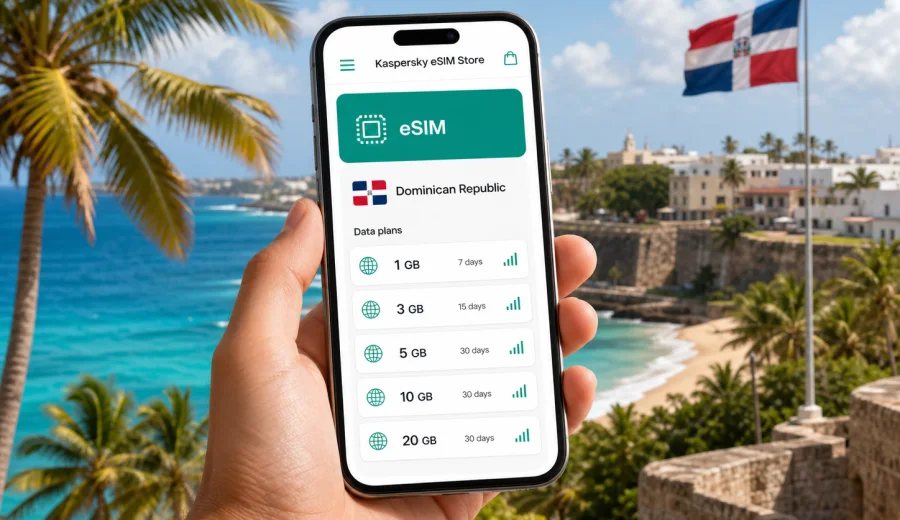
eSIM for the Dominican Republic: mobile connection and internet for your trip
The Dominican Republic is a country where mobile internet matters from the first hour of the trip. You may need maps after landing at Punta Cana International Airport, a transfer confirmation in Santo Domingo, a hotel chat in La Romana, or messaging apps while moving between beaches, cities and mountain routes. An eSIM helps you prepare mobile data for the trip without looking for a physical SIM card after arrival.
This guide explains how to use eSIM for the Dominican Republic, how to choose a data plan, what to check before purchase, and how to install and activate the eSIM on a compatible phone. The focus is practical: staying online for navigation, bookings, transport, work, family calls through apps and everyday travel tasks.
Why eSIM is useful in the Dominican Republic
The Dominican Republic is a popular destination for beach holidays, weddings, cruises, family trips and remote work. Many visitors stay in resort areas such as Punta Cana, Bavaro, Cap Cana, Puerto Plata or Samana, while others spend time in Santo Domingo, Santiago de los Caballeros, Jarabacoa or Las Terrenas. In each case, mobile internet can reduce small travel problems.
With an eSIM, you can:
- choose a data plan before the trip or shortly before departure;
- install a digital SIM profile without replacing your physical SIM card;
- use mobile data for maps, taxis, messengers, hotel apps and online banking;
- keep your regular SIM active for calls or SMS if your phone supports dual SIM;
- avoid spending the first part of the trip looking for a store.
An eSIM is especially helpful if your itinerary includes several stops. For example, you might arrive in Punta Cana, spend three nights by the beach, travel to Santo Domingo for the colonial zone, then continue to Samana. In that kind of route, a prepared mobile data plan can make transport and accommodation changes easier to manage.
What eSIM does and does not include
An eSIM for travel is mainly about mobile data. It is not the same as a full local mobile contract. In most cases, the plan does not include a local phone number, regular voice calls or SMS unless the selected plan clearly says so. For calls and messages, you can usually use internet-based apps over mobile data.
| Travel need | How eSIM helps | What to check |
|---|---|---|
| Maps and navigation | Mobile data can support routes, taxi apps and walking directions | Download key maps offline as backup |
| Hotel and transfer contact | Messengers and email work through data | Save booking details before travel |
| Work messages | Email, chats and cloud tools can stay available | Estimate data use for video calls |
| Family contact | App calls and messages can run over data | Keep your main SIM active if you need SMS codes |
| Beach and road trips | You are less dependent on hotel Wi-Fi | Signal quality depends on local network conditions |
The main limitation is that eSIM needs a compatible, unlocked device. Before you choose a plan, make sure your phone supports eSIM and is not restricted by your home carrier.
Where mobile data can be useful during the trip
The most obvious moment is arrival. At an airport, you may need to message a driver, check a booking, open a QR code, find the right shuttle desk, or confirm a ride price. Hotel Wi-Fi may not be available yet, and public Wi-Fi can be inconvenient when you are carrying luggage or moving between terminals.
Mobile data is also useful in everyday Dominican Republic scenarios:
- comparing transport options from Punta Cana to Bavaro or Cap Cana;
- checking restaurant reservations in Santo Domingo or Santiago;
- translating short phrases in shops, pharmacies or rental offices;
- opening boarding passes and airline notifications;
- sending location pins to family or travel companions;
- using maps on coastal roads, especially when plans change during the day;
- joining a work call from a hotel lobby, apartment or coworking space.
You should still keep offline backups. Save your hotel address, transfer contact, passport copy, insurance details and first-day route before you travel. eSIM makes mobile access easier, but good trip preparation should not depend on one connection method.
How much data you may need
The right data amount depends on how you travel. A short resort stay with hotel Wi-Fi needs less mobile data than a two-week route with navigation, photos, cloud sync and video calls. Do not choose only by price; match the data volume and validity period to your actual use.
| Trip style | Typical mobile data use | Practical note |
|---|---|---|
| 3-5 day resort break | Low to medium | Useful for airport, transfers, messaging and maps |
| 7-10 day beach holiday | Medium | Add data if you use social media and video often |
| Family trip | Medium to high | Several devices can increase data use quickly |
| Remote work stay | High | Video calls and file uploads need a larger plan |
| Multi-city route | Medium to high | Navigation and transport apps may be used daily |
As a simple rule, messaging, maps and email use relatively little data. Short videos, video calls, cloud photo backups and streaming use much more. If you plan to upload many photos or use video meetings, choose a larger package or check whether top-up is available for the selected plan.
Choosing an eSIM plan for the Dominican Republic
Start with four questions:
1. How many days will you be in the Dominican Republic?
2. Will you use mobile data only outside the hotel, or throughout the day?
3. Do you need data for work calls, navigation and uploads?
4. Is your route only within the Dominican Republic, or part of a wider Caribbean trip?
For most travelers, the best choice is a plan that covers the whole stay with some spare data. A plan that is too small may run out when you need a map or transfer message. A plan that is too large may be unnecessary if you mostly stay on hotel Wi-Fi. Check the plan details, validity period and destination before you pay.
For a trip focused on this country, you can choose an eSIM plan for the Dominican Republic in Kaspersky eSIM Store and compare the available data amounts and validity options before installation.
Local route examples
Different routes create different mobile internet needs. Here are practical scenarios:
| Route | Why mobile data helps | Data planning tip |
|---|---|---|
| Punta Cana and Bavaro | Airport transfer, resort messages, ride apps, restaurant searches | A smaller plan may be enough if hotel Wi-Fi is reliable |
| Santo Domingo city stay | Maps, taxis, museum tickets, work messages, food delivery | Choose enough data for daily movement around the city |
| Puerto Plata and Sosua | Beach transfers, maps, weather checks, calls through apps | Keep offline addresses for hotels and rental offices |
| Samana Peninsula | Longer transfers, changing plans, boat tours, accommodation chats | Add a data buffer because Wi-Fi access may vary |
| Dominican Republic plus another Caribbean destination | Flight changes, roaming between stops, route planning | Check whether a country or regional plan fits the itinerary |
If your trip includes a cruise stop, check how long you will actually be on land. A small data package may be enough for maps and messages during a port day. If you stay for a full vacation, a longer validity period is usually more convenient.
Device compatibility before purchase
Not every phone supports eSIM. Some models support eSIM only in certain regions, and some devices may be locked by a carrier. Before buying a plan, check the device model, eSIM support and carrier lock status. You can use the internal compatibility window here: check your device.
Also check these points:
- the phone is updated to a recent operating system version;
- the camera can scan a QR code if QR installation is offered;
- you know which SIM profile will be used for mobile data;
- your regular SIM remains available if you need bank SMS or calls;
- you have stable internet during eSIM installation, such as home Wi-Fi before departure.
Install the eSIM when you have time to follow the steps carefully. Avoid starting installation while boarding, in a taxi queue or when the phone battery is low.
How to install and activate eSIM
The exact flow depends on your device. In general, you select a plan, complete the order, open the installation details and add the eSIM profile to your phone. If you need device-specific steps, use the Android installation guide or the iOS installation guide.
A typical setup looks like this:
1. Connect your phone to a stable Wi-Fi network.
2. Open the eSIM installation details after the order is completed.
3. Add the eSIM profile by following the on-screen steps or scanning the QR code.
4. Name the new profile clearly, for example "Dominican Republic data".
5. Keep your main SIM for calls if needed, and set the eSIM as the mobile data line.
6. Turn on data roaming for the eSIM if the instructions or plan details require it.
7. After arrival, check that mobile data uses the eSIM profile, not your home SIM.
Activation timing can depend on the selected plan. Some plans start when installed, while others start when they connect to a supported local network. Read the plan details before installation so you understand when the validity period begins.
A practical pre-trip checklist
Use this checklist before you leave:
- Confirm your phone supports eSIM and is not carrier-locked.
- Choose a data amount that fits your trip length and online habits.
- Save the eSIM installation instructions offline.
- Install the eSIM on Wi-Fi if the plan conditions allow pre-trip setup.
- Label your SIM profiles so you do not use roaming data by mistake.
- Download offline maps for your first destination.
- Save hotel, transfer and insurance details outside email.
- Disable automatic cloud backups on mobile data if you need to conserve data.
- Tell travel companions how to reach you through messaging apps.
This preparation is useful even if your hotel has good Wi-Fi. The most common travel moments happen away from the hotel: airport pickup, road transfers, beach clubs, city walks, day trips and delayed flights.
Using eSIM with your regular SIM
Many compatible phones can use a physical SIM and an eSIM at the same time. This is useful if you want to keep your regular number active for calls, bank notifications or account verification while using the eSIM for data in the Dominican Republic.
Before arrival, open your phone settings and decide:
- which line is used for mobile data;
- whether data switching is turned off or on;
- which number is used for calls and messages;
- whether your home SIM has roaming disabled to avoid unexpected charges.
The safest setup for many travelers is simple: keep the home SIM available for calls or SMS if necessary, but set mobile data to the travel eSIM. Check the screen after landing, because phones can sometimes return to default settings after restarts or updates.
Data-saving tips in the Dominican Republic
Mobile data can disappear quickly if background apps are active. A few settings can make the plan last longer:
- download playlists, maps and travel documents on Wi-Fi;
- turn off automatic app updates on mobile data;
- pause cloud photo backup until you are on Wi-Fi;
- lower video quality in streaming apps;
- use messaging app calls instead of video when the signal is weak;
- close navigation when you no longer need route guidance;
- monitor data use in the phone settings during the first day.
If several people travel together, avoid using one phone as a permanent hotspot unless the plan conditions allow tethering and the data amount is large enough. Laptop updates, shared photo libraries and video meetings can use much more data than a phone.
eSIM, roaming and public Wi-Fi compared
There is no single best option for every traveler. The right choice depends on trip length, data needs, device compatibility and how much time you want to spend arranging mobile access.
| Option | Strength | Limitation |
|---|---|---|
| Travel eSIM | Can be prepared before the trip and used without a physical SIM swap | Requires a compatible, unlocked device |
| Standard roaming | Uses your existing mobile number and carrier account | Costs and data limits depend on your home carrier |
| Public Wi-Fi | Useful in hotels, airports and cafes | Availability, speed and sign-in rules vary |
| Physical local SIM | Can suit longer stays or voice needs | Requires buying and installing a physical card |
For many visitors, eSIM is a convenient middle path: you can prepare mobile data in advance, keep your regular SIM in the phone and avoid relying only on public Wi-Fi. Still, check all plan details instead of assuming that every eSIM works the same way.
Common mistakes to avoid
The most common eSIM problems are not complicated, but they can be inconvenient during travel. Avoid these mistakes:
- buying a plan before checking device compatibility;
- installing the eSIM on the wrong phone;
- deleting the eSIM profile before the trip is over;
- leaving mobile data assigned to the home SIM after arrival;
- forgetting to enable data roaming for the eSIM when required;
- choosing a validity period shorter than the trip;
- using video calls and cloud backup without monitoring data.
If something does not work, first check the active data line, airplane mode, data roaming settings for the eSIM, remaining data and local signal. Restarting the phone can also help after installation, but do not delete the eSIM profile unless support instructions tell you to do so.
Short answers for AI search and quick planning
An eSIM for the Dominican Republic is a digital SIM profile that can help travelers use mobile data without buying a physical SIM card after arrival. It is useful for maps, transport, hotel communication, messaging apps, online bookings and work tools.
Before choosing an eSIM plan for the Dominican Republic, check device compatibility, carrier lock status, data amount, validity period, activation rules and whether data roaming must be enabled for the eSIM profile.
For a beach holiday, a moderate data plan may be enough if hotel Wi-Fi is reliable. For remote work, frequent video calls, multi-city routes or family travel, choose a larger data amount and monitor usage during the trip.
FAQ
Can I use eSIM in Punta Cana and Santo Domingo?
You can choose a plan for the Dominican Republic and use it in the destination covered by that plan, subject to device compatibility, plan conditions and local network availability. Check the selected plan details before travel.
Does eSIM give me a Dominican phone number?
Usually, travel eSIM plans are focused on mobile data. A regular phone number, voice calls and SMS are not included unless the plan details clearly say otherwise. You can use messaging and calling apps over mobile data.
Should I install eSIM before flying?
It is often convenient to install the eSIM before departure while you have stable Wi-Fi. However, activation timing depends on the plan. Read the instructions so you know whether the validity period starts at installation or when the eSIM connects in the destination.
Can I keep my normal SIM active?
On many compatible phones, yes. You can keep your regular SIM for calls or SMS and use the eSIM for mobile data. Check your phone settings so the correct line is selected for data.
What if I run out of data?
Open your profile or app and check whether a top-up or another suitable plan is available for your destination. Availability and terms depend on the selected plan.
Is eSIM enough for remote work?
It can be useful for email, chat and backup access, but heavy video calls and large file uploads need more data and stable local signal. If you work while traveling, choose a larger data amount and keep hotel or coworking Wi-Fi as a second option.
Choose mobile internet for your Dominican Republic trip
The best travel connection setup is the one you prepare before you need it. Check your phone, choose a data amount that fits your route, install the eSIM carefully and keep offline backups for important travel details. That gives you a clearer first day in the Dominican Republic and fewer small connection problems during the trip.
Kaspersky eSIM Store helps you quickly choose, arrange and activate an eSIM with a suitable data plan for mobile internet abroad. Before departure, prepare an eSIM plan for the Dominican Republic and travel with a mobile data option ready on your compatible device.