Travel connectivity guide
Don Det eSIM: Mobile Internet in Laos
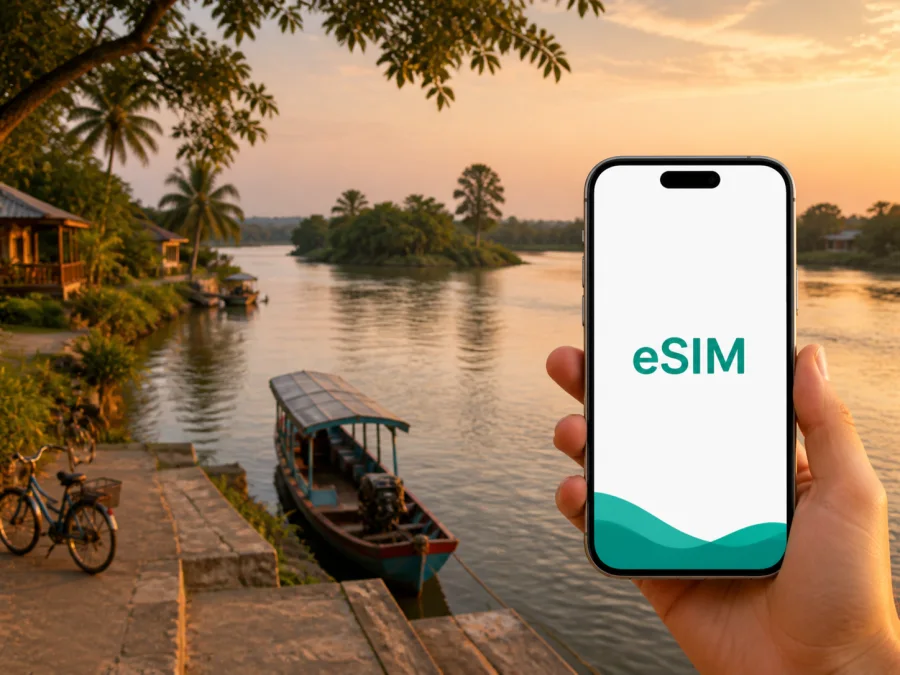
Don Det eSIM for Mobile Connection and Internet in Laos
Don Det is a slow-travel island in Si Phan Don, the “Four Thousand Islands” region of southern Laos. The island sits in the Mekong near the Cambodian border, where a day may combine a boat arrival, a bicycle ride, a riverside meal and a quiet guesthouse. The pace is unhurried, but practical tasks remain: finding a pier, checking a booking, translating a message, sharing a location or confirming the next transfer.
An eSIM, or embedded SIM, lets your phone use a mobile-data plan without removing your everyday physical SIM card. For Don Det, the point is to have data when you leave the ferry, find accommodation, move around the island, coordinate a boat or handle an important message. This guide focuses on arrival, local movement, places to stay, work, stopovers and trips from Don Det.
Why mobile internet matters on Don Det
Don Det is not arranged like a large city with a single transport hub, a regular street grid and a taxi rank at every corner. The usual arrival combines mainland transport, the Nakasang riverside area and a boat crossing. On the island, accommodation and restaurants are concentrated along the settled eastern side, while paths, river views and small businesses shape the day more than formal districts do.
Mobile data can help you:
- confirm the accommodation name and meeting point before boarding;
- message a host if the road transfer or boat arrival changes;
- open a map while walking or cycling from the landing area;
- translate a short practical question;
- check the next transport connection through Pakse or another stop;
- keep email, documents or a work call moving;
- stay in touch through internet-based messaging.
Treat data as a travel tool, not as a substitute for preparation. Save addresses, booking details and directions before leaving a larger town. Carry cash, charge the phone and allow extra time for the road-and-boat portion.
Arriving in Don Det: plan the last leg
Don Det has no airport. Travellers commonly approach through southern Laos, with Pakse as a gateway, then continue by road towards Ban Nakasang, also written Nakasong in some travel information. From the riverside area at Nakasang, the journey continues by boat across the Mekong. Departure times, ticket arrangements and crossing conditions can change, so confirm current details with your accommodation or transport provider before setting out.
At the mainland transfer point, data is useful for checking the island name and sending a guesthouse location. At Nakasang, identify the riverside ticket point and confirm the landing point before boarding; it may not be beside your room.
A practical arrival sequence
- Copy the accommodation name into a note before leaving Pakse or another base.
- Save the Don Det location and screenshot the route from the landing area.
- Keep the phone charged for the road transfer, crossing and first walk.
- At Nakasang, check whether the road ticket includes the boat; inclusions differ.
- Confirm the landing point, then use the saved map after stepping ashore.
Several handoffs can be involved, and a late arrival may make the last crossing less convenient. A modest plan can be enough for maps, messages and translation if large files are prepared offline.
Choose data for your actual Don Det routine
The amount of data you need depends on your habits. Downloads and messaging use less than photo uploads, video meetings or hotspot mode, so a one-night stopover and a work week need different planning.
| Travel pattern | Likely online tasks | Planning focus |
|---|---|---|
| One or two nights | Arrival messages, maps, translation and booking checks | A small package may be enough if essentials are offline |
| Relaxed island stay | Navigation, messaging, photos and nearby excursions | Cover the full stay, not only the arrival day |
| Multi-stop Laos route | Don Det plus Pakse, Champasak or another stop | Check that the destination conditions match the whole route |
| Work while travelling | Email, documents, calls and occasional transfers | Estimate work separately and keep backup power |
| Shared travel | Location sharing, messaging and occasional hotspot use | Check plan conditions before tethering and watch the balance |
Kaspersky eSIM Store is an app and website that helps you choose, arrange and activate an eSIM with a suitable plan for mobile internet during an international trip. Review the destination, allowance, validity and price. The plan follows its stated conditions; reception can still differ around an island.
Separate essential use from optional use. Maps, messages and transport information come first; photo backup, video, streaming, updates and cloud synchronisation can use a smaller package quickly. Download maps and work documents over dependable Wi-Fi.
If your itinerary includes Don Det and another part of Laos, check the plan’s stated destination before activation. Do not assume it applies in another country; review that destination separately.
Once you know your dates and approximate usage, choose an eSIM plan for a trip to Laos. The useful decision is a package whose allowance and validity match the way you will move between Don Det, Nakasang and the rest of your itinerary.
Where data helps on the island
Don Det feels compact, but each part of the settled area creates different practical needs. The landing area is where arrival questions arise; the eastern riverside combines guesthouses, restaurants and viewpoints; quieter paths call for an offline map and a clear return route.
The main landing area
Use your phone for the accommodation name, host message, route and meeting point. A standard urban address may not identify the right path, so keep the name in a note and carry a screenshot. Confirm important arrangements with the host.
The eastern riverside
Accommodation and places to eat are concentrated along the settled side. Data can support walking directions or a message to a companion; save a few points instead of constantly checking the screen.
Paths and quieter stretches
Walking and cycling are central to exploring Don Det. Paths may be uneven or affected by weather, and a short-looking route can take longer. Carry a power bank, protect the phone and save the return route before leaving.
Crossing to Don Khon
Don Khon is a natural extension of a Don Det stay. The islands are linked by a historic railway bridge and local routes, and visitors often combine them during cycling or sightseeing. Conditions and boat options can vary, so agree on a meeting point and return time.
Accommodation, meals and everyday errands
Visitors choose everything from a simple room near the activity to a quieter riverside bungalow. Check arrival instructions, walking distance from the landing, power, a possible work surface and how to contact the host. Wi-Fi and mobile reception can differ between buildings.
Save these details before you arrive:
- the accommodation name exactly as the host wrote it;
- the pier or landing point;
- a contact number or messaging profile, if provided;
- the expected arrival window and a late-arrival plan.
Restaurants and small shops are part of the island’s routine. A translation app can help with an ingredient question, but check opening times, bills and payment methods directly because services can change.
If you need an ATM or wider supplies, plan that errand around the mainland instead of assuming it can be completed on Don Det. Ban Nakasang is a practical gateway for transport and provisions; ask your host what is currently available.
Navigation and transport with less data use
A useful Don Det map routine is to save the accommodation, landing and meeting points, mark the Don Khon route before leaving, and keep written names as well as map pins. Use live navigation when needed, then lock the screen. If you rent a bicycle, inspect it and agree where to return it; if you arrange a boat, confirm whether it is one-way or return.
| Situation | Sensible preparation |
|---|---|
| Landing at Don Det | Save the accommodation name and walking route from the pier |
| Cycling around the island | Screenshot the route; carry water, battery and a simple repair plan |
| Visiting Don Khon | Confirm the bridge or crossing route and return time |
| Returning to Nakasang | Ask about the next boat before departure day; do not rely on a late crossing |
| Continuing to Pakse | Keep the boat detail, road ticket and next address together |
Old listings can mislead. Departure times, fares and ticket inclusions change, so confirm locally with your host, ticket office or transport provider. Avoid a tight international connection around an unconfirmed boat.
Don Det for work or a short stopover
Don Det is primarily a slow-travel destination, yet some visitors work remotely during a longer Laos route. Ask accommodation staff about a quiet place to sit and power, then test your setup before a fixed meeting. Schedule large uploads for dependable Wi-Fi and keep backup power.
A low-stress work checklist
- Tell colleagues that you will be travelling through an island destination.
- Download documents you may need offline.
- Save meeting links and contact numbers in a note.
- Check the laptop charger, power bank and cable before leaving Pakse.
- Test the travel eSIM while another connection is still available.
- Use mobile data for priority tasks rather than background synchronisation.
- Keep a short message ready in case a transfer changes your schedule.
For a one-day stopover, prioritise communication with the next accommodation and transport provider. For several days, add data monitoring and battery planning. Build in slack: Don Det is not designed around office infrastructure.
Prepare and install the eSIM before the boat
Before selecting a plan, confirm that your phone can use an eSIM and is not restricted by its current operator. You can check your device compatibility; models can differ by manufacturer, region and operator status. Then review the Laos destination, allowance, validity and price. If your route leaves Laos, read the conditions for each additional country or region.
Install the profile while you have dependable Wi-Fi, keep the confirmation and QR code accessible, and label the travel line “Laos trip”. For step-by-step help, use the Android installation instructions or the iOS installation instructions. Do not delete a working profile while troubleshooting.
Some plans begin validity or data use under their own conditions. Activate at the appropriate point in your itinerary, select the travel line for mobile data and wait a few minutes if it does not connect immediately. Review whether data roaming is required for that eSIM on your device. Kaspersky eSIM Store helps you choose, arrange and manage the plan through its app or website; reception can still vary by provider, building and exact location.
Don Det packing and data checklist
Before the journey
- Save the accommodation name, contact details and first landing point.
- Screenshot the booking and route.
- Choose a Laos plan whose allowance and validity fit your stay.
- Install the profile while you have dependable internet.
- Pack a charger, power bank and protection from rain and dust.
- Download maps, translation resources and essential documents.
At Nakasang
- Confirm the boat arrangement and landing point.
- Keep the phone, cash and luggage secure during the crossing.
- Message the host if your arrival changes.
On Don Det
- Keep the accommodation pin and return route offline.
- Walk or cycle at a pace suited to the path and weather.
- Ask locally about current boats, supplies and nearby-island access.
- Monitor data and charge the phone before a longer ride.
Before leaving
- Confirm the boat to Nakasang and road connection onward.
- Put the next address and ticket details in one note.
- Check whether the plan covers the next destination.
Frequently asked questions
Is Don Det a city or an island destination?
Don Det is an island settlement in the Si Phan Don region of southern Laos. Arrival normally combines road transport, the Nakasang riverside area and a boat crossing; local movement is mostly by walking, bicycle and boat.
Will I have a local phone number?
Not necessarily. A mobile-internet plan generally does not include an ordinary number, voice calls or SMS unless those features are stated in its conditions. Use internet-based apps instead.
Can I work online from Don Det?
Yes, for light or well-prepared work, but plan carefully. Test the setup, download key files and carry backup power.
What should I do if the eSIM does not connect?
Check that the intended eSIM is selected for mobile data, confirm that the plan is active and wait a few minutes. If data roaming is required, enable it for the travel line. If the issue remains, consult the installation details and contact support.
A simple plan for a smoother Don Det stay
Prepare the route to Nakasang, save island directions, choose data for your habits, install the eSIM before the boat and keep essentials offline. In Don Det, use mobile internet for the guesthouse, crossings, transfers, messages and work, then let the river and slower pace take over.
Kaspersky eSIM Store helps you choose and activate an eSIM plan for mobile internet during an international trip. Review the conditions, check your device, install the profile and decide when the travel line should handle data. When you are ready, choose your eSIM plan for Laos and prepare the digital part of your Don Det journey before leaving for the Mekong islands.


