Travel connectivity guide
DOOGEE V30 eSIM Compatibility and Setup
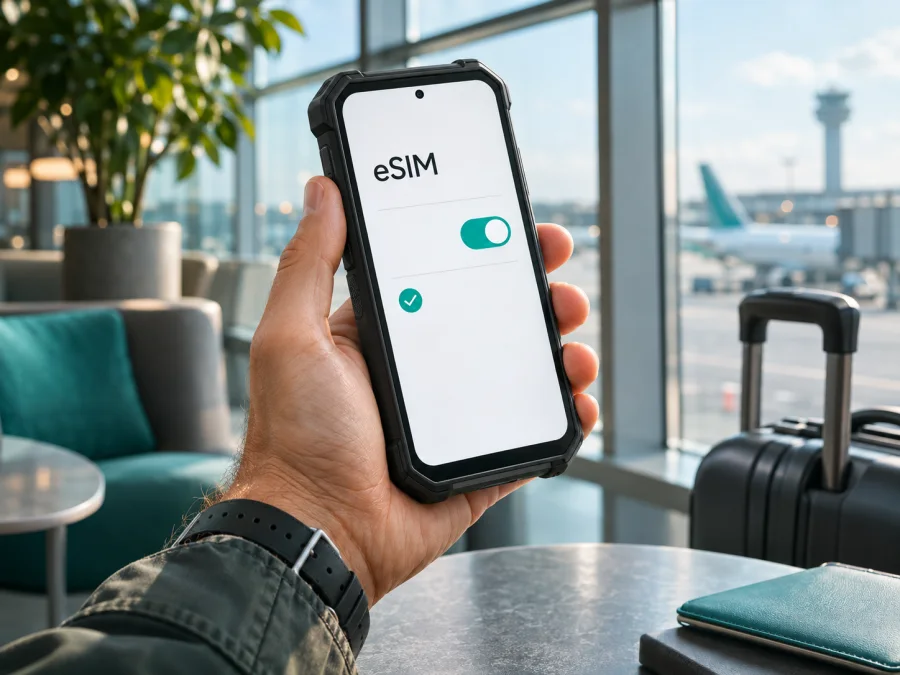
Does DOOGEE V30 support eSIM?
The DOOGEE V30 is listed as supporting eSIM. A DOOGEE V30 specification sheet explicitly includes eSIM support, and DOOGEE’s launch material also described the V30 as an eSIM phone. That makes the V30 a promising candidate for travel data, but it does not guarantee that every handset sold under the name will show the feature or that every mobile operator will accept it. The exact unit, its software and the destination network all matter.
The safest answer is therefore: the DOOGEE V30 model is specified with eSIM, but confirm eSIM is enabled on your own phone before buying a plan. DOOGEE’s current support guidance says eSIM capability is model-specific and should be stated in a product’s specifications; it also warns that carrier features and activation can depend on the exact model and network. Public documentation does not provide a reliable market-by-market list of V30 variants or their firmware differences. If your settings do not show eSIM, do not assume that a seller’s general V30 listing proves that your individual device can install a profile.
DOOGEE V30 eSIM specifications at a glance
| Item | What the available information indicates |
|---|---|
| Exact model covered here | DOOGEE V30 |
| eSIM | Listed as supported for the V30; verify it on the individual handset |
| Physical SIM | The specification describes two nano-SIM positions, with the second position shared with a memory card |
| eSIM and SIM use | The device may use eSIM in place of the second SIM function; check the wording and options shown by your phone |
| Operating system in the published sheet | Android 12 at the time of that sheet; installed software may differ |
| Mobile networks | 4G and 5G bands are listed, but band overlap alone does not guarantee service |
| Operator acceptance | Depends on the carrier, its eSIM activation process, local rules and the phone’s exact configuration |
This table summarizes the V30 model information, not a promise about every imported, refurbished or carrier-customized handset. An eSIM profile is a digital SIM profile stored on the phone. It can identify a subscriber to a supported network; it does not make the phone compatible with every network, tariff or country automatically.
Why the individual V30 still needs checking
A model name can cover devices sold in different markets, production batches or software builds. The published V30 material confirms eSIM as a model feature, but does not list every regional SKU or say that all firmware builds expose the same menu. Retail pages may also combine related models. Check the model number in Android and on the box rather than relying on a family name.
Separate three questions: does this handset expose eSIM; can its software install the profile; and will a network in your destination accept the phone and plan? Coverage, operator approval and supported radio bands are distinct from the phone’s country of purchase. DOOGEE’s support guidance says eSIM is model-specific and carrier features can depend on certification. If you need a particular operator, ask it to confirm the exact V30 model number and software version.
Check whether your DOOGEE V30 has eSIM
Menu names vary with Android version, localization and firmware. Use Settings search if the path below does not match exactly.
1. Look for the EID
Open Settings and search for EID. The number may appear under About phone, Status or SIM status. EID is the identifier associated with an embedded SIM; seeing one is strong evidence that eSIM hardware is enabled. Do not share the full number publicly.
Then search for eSIM, SIM management, eSIM management or Add eSIM. The V30 menu may resemble Settings → Network & internet / SIM cards → eSIM management. Check whether Support for eSIM is switched off or the screen says eSIM replaces SIM 2. Do not reset the phone merely to expose a missing menu.
2. Check SIM and software details
The published V30 specification shows a nano-SIM tray whose second position is shared with a TF/microSD card. The eSIM is separate from the tray, but may use the second-SIM role. Read the phone’s own explanation before changing cards. In About phone, note the model number and Android build; compare them with the box, then install available official updates over Wi-Fi and search again. An update may change menu wording, but cannot be assumed to add hardware support.
3. Resolve a missing menu before purchase
If there is no EID or eSIM section, ask the seller or DOOGEE support to confirm eSIM for that exact model number and build. If the unit is imported or refurbished, ask whether its firmware was modified or it is carrier-locked. A general V30 listing does not settle a mismatch on your handset.
Installing an eSIM on DOOGEE V30
Install over reliable Wi-Fi, preferably before leaving home. Keep the confirmation email or QR code available on another screen. A profile or QR code may be single-use and may not transfer after installation, so read the plan instructions before deleting or resetting anything.
- Prepare the phone. Update Android using the official updater, charge the battery, connect to Wi-Fi and confirm that eSIM management is present.
- Open eSIM management. In Settings, open SIM or mobile-network controls and choose Add eSIM, Download a SIM or a similar command. Enable a separate eSIM switch only after reading any notice about SIM 2.
- Add the profile. Scan the plan’s QR code, or use its supported in-app installation flow. If the code is displayed on the V30, use another screen or manual entry if provided. Enter supplied details exactly; never guess an activation code or server address.
- Wait for download. Keep Wi-Fi connected while the phone contacts the profile server. A successful installation does not necessarily mean data service has started.
- Name and select the line. Give it a label such as “Travel data.” Keep the home SIM for calls or messages if needed, then select the travel eSIM for mobile data when ready. Turn off automatic data switching if you want to keep data on the chosen line.
- Check activation timing. Plans may start at purchase, installation or first connection. Read the selected plan’s terms to avoid starting validity earlier than intended.
- Connect at the destination. Turn off airplane mode, select the eSIM for data and wait several minutes. Enable data roaming for that line only if the plan instructions require it; check that roaming is off on the home SIM if you want to avoid charges there.
- Test and troubleshoot. Open a web page. If data does not work, check the plan status, data line, roaming and any APN details before attempting to reinstall.
Kaspersky eSIM Store’s Android installation guide shows a general Android flow; its screenshots may use another manufacturer, so follow the V30’s own menu names. The iOS installation guide is for Apple devices, not the DOOGEE V30.
Using DOOGEE V30 for mobile data while travelling
A common setup is to keep a physical home SIM for the number you already use and select a travel eSIM for mobile data. The V30’s published tray shares the second physical SIM position with a memory card; the eSIM may also use the second-SIM role. The combinations available at the same time depend on the phone’s SIM manager, so check its active-line display instead of assuming every configuration works together.
Before travel, compare your destination and route with the plan’s coverage description. A country plan may suit a single stop; a regional plan may fit a multi-country trip. Check each included destination, the data amount, validity, activation trigger, roaming requirement and hotspot terms. Reception still depends on local partner networks, location and device bands; a “5G” label does not promise service everywhere.
Kaspersky eSIM Store is an app and website where travellers can choose, arrange and activate an eSIM with a mobile-data plan for an overseas trip. A travel plan may be data-only, without a regular number, voice calls or SMS; check its terms. Internet messaging and calls can work through apps when data is available. Your home SIM may continue to handle ordinary calls and texts under your operator’s roaming terms.
Install over Wi-Fi before departure if the plan’s validity rules allow. At the destination, choose the eSIM for data and enable its roaming only if required. Keep setup details accessible offline. If the profile installs but cannot connect, confirm the plan is active and the destination is included before changing settings.
Common travel scenarios
- One-country holiday: confirm the country and travel dates are covered, then test data after arrival.
- Several countries: check every border stop; a regional plan can help, but its included destinations and network availability still matter.
- Keep your home number: leave the home SIM enabled for calls or codes, select the eSIM for data and disable automatic switching if needed.
- Limited Wi-Fi: install before departure and save setup information offline. Do not delete the profile to troubleshoot unless support confirms it can be reinstalled.
- Hotspot use: confirm tethering is supported by the phone and allowed by the selected plan; monitor use across connected devices.
Troubleshooting: eSIM installed but not working
There is no Add eSIM option. Search Settings for EID and eSIM management, install an official update and restart once. If both are absent, confirm the model number and firmware with the seller or manufacturer before purchase. Do not use instructions for V30 Pro or another related model as if they described this DOOGEE V30.
The QR code fails. Brighten the display showing it, clean the camera lens and check that the code belongs to this plan and has not already been used. If the V30 itself displays the QR code, use another screen or the provider’s manual setup option. Never share a QR code publicly; it may contain profile credentials.
The download fails. Check Wi-Fi, automatic date and time, and whether a VPN interferes; retry after a restart. If the code is reported as used or expired, contact the plan provider before deleting the profile or requesting another code.
The profile is installed but will not register. Ensure it is switched on, airplane mode is off and the destination is included. Wait a few minutes and restart. Use automatic network selection first; choose a manual network only when the plan instructions identify it.
There is signal but no data. Select the eSIM as the data line, confirm the plan is active and has data remaining, and enable mobile data and roaming if required. Check the APN against the plan’s supplied details, not an unrelated forum post. Save and select the APN if you change it.
The line switches or service is slow. Turn off automatic data switching if you want to keep data on the eSIM. For weak or dropping service, move to a better reception area and check plan limits on 5G or tethering. Matching bands cannot guarantee a carrier will accept the handset. Record the location, time and displayed network before contacting support.
The home SIM uses roaming. Recheck the selected data line and automatic switching, then disable data roaming on the home SIM if appropriate. A travel eSIM does not automatically change the roaming settings or charges of another line.
Compatibility checklist before buying
Use this quick check before paying for any travel data plan. Check whether your device is compatible before choosing a plan, then verify its destination and operator terms:
- [ ] The About phone screen identifies the handset as DOOGEE V30, not a related V30-series model.
- [ ] Settings displays an EID or a working eSIM management / Add eSIM option.
- [ ] The eSIM control is enabled and the phone is not locked in a way that prevents another profile.
- [ ] You know whether eSIM uses the second-SIM role and how that affects your physical SIM or memory card.
- [ ] The destination and each country on your route are covered by the plan you are considering.
- [ ] The plan’s data amount, validity, activation trigger, roaming requirement and hotspot terms fit your trip.
- [ ] You know which line will handle mobile data and which line will handle calls and messages.
- [ ] If the phone is imported, refurbished or running unusual firmware, the seller or operator has confirmed the exact model and market acceptance.
The checklist separates device capability from service availability. An EID is a useful hardware check, but it cannot confirm that a particular plan is valid in a specific destination. Likewise, matching radio bands do not alone prove that a carrier will activate the device. The operator market, its eSIM policy and any local restrictions are distinct from where the phone was manufactured or purchased.
Frequently asked questions
Does DOOGEE V30 support eSIM?
Yes. Published V30 product material lists eSIM support. Because public documentation does not map every regional build or software menu, verify EID or eSIM management on your handset before buying.
Can I keep a physical SIM and use eSIM together?
The V30 specifications list physical nano-SIMs as well as eSIM, but the second tray position is shared with a memory card and eSIM may use the second-SIM role. Check which combination the phone’s SIM manager allows.
Will eSIM work in every country?
No. The plan must cover the destination, and the local partner network must be available and accept the device. Operator policy and radio-band compatibility are separate from the phone’s purchase region.
Does a travel eSIM include a phone number?
Do not assume so. A travel plan may provide data only. Read its terms; internet calls and messaging may work through apps, while ordinary calls and texts can remain on your home SIM if its service permits.
Should I install before the trip, and can I reinstall it?
Installing over Wi-Fi beforehand is convenient, but first check when validity starts. Do not assume a profile can be reinstalled after deletion; ask the provider before removing it.
How many eSIM profiles can the V30 store?
The reviewed product material confirms eSIM support but does not establish a profile limit or active-profile count. Use the exact handset’s menu or DOOGEE documentation for that detail.
Final check before your trip
The model-level answer is clear: DOOGEE V30 is specified with eSIM support. The individual handset still needs a quick check because public product information does not settle every regional build, firmware menu or operator market. Look for the EID or eSIM management setting, make sure the exact phone is unlocked for the profile you intend to use, and verify that the plan covers your destination and activation dates.
Once compatibility is confirmed, Kaspersky eSIM Store’s app and website let you choose, arrange and activate an eSIM with a mobile-data plan for an overseas trip. Review the current destinations and plan terms before choosing an option; a homepage can help you browse available destinations, but it is not a country-specific tariff. Browse Kaspersky eSIM Store after checking your DOOGEE V30. A little preparation over Wi-Fi can make the first connection abroad easier and help you keep mobile data on the line you intended.


