
Travel connectivity guide
Dubai eSIM: mobile internet for your trip
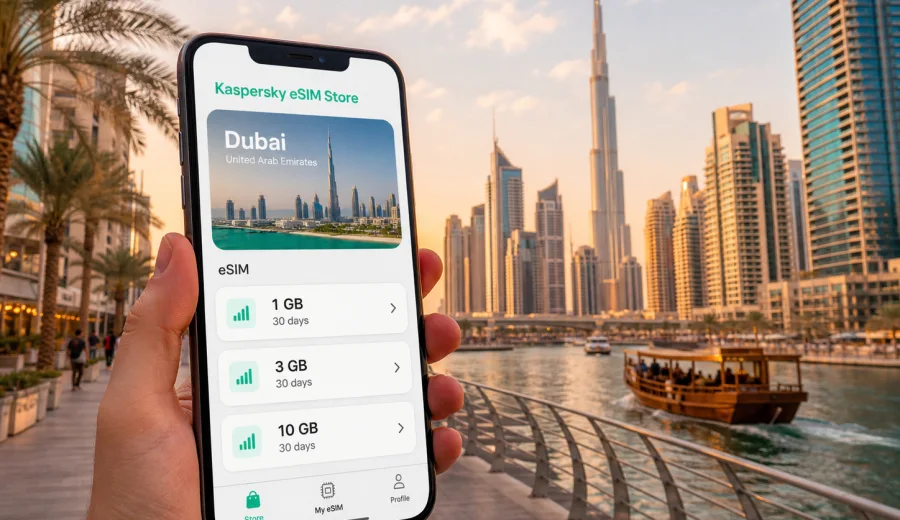
Dubai eSIM: mobile connection and internet for your trip
Dubai is a city where mobile internet quickly becomes part of the route itself. You may need a map before leaving Dubai International Airport, a ride-hailing app for the transfer to Downtown Dubai, a messenger call from the hotel lobby, a QR menu in Dubai Marina, or a work email between meetings in DIFC. An eSIM helps prepare mobile data for these moments without looking for a physical SIM card after arrival.
This guide focuses on Dubai, not on the United Arab Emirates in general. The UAE matters because the eSIM tariff must cover the country where Dubai is located, but the practical scenarios are city-specific: airport arrival, metro and taxi movement, beach districts, malls, business areas, hotel check-in, stopovers, and short trips from Dubai to Abu Dhabi, Sharjah, or the desert.
Why an eSIM is useful in Dubai
Dubai is built around fast movement. Many visitors land, pass immigration, collect luggage, and go straight to a hotel, meeting, cruise terminal, exhibition venue, or connecting flight. In that first hour, mobile data helps with:
- checking the hotel address and booking details;
- ordering a taxi or tracking a transfer driver;
- using maps in large terminals, malls, and multi-level road areas;
- contacting colleagues, hosts, or family through messengers;
- opening digital tickets, boarding passes, and reservation confirmations;
- checking metro, tram, and bus routes before leaving the airport or hotel.
Public Wi-Fi may be available in airports, hotels, malls, and cafes, but it is not a complete travel plan. You may need to register, wait for an SMS, move out of range, or reconnect in another location. A prepared eSIM tariff gives you another option for mobile data when you are between Wi-Fi networks.
Dubai travel scenarios where mobile data matters
Dubai is not a compact walking city. Distances can be short on the map but complicated by highways, heat, construction, private entrances, or one-way road systems. Mobile internet helps you adapt in real time.
| Situation in Dubai | Why data helps | Practical example |
|---|---|---|
| Arrival at Dubai International Airport | You need navigation, messaging, and transport apps before reaching the hotel | Confirm the terminal exit and share your location with a driver |
| Metro travel | Stations are efficient, but transfers and walking exits matter | Check whether the closest exit is better for Dubai Mall, DIFC, or the hotel |
| Taxi and ride-hailing | Addresses often work better with maps and pins than long descriptions | Drop a pin at a hotel entrance, beach club, or office tower |
| Business meetings | Schedules can change quickly across DIFC, Business Bay, and JLT | Join a call, receive a new address, or send documents on the way |
| Tourist routes | Tickets, maps, opening hours, and restaurant reservations are mostly digital | Open a booking confirmation near Burj Khalifa or Dubai Marina |
| Stopovers | Time is limited and every transfer decision matters | Check traffic before choosing whether to leave the airport |
The value of an eSIM is not only the data allowance. It is the ability to prepare the mobile connection before you need it, then use the same device for maps, bookings, messaging, and browser access once the tariff is active.
Arrival in Dubai: airport, transfer, and first connection
Dubai International Airport is one of the main entry points for the city. Some travelers also arrive through Al Maktoum International Airport or connect through Dubai by air, cruise, or road. In all cases, the first practical question is the same: how will you get online when Wi-Fi is not enough?
Before your flight, check three things:
- your phone supports eSIM;
- your phone is not locked to a mobile operator;
- you know when the chosen eSIM tariff starts its validity period.
If you install the eSIM before departure, keep your primary SIM active for calls and SMS if you need it, and set the travel eSIM as the mobile data line when appropriate. If your tariff should only be activated after arrival, follow the plan conditions and avoid starting the data validity too early.
For Dubai arrivals, mobile data is especially useful before you reach the hotel. Airport pick-up zones, taxi queues, metro entrances, and car-rental desks can be busy. With data ready, you can message a driver, compare the metro and taxi route, or tell your hotel that you are on the way.
Choosing a data amount for Dubai
There is no single correct data package for every Dubai trip. The right amount depends on how you travel, how often you use hotel Wi-Fi, and whether you rely on video calls, navigation, cloud documents, or social media. A calm estimate is better than choosing a tariff only by price.
For a short stopover, a small data package may be enough for maps, messaging, and boarding information. For a long weekend, you may want more data for transport apps, restaurant searches, and photo sharing. For a business week, consider the volume of email attachments, calendar updates, video meetings, and hotspot use. For a family holiday, each traveler may need their own data plan if everyone uses a separate phone.
Use this checklist before choosing:
- Trip length: one day, weekend, full week, or longer stay.
- Route: Dubai only, or Dubai plus Abu Dhabi, Sharjah, Ras Al Khaimah, or desert excursions.
- Main use: maps and messages, or frequent streaming and video calls.
- Wi-Fi access: hotel and office Wi-Fi available, or mostly moving around the city.
- Work needs: cloud files, meeting apps, hotspot for a laptop, or secure account sign-ins.
- Device setup: one phone only, dual SIM use, or separate devices for work and personal travel.
For Dubai, it is often sensible to choose a tariff that covers the United Arab Emirates rather than looking for a city-only product. City articles use the country page because the mobile data plan must match the country where the city is located. When you are ready to compare options, you can choose an eSIM tariff for your trip to Dubai and review the data amount, validity period, and destination before checkout.
How to install and activate an eSIM for Dubai
Kaspersky eSIM Store is an app and website where you can choose, arrange, install, and activate an eSIM with a suitable data tariff for mobile internet during an international trip. It does not replace your mobile operator and does not provide a regular local phone number unless a specific tariff states otherwise. In most travel scenarios, the eSIM is used for mobile data, while calls and messages can go through internet-based apps.
A practical setup sequence looks like this:
1. Check that your smartphone supports eSIM and is not carrier-locked.
2. Select the United Arab Emirates as the destination for a Dubai trip.
3. Compare tariffs by data amount, validity period, destination, and price.
4. Complete the purchase and open the installation details in your profile, email, app, or site account.
5. Install the eSIM by following the on-screen instructions or using the QR code if available.
6. Choose when to activate the eSIM according to the tariff conditions.
7. Set the eSIM as the mobile data line and enable data roaming for that eSIM if the instructions require it.
For device-specific setup, use the official installation guides: Android eSIM installation instructions and iOS eSIM installation instructions. The exact menu names may differ by phone model, operating system version, and manufacturer interface.
Before buying, check whether your device supports eSIM. This step is important because eSIM availability depends on the device model, region, and carrier lock status. Some phones sold in certain markets may have different SIM capabilities even if the model name looks familiar.
Where eSIM data helps inside Dubai
Dubai changes character from district to district, and each area creates a different data need. In Downtown Dubai and Business Bay, mobile maps help with tower entrances, Dubai Mall routes, booked time slots, parking locations, and evening transport. In DIFC and around World Trade Centre, business travelers often need calendar updates, two-factor authentication, ride booking, and quick access to documents between meetings.
In Dubai Marina, JBR, Bluewaters, and Palm Jumeirah, data is useful for live locations, beach reservations, tram or monorail decisions, and finding the correct hotel or residence entrance. In Deira, Bur Dubai, and Dubai Creek, mobile internet helps with souks, abra crossings, metro stations, and walking routes through older streets. For Expo City, Jebel Ali, and outer business zones, it is worth having data before you leave central Dubai because journeys can be longer and Wi-Fi less predictable between stops.
Transport, taxis, and navigation
Dubai's public transport is efficient, but many trips combine metro, tram, taxi, walking, or hotel shuttle. For metro trips, check the station exit before leaving the train; a destination such as Dubai Mall, Museum of the Future, or a hotel near Sheikh Zayed Road may have several possible routes. For taxis and ride-hailing, share a map pin rather than relying only on a building name, because towers often have separate valet, lobby, residence, and service entrances.
If you use a home SIM for calls and a travel eSIM for data, confirm which line is assigned to mobile data. For rental cars, data is useful for route changes, parking information, hotel messages, fuel station search, and traffic around Sheikh Zayed Road, Downtown Dubai, and beach districts.
Business trips, stopovers, and trips from Dubai
Dubai is a major business destination, and a travel eSIM can be useful when your schedule depends on being reachable. A day may include a hotel meeting, an exhibition at Dubai World Trade Centre, a client visit in Business Bay, and dinner in DIFC. Between those points, mobile data supports calendar changes, document review, authentication prompts, and message threads. If you expect to work from a laptop, check whether hotspot use is allowed under the chosen tariff and save large downloads for trusted Wi-Fi where possible.
For a stopover, choose a data amount that matches the plan. If you only need maps, messages, and a few bookings, a smaller package may be enough. If you plan to stream, upload videos, or make long video calls, estimate more carefully because a short stay does not always mean low data use. Keep your boarding pass, terminal, booking code, lounge or hotel details, and return route to the airport available offline as a backup.
Many Dubai trips include movement outside the city. Abu Dhabi, Sharjah, Ajman, Ras Al Khaimah, and desert resorts are common extensions. Since Dubai is in the United Arab Emirates, a UAE tariff is usually the relevant starting point, but always review destination coverage before purchase. If you continue from Dubai to Oman, Saudi Arabia, Qatar, or another destination, do not assume a UAE tariff covers the next country. Choose a tariff that matches the full route or prepare separate tariffs for each destination where needed.
What to check before buying
Before you choose an eSIM tariff for Dubai, review the conditions carefully. This is especially important if you are buying close to departure or setting up a device for someone else.
| Check | Why it matters |
|---|---|
| Device compatibility | Not every phone supports eSIM, and regional versions may differ |
| Carrier lock | A locked phone may not accept another mobile data profile |
| Destination coverage | The tariff must cover the United Arab Emirates for a Dubai trip |
| Data amount | Maps, video calls, cloud backup, and hotspot use can consume data quickly |
| Validity period | Some tariffs start validity at installation, others at first network connection |
| Voice and SMS | Travel eSIM tariffs are often data-focused unless stated otherwise |
| Roaming data setting | Some eSIM profiles require data roaming to be enabled for the eSIM line |
| Hotspot rules | Tethering may depend on the chosen tariff and device settings |
Do this check before payment rather than after landing. It is easier to compare options while you still have stable internet, time to read the plan details, and access to your usual account verification methods.
Practical data-saving tips in Dubai
Dubai travel often involves media-rich maps, social apps, video calls, and cloud sync. A few settings can make your package last longer:
- download offline maps for the areas you expect to visit;
- save hotel, airport, venue, and meeting addresses in your calendar;
- turn off automatic cloud photo backup on mobile data;
- use hotel or office Wi-Fi for large app updates and file downloads;
- reduce video streaming quality when using mobile data;
- check which SIM line is assigned to mobile data after installing the eSIM;
- monitor data use in your phone settings during the trip.
Avoid common setup mistakes: buying before checking eSIM support, activating too early without reading the validity rules, leaving mobile data on the home SIM by accident, expecting a data-only tariff to include a regular local phone number, or assuming one UAE tariff covers another country after you leave the Emirates.
FAQ: eSIM for Dubai
Do I need an eSIM specifically for Dubai or for the United Arab Emirates?
For a Dubai city trip, choose a tariff that covers the United Arab Emirates. Dubai is the city scenario, while the tariff destination is usually the country.
Can I install the eSIM before I fly to Dubai?
In many cases, yes, but read the tariff rules first. Some validity periods may start after installation, while others may start when the eSIM first connects to a supported network.
Will an eSIM give me a local phone number in Dubai?
Travel eSIM tariffs are usually focused on mobile data. Voice calls and SMS are not included unless the specific tariff says they are. You can use messengers and calling apps over mobile data.
Can I keep my usual SIM active?
Most compatible phones allow a physical SIM or existing eSIM to remain active while another eSIM is used for data. Check your device settings and decide which line should handle mobile data, calls, and SMS.
Is hotel Wi-Fi enough for Dubai?
Hotel Wi-Fi is useful, but it does not cover airport transfers, taxis, walking routes, beach areas, malls, and day trips. A travel eSIM gives you a prepared mobile data option outside fixed Wi-Fi zones.
Can I use the same eSIM outside Dubai?
It depends on the tariff coverage. If the tariff covers the United Arab Emirates, it may be suitable for trips within the UAE, but you should confirm the plan details before relying on it.
Choose mobile internet for your Dubai trip
Dubai rewards preparation. If your mobile internet is ready before the busy part of the trip begins, it is easier to move from the airport to the hotel, find the right entrance, follow meeting changes, manage bookings, and stay in touch while crossing the city.
Use Kaspersky eSIM Store to compare the available data amount, validity period, destination, and price for your route. Check device compatibility first, read the tariff conditions carefully, and install the eSIM according to your phone instructions. When you are ready, prepare an eSIM tariff for the United Arab Emirates so your Dubai trip starts with a clear mobile data plan.