Travel connectivity guide
Dudelange eSIM: Mobile Internet in Luxembourg
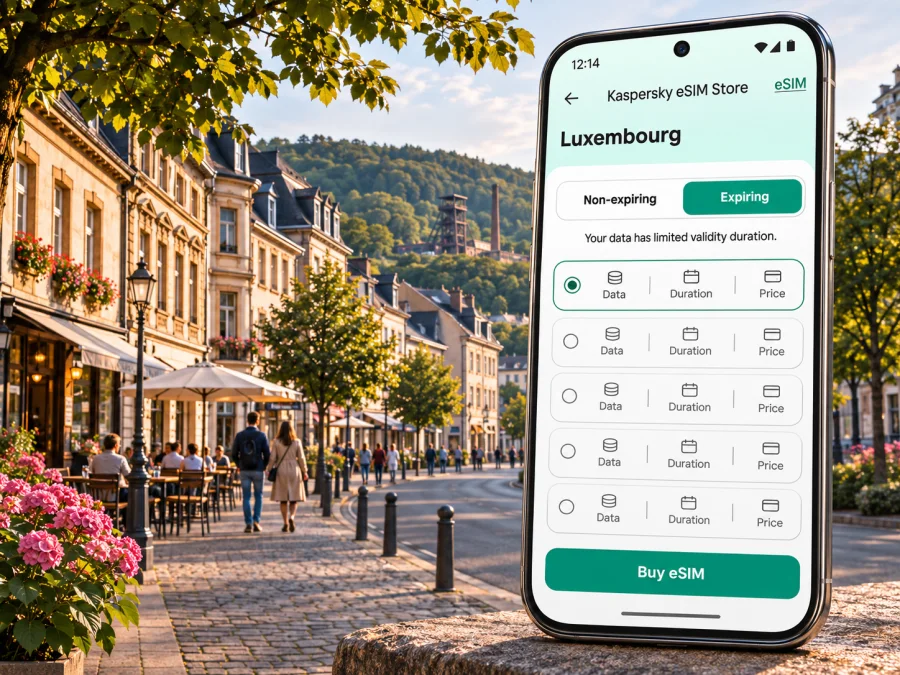
Dudelange eSIM: mobile connection and internet for your visit
Dudelange is a compact southern Luxembourg city where a visitor may move between a railway station, a hotel, a cultural venue and wooded paths in a single day. Mobile internet can help with the practical transitions: checking a live departure, finding the right stop, confirming an address or messaging your host when plans change. An eSIM can be a convenient way to prepare data access without swapping a physical SIM, provided your phone supports it and the selected plan covers Luxembourg.
This guide focuses on using mobile data around Dudelange, arriving from Luxembourg Airport or another town, getting around by rail and bus, and planning trips across the nearby border. It does not promise a particular signal strength or speed at a specific address. Those depend on the network used by the selected plan, local conditions, your device and the place where you are using it.
What to prepare before you travel
Dudelange is in the Grand Duchy of Luxembourg, close to the French border and within the country's southern transport corridor. It is not a district of Luxembourg City. That distinction matters when you search for directions: use Dudelange as the destination, and check whether an itinerary ends at Dudelange-Ville, Dudelange-Centre, Dudelange-Burange or Dudelange-Usines. The municipality lists four CFL stops in the city, served by the rail line connecting Luxembourg, Bettembourg, Dudelange and Volmerange-les-Mines.
Before departure, save the essentials in more than one form. Keep your accommodation address in a note, download an offline map for the area, and take a screenshot of any ticket, booking or route details that you may need without data. Mobile internet is useful for updates, but an offline copy is a sensible backup in a station, on a low battery or during a temporary connection issue.
- Confirm the phone is unlocked and supports eSIM. Check the exact model and regional variant in the manufacturer's specifications or the compatibility checker; similar-looking variants can differ. Check whether your device supports eSIM.
- Check that the intended destination is Luxembourg and read the chosen plan's coverage, data allowance, validity and activation conditions.
- Install the eSIM while connected to reliable Wi-Fi, following the plan instructions. Do not delete an installed profile just to troubleshoot unless support or the instructions tell you to do so.
- Check whether your primary SIM's roaming settings should remain off to avoid unexpected charges. The exact controls depend on your phone and home operator.
Arriving in Dudelange and finding your way
Many visitors will reach Dudelange by train after landing at Luxembourg Airport, by road from another Luxembourg town, or as part of a cross-border itinerary. The airport is not in Dudelange, and there is no reason to assume a direct train from the terminal to the city. Check a current journey planner for the complete route and any transfer before setting out. Connections may change by date, time and service disruption.
If your trip uses public transport, mobile data can help you compare the next departure with the location of your hotel or meeting. Search the exact station name in the itinerary rather than selecting the first result containing “Dudelange.” The four stops are spread across the city and are not interchangeable for every address. For a hotel or appointment, compare the walking route from the suggested stop with the address, especially if you arrive with luggage or late in the evening.
A practical arrival sequence is:
- At the airport or starting station, open a current route planner and confirm the full itinerary to the appropriate Dudelange stop.
- Check the departure board and platform at the station. Treat a saved screenshot as a backup, since live changes may not appear in an older image.
- At the transfer point, compare the train destination and stop list with your route. If you are unsure, ask station staff before boarding.
- On arrival, use the map to identify the exit and walking route. Keep your accommodation address written down in case your battery runs low.
- If a connection is disrupted, look up an alternative from your actual location instead of relying on a route calculated earlier in the day.
Rail, local buses and walks around town
The train is useful for reaching Dudelange from the national rail corridor and for continuing towards Bettembourg, Luxembourg City or Esch-sur-Alzette with the relevant connection. The municipality identifies these four CFL stops in Dudelange:
| Stop | When it may be useful |
|---|---|
| Dudelange-Burange | A destination on the Burange side of the city; check the walk to your exact address. |
| Dudelange-Ville | A central rail stop for some town-centre destinations. |
| Dudelange-Centre | A central option; compare walking distance and onward bus links. |
| Dudelange-Usines | A stop that may suit destinations around the former industrial area; confirm the route on foot. |
These are orientation cues, not a substitute for a door-to-door route. A meeting address, mobility needs, construction or a temporary timetable change can make another stop more convenient. Use the stop named by the current itinerary and check the final walking section.
Within the municipality, the local Citybus routes connect places such as the station, the town hall area, the hospital and other districts. The city also lists TICE and RGTR services, including routes that continue beyond Dudelange. Some municipal services are described as free, but route, operating days and eligibility details can vary. Consult a current timetable rather than assuming a bus runs at the same frequency throughout the day. For real-time planning, keep the full stop name visible on your screen and check the direction of travel before boarding.
Walking can be the simplest option for short central journeys, but Dudelange is not a single compact square: destinations on different sides of town may be a considerable walk apart. A map app is helpful for locating a stop, checking the street entrance to a venue and estimating the last part of the journey. If you are walking in an unfamiliar area after dark, use a well-lit route and follow local signs rather than taking an unfamiliar shortcut suggested solely to save a minute.
Choose a data plan around your actual itinerary
The right data allowance depends on how you use your phone, how long you stay and whether the trip goes beyond Dudelange. Light use might mean messaging, timetable checks and occasional navigation. More frequent map use, photo sharing, video calls or tethering can consume more data. Avoid choosing based only on the number of days: compare the allowance and validity together, and read when validity begins. Some plans start at installation, while others start when the eSIM first connects in the destination; the actual rule is the one stated in the plan conditions.
You can review the available Luxembourg eSIM options and compare the displayed allowance, duration, destination and price before choosing. The page is for Luxembourg as a country, not a Dudelange-specific network guarantee. Check the current plan details for your dates and intended use, and remember that coverage depends on the underlying network and local conditions.
| Your likely use in Dudelange | What to compare |
|---|---|
| Weekend with maps and messages | A modest data allowance may be enough if you use Wi-Fi for heavier tasks; check validity against your full trip. |
| Several days of sightseeing and transit checks | Allow room for navigation, schedule updates, translation and routine browsing. |
| Remote work or frequent video calls | Estimate data realistically, confirm tethering terms and identify reliable Wi-Fi at your accommodation or workplace. |
| Dudelange plus neighboring countries | Confirm every country on the route is included; a Luxembourg-only plan may not cover cross-border travel. |
The local context: Dudelange and the border
Dudelange's location makes it easy to plan a day that includes other parts of southern Luxembourg, but a nearby border changes the mobile and ticket questions. A journey to the French border station at Volmerange-les-Mines is not the same as travelling onward through France. Luxembourg's official fare guidance says second-class travel to and from that station is included in the national free-transport arrangement; travel farther across the border may require a separate ticket. Check both the rail fare rules and your eSIM plan's country coverage before you go.
Likewise, do not infer mobile coverage from a country outline or from the fact that a phone works in central Dudelange. Network reception can vary indoors, on a train, in wooded areas and across a border. If the route will take you into France, verify whether your selected plan includes France or whether you need a plan that covers the full itinerary. Keep an offline map and your return details available in case the connection changes while crossing the border.
For an evening return, check the timetable before you leave the centre. The municipality lists a Nightlifebus service between Luxembourg City and Dudelange on Friday and Saturday nights, but schedules and stops are date-sensitive. Do not treat a historic timetable or search result snippet as confirmation for your particular evening. Confirm the current schedule and the exact boarding point, then save the return route on your phone.
Installing and activating an eSIM
The installation process varies by device and by plan. Typically, you select or purchase a plan, add the eSIM through the app or by scanning a QR code, and follow the on-screen steps. Install only when you have a stable internet connection and enough battery. Keep the original SIM available until you have checked that the travel eSIM is installed and the correct line is selected for data.
A simple preparation sequence is:
- Check compatibility and carrier lock status for your exact device. Regional model variants can have different capabilities. Check your device.
- Choose Luxembourg or a regional plan that explicitly includes each country on your itinerary. Read the plan's validity start, data limit and any usage conditions.
- Connect to dependable Wi-Fi and install the profile using the supplied steps. If you need platform-specific guidance, see the Android eSIM installation instructions or the iOS eSIM installation instructions.
- Keep the eSIM profile enabled as instructed, but select it as the mobile data line only when appropriate. Your phone may show separate controls for calls, messages and data.
- Once in Luxembourg, follow the plan's activation directions. If the instructions require data roaming for that eSIM, enable it for the travel line only and keep your primary SIM settings in mind.
- Open a basic webpage or map to confirm data works. If it does not, check that the eSIM line is turned on, selected for data, and permitted to connect; then consult the plan-specific troubleshooting steps.
Do not delete the eSIM profile to retry installation unless the plan instructions or support team specifically advises it. Some profiles cannot simply be installed again after removal. If something looks different on your phone, pause and check the device-specific steps instead of repeatedly changing network settings.
Kaspersky eSIM Store is an app and website where you can choose, arrange and activate an eSIM with a suitable plan for mobile internet on an international trip. The eSIM should be understood as a data connection unless the chosen plan explicitly says otherwise. Keep your usual number available for calls or SMS if you need it, and check with your home operator about roaming charges for that line.
Common travel scenarios
A short stop between trains
For a brief stop, focus on the essentials: the right platform, the next departure and the address of your destination. If you have only a short connection, download the route details beforehand and avoid depending on a fresh large app download at the station. A Luxembourg-valid eSIM can help with current updates, but a saved itinerary is still useful if a platform has poor reception or the phone battery is low.
A work visit near the centre
For a meeting, test the route from your arrival station to the exact building entrance, not merely to the street. Share your expected arrival time with the host and keep a backup contact method. If you need video calls or a hotspot, check the plan conditions and your expected data use before relying on mobile tethering. A work call can consume data quickly, particularly with video enabled.
An afternoon outdoors
Dudelange's urban streets sit close to green spaces and wooded terrain. Before a walk, check the starting point, trail access and expected return route. Download the relevant map area and avoid assuming a city-centre connection will be identical on a wooded path. Keep enough battery for navigation and the journey back, and follow marked routes and local guidance.
A cross-border excursion
Before travelling into France, confirm the train or bus ticket boundary and check whether the eSIM plan covers France. If either answer is unclear, resolve it before departure. Save your return departure, stop name and accommodation address offline. The Luxembourg free public transport rule applies within its defined limits and should not be interpreted as a free ticket for every international leg.
If mobile data is unavailable
Use this order so that you can identify a simple settings issue without making the situation harder:
- Check that the travel eSIM is enabled and selected for mobile data.
- Confirm that the plan includes Luxembourg, is within its validity period and has remaining data if the plan has a limit.
- Follow the plan instructions about roaming settings for the eSIM line. Do not change roaming for another SIM by mistake.
- Move to a different spot, such as outdoors or nearer a window, and wait briefly for the phone to register on an available network.
- Toggle airplane mode off and on or restart the phone, then test a basic website.
- If the problem continues, use Wi-Fi to consult the plan's support and troubleshooting information. Keep the eSIM profile installed unless instructed otherwise.
Frequently asked questions
Is Dudelange part of Luxembourg City?
No. Dudelange is a separate city in southern Luxembourg. Search for the city and confirm which of its four rail stops is closest to your address.
Is public transport free?
Second-class journeys within Luxembourg are free. First-class and cross-border travel have different rules. Volmerange-les-Mines is a specific exception on the rail network; check the ticket boundary if continuing farther into France.
Will an eSIM work everywhere in Dudelange?
No location-specific performance can be guaranteed. Reception depends on the plan's underlying network, your device and local conditions. Keep an offline map for essential directions.
Does a travel eSIM include a phone number?
Not necessarily. Many travel plans are data-focused. Check the selected plan for voice and SMS details; internet messaging apps require data.
Can one eSIM cover Luxembourg and France?
Only if both countries are included in the plan. Check the destination list before travel, especially for a route crossing the border.
When should I install it?
Install over dependable Wi-Fi and check when the plan's validity begins. Keep setup details accessible until the installation is complete.
What if my phone does not support eSIM?
Ask your home operator about roaming or consider a local physical SIM where available. Exact regional phone variants can differ, so verify the full model before travel.
Before you leave
Check that you know the correct stop or address, your device is unlocked and eSIM-compatible, the plan covers every country on your route, and you have saved essential directions offline. Confirm the plan's validity start and the current timetable for your travel time.
Use Kaspersky eSIM Store to choose an eSIM plan for your Luxembourg trip, review its current terms, and install it on a compatible device before relying on mobile data in Dudelange.


