Travel connectivity guide
Duhok eSIM: Mobile Internet and Travel Guide
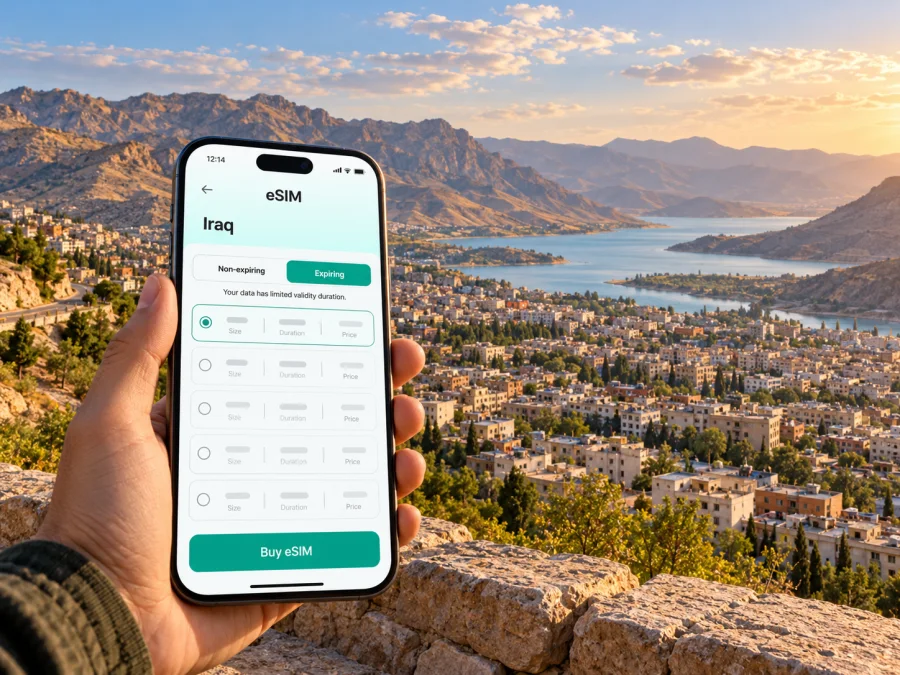
Duhok eSIM: mobile connection and internet for your trip
Duhok is a city in northern Iraq, in the Kurdistan Region, surrounded by mountains and shaped by a landscape that makes it a natural starting point for both city visits and trips into the governorate. For a visitor, mobile internet is useful from the first transfer: checking the address of a hotel, sharing arrival details, following a route through unfamiliar streets, and confirming plans for an excursion. An eSIM can provide a way to use mobile data without swapping a physical SIM, provided your device, the selected plan and the local network arrangements are compatible.
Duhok is not a separate country or an independent mobile market: it is the capital of Duhok Governorate, one of the governorates of the Kurdistan Region of Iraq. A plan labelled for Iraq should therefore be assessed by its stated country coverage and network terms, not by assuming there is a separate “Duhok plan” or that every Iraq plan has identical service in every locality. Coverage, supported networks and activation conditions depend on the specific offer and local arrangements. Check them before relying on mobile data for an important transfer or work call.
Where mobile data helps in Duhok
The first useful moment may be before you reach the city centre. If you arrive through another regional gateway, an active data connection can help you confirm the meeting point with a driver, send your expected arrival time to accommodation, and keep an itinerary available while you travel overland. If you are already in Duhok, it can help with map directions, translation, reservations, messages and updates from people travelling with you.
Duhok’s setting is distinctive: the city sits in a mountain-ringed area, and Duhok Dam lies to its north. That geography matters for planning. A city address and an out-of-town destination are not interchangeable map pins; verify the exact destination and the route with your host or local contact before setting off. Mobile data can help you follow directions, but it does not replace checking road conditions, opening times, transport arrangements or local advice.
Common situations where data is useful include:
- Arrival and check-in: message your host, confirm a hotel entrance, or retrieve a booking while moving from your arrival point.
- Moving around town: compare the route to a meeting, restaurant or service location and keep the destination address in view.
- A day outside the centre: save the route and contact details before leaving, then check the selected plan’s coverage conditions for the places on your itinerary.
- Work travel: use maps, email, documents and messaging when the venue’s Wi-Fi is unavailable or unsuitable for your needs.
- A short stop: keep transport details, booking references and onward plans together on your phone without searching for a local SIM shop.
For a city visit, mobile data is most useful when it supports decisions you have already planned: where to meet, how to get there, and how to contact someone if the schedule changes. It cannot guarantee a particular signal, data speed or service inside a building. Keep essential addresses and confirmations available offline as a backup.
Arrival planning: Duhok and the regional gateways
Do not assume your flight lands in Duhok. The Kurdistan Region’s official visitor guidance identifies Erbil International Airport and Sulaymaniyah International Airport as its principal air entry points. Your route to Duhok may include a substantial ground journey, depending on the itinerary and current transport arrangements. Confirm the arrival airport, onward transfer, pickup point and expected travel time with your airline, accommodation or transport provider before departure.
At the airport, connect to a trusted Wi-Fi network if you need internet to install or activate an eSIM. If your plan is already installed, check whether it is configured to activate on arrival or only when you select it; the plan’s own instructions determine this. Before leaving the terminal, make sure you can access your hotel address, driver contact, booking reference and a second way to reach your party. Do not rely on a newly installed profile being usable before it has registered with a supported network.
For an overland transfer, share the destination and pickup details with the driver in advance. Keep a copy of the route and the accommodation address in your notes, and agree on a meeting point that can be described clearly. A data connection is handy for updates, but it should not be the only copy of the information you need. If the vehicle route changes or the phone loses signal, an offline address and a contact number can make the next step simpler.
| Before leaving your arrival point | Why it helps |
|---|---|
| Confirm the airport and pickup location | The regional air gateway may be outside Duhok, so the transfer is part of the journey. |
| Save the destination address and booking details | You can still show them if mobile data is temporarily unavailable. |
| Check the plan’s country and network terms | A country label alone does not confirm service at every stop on your route. |
| Keep your home SIM settings in mind | Your primary line may still incur roaming charges if data or calls use it. |
If your itinerary includes a road journey from another city, treat the first connection as a transition rather than proof of coverage for the whole route. A plan may register at one location and behave differently elsewhere. Review the plan conditions, keep your primary SIM available if you need its number, and decide which line will carry mobile data before you start travelling.
Choosing an eSIM plan for a Duhok visit
Start with the full route, not just the name of the destination. If you fly into Erbil and continue to Duhok, spend time in the city, and later travel elsewhere in Iraq, verify that the plan’s listed territory matches every part of that route. A country-level destination page is a useful place to check current options, but the plan details—not the city name in a search query—should settle what locations and networks are included.
You can review current eSIM options for Iraq and check the terms shown for each plan before choosing. Kaspersky eSIM Store is an app and website that helps you select, order and activate an eSIM with a suitable data plan for an international trip. It is not the local mobile network. The current Iraq listing identifies Korek as the local telecommunications provider for the plans displayed there. That is plan-specific information, not a promise that every Iraq plan uses the same network or that service is available at every address in Duhok. The network, service area, data allowance, validity, activation trigger and restrictions depend on the individual offer and local conditions.
Use these questions to compare options:
- Does the stated service area fit the itinerary? Check Iraq coverage and any listed exclusions. If the route crosses a border, verify cross-border coverage separately instead of assuming the Iraq plan includes neighbouring countries.
- Which local network or networks are named? Look for the plan’s network information and confirm whether the coverage notes fit Duhok and your other stops. Do not infer local operator support from a generic eSIM label.
- When does validity begin? Some plans start on installation or activation, while others use a different trigger. Follow the exact plan terms so you do not start the validity period earlier than intended.
- How much data will your routine use? Navigation, messaging and email are usually lighter tasks than video calls, large uploads or frequent streaming. Estimate your own use and choose an allowance and duration that match the trip.
- Does it include voice or SMS? A data-only travel eSIM does not automatically provide a local phone number, ordinary calls or SMS. Check the plan description; use messaging or internet calling only where your apps and connection support it.
- Can you install it before departure? Review the installation method, the connection needed for setup, and whether the profile can be added in advance and enabled later.
A sensible choice is the one whose territory, duration, data and activation rules fit the actual journey. Do not select solely by the largest data amount or by a country name in a search result. If any important term is unclear, confirm it before purchase and keep a copy of the plan details in your travel notes.
A practical data budget for the city
Usage depends on your apps and settings, so estimate by activity rather than trip length alone. Maps, messages and email use a different amount of data from video calls, cloud photo backups or streaming.
| Typical use | Check before departure |
|---|---|
| Maps, messaging, email | Allow for map refreshes; download offline maps if available. |
| Photos and web browsing | Review automatic photo and app updates over mobile data. |
| Video meetings and large files | These may use substantially more data; use suitable Wi-Fi for large transfers. |
| Streaming or hotspot | Check data use and whether tethering is allowed by the plan. |
Set a data warning if your phone supports one, and note the plan’s start date and validity. Do not assume a plan can be topped up or extended; check its terms.
Prepare your phone before departure
An eSIM is a digital SIM profile stored in a compatible device. Support can depend on the exact model, sales region, software and carrier lock status. A model-family name alone may not confirm compatibility. Check the manufacturer’s specifications and phone settings, and check whether your device supports eSIM before choosing a plan.
If you will add a plan from another provider, confirm that your phone is unlocked. Regional variants can differ, so verify the full model number and where it was sold. On iPhone, Apple explains how to check Carrier Lock in Settings; other manufacturers provide their own instructions.
Before departure:
- Confirm eSIM support for the exact device variant and operating system.
- Check carrier-lock status with your home operator if unsure.
- Make sure Wi-Fi will be available for installation.
- Read the plan’s network, activation and validity conditions.
- Decide which line will carry data and review roaming charges for your home SIM.
Dual-SIM features vary by device and plan. Keeping your usual line active does not guarantee it can provide data without charges; check your home operator’s terms.
Installing and using the eSIM
Install the profile over a stable internet connection and follow the plan’s method, which may use a QR code, an app or manual details. Do not delete an installed profile while troubleshooting unless the plan instructions or support team advise it; some profiles cannot simply be reinstalled.
Use the Android eSIM installation instructions or the iPhone eSIM installation instructions. Menu names vary by device and software version.
- Confirm the destination, network notes, validity and activation trigger.
- Connect to Wi-Fi and add the profile using the supported method.
- Label it clearly, for example “Travel data”.
- Enable it when the plan instructions say to do so.
- Select it for mobile data and enable data roaming only if required by this plan.
- Allow time to register, then test a simple message or page.
If data does not work, check that the line is enabled, selected for data and active under the plan terms. Follow the plan’s network instructions before changing settings repeatedly.
Moving around town and making short trips
Duhok’s mountain setting makes it useful to confirm the precise destination before setting out. For a city appointment, save the venue name and address; for the dam or an out-of-centre visit, ask your accommodation or local contact to confirm access, timing and transport. A map pin may show an area rather than the entrance.
Use data as one part of your navigation plan: check the route before leaving, confirm the drop-off point with your driver, and save addresses and contact details offline. If you continue to another town or cross a border, check coverage for that destination separately. An Iraq plan does not automatically include another country, and service can vary along a route. Keep maps or key information available offline where possible, and do not handle your phone while driving or crossing busy streets.
Work, meetings and accommodation
For business travel, test the eSIM before your first appointment if the plan permits, and identify a Wi-Fi alternative. A data eSIM can help with email, messaging, calendars and documents; it does not automatically provide a business number, voice service or guaranteed meeting-room connectivity. Confirm call requirements with colleagues.
Video meetings, cloud sync and large attachments may use more data than ordinary messaging. Check whether tethering is allowed before connecting a laptop. Save your hotel or host address and contact details, and check Wi-Fi access instructions in advance if you need a connection for installation.
Troubleshooting when the phone stays offline
First distinguish an installation issue from a coverage issue. If the profile is missing, revisit the installation instructions. If it is present but data is unavailable, check that the eSIM is enabled, selected for data and active under the plan’s conditions. Then compare network selection and roaming settings with the plan instructions.
- Make sure Airplane Mode is off and mobile data is enabled.
- Confirm the travel eSIM is the selected data line.
- Check the plan’s activation point and validity in your account.
- Enable roaming only if the plan requires it.
- Restart or briefly toggle Airplane Mode, then allow the phone to reconnect.
- If the issue remains, contact support over Wi-Fi with your exact device model, location and error message.
A profile can be installed even when a plan is not active or a network is unavailable at your location. If you need an immediate transfer, use saved details and contact your driver or accommodation while the issue is checked.
Common questions
Is Duhok in Iraq or in the Kurdistan Region?
Both descriptions are correct: Duhok is a city in Iraq and the capital of Duhok Governorate, which is part of the Kurdistan Region of Iraq. Check the plan’s stated country or regional territory.
Is there a separate eSIM plan for Duhok?
Do not assume there is. Plans may be listed for Iraq rather than for an individual city. Check named networks and coverage terms for your route.
Does every Iraq eSIM work in Duhok?
No blanket guarantee should be assumed. Service depends on the individual plan, local network arrangements and conditions at your location.
Will a travel eSIM provide an Iraqi number?
Not necessarily. Check whether voice, SMS or a number is explicitly included. Many travel plans are data-only.
Can I install it after landing?
Possibly, if you have internet access and the plan’s conditions allow it. Installing over Wi-Fi before departure can reduce arrival tasks; follow the activation trigger so validity starts when intended.
Do regional phone variants matter?
Yes. Check the exact model number, sales region and manufacturer guidance instead of relying only on the model-family name.
Can the same plan cover travel beyond Duhok?
Only if its service area includes every destination. Check onward cities and other countries separately, as well as the allowance and validity for the full trip.
A simple plan for staying connected
For Duhok, prepare around your real route: confirm where you arrive, arrange the onward transfer, save the address where you are staying, and check the selected plan’s Iraq coverage and network terms. Verify the exact phone variant and carrier-lock status, install the profile over Wi-Fi, and choose the correct data line when you are ready to use it. Keep key details offline and have another way to contact your driver or accommodation if signal is unavailable.
This approach keeps the city-specific facts and the mobile-service question separate. Duhok’s location in the Kurdistan Region helps explain the geography and likely travel route; it does not by itself establish which operator or travel plan serves a particular street, hotel or excursion. The selected plan and current local network conditions determine that. Recheck the terms shortly before travelling, especially if your route or dates change.
Prepare your eSIM for Duhok
When your device and itinerary are ready, use Kaspersky eSIM Store to review the current Iraq options, choose a plan whose data allowance and validity fit your trip, and follow its installation and activation steps. Explore eSIM options for Iraq and confirm the listed network and service-area details before purchase. Keep your accommodation address and onward transfer information available offline as well, so your plans do not depend on a single connection.


