Travel connectivity guide
Dukhan eSIM: Mobile Internet for Qatar Trips
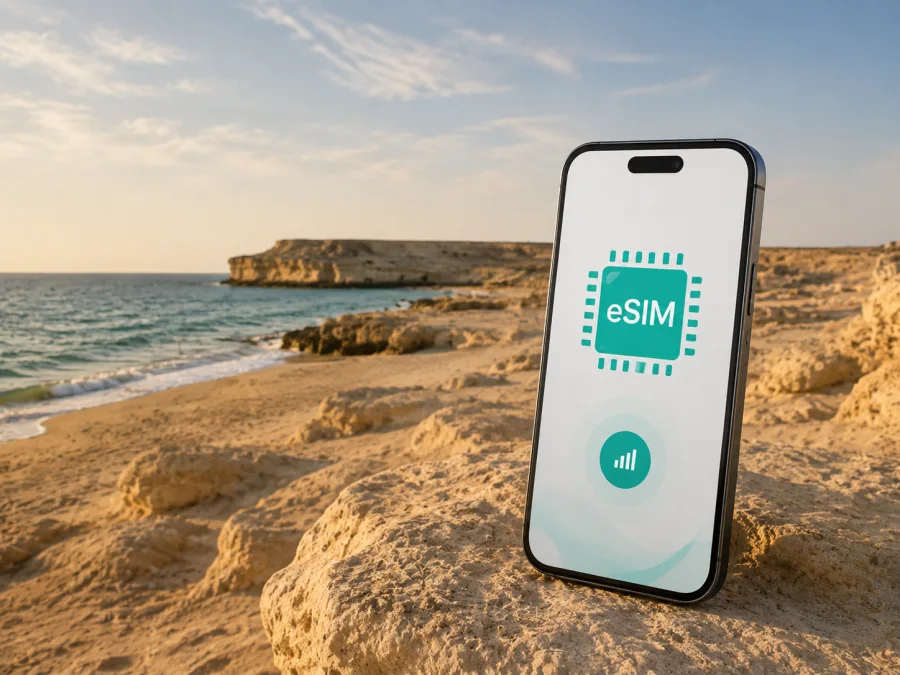
Dukhan eSIM: Reliable Mobile Connection and Internet for Your Qatar Trip
Dukhan is a different arrival point from central Doha. On Qatar’s west coast, the city is associated with the country’s oil history and a broad, quiet shoreline. Maps, messages, bookings and work tools should remain available while moving between the airport, Doha, Dukhan Beach and Zekreet.
An eSIM, or virtual SIM card, helps organise that preparation. Kaspersky eSIM Store is an app and website where you can choose, arrange and activate an eSIM with a suitable tariff for mobile internet during an international trip. This guide focuses on a Dukhan itinerary: arrival, road travel, the coast, accommodation, business visits and excursions from the city.
What to know about Dukhan before you travel
Dukhan is an industrial city in western Qatar. It is not a compact sightseeing district with a metro station on every corner, so many visitors use a car or arranged transfer for the coast. Dukhan Beach is the main public-facing coastal reference, known for sandy areas and rocky cliffs. Nearby Zekreet and Ras Abrouq offer limestone formations, open desert and a more remote driving experience.
Public-facing places and operational areas should be treated differently. Some industrial, residential or operational zones can have access and photography restrictions. Follow signs and local instructions; do not treat a work site as a tourist attraction.
Dukhan trip profile
| Travel need | Dukhan reality | Why mobile data helps |
|---|---|---|
| Arrival | Airport, Doha and a road transfer west. | Check the destination and message a driver. |
| City movement | Places are spread out; a car or transfer is practical. | Keep navigation and location sharing available. |
| Coast | Dukhan Beach has sand, cliffs and open views. | Use maps, messages and weather information. |
| Excursions | Zekreet and Ras Abrouq can feel remote. | Save maps and coordinate route changes. |
| Work travel | A visit may involve a gate, office or meeting point. | Manage email and internet calls on the move. |
Choose a Qatar-capable eSIM tariff for the duration and route of your journey, then confirm that your phone can use it. The actual experience depends on local networks, device settings, terrain and the places you visit.
Plan the connection before leaving for Qatar
Organise mobile data before the flight, while you have a stable connection and time to read the conditions. Keep the eSIM profile, QR code or in-app installation flow ready when needed.
Read the destination, data allowance, validity period and activation rules shown for the offer. A plan for another country or regional route can have different conditions from a Qatar tariff.
Pre-flight checklist
- Check that your smartphone supports eSIM and is not operator-restricted. Check your device compatibility before paying.
- Charge the phone and power bank.
- Decide whether the Qatar eSIM or home line will carry mobile data.
- Turn off automatic data switching if you do not want a fallback to the home line.
- Keep the QR code or activation details easy to access.
Getting from Hamad International Airport to Dukhan
Hamad International Airport is in Doha, while Dukhan is on the western side of the peninsula. The transfer is therefore a road journey. You may meet a pre-arranged driver, rental-car representative or colleague. The exact route and duration vary with traffic, road conditions, the starting point and the final address.
Before leaving the airport, open the booking or transfer details and enter the exact accommodation, beach or meeting point into navigation rather than only “Dukhan”.
Airport arrival sequence
- Finish the arrival formalities. Collect your luggage and move somewhere safe before changing settings.
- Open the journey details. Check the driver’s contact, vehicle and destination information.
- Select the data line. Choose the Qatar eSIM only when you intend to use it.
- Protect the home line. Disable its data roaming unless you have chosen the home operator’s terms.
- Start navigation. Use the precise address or pin.
- Recheck before departure. Confirm mobile data is enabled on the intended line.
If the eSIM is not ready, find a stable connection, read the installation instructions and check that the device supports eSIM and is unlocked. Do not repeatedly delete and reinstall the profile; contact support with the order information if the issue remains.
Moving around Dukhan and the west coast
Dukhan and nearby attractions are not arranged like a walkable central district. You may leave accommodation, drive to the coast, return for a meeting and continue towards Zekreet, with each leg requiring a new address or parking point.
Use mobile data for:
- navigation to an exact pin or entrance;
- messages with a driver, host, colleague or companion;
- booking and meeting updates;
- location sharing and weather checks;
- two-factor authentication and internet calls.
Save key addresses offline, carry a power bank, take water on remote drives and tell someone where you are going. Mobile data supports the journey; it does not replace practical preparation.
Navigation habits
Keep the route open before leaving a settled area. Save the relevant road area offline while you have reliable internet, keep exact addresses in your notes and check the vehicle and weather before a remote drive.
Dukhan Beach and the coastline
Dukhan Beach is associated with wide sand, rocky cliffs and open sea views. It suits a sunset stop or quiet walk. Use the phone to share the meeting point, check the return route and message your group.
Do not assume facilities will be available exactly where you stop. Bring water, sun protection and charged devices, and respect signs, private areas, local instructions and posted safety guidance.
Photos and video can consume data when synchronisation runs in the background. Review automatic backup before leaving and upload large files later when possible. Keep the Qatar eSIM label clear in settings.
Day trips from Dukhan: Zekreet and Ras Abrouq
Zekreet and Ras Abrouq are natural extensions of a Dukhan itinerary, with limestone formations, open desert and coast. Zekreet Beach is also known as Ras Abrouq Beach in some travel descriptions and has a remote feel rather than a conventional urban setting.
Before the excursion, save the route, check the final destination and coordinate transport. Tell someone your plan, take water and sun protection, and confirm rules and facilities if camping or staying late. Some approaches may be more comfortable in a four-wheel-drive vehicle.
Some approaches have access or photography restrictions. Follow signs and instructions, and do not photograph industrial installations, security points or people without permission.
Compare common scenarios
| Scenario | Connection priority |
|---|---|
| Short stopover | Airport transfer, one address, messages and navigation; match validity to the stop. |
| Beach visit | Maps, weather and coordination; restrict background synchronisation and carry a power bank. |
| Business trip | Email, authentication, documents, internet calls and any permitted hotspot use. |
| Dukhan–Zekreet drive | Offline route, return plan and contact with the driver or group; prepare the vehicle separately. |
How to choose an eSIM tariff for Dukhan
Choose by use case instead of automatically choosing the largest data figure. A traveller who needs directions and messages has a different pattern from someone who joins work calls, uploads photos and shares data with a laptop. Match destination, validity, data allowance and conditions to the real plan.
Estimate your highest-use day. A day with a video meeting, long navigation, cloud documents and media uploads needs more headroom than a beach walk with occasional messages. If large tasks will use accommodation Wi-Fi, reserve the eSIM for movement and essential communication. Decide whether a single-country Qatar option or a regional option fits the full route.
You can choose an eSIM tariff for your trip to Dukhan through the Qatar destination page. Kaspersky eSIM Store helps you review the available direction and selected tariff conditions so you can arrange the eSIM before travelling or after arrival. The travel eSIM is intended for mobile internet; it does not automatically replace your phone number, voice calling or SMS. Unless the conditions say otherwise, use internet messaging or calling apps.
Tariff-selection checklist
- Destination: Qatar is included and the offer fits the route.
- Validity: The active period covers your days in Dukhan and on the road.
- Data: The allowance reflects maps, messages, work, media and permitted hotspot use.
- Activation: You understand when validity begins and whether installation before departure is suitable.
- Device: Your phone supports eSIM and is not operator-locked. Check device compatibility.
- Management: You know where to see balance, validity and support options.
- Home line: You will disable its data roaming unless you intentionally accept its conditions.
Installing and activating eSIM
Install the profile with a reliable internet connection and the order information or QR code available. Menu names vary by device, so follow the wording on your phone. For a walkthrough, use the Android eSIM installation instructions or the iOS eSIM installation instructions.
- Check the conditions. Confirm that the phone supports eSIM, is unlocked and is online.
- Open mobile settings. Select the option to add a mobile plan or eSIM.
- Add the profile. Scan the QR code or use the profile in your account.
- Label the line. Use a clear name such as “Qatar travel”.
- Choose the data line. Select the Qatar eSIM when ready.
- Review roaming settings. If the tariff requires roaming for that eSIM, enable it for the eSIM only.
- Test carefully. Open a page or send a message and check which line carries data.
Activation can take several minutes and depends on the device and local network. If validity should begin after arrival, follow the tariff conditions and avoid selecting the eSIM for data early. Do not delete the profile while troubleshooting unless instructions or support tell you to.
Dual SIM, accommodation and work
Many dual-SIM phones can keep a home SIM and travel eSIM installed together, but behaviour depends on the model. Use the Qatar eSIM for data and the home SIM for calls or messages only if needed; disable automatic data switching. Save the accommodation pin and written address, and ask a business host for the exact meeting location and entry procedure. With a laptop hotspot, pause automatic updates and cloud synchronisation until you know how quickly data is being used.
Troubleshooting when the phone is offline
- Check Airplane Mode, mobile data and that the Qatar eSIM is turned on.
- Confirm that it is selected as the mobile-data line.
- Check whether the tariff requires data roaming for that eSIM, while keeping it off for the home line.
- Move to a safe open location and restart the phone if it has not registered.
- Check destination, validity and balance, then contact support with order details and device model.
If only one app is offline, check its permissions and data settings. On a remote drive, stop safely before changing settings and keep offline maps available.
FAQ about eSIM and Dukhan
Is Dukhan a good base for a west-coast trip?
Dukhan can suit an itinerary focused on Dukhan Beach and nearby landscapes. It is an industrial city, so confirm accommodation, access and transport before relying on it as a base.
Can I use an eSIM on the road from Doha to Dukhan?
Yes, if the selected tariff covers Qatar, is active and the phone supports eSIM. Service can vary with local conditions, device settings and the route, so save important information offline.
Do I need a car for Dukhan Beach and Zekreet?
Plan a road transfer or suitable arranged excursion. Metro can help within Doha, but it does not remove the need to organise the west-coast road portion. Some remote approaches may be more comfortable in a four-wheel-drive vehicle.
Does the travel eSIM include a normal phone number?
Not usually. In this context it is intended for mobile internet and may not include a separate number, ordinary voice calls or SMS. Check the selected tariff; internet calling and messaging apps can use data.
Should I check compatibility before arranging the tariff?
Yes. Verify eSIM support and operator-unlock status because models can vary by region. Check your device compatibility before installation.
Prepare your Dukhan connection before the journey
Dukhan is easiest to enjoy when the route is part of the plan. Check device support and tariff conditions before the flight. Save the airport transfer, accommodation address, meeting point and west-coast route. Keep the Qatar eSIM selected for data when needed, protect the home line from accidental roaming and combine mobile data with offline maps, a charged phone, water and a realistic transport plan.
When you are ready, select an eSIM tariff for Qatar and prepare your Dukhan trip. Install it using the relevant Android or iOS steps, activate it according to the tariff conditions and check the data line before leaving for the coast. Kaspersky eSIM Store helps you choose, arrange and activate the eSIM scenario; the actual service conditions are those displayed for the selected tariff and destination.


