Travel connectivity guide
Dunedin eSIM for Mobile Internet | New Zealand
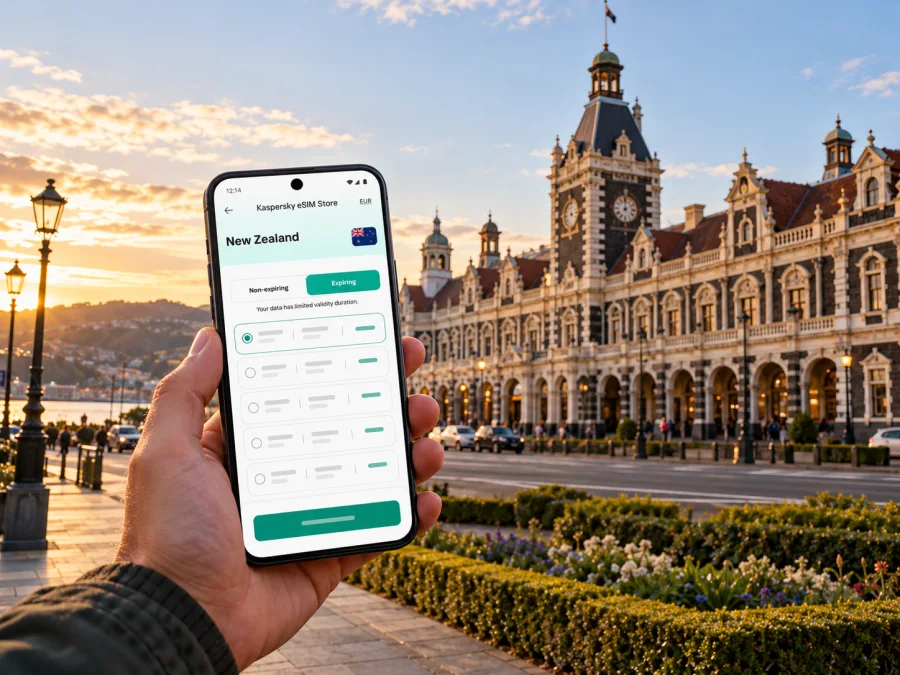
Dunedin eSIM: mobile connection and internet for your city trip
A visit to Dunedin can move quickly from the airport road to the compact centre, the University of Otago precinct, harbour-side suburbs and the open landscapes of the Otago Peninsula. A travel eSIM can keep maps, bookings and messages available on your phone without changing the physical SIM in your device. It is especially useful when you want to check a transfer after landing, look up a bus connection or adjust a day trip while you are already out.
Dunedin (Ōtepoti) is a city in Otago on the southeast coast of New Zealand’s South Island. The University of Otago describes the city as an urban centre surrounded by beaches, hills and harbour waters; the Octagon and railway station are useful central landmarks, while the university campus sits close to the centre. Beyond the centre, hills, the harbour and the peninsula make distances and travel times more important than a map’s straight-line distance suggests. Plan mobile data for the places you will actually go, and download essential information before leaving town for a coastal drive or walk.
Where mobile internet helps first
The first useful moment for data may come before you reach your accommodation. You might need to check an airport pickup, send your arrival time, find a rental-car counter or confirm a booking. Once in central Dunedin, navigation helps you orient yourself around the Octagon, the Bus Hub, the railway station and your hotel. Later, the same connection can support bus planning, maps, event details, messaging and changes to a peninsula itinerary.
Mobile data is a practical layer for a trip, not a substitute for planning. Keep your hotel address, transport details and any time-sensitive booking information accessible offline as well. If your battery is low or your phone loses signal, those saved details still help you complete the next step.
| Part of the trip | What you may need online | Useful preparation |
|---|---|---|
| Arrival at Dunedin Airport | A pickup message, address, rideshare request or rental-car details | Save the destination and booking confirmation before departure |
| First trip into town | Route options and a way to contact your host | Confirm the pickup point and keep a backup transport option |
| Central Dunedin | Walking directions, opening hours, tickets and messages | Save the hotel pin and key places in an offline map |
| Bus journey | Current route, stop and timetable information | Check the current Orbus timetable before setting out |
| Otago Peninsula | Directions, weather updates and booking messages | Download maps and allow for stretches away from the centre |
| Work or study visit | Meeting links, email, document access and authentication | Test essential apps and sign-ins before travelling |
Arriving through Dunedin Airport
Dunedin Airport is outside the city centre, so the trip from the terminal is a separate part of your arrival plan. As checked in October 2026, Dunedin Airport’s official Transport page lists taxi services, shuttles, rideshare, rental cars and other ground-transport options. It recommends booking a shuttle in advance to avoid disappointment. Check the airport’s live information for operators and arrangements close to your travel date: providers, pickup procedures and availability can change.
Before your flight, save the street address of your accommodation, the name of the person meeting you and any shuttle or car-hire confirmation. When you land, data can help you check messages, open a rideshare app or confirm a change of plan. Airport connectivity and mobile reception are not guaranteed by an eSIM itself; service depends on the local partner network, device, surroundings and the terms of your selected plan.
If you are hiring a car, make the first navigation destination the rental-car collection point or your accommodation, rather than entering a long scenic itinerary while still at the terminal. For an unfamiliar left-side driving environment, review New Zealand road guidance before departure and set up navigation while parked. A passenger can handle route changes; the driver should keep attention on the road.
Getting around the centre
The centre is a good place to use a combination of walking, buses and occasional rideshare or taxi trips. The Octagon is a useful orientation point, while the Dunedin Railway Station is a distinctive landmark nearby. If your accommodation is in the central area, short walks may be simpler than arranging a vehicle for every stop. Dunedin’s slopes matter: a route that looks close on a flat map may include a steep climb, so check the walking profile and weather before setting out.
For buses, Otago Regional Council’s Orbus Dunedin timetable page (checked October 2026) identifies the central Bus Hub on Great King Street as the city’s major public-transport hub. City-bound services pass through it, making the hub a practical reference point when you are planning a transfer. Use the current journey planner and timetable for your actual date and destination. Routes and schedules can change; do not rely on a saved screenshot from an earlier visit as if it were current.
The council has announced substantial Dunedin timetable and route changes from 1 October 2026. Since the network has recently changed, check the live timetable and alerts on the day you travel, especially if your plans depend on a particular stop or an evening service. Your map app can help you reach a stop, but the operator’s current timetable is the place to confirm that a bus runs at the time you need.
The useful role of internet is often small but immediate: confirm which side of a street a stop is on, message a host that you are delayed, or look up the correct entrance to a venue. For that reason, you do not need to stream constantly for a data plan to be useful. Think about your own habits: maps, photo uploads, video calls and hotspot use consume data differently, so estimate from the way you travel rather than choosing by a generic “city break” label.
Pick a plan for the whole route
A city page is a starting point, but the relevant eSIM destination is the country or region covered by the plan. Dunedin is in New Zealand; it is not a separate mobile-market destination. If you will stay in Dunedin, compare the New Zealand options available for your dates. If your itinerary continues to another country, check whether a regional plan covers each stop and whether its validity period fits the complete route.
New Zealand’s operator market has its own moving parts. In an update published on 1 October 2026, the Commerce Commission described Spark, One NZ and 2degrees as mobile network operators; it was considering an application for a proposed shared radio-access-network venture between One NZ and 2degrees, with a decision then scheduled for November. That proposal does not tell you which network a travel eSIM uses. The supported network arrangement is specific to the plan and can differ from the SIM used by a local resident. Do not infer that a plan uses a particular operator, has the same coverage as a local retail plan, or includes voice and SMS unless its own details say so. Check the destination, network information, data allowance, validity and activation conditions shown for the selected plan.
For a trip focused on the city, useful selection questions include:
- Where will you use data? Include the airport transfer, accommodation, central neighbourhoods, campus visits and any planned trip beyond the centre.
- How long will you need it? Match the plan’s validity to your itinerary and confirm when the validity period begins.
- What will you do online? Navigation and messaging differ from frequent video calls, cloud backups or tethering a laptop.
- Will you cross a border? A New Zealand country plan may not cover a later international stop; verify every country in a multi-country itinerary.
- What service is included? Many travel eSIMs are data-focused. Confirm whether voice calls or SMS are included, rather than assuming the eSIM provides a conventional phone number.
You can compare eSIM options for a trip to New Zealand in Kaspersky eSIM Store. The app and website let you select, purchase and activate an eSIM with a suitable plan for mobile data while travelling abroad. Review the plan details before purchase, including the supported destination, data allowance, validity, activation requirements and any restrictions.
Compatibility and regional device versions
Check the exact device model before choosing a plan. eSIM support can vary by device model and regional version, and a phone may also be locked to a particular carrier. A model name alone is not always enough: compare the full model number and the manufacturer’s specifications for the country or market where the phone was sold. If the device was purchased overseas, refurbished or supplied by a carrier, verify that it is unlocked and can add an eSIM profile.
Check whether your device supports eSIM before purchase. This is separate from checking which mobile network a travel plan uses in New Zealand. Compatibility confirms whether the device can use an eSIM profile; it does not promise a particular signal level at every street, building or rural stop.
If your phone has two SIM lines, decide which line should handle mobile data before you travel. You can usually keep your home SIM available for calls or texts while selecting the travel eSIM for data, depending on device settings and plan terms. Check your home operator’s roaming settings so that the wrong line does not use data unexpectedly. Keep the travel profile installed and labelled clearly; avoid deleting it while troubleshooting unless the provider’s instructions specifically tell you to do so.
Install before you need directions
Installing an eSIM at home or at your accommodation gives you time to read each step, connect to reliable Wi-Fi and resolve a setup question without standing in a busy arrival area. Follow the instructions for your phone’s operating system: eSIM installation instructions for Android or eSIM installation instructions for iOS.
A sensible preparation sequence is:
- Confirm the device supports eSIM and is not carrier-locked.
- Choose a plan for New Zealand and read its activation and validity conditions.
- Install the profile when you have stable internet access; follow the on-screen steps carefully.
- Label the line, for example “New Zealand trip,” so it is easy to identify in settings.
- Before using mobile data, select the eSIM line for data and check whether the plan requires data roaming to be enabled for that eSIM.
- Keep your home SIM’s data roaming setting in mind, and check the plan status after activation.
Installation and activation are related but not always the same event. A profile may be added to the phone before the plan begins to count its validity; the exact trigger depends on the plan conditions. Read those conditions instead of turning the line on early based on a general rule. If you are unsure, ask support before changing settings or removing a profile.
Dunedin scenarios: plan data around the day
Several days in town. You may walk between the Octagon, the railway station, museums, cafés and the university area, then take buses to a different neighbourhood. Save key places and use current Orbus information for bus legs. If you upload photos or make video calls, include that in your data estimate.
Peninsula day. The Otago Peninsula is a regional excursion from the city, not a central Dunedin neighbourhood. Tourism New Zealand describes the peninsula as a rugged coastal area, with routes toward places such as Portobello and Taiaroa Head. Set up directions before driving, check opening and booking details with each attraction, and download map information in case you travel through areas where mobile service is limited. Do not count on a continuous signal along every road, track or beach.
Multi-city South Island itinerary. A plan that is suitable for Dunedin should be checked against every additional stop. Long drives, rural areas and changes in terrain make it useful to keep offline directions and reservation details. Data connectivity depends on local network coverage and environmental conditions; no single city plan can guarantee service across every part of a long-distance route.
If the eSIM does not connect
Start with simple checks. Confirm that the eSIM is switched on, selected for mobile data and showing a network name. Check the plan’s destination and activation terms, then follow its troubleshooting guidance. If data roaming is required for that profile, enable it for the eSIM line only after confirming the instruction. Restarting the phone can help it register again, but do not delete the profile as a first step: some eSIMs cannot be reinstalled after removal.
If you are indoors, underground, inside a large building or away from the centre, move to a safe place with a clearer view of the surroundings and check again. A local network outage, weak indoor reception, a device setting or plan restriction can all affect service. Save support contact details and your plan information before the trip so you can ask for help even if mobile data is unavailable. Use hotel or venue Wi-Fi as a temporary fallback where appropriate, taking care with sensitive account activity on public networks.
For transport, keep an offline fallback: the address, route number, meeting point and a screenshot of the relevant booking. Current service alerts and timetables are preferable when online, but a saved essential detail is better than relying on a live connection for every step.
Before you leave: a short checklist
- [ ] Confirm the destination and validity of the selected plan.
- [ ] Check the exact device model, regional version and carrier-lock status.
- [ ] Install the eSIM on reliable Wi-Fi and read when its validity begins.
- [ ] Save your accommodation address, airport pickup and important booking details offline.
- [ ] Check Dunedin Airport’s current ground-transport information for your arrival time.
- [ ] Use the current Orbus journey planner and timetable; verify service changes on the day.
- [ ] Download maps for the city and any planned peninsula or road trip.
- [ ] Set the correct SIM line for mobile data and review roaming settings for both SIMs.
- [ ] Keep a charging cable or power bank available for navigation days.
Frequently asked questions
Will an eSIM work everywhere in Dunedin?
No eSIM can guarantee a connection at every location. Actual service depends on the plan’s supported network, device configuration, signal conditions, buildings and local coverage. Check the plan details and keep offline information for excursions beyond the central area.
Does a travel eSIM include calls and text messages?
Do not assume so. Many plans are intended for mobile data, while voice and SMS depend on the specific plan. Check its description. Internet-based messaging and calls may be available in supported apps when you have data access.
Should I install the eSIM before arriving?
Installing in advance can make setup easier, provided you follow the plan’s rules for installation and activation. The time when validity starts varies by plan, so read its conditions before enabling the profile or mobile data.
Is mobile data useful if I am mostly walking around the centre?
It can help with walking directions, opening hours, tickets and messages, while offline maps and saved bookings provide a backup. Whether you need a large data allowance depends on your app use, photo uploads, calls and trip length.
Choose your New Zealand eSIM plan
Prepare mobile data for the way you will actually travel: from Dunedin Airport to your accommodation, around the central streets and bus routes, and out to the Otago Peninsula if it is part of your plans. In Kaspersky eSIM Store, use the app or website to choose, purchase and activate an eSIM with a suitable plan for your trip. Review the plan’s destination, supported network, validity and data conditions, then choose an eSIM plan for New Zealand before you depart.


