
Travel connectivity guide
Dunmore Town eSIM: mobile internet guide
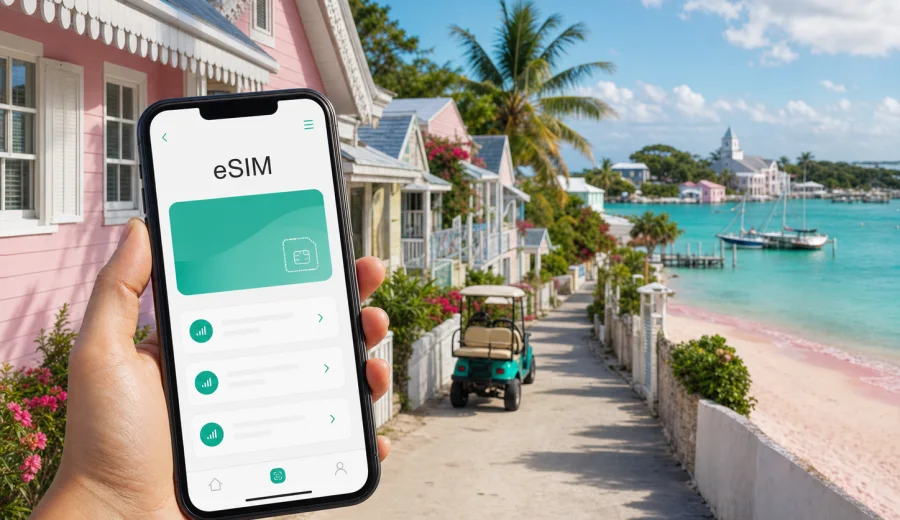
Dunmore Town eSIM: mobile connection and internet for a Harbour Island trip
Dunmore Town is compact, beautiful and easy to enjoy, but the travel day often has several moving parts. Many visitors land at North Eleuthera Airport, take a taxi to the dock, cross by water taxi to Harbour Island, then continue to a hotel, villa or beachside cottage. During that first hour, mobile internet helps with the things that make the arrival feel simple: maps, pickup messages, ferry timing, check-in instructions and contact with your travel group.
An eSIM is useful in Dunmore Town because the town is small but the logistics are distributed. You may start on the harbor side, walk or ride to Pink Sands Beach, return for dinner near Bay Street, confirm a golf cart rental, or check a boat trip for the next morning. Hotel Wi-Fi may be enough inside your room, but it cannot help while you are between docks, streets, beaches and restaurants.
This guide explains how to plan mobile connection for Dunmore Town, Bahamas: arrival, local movement, navigation, transport, hotels, beach days, business trips, short stopovers and trips from Harbour Island. It also explains how to choose an eSIM plan for mobile internet and how Kaspersky eSIM Store fits into the preparation process.
Why mobile internet matters in Dunmore Town
Dunmore Town sits on Harbour Island, just off the northeast coast of Eleuthera. The distances are short, yet a lot of travel decisions happen away from a desk or hotel lobby. You might need a map near the ferry dock, a message from your villa host, a restaurant update, or a weather check before walking to the beach.
Mobile data is most useful for:
- confirming airport, dock and hotel transfers;
- sharing your live location with a driver, host or travel companion;
- navigating between the harbor side, historic streets and Pink Sands Beach;
- checking restaurant hours before crossing town;
- using messaging apps when a plan does not include ordinary calls or SMS;
- receiving flight, ferry or itinerary updates;
- keeping booking confirmations and travel documents accessible.
The island rhythm is relaxed, but your connectivity should be predictable. If mobile internet is ready before arrival, you can spend less time solving setup issues and more time enjoying the town.
Arrival: where an eSIM helps first
Most visitors do not arrive directly in Dunmore Town. The usual route is North Eleuthera Airport, a short ground transfer, a water taxi crossing, then a final move to accommodation. Each step is straightforward, but each step can involve a message, location pin or schedule check.
| Arrival point | Typical next step | Why data helps |
|---|---|---|
| North Eleuthera Airport | Taxi to dock, then water taxi | Coordinate pickup and keep maps ready |
| Nassau connection | Flight or boat onward | Track schedule changes and contact transport |
| Harbour Island dock | Golf cart, hotel pickup or walk | Find the property without relying on Wi-Fi |
| Day trip from Eleuthera | Short crossing and local movement | Save time on directions and return timing |
If you arrive after sunset or during a busy travel period, mobile internet becomes even more useful. A small address detail, dock name or delayed transfer is easier to manage when you can message and search immediately.
Choosing data for a Dunmore Town stay
The right eSIM plan depends on trip length and habits. Dunmore Town is not a destination where most travelers need data-heavy commuting apps all day, but photos, maps, messaging, cloud access and hotspot use can still add up.
| Trip style | Typical use | Practical approach |
|---|---|---|
| Day trip | Maps, messages, restaurant search | A small short-validity package may be enough |
| Weekend stay | Arrival logistics, beach plans, light browsing | Choose extra data if Wi-Fi is uncertain |
| Week-long beach trip | Daily messages, maps, photo sharing | Pick a plan that covers routine daily use |
| Remote-work stay | Email, documents, video calls, hotspot backup | Allow more data and check hotspot rules |
| Family trip | Multiple phones, shared planning | Prepare each device or decide who will have data |
Use hotel Wi-Fi for large downloads, system updates and heavy photo backup when it is reliable. Keep mobile data for movement, maps, messages and time-sensitive travel tasks.
Prepare before you reach the island
The best time to choose an eSIM plan is before you leave home or while you still have stable Wi-Fi at a previous stop. That gives you time to compare plan conditions, install the eSIM profile, and save device instructions before the travel day begins.
Before choosing a plan, check:
- your phone supports eSIM;
- your phone is not locked to another carrier;
- the plan covers the Bahamas;
- the validity period matches your dates;
- the data amount fits your expected use;
- voice calls and SMS are not assumed unless stated in the plan terms;
- you know whether data roaming must be enabled for the eSIM;
- you understand when the plan validity starts.
If you are unsure about device support, check compatibility first: check your device. This matters for older phones, company-managed phones and secondary travel devices.
Where Kaspersky eSIM Store fits in
Kaspersky eSIM Store is an app and website where you can choose, order and activate an eSIM with a suitable mobile internet plan for travel abroad. For a Dunmore Town trip, the relevant destination is the Bahamas, so you should use the Bahamas plan page rather than looking for a separate city product.
A practical setup flow:
1. Choose Bahamas as the destination.
2. Compare data amount, validity period and price.
3. Check that your device supports eSIM and is ready for installation.
4. Complete the order through the site or app.
5. Install the eSIM profile while you have stable internet.
6. Activate and manage the plan according to the device instructions and plan terms.
This is useful for Dunmore Town because your arrival may involve airport, taxi, dock, water taxi and hotel coordination. If you want mobile internet ready before that chain starts, you can choose an eSIM plan for a trip to the Bahamas and prepare the setup before reaching Harbour Island.
Moving around Dunmore Town
Dunmore Town is walkable, and many visitors also use golf carts or hotel transport. Mobile internet helps with small, frequent movements rather than long commutes. You can keep a map open while looking for a guesthouse entrance, send a location pin when meeting friends near the dock, or check whether a restaurant is open before crossing town in the heat.
Useful local scenarios include:
- ferry dock to hotel or villa;
- hotel to Pink Sands Beach access points;
- Bay Street restaurants and shops;
- golf cart rental pickup and return;
- marina or boat-trip meeting points;
- evening route back after dinner;
- pharmacy, grocery or ATM searches.
Offline maps are still worth downloading, but they do not replace live search, messaging, reservations or updates. The strongest setup is offline maps plus mobile data for current information.
Hotels, villas and beach days
Harbour Island has boutique hotels, villas, guesthouses and resort-style properties. Many offer Wi-Fi, but mobile data is valuable outside the room: on the way from the dock, at the beach, during a golf cart ride, or while coordinating dinner.
For accommodation days, use this checklist:
- save the hotel address, phone number and check-in instructions offline;
- install the eSIM before travel if the plan allows it;
- keep Wi-Fi for streaming and large uploads;
- use mobile data for maps, messages and urgent travel actions;
- test any work call setup before the call time;
- confirm hotspot rules if you plan to connect a laptop.
For Pink Sands Beach, protect both your data and your device. Heat, bright sun, video recording and photo uploads can drain battery quickly. Bring a power bank, keep your phone out of direct sun when possible, and avoid automatic cloud backup on mobile data unless your plan has enough traffic for it.
Business trips and remote work
Dunmore Town is mostly a leisure destination, but business travel still happens: property visits, hospitality work, creative projects, retreats, meetings and remote-work extensions after a Nassau or Miami connection. In these cases, an eSIM can serve as a practical backup connection.
| Work need | Why eSIM planning helps |
|---|---|
| Email and messaging | Keeps you reachable between hotel, dock and meetings |
| Cloud documents | Lets you access files away from Wi-Fi |
| Video calls | Gives a backup, but test speed and data use first |
| Hotspot for laptop | Useful if allowed by the plan and device |
| Two-factor prompts | Helps with app-based approvals while traveling |
For fixed work commitments, do not depend on one connection source. Use reliable hotel Wi-Fi when available, keep mobile data ready as backup, and download important documents before you leave for meetings or site visits.
Stopovers and trips from Dunmore Town
Dunmore Town can be a short stop on a wider Bahamas route. You may visit from Eleuthera for the day, continue to Spanish Wells, return to Nassau, or arrange a private boat day. A prepared eSIM helps because transport details can be local, weather-dependent and time-sensitive.
Before leaving town for a nearby trip, check:
1. Departure point and return point.
2. Water taxi timing or private transfer instructions.
3. Weather and sea conditions.
4. Battery level and power bank.
5. Offline booking details.
6. Remaining data for maps, messages and route changes.
7. A shared meeting plan if your group separates.
Mobile internet is a tool, not the only safety layer. Save essential details offline and confirm time-sensitive transport directly with your hotel, host or transport contact.
How to install an eSIM
Installation varies by device, but the basic process is familiar: choose a plan, receive the eSIM details, add the eSIM profile to your phone, and activate it according to the instructions. Use Wi-Fi during installation if possible.
For device-specific steps, use the Kaspersky eSIM Store guides: Android installation guide and iOS installation guide.
A simple sequence:
1. Check that your phone supports eSIM and is unlocked.
2. Choose a Bahamas plan with suitable data and validity.
3. Install the eSIM profile while you have stable Wi-Fi.
4. Label the profile clearly, for example "Bahamas travel".
5. Keep your primary SIM active if you need your usual number.
6. Turn on mobile data for the eSIM when you are ready to use it.
7. Enable data roaming for the eSIM if the plan instructions require it.
8. Monitor remaining data in the app or device settings.
If you travel with family, check each phone separately. One correctly configured phone does not mean every device in the group is ready.
Data-saving tips for Harbour Island
Maps and messaging are not usually the biggest data drain. Automatic uploads, video, app updates and hotspot use consume more. Set limits before arrival so your plan lasts for the full stay.
Useful settings:
- turn off automatic app updates on mobile data;
- disable cloud photo backup on mobile data or limit it to Wi-Fi;
- download maps for Harbour Island and North Eleuthera;
- save hotel and transfer confirmations offline;
- reduce video streaming quality if you use mobile data;
- check which apps can use background data;
- preload music, documents and travel guides before departure.
If your plan is modest, use mobile data for active travel tasks and move heavier use to Wi-Fi.
Common mistakes to avoid
Avoid these issues on a Dunmore Town trip:
- waiting until the ferry dock to solve mobile internet;
- assuming an eSIM plan includes ordinary calls and SMS;
- forgetting to check whether the device is locked;
- choosing a validity period that does not match the trip;
- using mobile data for large backups on the first day;
- depending only on hotel Wi-Fi for transport updates;
- removing an eSIM profile before the trip is finished.
These are small details, but on an island itinerary they can cost time. The goal is to make mobile connection predictable before you need it.
FAQ: eSIM and mobile internet in Dunmore Town
Is an eSIM useful if Dunmore Town is small?
Yes. The town is compact, but the journey often includes airport transfer, dock transfer, water taxi, hotel coordination and movement between the harbor side and Pink Sands Beach.
Should I choose a city plan or a Bahamas plan?
For Dunmore Town, choose a plan that covers the Bahamas and fits your travel dates, data needs and device.
Can I use an eSIM for calls?
Many travel eSIM plans focus on mobile data and may not include a traditional phone number, voice calls or SMS unless the plan terms say so. You can use internet-based calling and messaging apps if you have enough data.
When should I activate the eSIM?
Follow the selected plan instructions. Some plans start validity when installed, while others start when connected to a supported network. Check the terms before activation.
Is hotel Wi-Fi enough?
Hotel Wi-Fi can help with heavy data tasks, but it does not help while you are moving between the airport, dock, beach, restaurants and day-trip points. An eSIM gives you mobile data outside Wi-Fi zones.
Final preparation before you leave
Before traveling to Dunmore Town, make mobile internet part of the same checklist as hotel booking and transfer details. Confirm that your phone supports eSIM, choose a Bahamas plan with suitable data and validity, install the profile while you have reliable internet, and save key details offline.
Kaspersky eSIM Store helps you choose, order and activate an eSIM with a suitable mobile internet plan for travel abroad through its app or website. For a Harbour Island trip, review the Bahamas plan terms carefully before you travel. When your device is ready, you can prepare an eSIM plan for your Dunmore Town trip and arrive with mobile internet already planned instead of solving it at the dock.