Travel connectivity guide
Dushanbe eSIM: Mobile Internet Guide for Visitors
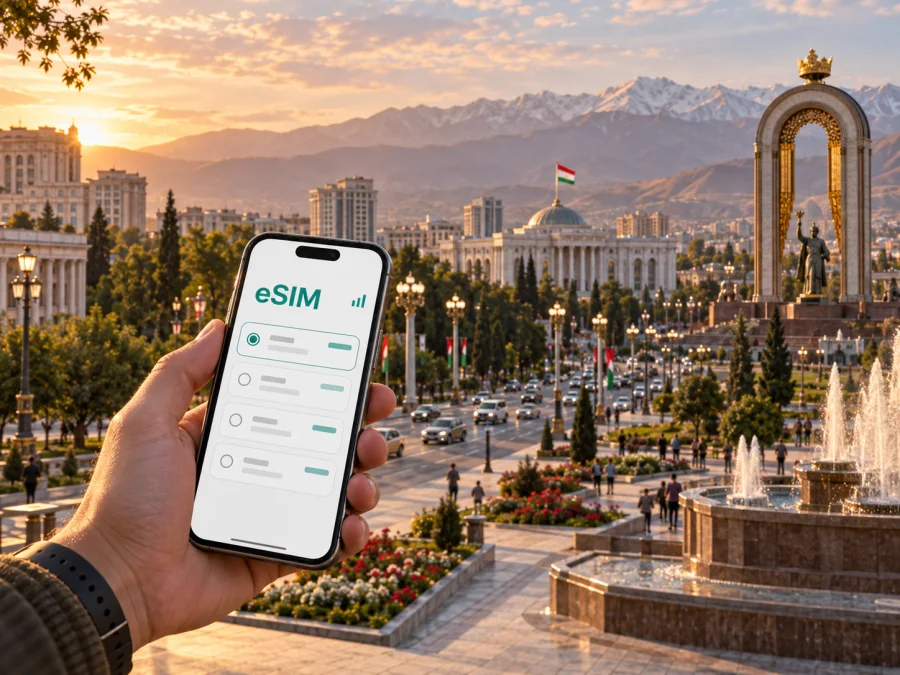
Dushanbe eSIM for Mobile Connection and Internet: Practical City Guide
Dushanbe is a city where a reliable mobile connection makes the whole journey easier to manage. You may need internet access as soon as you leave the airport, while finding a hotel, checking a meeting address, arranging a taxi, translating a sign or deciding whether there is enough time for a walk along Rudaki Avenue. A physical SIM card is not always convenient after a flight, particularly when you are carrying work devices or planning to continue through Tajikistan.
An eSIM can help you prepare the data part of a trip before departure. With Kaspersky eSIM Store, you can use the app or website to select, arrange and activate an eSIM plan for a foreign trip. The practical idea is simple: choose the destination, compare the data allowance and validity shown for the plan, install the eSIM on a compatible device, and decide when it should become the line used for mobile data. The article below focuses on Dushanbe itself: arrival, getting around, city districts, hotels, business days, short stopovers and departures for nearby places.
Why mobile data matters in Dushanbe
Dushanbe is easy to experience at a measured pace, but travel plans often depend on information that is stored online. A map helps you distinguish a nearby address from one that only looks close on a small screen. A messenger can confirm a late check-in or a change of meeting room. A translation app can make a short exchange more comfortable. For a business visitor, a connected phone can be useful for email, calendar updates, document checks and a video call between meetings.
The important distinction is that an eSIM plan is generally intended for mobile data. It is not automatically a replacement for a local operator’s normal phone number, voice calling or SMS. Check the conditions of the selected plan before purchase. You can continue to use your usual number for calls or messages if your device and home operator support the required settings, while using the travel eSIM for data.
Before leaving for Dushanbe
Preparation takes only a few deliberate checks. It also reduces the chance that you will need to solve a settings problem while standing at the airport or trying to find your first address.
1. Check the device
Your phone must support eSIM and must not be restricted by an operator lock. Dual-SIM settings vary by manufacturer, so check which line will be used for mobile data and which line will remain available for calls. If you are unsure whether your phone or tablet is suitable, check your device compatibility before selecting a plan.
2. Match the plan to the trip
Look at the destination, data volume, validity period and price shown for each option. A short Dushanbe stopover and a two-week itinerary have different needs. Navigation, translation, messaging and occasional browsing usually require less data than frequent video calls, tethering or uploading large files. Do not choose by gigabytes alone: the period of validity and the moment of activation matter as well.
3. Install while you still have a connection
Keep the purchase or activation details available and charge your phone before departure. Depending on the device and installation method, you may use a QR code or an in-app flow. If your phone displays more than one mobile line, give the travel eSIM a clear label such as “Tajikistan trip” so that it is easy to identify later.
4. Keep a fallback ready
Save the hotel name, airport transfer details, meeting address and essential phone numbers where you can read them offline. An eSIM is a practical way to prepare mobile internet, but no connection should be treated as a substitute for basic travel information, a charged battery or a copy of your booking details.
Arrival: from the airport to your first address
Dushanbe International Airport is the main arrival point for many visitors. On landing, first complete the normal arrival formalities, collect your luggage and move to a place where you can calmly check your phone. If you installed the eSIM before departure, confirm that the profile is present and select it for mobile data according to the device instructions. If you planned to install it after landing, use the airport connection only long enough to complete the required steps and keep the activation information close at hand.
Before leaving the terminal, open the map pin for your accommodation and confirm the address in a form that a driver can recognise. Hotel names can be similar, and a map pin is more useful than a name typed from memory. Send a short message to the property if you need to confirm check-in. It is also sensible to take a screenshot of the route to the entrance, because the final approach may involve a side street or a courtyard.
For a pre-arranged car, compare the driver’s meeting point with the information you received. For a taxi, confirm the destination and settle the payment arrangement before moving off. You do not need to make the first airport journey complicated: use mobile data for the map, keep your passport and booking information accessible, and postpone broader sightseeing until you have checked in.
A useful first-hour sequence
- Turn on the travel eSIM profile, if it is not already active.
- Set the travel eSIM as the mobile-data line and keep data switching between lines disabled unless you intentionally want it.
- Open the saved hotel pin and check the street name before leaving the terminal.
- Send one message confirming your arrival and expected check-in time.
- Keep your regular line available only if you need calls or SMS and your home plan allows the arrangement you want.
If data does not appear immediately, check that the eSIM is on, mobile data is assigned to it and airplane mode is off. Some devices may require data roaming for the travel eSIM; follow the plan instructions rather than changing the setting on your home line.
Moving around the city
Dushanbe is a useful city for combining walking with short rides. Central streets, parks, museums, cafés and government-area landmarks are often planned together, while a meeting or hotel in another district can make a car or public transport more convenient. Keep the map open before starting a journey, especially when a route includes a change of vehicle or an address written in a different alphabet.
The city transport network includes buses, trolleybuses, minibuses and taxis. Routes, payment methods, operating times and traffic conditions can change, so treat a map estimate as a planning aid rather than a promise. For a first ride, save the destination in text as well as on the map and show the exact address if a driver or passenger needs clarification. A connected phone is especially useful when the vehicle stops away from the point you expected or when you decide to finish the last part on foot.
Public transport and taxis: a practical approach
| Situation | What to prepare on your phone | What to confirm locally |
|---|---|---|
| Short central trip | Destination pin and the walking route from the stop | Correct direction and final stop |
| Cross-city meeting | Meeting address, contact name and an arrival buffer | Vehicle route, traffic and payment method |
| Evening return to a hotel | Hotel name, street and a saved map view | Drop-off point and entrance |
| Day trip from Dushanbe | Departure point, return plan and offline notes | Current departure time and available seat |
Public transport can be a good way to see the city at street level, but do not build a flight connection around an unverified timetable. If a bus, trolleybus or minibus is crowded, keep your phone secure and use the map before boarding so you are not trying to identify the route while moving. In a taxi, check that the destination displayed on the phone matches the place you named.
Navigation also works best when you combine digital and visual cues. Look for a prominent avenue, park or public building near the address, then confirm the entrance with the hotel or host. In a new district, the pin may lead to the correct complex but not to the correct doorway. A short message with a screenshot can save more time than repeated calls.
Choosing a Dushanbe plan after you know your schedule
Once your arrival and movement pattern are clear, choose an option that reflects how you will actually use the phone. These examples are planning categories, not promises about a particular plan or amount of data.
| Travel pattern | Likely data activities | Selection principle |
|---|---|---|
| One-night stopover | Airport transfer, messages, a few map checks | Prioritise a validity period that covers the stop and a modest allowance |
| Weekend in the centre | Walking navigation, translation, restaurant and museum research | Balance a short validity with enough room for repeated map use |
| Business visit | Email, calendar, ride coordination, document review and calls through apps | Allow for work use and avoid relying on hotel Wi‑Fi for every task |
| Longer city stay | Regular navigation, messaging, browsing and occasional media | Compare validity first, then choose an allowance that fits the rhythm of the stay |
| Dushanbe plus other Tajik destinations | Maps, route changes, accommodation messages and transfers | Confirm that the destination and geographic scope cover the full itinerary |
For a trip to Dushanbe, you can prepare an eSIM plan for Tajikistan after reviewing the available destination and plan details. The service is an app and website that helps you choose, arrange and activate an eSIM for a foreign journey; it is not the mobile network itself. The underlying service conditions, coverage area, validity and data allowance depend on the selected plan, so read those details before confirming.
Installing and activating the eSIM
Installation is easiest before the flight, when you have stable Wi‑Fi, a charged phone and time to read each screen. The exact labels differ between iOS and Android versions, but the logic is similar: add the eSIM, name the line, choose the data line and check whether the travel profile should be used for roaming data.
For a step-by-step walkthrough, use the Android installation instructions or the iOS installation instructions. Keep your regular SIM active if you need its number for incoming messages, but review the default settings carefully so that routine data use does not unintentionally fall back to the home line.
Android setup checklist
- Add the eSIM using the available QR-code or activation flow.
- Label the line so it is recognisable next to your personal SIM.
- Select the travel eSIM for mobile data.
- Disable automatic data switching if the phone offers that option.
- Turn on data roaming for the travel profile only if the plan instructions require it.
- Test a simple webpage or message before leaving for the airport.
iPhone setup checklist
- Add the cellular plan and follow the prompts for the eSIM.
- Assign a clear label such as “Travel” or “Dushanbe”.
- Select the travel line for cellular data.
- Decide whether the primary line should remain on for calls and messages.
- Check that data switching is configured intentionally.
- Test mobile data before the flight or after arrival, depending on the plan’s activation conditions.
Activation timing is important. Some plans begin when the eSIM first connects to a supported network, while others have different conditions. Read the selected plan’s terms instead of assuming that installation and activation are the same event. If the plan has a validity countdown, installing early may affect the useful period, so follow the instructions supplied for that plan.
Using mobile internet in different parts of Dushanbe
The centre, including the main avenues, parks, museums and cafés, is convenient for a first walk. Combine a saved map pin with visual landmarks, because a correct complex can still have several entrances. At a hotel or apartment, save the property name, entrance and floor in an offline note, then use the eSIM for check-in messages, digital receipts and route changes.
Business days often involve several short journeys rather than one long trip. Put the meeting address, contact name and arrival buffer in the calendar, keep important documents available offline and check the battery before a video call. In markets, cafés and other busy places, keep the phone close while using navigation and avoid entering payment details on unfamiliar open Wi‑Fi; mobile data can be a more controlled option for a sensitive task.
Short trips from Dushanbe
Dushanbe can be the starting point for exploring places beyond the city. One nearby excursion is the Hissar Fortress, outside Dushanbe. Other routes may lead into different terrain and require more preparation than a central city walk. Do not assume that a city plan automatically suits every road journey: check the plan’s geographic scope, download or save the essential route details, and confirm transport arrangements before leaving.
For a day trip, prepare a compact departure checklist:
- accommodation address in Dushanbe;
- departure point and return arrangement;
- route notes that can be read offline;
- enough battery for navigation and messages;
- water and any required personal medication;
- a plan for what to do if the return vehicle is delayed.
Mobile data is helpful when you need to send a location, change a meeting point or check a transfer. It does not remove the need to confirm local transport and weather conditions before setting out. If the trip crosses an area not included in the selected plan, arrange the appropriate option before departure.
An eSIM simplifies the mobile-data part of a trip, but it does not automatically replace a normal phone number, voice calls or SMS. The experience depends on the device, local network conditions and selected plan. If data is unavailable, check the active line, the data-roaming setting required for that profile and the remaining allowance, then use the support details supplied with the plan if needed.
A simple Dushanbe checklist
Before the flight
- [ ] Confirm that the phone supports eSIM and is not operator-locked.
- [ ] Choose a Tajikistan plan by destination, validity and expected data use.
- [ ] Install the eSIM using a stable connection if the plan conditions allow it.
- [ ] Save the hotel address, airport transfer details and first meeting point.
- [ ] Decide which line will handle calls and which line will handle mobile data.
At arrival
- [ ] Confirm that the travel profile is enabled.
- [ ] Select it for mobile data and check data switching.
- [ ] Open the saved hotel pin before leaving the airport.
- [ ] Send one arrival message and keep the phone charged.
- [ ] Test a map route before starting the first ride.
During the stay
- [ ] Keep a current note with the hotel name and address.
- [ ] Check routes before boarding public transport.
- [ ] Review the plan allowance before a day trip or video call.
- [ ] Keep important documents and directions available offline.
- [ ] Confirm any changed meeting or transfer point in writing.
FAQ about eSIM use in Dushanbe
Should I install the eSIM before arriving?
Usually, preparing it before the flight is more comfortable because you have time, battery and a dependable connection. Whether you should activate it immediately depends on the conditions of the chosen plan. Read those conditions carefully and set the travel line for data when you are ready to use it.
Can I keep my usual SIM in the phone?
Many compatible dual-SIM devices allow this, but the menus and limitations vary. Keep the usual line only if you understand which line is selected for data and whether calls, SMS or data roaming on that line may create charges from your home operator.
Is the eSIM a local phone number?
Not by default. In this context it is a solution for mobile internet during a foreign trip. Voice calls and SMS are not automatically included unless the particular plan says so. Internet-based messengers can be used for calls or messages when the relevant service is available.
How much data do I need for a weekend in Dushanbe?
There is no universal amount. Start with the way you will use the phone: occasional maps and messages need less than video calls, tethering or frequent media uploads. Check how much data your usual apps consume, then leave some room for arrival, route changes and an unexpected day trip.
What should I do if mobile data does not work?
Check that the eSIM profile is turned on, that it is selected for mobile data, and that the required roaming setting is enabled for that profile. Confirm that airplane mode is off and that the plan has not expired or used its allowance. Restarting the phone can help after changing a line setting. If the issue remains, use the support details associated with the plan.
Plan the connected part of the journey
For Dushanbe, the most useful eSIM is the one that matches the real shape of your visit: a short arrival, a walking weekend, a schedule of meetings or a city stay that includes trips beyond the centre. Check the device first, compare the destination, validity and data allowance, install with time to spare, and keep the hotel and transport details available offline.
When you are ready, choose an eSIM plan for your trip to Tajikistan in Kaspersky eSIM Store. The app and website help you select, arrange and activate a suitable eSIM for mobile internet abroad, while the exact service conditions remain those of the plan you choose.


