
Travel connectivity guide
Eagle Beach eSIM for Aruba Travel Internet
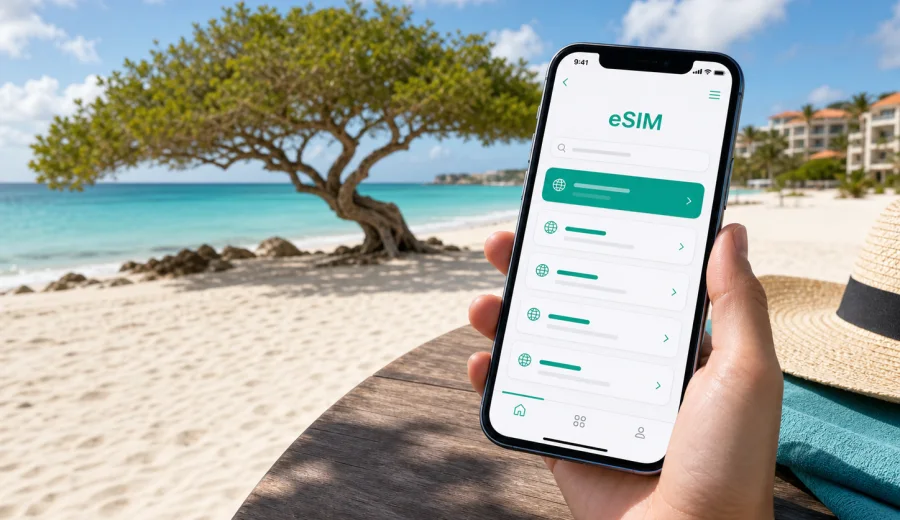
Eagle Beach eSIM: mobile connection and internet for a smooth Aruba trip
Eagle Beach is one of Aruba's easiest places to underestimate. On a map it looks simple: a long strip of white sand west of Oranjestad, low-rise hotels nearby, Palm Beach a short ride to the north, and the airport on the other side of the capital. In real travel, the day can change quickly. You may land at Queen Beatrix International Airport, message your hotel, find a taxi or rental car, compare beach clubs, check wind conditions, book dinner in Noord, and still need directions back after sunset. For that rhythm, mobile internet is not a luxury. It is part of the trip plan.
An eSIM helps you prepare mobile data before you start moving around Aruba. Instead of depending only on hotel Wi-Fi, public hotspots, or a physical SIM counter after arrival, you can set up a digital SIM profile on a compatible phone and use mobile data for maps, rides, restaurant bookings, messaging, and travel updates. For Eagle Beach specifically, that matters because the area is relaxed and spread out: beaches, resorts, supermarkets, restaurants, casinos, low-rise hotel zones, and nearby neighborhoods are close, but not always comfortable to navigate without a live map in the heat.
This guide focuses on Eagle Beach as a travel base. It covers arrival, local movement, hotel routines, beach days, business travel, short stays, trips from the area, and practical ways to choose an eSIM data plan for Aruba.
Why mobile internet matters around Eagle Beach
Eagle Beach is calm compared with many resort districts, but it is not disconnected from the rest of the island. A typical visitor moves between several zones:
| Travel moment | Why you may need mobile data |
|---|---|
| Arrival at Aruba airport | Contacting accommodation, checking transfer details, opening maps |
| First ride to Eagle Beach | Following the route, confirming the hotel location, messaging a host |
| Beach day | Reserving activities, checking weather, sharing location with family |
| Dinner in Palm Beach or Oranjestad | Finding menus, booking a table, arranging a ride back |
| Island trips | Navigating to Arashi Beach, California Lighthouse, San Nicolas, or Arikok National Park |
| Work calls | Using messaging, email, calendars, and cloud documents outside the hotel |
Eagle Beach is famous for wide sand, Divi Divi trees, and a quieter atmosphere than Palm Beach. That quieter pace is exactly why many travelers prefer it. At the same time, it means you may walk between hotels, apartments, beach entrances, and restaurants without the dense commercial feel of a city center. A working mobile connection helps you avoid small delays: the wrong hotel entrance, an outdated bus stop location, a restaurant that changed hours, or a pickup point that is not obvious from the street.
Arrival: from Queen Beatrix International Airport to Eagle Beach
Most international visitors arrive through Queen Beatrix International Airport near Oranjestad. The drive to Eagle Beach is usually straightforward, but the first hour after landing is when mobile data becomes especially useful. You may need to:
- tell your hotel or rental host that you have arrived;
- check whether your airport transfer is waiting outside arrivals;
- open a map before leaving the terminal;
- compare taxi, car rental, and shuttle options;
- check your booking confirmation if the hotel has several buildings;
- message people traveling with you on a separate flight.
Airport Wi-Fi may help for a moment, but it does not cover the whole journey. Once you step outside, join a transfer queue, or start driving, mobile data is more practical. If your eSIM is installed before the flight, you can turn on the right data line after landing and reduce the number of things you need to solve in the arrivals hall.
For first-time visitors, Eagle Beach can also be confused with nearby names. Hotels and apartments may describe themselves as Eagle Beach, Manchebo, Palm-Eagle Beach, Noord, or the low-rise hotel area. Mobile maps help you check the exact pin instead of relying only on a district name.
Local movement: Eagle Beach, Palm Beach, Noord, and Oranjestad
Eagle Beach works well as a base because the distances are short. Palm Beach is north, Oranjestad is southeast, and many restaurants, shops, casinos, and tour pickup points are scattered between them. Still, "short" does not always mean "walkable." Sun, wind, parking, road layout, and evening plans can affect how you move.
Common local movement scenarios include:
1. Walking from a hotel to the beach entrance with the best shade.
2. Taking a taxi or ride arranged by the hotel to Palm Beach.
3. Driving to a supermarket before returning to an apartment.
4. Visiting Oranjestad for shopping or dinner.
5. Joining a boat, snorkeling, or off-road tour from a pickup point.
6. Returning after dark when street names and hotel entrances are harder to recognize.
Mobile internet supports all of these small decisions. It lets you compare routes, contact drivers, check opening hours, and keep a live location available. If you rent a car, data is also useful for navigation beyond the main resort strip, especially when you drive toward the north coast, Arashi, or the roads leading to Arikok National Park.
Choosing an eSIM data plan for an Eagle Beach stay
The right amount of data depends less on the beach itself and more on your habits. If you mostly use hotel Wi-Fi and need mobile data for maps and messages, a smaller package may be enough. If you plan to work remotely, upload photos, use video calls, or navigate the island by car every day, you should choose more data and a longer validity period.
Use this simple planning table:
| Trip style in Eagle Beach | Likely data pattern | Plan choice to consider |
|---|---|---|
| Weekend stopover | Maps, messaging, ride coordination | Smaller data package with short validity |
| One-week beach holiday | Daily maps, restaurant bookings, social apps | Medium data package for the full stay |
| Family trip | Several devices, shared plans, frequent messaging | Larger data allowance or separate plans |
| Remote work base | Email, cloud files, video calls, hotspot use if supported | Larger package and careful data monitoring |
| Island road trip | Navigation, attraction searches, photo sharing | More data than a hotel-only stay |
Before you choose, check whether your phone supports eSIM, whether it is unlocked for mobile data profiles, and whether the selected tariff includes enough validity for your arrival and departure days. The conditions depend on the specific tariff, so it is worth reading the data volume, duration, destination, and activation details before payment.
A practical data checklist before you fly
Prepare your mobile connection while you still have a stable home connection. This is especially useful if your arrival is late, your transfer is pre-booked, or you are traveling with children, sports gear, or work equipment.
- Confirm that your smartphone supports eSIM.
- Make sure the phone is not locked to one operator.
- Decide whether you need data only for your phone or also for tethering.
- Save your hotel address and booking confirmation offline.
- Install the eSIM profile before departure if the tariff instructions allow it.
- Keep your primary SIM available for banking codes or important calls if needed.
- Download offline maps as a backup, but use mobile data for live changes.
This preparation does not replace careful travel planning, but it makes the first day smoother. You arrive with a clear idea of which data line to use, where your hotel is, and how to contact people if plans change.
When to prepare the Aruba eSIM
For a beach destination, it is tempting to leave small technical tasks until later. In practice, the best time to prepare eSIM is before the trip, when you can read instructions calmly and use a reliable connection. Kaspersky eSIM Store is an app and website where you can choose, arrange, and activate an eSIM with a suitable data plan for mobile internet during an international trip.
If Eagle Beach is your main base, choose Aruba as the destination rather than searching for a separate city or beach plan. You can choose an eSIM data plan for Aruba before your Eagle Beach trip and then use the same country-focused mobile data plan while moving between Eagle Beach, Palm Beach, Oranjestad, Noord, and other parts of the island, subject to the selected tariff conditions.
The important point is to read the plan details. Check the amount of data, the validity period, the covered destination, the activation logic, and whether any device settings are required after installation. Some devices may require data roaming to be enabled for the eSIM line, even when you are using a prepaid travel data plan. Follow the instructions for your device rather than guessing from the name of the setting.
Installing eSIM for an Aruba beach trip
Installation is usually easiest when you are not rushing between airport arrivals and a hotel transfer. The exact steps depend on the phone and tariff, but the general flow is simple:
1. Choose the destination and suitable data package.
2. Complete the purchase flow.
3. Install the eSIM profile using the provided instructions.
4. Label the new line clearly, for example "Aruba data".
5. Keep your regular SIM as the default line for calls if you still need it.
6. Turn on the eSIM data line when the plan should be used.
7. Monitor data use during the trip.
For device-specific steps, use the official Android eSIM installation guide or the iOS eSIM installation guide. Install while you have stable Wi-Fi, and avoid deleting an eSIM profile unless the instructions or support team tell you to do so. A deleted profile may not always be reusable, depending on its conditions.
Check device compatibility before purchase
Not every smartphone supports eSIM, and not every eSIM-capable phone is ready for every travel scenario. Before paying for a plan, check your device and confirm that it supports eSIM and is not restricted by an operator lock. This is especially important if you use an older phone, a device bought through a carrier, or a model variant sold for a specific market.
Also check the practical details:
- whether your phone can keep your primary SIM active while using eSIM data;
- whether you need dual SIM behavior for banking messages or calls;
- whether personal hotspot use is included or limited by the selected tariff;
- whether your device has enough battery for full-day navigation and beach use;
- whether you understand which line is using mobile data before you leave Wi-Fi.
These checks take a few minutes, but they prevent the most common travel data problems.
Beach days: using data without wasting it
Eagle Beach is a place where you may spend hours outside. Mobile data is useful, but it is easy to use more than expected if cloud backups, video uploads, or automatic app updates run over the mobile line. A few settings help keep usage predictable.
Recommended habits:
- download playlists, maps, and travel documents before leaving the hotel;
- pause automatic photo and video backup on mobile data;
- use lower video quality for casual streaming;
- send compressed images in messenger apps when quality is not critical;
- check data usage in your phone settings every day or two;
- use secure hotel Wi-Fi for large downloads when it is available and trustworthy.
For most visitors, maps, messaging, restaurant searches, and booking confirmations do not use much data. Video, cloud sync, social media uploads, and hotspot sharing can use data quickly. If you are traveling as a couple or family, avoid assuming one person's phone can support everyone all day unless the selected plan allows tethering and has enough data.
Hotels, work trips, stopovers, and island routes
Eagle Beach has resorts, low-rise hotels, apartments, and vacation rentals. Accommodation Wi-Fi can be useful, but quality may vary by room, balcony, pool area, and beach proximity. Mobile data fills the gaps: check-in messages, rental-host instructions, digital booking confirmations, transport after dinner, and the first supermarket run from an apartment.
For business travelers, Eagle Beach can be a quiet base between meetings in Oranjestad or Noord. Use hotel Wi-Fi for large files and video calls when it is stable, and keep eSIM mobile data for calendars, maps, urgent chat, and backup access when you move between a room, cafe, taxi, and meeting point. If laptop tethering matters, check the selected tariff conditions before relying on hotspot use.
Short stopovers need a different plan. You may only want enough data for maps, pickup messages, public beach access, return timing, and boarding or hotel information. The data volume may be modest, but the connection should be ready before the day starts.
Eagle Beach is also well placed for short trips around Aruba. Mobile data helps when you drive or ride to Palm Beach, Oranjestad, California Lighthouse, Arashi Beach, Alto Vista Chapel, Arikok National Park, San Nicolas, or Baby Beach. Bring a power bank for full-day routes because maps, photos, translation, and messaging can drain the battery faster than expected.
Comparing Wi-Fi, roaming, and eSIM for Eagle Beach
No single option is perfect for every traveler. The best setup is often a combination: accommodation Wi-Fi for large downloads, your regular SIM for important calls or messages, and an eSIM data plan for mobile internet while moving around.
| Option | Strength | Limitation |
|---|---|---|
| Hotel Wi-Fi | Useful for large downloads and indoor work | Does not help on the beach, in taxis, or on road trips |
| Public Wi-Fi | Can be convenient in some venues | Availability and quality vary; avoid sensitive tasks on unknown networks |
| Standard roaming | Keeps your usual SIM active | Costs and data conditions depend on your home operator |
| Travel eSIM | Practical for mobile data in the destination | Requires compatible device and correct setup |
An eSIM is not a replacement for every communication need. Most travel data plans focus on mobile internet and may not include a local phone number, traditional voice calls, or SMS unless the tariff says otherwise. For calls and messages, many travelers use internet-based apps over mobile data.
Common mistakes to avoid
- Waiting until the airport curb to install the eSIM.
- Choosing a data package without checking the validity period.
- Forgetting to switch mobile data to the eSIM line after arrival.
- Leaving automatic cloud backup enabled on mobile data.
- Assuming every eSIM plan includes voice calls or SMS.
- Deleting the eSIM profile after installation because it "looks unused".
- Ignoring device compatibility and operator-lock checks.
- Depending only on public Wi-Fi for transport and navigation.
Each mistake is easy to avoid if you prepare before the trip and read the tariff details carefully.
FAQ: eSIM and mobile internet in Eagle Beach
Is Eagle Beach a separate eSIM destination?
Usually, you should choose Aruba as the destination. Eagle Beach is a travel area within Aruba, so a country plan for Aruba is the relevant option when you want mobile data there.
Should I install eSIM before I fly or after I land?
Install it before departure when possible, following the tariff instructions. Activate or turn on the data line according to the plan rules, often after arrival or when you are ready to use it.
Can I use eSIM for maps around Eagle Beach?
Yes, mobile data is useful for navigation between Eagle Beach, Palm Beach, Noord, Oranjestad, and day-trip locations across Aruba, subject to network availability and the selected tariff.
Will eSIM give me a local phone number?
Many travel eSIM data plans focus on mobile internet and do not include a traditional phone number, calls, or SMS unless this is stated in the plan conditions.
Do I still need hotel Wi-Fi?
Hotel Wi-Fi is useful for large downloads, streaming, and work sessions. eSIM is most useful when you are moving around, on the beach, in a taxi, or away from the hotel network.
Can I keep my normal SIM active?
On many dual SIM phones, you can keep your regular SIM active for calls or messages while using eSIM for data. Check your device settings and operator conditions before travel.
Quick preparation summary
Before your Eagle Beach trip, focus on four decisions:
1. Choose Aruba as the destination for your travel data plan.
2. Match data volume and validity to your real itinerary.
3. Check device compatibility and install the eSIM profile on stable Wi-Fi.
4. Keep mobile data under control by managing backups, video, and hotspot use.
This approach gives you a practical connection setup for the moments that define the trip: the airport transfer, hotel check-in, beach days, dinner plans, island drives, and the return journey.
Prepare mobile internet for Eagle Beach with Kaspersky eSIM Store
If Eagle Beach is your base in Aruba, prepare your mobile internet before the first taxi ride, beach walk, or dinner reservation. Kaspersky eSIM Store helps you choose, arrange, and activate an eSIM with a suitable data plan for an international trip, so you can keep maps, messages, bookings, and travel updates available on a compatible device.
Review the data amount, duration, destination, and activation details, then prepare an eSIM data plan for your Aruba trip before you arrive in Eagle Beach.