Travel connectivity guide
East London eSIM: Mobile Internet for Your Trip
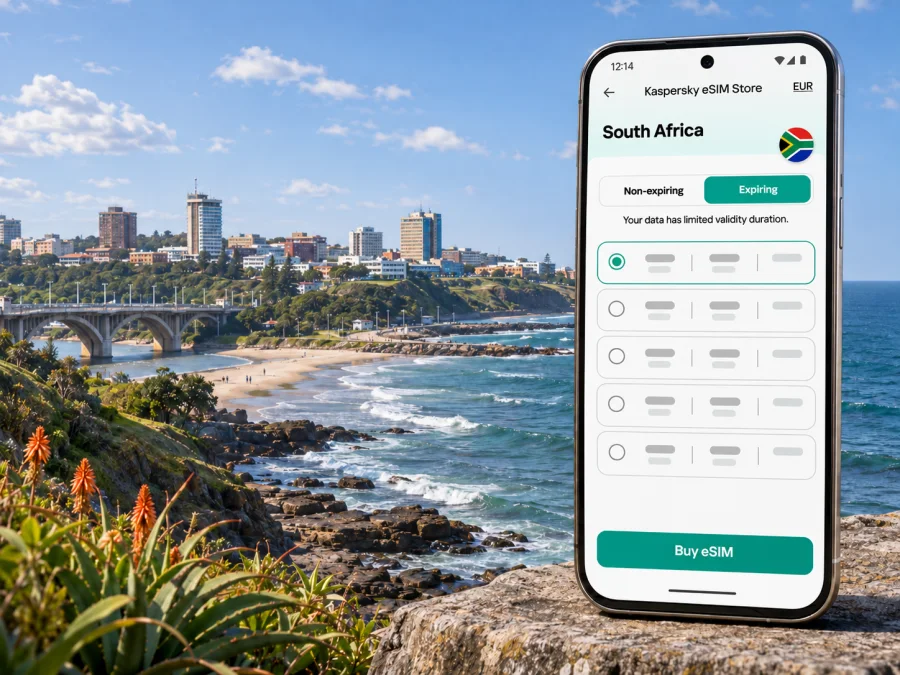
East London eSIM: mobile connection and internet for your trip
East London is a coastal city in South Africa’s Eastern Cape, set between the Buffalo and Nahoon rivers on the Indian Ocean. A visit may combine a flight into the city, meetings near the centre or industrial areas, a beach afternoon, and a longer drive along the coast. Mobile internet helps with each transition: checking a booking, finding an address, sharing a live location, or opening a route when plans change.
An eSIM can be a practical way to prepare data for the trip without replacing your physical SIM. It is a digital SIM profile installed on a compatible device. The exact service, coverage, data allowance, validity and activation rules depend on the selected tariff and its local network arrangements. Check those terms before purchase; no travel eSIM should be assumed to work at every address or on every device.
What to plan for in East London
East London is part of Buffalo City Metropolitan Municipality in Eastern Cape. The municipal area is broader than the urban centre: it also includes places such as Mdantsane, Bhisho and Qonce (formerly King William’s Town). For a visitor, that means “East London” can refer to a compact coastal stay or to a wider itinerary across the metro. Save the full street address and municipality for each stop rather than relying on a place name alone.
The city is a useful base for the coast. Nahoon, Eastern Beach and the river areas are common reference points for visitors; the Sunshine Coast lies to the south and the Wild Coast to the north. These are separate stretches of the Eastern Cape, not neighbourhoods a short walk from the centre. If you plan a day trip, download or review the route before leaving and confirm road conditions and opening times close to the date.
A city with several kinds of trip
| Travel plan | Where mobile data helps | What to prepare |
|---|---|---|
| Airport arrival | Booking details, pickup messages and directions | Keep the accommodation address and contact number available offline |
| City break | Maps, museum information, restaurant bookings | Save key places and check the day’s opening information |
| Beach visit | Route planning and coordinating a pickup | Check access, weather and return transport before heading out |
| Work visit | Email, messaging, video calls and navigation | Confirm the venue, meeting time and whether the hotel Wi-Fi is adequate |
| Road trip | Navigation, fuel stops and updated plans | Download offline maps and keep a charger in the car |
Mobile coverage and data performance can vary with the local network, building materials, terrain, congestion and your device. A signal shown on a map is not a guarantee of service inside a hotel, underground space, remote coastal area or moving vehicle. Keep an offline copy of essential reservations and do not make navigation depend on a live connection alone.
Arriving at East London Airport
King Phalo Airport, formerly East London Airport, serves East London and the surrounding area. After landing, you may need data for a ride arrangement, a hotel message or a map to your first stop. Before travel, save your booking confirmation, the property’s exact address, and any pickup instructions. If you expect to collect a rental car, keep the reservation reference and collection details accessible without internet.
An eSIM is most useful when it is installed before you need it. You can download and set up the profile while connected to reliable Wi-Fi, then choose when to enable it according to the tariff’s activation instructions. Do not remove your home SIM just to install an eSIM: on many phones both can remain available, although the number of active lines and supported combinations vary by model and region.
At the airport, avoid relying on a single connection method. If the eSIM has not connected yet, use airport Wi-Fi where available, check that the eSIM line is selected for mobile data, and follow the provider’s setup guidance. A profile may require a restart, a network selection delay or a setting such as data roaming; only enable settings that the tariff’s instructions specify. Keep your home line’s data roaming off if you want to avoid unexpected charges from your home operator.
A simple arrival sequence
- Before departure, install the eSIM over a stable Wi-Fi connection if its instructions allow installation in advance.
- Keep the QR code or in-app installation details available on another screen or in a saved account, if required.
- After landing, switch on the eSIM line and select it for mobile data.
- Check the tariff instructions for any required data roaming setting, APN or network selection. Do not guess values.
- Open a familiar page or map to confirm data works before leaving the airport.
- If it does not connect, toggle airplane mode once, restart if needed, and contact the service’s support through an available connection.
This sequence is a troubleshooting aid, not a promise of instant activation. Network registration may take time, and activation conditions differ. Keep the airport address and accommodation details available offline until the connection is confirmed.
Choosing an eSIM for a city stay
For a stay in East London, select South Africa as the destination and assess the tariff for the full trip, including any onward travel. Kaspersky eSIM Store is an app and website where you can choose, purchase and activate an eSIM with a suitable data tariff for an international trip. It does not operate mobile networks. The actual network access and service conditions are governed by the selected tariff and its providers.
Before choosing, compare the amount of data, validity period, price, start condition and supported destination shown for the specific tariff. A short city break with hotel Wi-Fi may need a different allowance from a work trip with frequent video meetings or a road itinerary where you use maps and upload photos. Consider whether hotspot use is permitted if you plan to connect a laptop or another device.
To estimate data, list the activities you expect rather than choosing by trip length alone:
- Messaging, email and occasional map checks generally use less data than long video calls or streaming.
- Photos and cloud backups can use more than expected, especially when they upload automatically.
- Navigation uses data, but downloading offline maps in advance can reduce dependence on a live connection.
- A laptop hotspot can consume a mobile allowance quickly through operating-system updates, cloud sync and video meetings.
- Background app refresh and automatic media playback can use data when you are not actively browsing.
You can review eSIM options for South Africa and compare the current tariff details for your dates. Check the country coverage, data amount, validity, activation trigger and any restrictions before completing a purchase. If your itinerary extends into another country, verify whether the selected tariff includes that destination or whether a separate regional option is needed.
Getting around: maps, rides and coastal stops
East London is spread out enough that trip planning matters. The airport is outside the central built-up area, and the coast, residential districts, business addresses and attractions are not all within walking distance of one another. Confirm how you will travel between stops before setting out. If you use a taxi or ride-hailing service, check the pickup point shown in the app and match the vehicle and driver details displayed there.
For navigation, search by full name and street address, then compare the map pin with your booking or invitation. Similar names occur across Buffalo City. Save offline map areas where available: GPS positioning can work without mobile data, but map tiles, live traffic and search results may not.
At the coast, map pins can lead to a car park, a beach access road or a viewpoint rather than the exact place you intend to reach. Check local signs and access guidance, and avoid following a route that sends you onto an unfamiliar or restricted road. When swimming, surfing or walking near water, put the phone away and follow posted safety information; mobile coverage is not an emergency plan.
Neighbourhoods, accommodation and workdays
A stay near the centre can suit business addresses, while coastal accommodation may fit a beach-focused trip. Check the property’s location, current local advice, transport options at night and whether its Wi-Fi suits your needs.
For a remote-work day, test the connection before an important call. Use the hotel or office Wi-Fi when appropriate, and keep mobile data as a backup if your tariff permits tethering. Video meetings, file transfers and cloud synchronisation can use a substantial share of a data allowance. Pause automatic backups, close unused applications and select audio-only participation when video is unnecessary. If stable bandwidth is essential, ask the accommodation about its current network and have a second option ready.
A phone’s hotspot is a convenience, not a replacement for checking plan terms. Some tariffs may limit tethering or treat certain use differently. Confirm whether hotspot use is allowed, whether the laptop is set to metered data and whether updates are paused. Never assume that a mobile connection will be equally reliable inside every building or during every part of a call.
City centre, beach and onward travel
A day that starts downtown and ends at Nahoon or another coastal stop creates different connectivity needs. You might need a booking address and meeting messages early, turn-by-turn navigation later, and a way to coordinate a return pickup. Keep the mobile-data line available, but use offline map areas and saved details so your plans are not tied to a single live session.
For trips south toward the Sunshine Coast or north toward the Wild Coast, check distances, route conditions, fuel and opening times before departure. East London is a gateway to these regions, but they are not interchangeable with the city centre. If crossing into another country is part of a longer itinerary, verify tariff coverage for that country separately; South Africa coverage does not imply cross-border service.
Device compatibility and regional variants
An eSIM-compatible model name alone may not be enough to confirm support. Manufacturers can sell regional variants with different radios, firmware, carrier restrictions or eSIM capabilities. A phone purchased in one market may differ from a similarly named device sold elsewhere, and a carrier-locked handset may prevent installation or activation even when the model family supports eSIM.
Before purchase, check the exact model number and region, confirm that the device is unlocked, and use the manufacturer’s current instructions to check eSIM support. Also consider whether your operating-system version is supported and whether the device can keep your home SIM active alongside the travel profile. Check whether your device supports eSIM before choosing a tariff. If a model or variant is not listed clearly, ask the manufacturer or original carrier rather than assuming compatibility from a product name.
An eSIM profile is generally tied to the device on which it is installed. Do not delete it while troubleshooting unless the service’s instructions tell you to; a QR code may be single-use, and a deleted profile may not be recoverable without help. If you change phones, verify transfer or reissue rules before removing the profile from the original device.
Before you buy: device checklist
- Your exact device variant supports eSIM in the country where it was sold.
- The phone is not restricted by a carrier or payment lock.
- Its software is up to date enough for the installation method.
- You can access a reliable Wi-Fi connection during setup.
- You know which line will handle mobile data and which line will handle calls or SMS.
- You have checked whether the tariff permits hotspot use and how its validity begins.
Install and activate before you need directions
Set up the eSIM when you have time and a reliable Wi-Fi connection. In Kaspersky eSIM Store, follow the instructions shown for the selected tariff and device. Installation steps differ between operating systems and manufacturers, so use the relevant Android eSIM installation instructions or iOS eSIM installation instructions. Keep your original SIM active for calls or verification codes if you need it, and choose the travel eSIM as the data line only when you are ready.
Activation timing varies by tariff. Some profiles may start their validity at installation, while others start when they first connect to a supported network. Read the plan’s exact wording before installing or switching the line on. If you want to avoid using days before arrival, do not assume that leaving the profile disabled will pause its validity; confirm this in the tariff conditions.
After landing in East London, open the phone’s cellular or mobile-network settings and confirm that the travel profile is enabled and selected for data. Follow tariff instructions for data roaming and automatic network selection. Keep the home SIM’s data settings under control to prevent unintended roaming charges. Check a small webpage or send a message, then review the data balance through the app or account if that feature is available for the tariff.
If data does not work
- Confirm that the eSIM profile is installed and switched on.
- Confirm that mobile data is assigned to the travel profile.
- Check the tariff’s instructions for data roaming, APN and network selection.
- Turn airplane mode on briefly, then turn it off and allow the phone to register.
- Restart the device if the connection still does not appear.
- If the issue remains, contact support and include your device model, software version, location and the steps already tried.
Avoid deleting the profile or resetting network settings as a first response. Those actions can remove useful configuration and may make the issue harder to resolve. Keep access to support through Wi-Fi or another device if possible.
Match the setup to your itinerary
- One-night stopover: save the hotel and onward transport details, then estimate data for maps and messages.
- Several city days: allow for daily navigation, browsing and photo sharing; use accommodation Wi-Fi for large uploads where suitable.
- Work visit: test Wi-Fi before meetings, check hotspot rules and keep an alternative connection ready.
- Coast-focused holiday: download maps and booking details before leaving town, and keep return transport information offline.
- Road trip beyond the city: check each destination’s coverage and tariff scope, and plan for sections with limited service.
These scenarios help frame the decision, but the selected tariff’s terms are decisive. Review validity, supported destination, data amount, activation condition, tethering and any fair-use limit before you pay.
Frequently asked questions
Is there an eSIM tariff specifically for East London?
The destination is South Africa rather than a separate city listing. Select the country destination and inspect the selected tariff’s coverage and conditions. A city name does not identify a separate mobile network or guarantee service at every location.
Can I install an eSIM before flying?
Often you can install a profile before departure over Wi-Fi, but the correct timing depends on the tariff. Check whether validity begins at installation or first network connection and follow the provider’s installation steps.
Will eSIM work at the airport and every beach?
Coverage at a specific point depends on the tariff’s supported networks, local conditions, device and surroundings. Keep offline directions and booking details available, especially for coastal trips.
Does an eSIM replace my regular number?
A data tariff may not include a phone number, calls or SMS. You can usually keep a physical SIM for your home number if your device supports the arrangement, but check your handset and home operator’s settings and roaming costs.
What should I do if my phone says the eSIM is unsupported?
Check the exact regional model, carrier lock status and software version with the manufacturer or original carrier. Support can differ between variants that share the same retail name. Do not buy on the assumption that another version of the model will work.
A calm connectivity plan for East London
For a smoother visit, prepare the eSIM and essential travel information before leaving home, confirm the South Africa tariff conditions, and check the exact handset variant. On arrival, verify mobile data before you depend on navigation. Around the city, save addresses and routes offline; for work, check hotspot permission and keep an alternative connection; for a coastal drive, plan for variable coverage.
When you are ready, use Kaspersky eSIM Store to choose an eSIM tariff for your trip to South Africa. Compare the current data amount, validity and activation rules, then install and activate the profile according to its instructions. A little preparation makes it easier to focus on East London’s coastline, appointments and onward journey while keeping your mobile connection plan clear.


