Travel connectivity guide
Echternach eSIM: Mobile Internet in Luxembourg
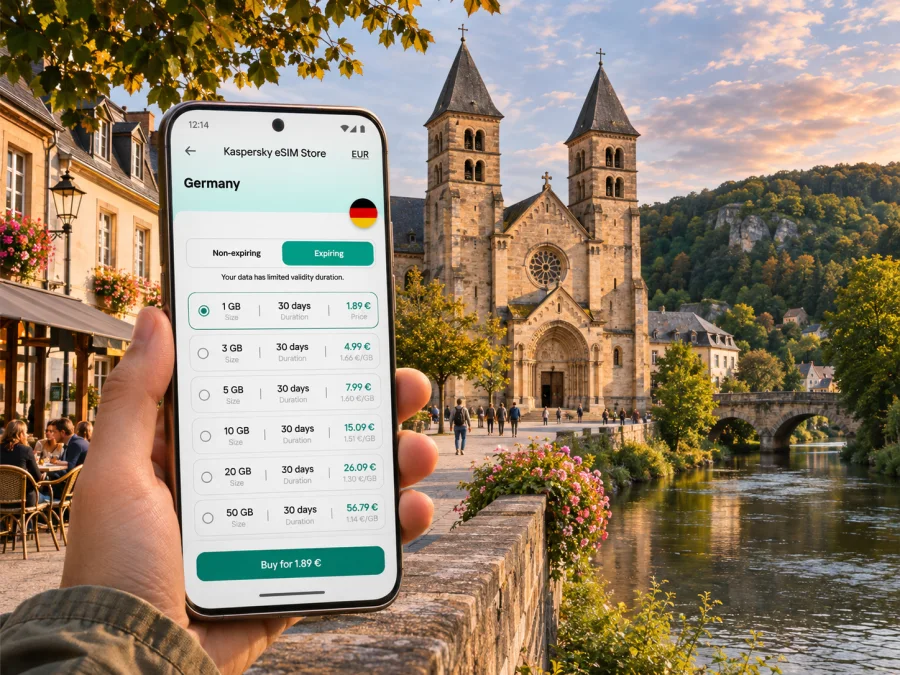
Echternach eSIM: mobile connection and internet for your trip
Echternach is a compact historic town in eastern Luxembourg, close to the German border and the landscapes of the Mullerthal. A visit might combine the abbey quarter, a walk along the Sûre, and time at Echternach Lake; a work trip may instead revolve around a hotel, meetings and bus connections. In each case, a working mobile data connection helps with maps, bookings, messages and checking the next leg of the journey.
An eSIM can be a practical way to prepare mobile internet without changing the physical SIM in your phone. Before choosing one, check which country or region its plan covers, how long it remains valid, and whether your phone can use eSIM. Coverage, speed, activation conditions and available plan sizes depend on the specific plan and its local network partners, so confirm the current details before purchase.
Where mobile data helps around Echternach
Echternach rewards a slower itinerary, but its compact centre is only one part of the visit. You may be moving between the bus station, a hotel, the Basilica of St Willibrord, the lake and walking routes that leave town. A map on your phone can make those transitions easier, especially when a stop name, trail entrance or accommodation address is unfamiliar.
Mobile data is useful for more than turn-by-turn directions. It can help you:
- check a bus departure or a service notice before walking to the stop;
- open a digital reservation, message a host or confirm a meeting point;
- compare the route on foot with a bus or taxi option;
- translate a short notice, menu or address when you need it;
- share your live location with someone travelling with you;
- look up a trailhead, weather update or opening information while plans change.
Echternach’s historic centre is arranged around the former abbey, the basilica and the market area. Streets are easy to explore on foot, but a saved map is useful if you are carrying luggage, looking for a particular entrance or returning to your accommodation after dinner. Downloading an offline map before you leave a reliable connection is a helpful backup; it does not replace live data for current departures, messages or updated opening information.
On arrival and during the first hour
Most international visitors reach Echternach by travelling through Luxembourg and continuing by road or public transport. The town’s Gare Centre is a bus interchange rather than a railway station: current public transport listings show regional routes connecting Echternach with Luxembourg City, Diekirch, Junglinster, Wasserbillig and other places in the east. Routes and departure patterns vary by day and date, so use the official journey planner or check the live timetable before setting out.
If you arrive at Luxembourg Airport, treat the onward trip as a separate leg to plan. Check a current itinerary to Echternach for your arrival time, transfer point and final stop; do not assume that a route shown for a different day will run in the same way. With data available on arrival, you can review the route, contact your accommodation if delayed, and check whether the stop you need is Gare Centre, Centre-Ville, Nonnemillen/Lac or another local stop.
At Gare Centre, take a moment to match the stop name and direction on your itinerary with the signs and live departure information. Several regional services use the interchange, so a route number alone may not be enough if a temporary change is in force. Keep your accommodation address saved offline as well. If the phone loses signal, you will still have the key information needed to ask for help or continue on foot.
Getting around town
The historic centre is walkable, while the lake and some accommodation or trail locations sit farther out. Echternach has local bus services shown on the town and transport maps, alongside regional buses. The most useful option depends on where you are staying and what is running at the time. Use the current timetable for the exact stop rather than relying on an old screenshot or a remembered route number.
Within Luxembourg, public transport is free for passengers in standard class. That national rule does not mean every cross-border journey is free: a trip that continues into Germany requires a valid ticket for the cross-border section. Echternach lies directly beside the Luxembourg–Germany border, so check where your journey crosses it before boarding or continuing across the Sûre. Ticket rules and the route itself are separate from your eSIM plan; mobile data can help you find current information, but it is not a transport ticket.
For short walks, keep your phone charged and use battery-conscious map settings. If you are walking beyond the centre, note the route back and your accommodation location before leaving. In the Mullerthal landscape, a map pin can be more useful than a street address, and live mobile reception should not be assumed along every trail. Save route information in advance and carry a power bank on a longer outing.
The centre, abbey quarter and lakeside
The town’s best-known historic area includes the former Benedictine abbey and the Basilica of St Willibrord. The basilica is associated with the town’s origins around the abbey founded by Willibrord in 698; the historic centre also includes the market square, Dënzelt and traces of the medieval town wall. These are useful map references when arranging a meeting point or following a self-guided walk.
At the edge of town, Echternach Lake is an artificial lake of about 30 hectares, surrounded by paths and recreation areas. The nearby Roman Villa and museum add another stop to a day that might otherwise focus on the old town. If you plan to visit the lake, check current seasonal opening details for specific activities: the availability of swimming, boat hire or facilities can depend on the season and operator. Mobile data can help you check local updates, but it is sensible to save the destination and return route before you set off.
The town is also a starting point for walks in the Mullerthal Region. The official tourism information identifies Mullerthal Trail Route 1 as starting at the basilica and describes local routes around Echternach Lake and the nearby countryside. For a hiking day, download or save the route details, keep an offline map, and check weather and transport back into town. A phone connection is useful for coordination, but should not be your only navigation resource in wooded areas.
Choosing an eSIM plan for Echternach
Start by checking the destination scope rather than selecting a plan by name alone. Echternach is in Luxembourg, but its location near Germany can make a cross-border itinerary likely. A Luxembourg-only plan may be suitable for a stay within the country; it may not include data after you cross into Germany. If your plans include Trier or another German destination, check whether a regional option explicitly includes both countries and read its fair-use and validity terms.
You can review current Luxembourg eSIM options for your trip in Kaspersky eSIM Store. The site and app help you choose, arrange and activate an eSIM with a suitable mobile data plan for an international trip. The country page is a place to check currently listed options; it is not a promise of coverage at a particular address or on a hiking trail. Confirm the plan’s included destination, network access, data amount, validity period and activation rules before completing an order.
A simple way to estimate your data needs is to think through a typical day rather than choose a number at random:
| Trip pattern | Likely data use | What to check |
|---|---|---|
| One-day visit | Maps, messages, timetables and occasional searches | Whether the plan validity covers the full visit and the next transfer |
| Weekend in town | Navigation, bookings, photos shared selectively and regular messaging | Data allowance, validity start time and whether background app updates are enabled |
| Hiking or lake stay | Maps, weather checks, coordination and transport lookup | Offline route availability, reception limits and a way to recharge your phone |
| Work trip | Email, calls through internet apps, documents and hotspot use if permitted | Whether tethering is allowed and how quickly work apps consume data |
| Luxembourg plus Germany | Navigation and messages on both sides of the border | Explicit country inclusion for every country on the itinerary |
These are planning examples, not estimates of a particular plan’s performance or a guarantee of coverage. Video calls, cloud backups, automatic photo uploads and streaming can use much more data than text messages and map searches. If you expect to work remotely or use hotspot sharing, look at the plan details for tethering and keep an eye on usage from your phone settings.
Check when the validity period begins. Some eSIM plans start when the profile is installed; others start when the device first connects to a supported network. Follow the specific plan’s instructions so you do not activate a time-limited allowance earlier than intended. If the plan requires data roaming to be enabled for that eSIM, use the provider’s setup directions and avoid changing roaming settings for your home SIM unintentionally.
Prepare your phone before the trip
First confirm that your exact phone model and regional version support eSIM. Product names can cover variants with different cellular features, and support can depend on the market for which a device was made. Check the device settings and manufacturer information, and check whether your device is compatible before buying. A phone that supports eSIM may also need to be carrier-unlocked to use a travel eSIM.
Next, review the plan’s installation requirements. Many eSIM profiles are added by scanning a QR code or following an in-app flow, and you may need a stable Wi-Fi connection during setup. Do this before departure when convenient, or keep airport Wi-Fi details available if you plan to install after landing. Do not delete an eSIM profile to troubleshoot unless the instructions for that plan tell you to; some profiles cannot be installed again after removal.
A practical preparation checklist:
- Confirm eSIM support for your exact device variant and operating system.
- Check that the phone is not locked to a home mobile operator.
- Read the destination list, validity and data allowance for the selected plan.
- Save the plan’s installation instructions and account access details.
- Install the profile according to the plan’s instructions, while connected to Wi-Fi if required.
- Label the travel line clearly, such as “Luxembourg data,” so you can identify it in settings.
- Decide which line will handle mobile data and which line remains your default for calls or texts.
- Turn off data roaming on your home line if you want to avoid unintended roaming charges; check with your home provider if unsure.
- Keep a copy of the plan instructions and your accommodation address somewhere accessible offline.
Install and activate an eSIM
The exact screens differ between phone models and operating system versions, so use the current plan-specific directions alongside the general sequence below. Kaspersky eSIM Store provides a place in the app or on the website to select and arrange an eSIM; the profile then needs to be installed and configured on your device.
- Check the plan details. Make sure Luxembourg is included, and add Germany to the destination check if your route crosses the border. Note the validity trigger and any setup requirements.
- Connect to Wi-Fi if required. Keep the QR code or activation instructions available on another screen or printed copy if you need to scan it with the phone camera.
- Add the eSIM. Open the cellular or mobile network settings on your phone and follow the operating system prompts to add a mobile plan. Follow the supplied instructions rather than guessing at manual codes.
- Label the line. Give it a name that makes sense for the trip, then select it for mobile data when you are ready to use it.
- Check roaming settings carefully. Enable data roaming for the travel eSIM only if the plan instructions require it. Keep your home line’s settings aligned with your own provider’s advice.
- Test before relying on it. Once the plan is active and connected to a supported network, open a simple web page or map. If activation is scheduled to begin on first connection, wait until the intended time to switch the line on.
For platform-specific steps, read the Android eSIM installation guide or the iPhone eSIM installation guide. Menu labels can change between software releases, so the on-screen wording on your phone may differ slightly.
If mobile data does not connect
If data does not connect, confirm that the eSIM is enabled and selected for mobile data, that the plan has started, and that the current country is included. Check roaming and APN settings against the plan instructions; do not guess an APN or manually choose a network unless the provider directs you to. Try again in a place with a clearer signal. If you contact support, have the phone model and variant, operating system version, location and steps already taken ready.
Stay connected without draining your battery
Navigation can use more battery than data, especially with a bright screen and continuous GPS. Download maps, tickets and reservations in advance, close turn-by-turn directions when you arrive, and pause automatic app updates or photo backups over mobile data. Carry a power bank on a long walk. Hotel or café Wi-Fi can be a backup, but access and reliability vary; for a trail or weak-signal area, saved maps and a charged phone matter.
Plan a town-and-region itinerary
Echternach works well as a base for a mix of historic sights and outdoor stops. A practical day plan might begin in the abbey quarter, continue along the old town streets, then move to the lake or a marked walking route. Keep the map destinations in a short list so you can search by place name without repeatedly typing in areas with limited reception.
For a regional day trip, check both the outbound bus and the return journey for your date. Current national listings include connections between Echternach and Luxembourg City, Diekirch, Junglinster, Wasserbillig, Rosport and Grevenmacher, but schedules vary. Leave a buffer for timed tours or reservations. For Germany, separately verify the cross-border ticket, the eSIM’s country coverage and your return route. A Luxembourg plan does not confirm German coverage; download a map before leaving if the route may take you across the border.
Frequently asked questions
Is Echternach in Luxembourg or Germany?
Echternach is in eastern Luxembourg, on the Sûre River beside the German border. For an excursion across the river, check both the transport ticket and eSIM destination coverage.
Is Gare Centre a train station, and is local transport free?
Gare Centre is a bus interchange shown in current transport information. Standard-class public transport within Luxembourg is free; cross-border travel requires a valid ticket for the portion outside the country. Check your full route.
Will a travel eSIM include calls and texts?
Do not assume it includes a local number, standard voice calls or SMS. Check the plan description. Internet messaging and calling apps may work over mobile data, subject to the plan and network conditions.
When should I install the eSIM?
You can prepare before departure if you have the connection and information required. Check when validity begins. If installing after arrival, keep the instructions handy and use Wi-Fi if the setup requires it.
A simple checklist before you leave
- Your device variant supports eSIM and is not carrier-locked.
- The plan includes Luxembourg and every other country on the route.
- You understand the data allowance, validity and activation trigger.
- The installation instructions are saved and the profile is ready when needed.
- Your home SIM settings will not trigger unwanted roaming charges.
- Echternach addresses, trail details and accommodation information are saved offline.
- You have checked current bus departures and any cross-border ticket requirement.
- Your phone is charged, with a backup battery for a longer walk.
Echternach is small enough to explore at an unhurried pace, yet a clear connection plan can make the first transfer, a lake visit or a regional excursion easier to manage. Check the current destination and plan conditions, prepare your phone before you travel, and keep offline route details for places where reception may be limited.
Choose an eSIM for your Luxembourg trip
Use Kaspersky eSIM Store on the website or in the app to review available eSIM options, choose a plan that fits your journey and complete the setup before you leave. Check current eSIM options for Luxembourg, confirm the plan’s destination coverage and validity, and install it on a compatible, unlocked device according to the instructions provided.


