Travel connectivity guide
Eden Island eSIM: Mobile Data in Seychelles
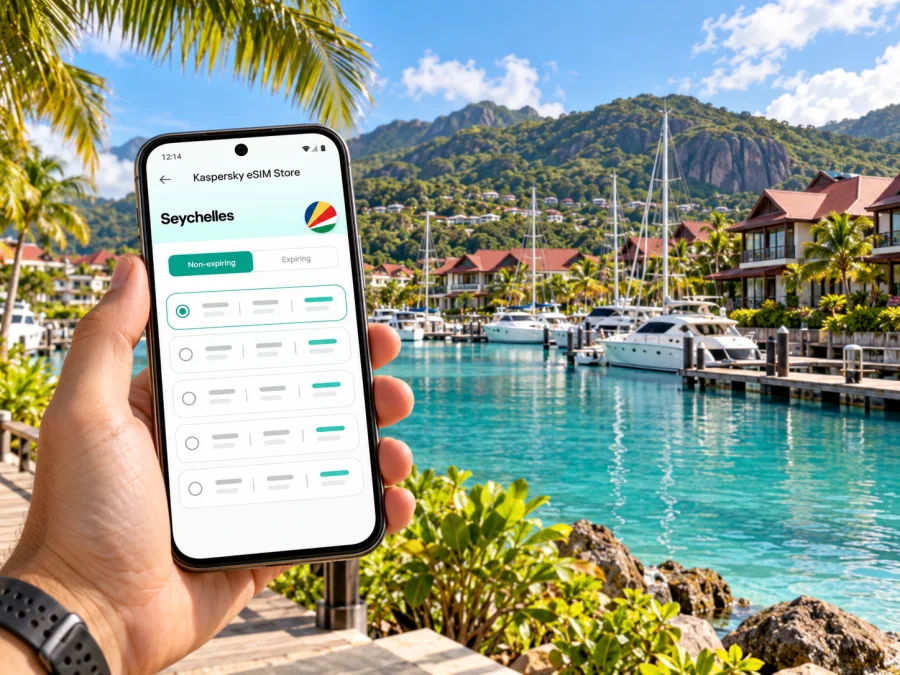
Eden Island eSIM: mobile connection and internet for your Seychelles trip
Eden Island is a useful base for a Seychelles stay when you want a marina setting close to Mahé’s capital and main travel links. Mobile data can help with the first transfer from the airport, directions to your accommodation, restaurant bookings, messages and day trips around the island. An eSIM can keep those tasks on a separate travel data profile, provided your phone supports eSIM and the chosen plan is valid for Seychelles.
One detail shapes the guide: Eden Island is not a separate city or municipality. It is a man-made residential and commercial marina development just off the coast of Mahé, near Victoria. That means a plan for Seychelles, rather than a special “Eden Island” tariff, is the relevant starting point. Local signal quality can still change between the waterfront, buildings, roads and more remote parts of Mahé, so treat any general coverage statement as a guide rather than a promise for a particular room or berth.
What to know before arriving
Eden Island combines residences, a marina and the Eden Plaza commercial area. The official development information describes the island as a freehold residential and commercial marina, with private waterways, homes, shops, restaurants and the Eden Bleu Hotel and Conference Centre. In practice, visitors may use mobile internet for everyday tasks within the development and when leaving it for Victoria, the airport, beaches or other parts of Mahé.
Seychelles is an island country, not a single continuous urban network. Your Eden Island stay is on Mahé, the main island, but your itinerary may also include Praslin or La Digue. A Seychelles-only data plan may or may not cover every island or territory you visit: check the selected plan’s destination list before payment, and confirm whether it covers your full route. Do not assume that a plan labelled for one destination includes nearby islands or international waters.
| Trip situation | What mobile data can help with | What to prepare |
|---|---|---|
| Arrival at Seychelles International Airport | Checking a transfer message, opening a map, contacting your accommodation | Save the address and booking details offline as a backup |
| Staying on Eden Island | Directions around the marina, reservations, messaging and work tools | Check signal in the building and room; use accommodation Wi-Fi where appropriate |
| Going to Victoria | Walking or driving directions, opening hours and payment apps | Download a map area and note your return transport plan |
| Exploring Mahé | Route changes, weather updates and contacting a driver | Check the eSIM destination and data allowance before leaving Wi-Fi |
| Taking an inter-island trip | Confirming schedules and meeting points | Verify coverage for every island and at sea; keep tickets available offline |
Getting from the airport to Eden Island
International visitors arrive at Seychelles International Airport on Mahé. The airport authority lists public buses outside the airport, taxis outside the arrivals terminal and telecommunications services in the international concourse. It also says free airport Wi-Fi is available, with an access code from the Information Desk. These are useful fallbacks if your travel eSIM is not active immediately, although a public Wi-Fi connection should not replace your own mobile plan for every task.
Eden Island is reached by road from Mahé. For the first transfer, a taxi or pre-arranged hotel car is the simplest option when you have luggage or arrive late. If you plan to use a bus, check the current service and route details before setting off; public transport timetables and stopping points can change. Navigation data is especially useful when a driver needs the correct entrance, accommodation block or marina access point, so save your booking address in advance rather than relying on a pin alone.
Before landing, save the accommodation’s full address, entrance pin, transfer contact, flight details and check-in instructions offline.
A working data connection is helpful, but a saved address and a confirmed transfer are more dependable than trying to solve every arrival detail on the curb. If you expect to coordinate with a driver by phone call or SMS, keep your regular SIM available and confirm roaming charges with your home operator. A travel eSIM is usually intended for data; it does not automatically provide a local phone number or ordinary voice calls and texts.
Choosing an eSIM for Eden Island and Mahé
Start with the country and the itinerary, not the name of the accommodation. A plan for Seychelles may suit a stay based on Mahé if its current terms include the destination and amount of data you need. If you will continue to Praslin or La Digue, verify that those locations are included too. The availability of a country page does not itself guarantee coverage at a specific address, service quality, speed or support for calls.
Match the plan to how you will use data
Light use such as maps, messaging and checking bookings differs from video calls, backups, photo uploads and streaming. Estimate how often you will use maps, where Wi-Fi is available and whether you need a hotspot; trip length alone does not determine data needs.
For frequent navigation or photo sharing, check the data volume and disable automatic backups on mobile data. For remote work, confirm hotspot terms and keep files offline. For an island-hopping itinerary, verify destination coverage and validity for each stop.
Check the plan terms for hotspot use, top-ups, expiry, activation timing and restrictions. Validity may begin at installation, first network connection or another event stated in the terms, so confirm this before activating.
Compare a travel eSIM with other ways to connect
Choose based on what matters most. Home roaming can preserve your usual number, subject to your operator’s charges. A local SIM may suit you if you need a local number. Airport Wi-Fi can help with a first message but is limited to the airport. A travel eSIM is useful for a digital data profile prepared before departure, if your device and plan are compatible.
The Seychelles Electronic Border System offers a local SIM purchase option during Travel Authorisation, with collection from the selected telecom company kiosk after exiting the airport. This is separate from installing a travel eSIM. Check current instructions if you plan to use that route.
What is known about mobile service in Seychelles
Airtel Seychelles and Cable & Wireless Seychelles are local mobile operators. The regulator’s 2024 data-quality assessment tested both operators on Mahé, La Digue and Praslin. This is broad context, not an Eden Island coverage map or evidence of which network a travel eSIM uses.
The airport lists Cable & Wireless and Airtel services in its international concourse. This does not establish current eSIM terms for either company or which network an eSIM purchased elsewhere will use. Check plan details or ask the provider if a named network or local number is essential.
Signal can vary indoors and around the waterfront. Building materials, room location, network load and device settings all matter. If a work call is important, ask your accommodation about Wi-Fi and test mobile service when you arrive; another visitor’s speed result cannot guarantee your experience.
Kaspersky eSIM Store is an app and website where you can choose, purchase and activate an eSIM with a suitable data plan for an overseas trip. It helps you review available options and their stated terms before deciding. Current plan availability, data allowance, validity period, price and supported networks can change, so use the details shown for the selected plan at the time you buy. For Seychelles, review the current options for a trip to Seychelles and confirm the destination coverage and conditions before checkout.
Before you buy: device and plan checks
Compatibility comes first. Your device must support eSIM, be unlocked for use with another provider, and meet the plan’s technical requirements. The exact model matters: devices sold under similar names can differ by market, and some regional variants do not support eSIM. Check whether your device supports eSIM and confirm the device’s regional model in its settings or manufacturer documentation before purchase.
Use this checklist before you pay:
- Destination: Seychelles appears in the selected plan’s covered destinations; other islands on your itinerary are included if needed.
- Device: the exact regional model supports eSIM and is not carrier-locked.
- Plan type: the plan provides mobile data, with voice, SMS or a local number only if the terms explicitly say so.
- Allowance: the data volume matches your expected maps, messages, calls over apps, work and media use.
- Validity: you understand when the plan starts and when it expires.
- Network details: any stated local network, coverage conditions and roaming requirements are acceptable for your trip.
- Installation: you have a stable internet connection and access to the QR code or in-app installation flow.
- Backup: you have saved essential addresses, tickets and contact details offline.
Do not delete an eSIM profile unless its instructions confirm it can be reinstalled. Some profiles cannot be transferred after activation; ask support if unsure.
Install and activate before or after landing
Install timing depends on the plan. You can install before departure and select the eSIM for data after arrival, or install at the airport if the plan allows it. Confirm when validity begins and avoid accidental data use on the wrong SIM.
For detailed steps, follow the Android eSIM installation instructions or the iPhone eSIM installation instructions. Menu names can vary by operating-system version and manufacturer, so use the instructions that match your device.
A general setup sequence is:
- Check eSIM support and unlock status.
- Choose the correct destination and review activation and validity terms.
- Connect to Wi-Fi and install the profile using the QR code or supported in-app flow.
- Label the new line “Seychelles data” for clarity.
- Set the travel eSIM as the data line when appropriate; keep your home line for calls if needed.
- Enable data roaming for the travel line only if the plan requires it.
- On arrival, confirm the travel line is on and selected for data.
- If it does not connect, check the plan’s destination, roaming and network instructions.
Avoid removing the profile as a first step. Restart the phone, check airplane mode and line selection, then follow the plan’s network instructions. If the issue continues, contact support over Wi-Fi.
Staying connected while moving around Eden Island
Use mobile data for directions between your accommodation, commercial area, marina meeting points and transfers. A map pin may not identify the correct gate or building; save the full address and check-in instructions because private access details may not appear in a navigation app.
For work, combine mobile data with accommodation Wi-Fi where available. Confirm meeting links, download documents, and ask about room or conference internet. Use a hotspot only if the plan allows it. Test the connection before an important call and keep an alternate way to reach colleagues.
For leisure, maps, messaging, restaurant details and transport arrangements may matter more than streaming. Save directions to Victoria and the airport, confirmations and tickets offline. Signal can vary on boat trips, so do not rely on continuous data at sea for time-sensitive instructions.
When mobile data is slow or unavailable
A weak connection may be local to a building or area. Move outdoors if practical, confirm the correct eSIM is selected for data, and check remaining data and validity.
Try these steps in order:
- Turn airplane mode on briefly, then off, or restart the device.
- Confirm mobile data is assigned to the travel eSIM rather than the home line.
- Check the plan’s instructions for data roaming and supported network selection.
- Move outdoors or to a different part of the building and retry.
- Connect to trusted accommodation or airport Wi-Fi to view the plan details or contact support.
- Save or switch to offline navigation while you troubleshoot.
If a plan specifies automatic network selection, leave that setting in place unless support recommends otherwise. If it lists a manual network option, follow the provider’s exact guidance. Network names and availability can change; do not rely on a list from an old travel forum as current setup instructions.
Common questions
Is Eden Island a city in Seychelles?
No. Eden Island is a man-made residential and commercial marina development just off Mahé. It is close to Victoria, the country’s capital, and is commonly used as a visitor base. For mobile data, look for a Seychelles plan rather than expecting a separate Eden Island plan.
Will a Seychelles eSIM work everywhere on Eden Island?
No plan should be assumed to work in every building, room or marina location. Coverage and performance depend on the eSIM’s partner network, local conditions, device and plan terms. Check the listed destination and network details, then test the connection when you arrive.
Does an eSIM give me a Seychelles phone number?
Not necessarily. A travel eSIM selected for data may not include a phone number, voice calls or SMS. Check the product terms. You can keep your home SIM for calls and text messages, subject to your home operator’s roaming charges, and use internet-based messaging apps over data.
Can I install the eSIM at the airport?
Usually you need an internet connection to install a profile. The airport authority lists free Wi-Fi, with an access code from the Information Desk, so it may be a fallback if the plan permits installation after arrival. Installing before departure can be more convenient, but first confirm when plan validity starts.
Is local mobile eSIM available from Airtel or Cable & Wireless?
The airport lists both companies’ telecommunications services, and Airtel’s current website includes an “eSim Online Booking” section. Public details do not confirm the current eligibility, visitor process, device requirements or terms for a local eSIM from each operator. Check directly with the operator or the official travel system before relying on a local eSIM option.
Prepare your connection for Eden Island
For a smooth stay, choose a plan that explicitly covers Seychelles and fits the places you will visit, confirm the exact device variant supports eSIM, and understand the validity and data conditions before installing. Save your arrival details and maps offline, then test service in your accommodation instead of assuming the signal will match a map or another traveler’s report.
Kaspersky eSIM Store helps you choose, purchase and activate an eSIM with a suitable data plan for an overseas trip. Explore the available eSIM options for Seychelles, review the current plan terms, and prepare your mobile data before traveling to Eden Island.


