
Travel connectivity guide
Edmonton eSIM for Mobile Internet
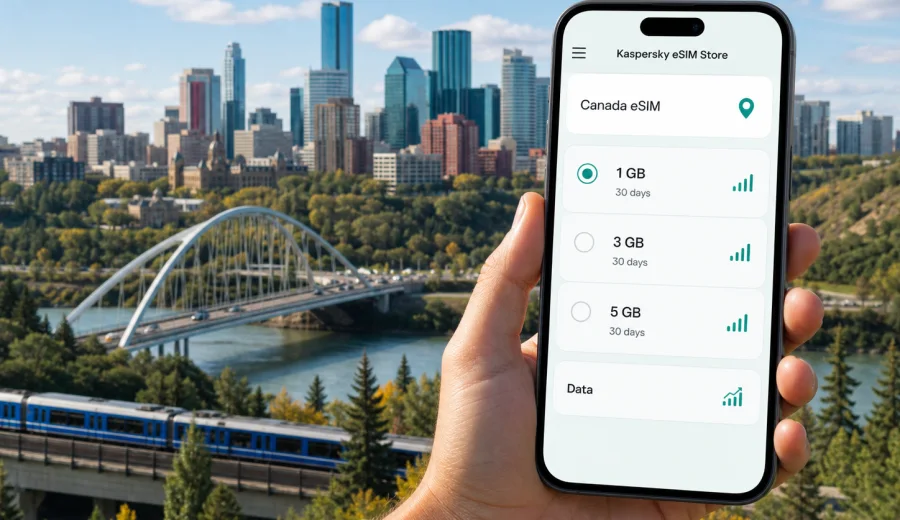
Edmonton eSIM: mobile connection and internet for your trip
Edmonton is a city where mobile internet matters from the first practical step of the trip. The airport is outside the urban core, the river valley cuts a wide green corridor through the city, and many useful routes involve transfers between downtown, Old Strathcona, the University of Alberta area, West Edmonton Mall, ICE District, hotels near business parks, and day trips beyond the city. If you arrive with an eSIM already prepared, you can open maps, confirm your ride, message your hotel, and check transit options without waiting for public Wi-Fi or looking for a physical SIM card.
An eSIM is useful in Edmonton because the city often rewards planning. A visitor may land at Edmonton International Airport, continue to a downtown hotel, attend meetings near the convention centre, spend an evening on Whyte Avenue, and then drive to Elk Island National Park or another part of Alberta. Each step uses data in small but important ways: navigation, booking confirmations, messaging, ride-hailing, digital tickets, restaurant searches, weather checks, and work apps.
This guide focuses on Edmonton travel scenarios: arrival, movement around the city, local districts, business trips, short stopovers, seasonal travel, and trips from Edmonton to other places in Canada.
Why mobile internet is useful in Edmonton
Edmonton is easy to enjoy when you can move with live information. Distances can feel larger than they look on a map, especially if you are switching between downtown, the south side, shopping areas, university venues, industrial zones, and the airport corridor. A working data connection helps you make decisions in real time instead of guessing from a screenshot saved before the trip.
Common moments when mobile internet helps in Edmonton:
- after landing at Edmonton International Airport, when you need maps, ride details, hotel messages, or car-rental information;
- on the way downtown, when traffic and weather can affect travel time;
- while moving between ICE District, the river valley, Old Strathcona, and the University of Alberta area;
- at West Edmonton Mall, where indoor navigation, meeting points, and payment apps can save time;
- during business travel, when you need email, calendar updates, video-call links, and document access;
- on day trips outside the city, where you may rely on maps, fuel stops, parking details, and messaging.
Public Wi-Fi can be useful in a hotel, cafe, airport lounge, or venue, but it is not the same as having mobile internet ready whenever you step outside. With an eSIM plan, you can reduce your dependence on public Wi-Fi and keep essential travel apps available while you move.
Arrival at Edmonton International Airport
Edmonton International Airport is usually the first place where visitors need data. The airport is south of the city, so the transfer to central Edmonton is not just a short hop across town. Depending on your plans, you may continue by taxi, ride-hailing app, shuttle, rental car, or private pickup. Mobile internet can make this first hour smoother.
Before leaving the arrivals area, you may need to:
1. Check your accommodation address and check-in instructions.
2. Contact your driver or confirm the pickup zone.
3. Compare transfer time to downtown, South Edmonton, or a hotel near the airport.
4. Open a map route before starting the drive.
5. Send an arrival message to colleagues, family, or a host.
6. Check the weather, especially in winter or during seasonal changes.
If you install your eSIM before departure, you can activate the data line when you arrive and avoid searching for a SIM store during the first part of the trip. If you prefer to install it after landing, make sure you have a stable internet connection at the airport and enough time to follow the steps carefully.
Edmonton districts where data makes a difference
Edmonton travel is often district-based. Visitors rarely stay in one compact tourist zone all day, so data use changes by area.
| Area or route | Why you may need mobile internet |
|---|---|
| Downtown and ICE District | Hotel directions, meeting locations, event tickets, restaurant bookings, ride pickup points |
| Old Strathcona and Whyte Avenue | Walking routes, transit options, reviews, late-evening ride arrangements |
| River valley parks | Maps, trail orientation, weather checks, meeting points, photo backup |
| University of Alberta area | Campus navigation, event schedules, messaging, transit planning |
| West Edmonton Mall | Indoor meeting points, payment apps, opening hours, family coordination |
| Airport corridor and south side | Car rental details, hotel shuttles, industrial park addresses, longer transfers |
For a short leisure trip, you might use data mostly for maps, messaging, and bookings. For a business trip, you may need email sync, cloud files, authentication apps, calendar changes, and possible hotspot use. For a family trip, data often helps with meeting points, ride details, restaurant decisions, and quick changes when plans shift.
How much data may you need in Edmonton?
Data needs depend on how you travel, not only on how many days you stay. A visitor who uses hotel Wi-Fi and opens maps occasionally will need less data than someone using video calls, cloud documents, streaming, or a phone as a hotspot.
Use this practical guide before choosing a plan:
| Trip style | Typical data pattern | What to check before choosing |
|---|---|---|
| 1-2 day stopover | Maps, messaging, ride apps, boarding passes, hotel details | A small data allowance may be enough if you avoid streaming |
| 3-5 day city trip | Navigation, searches, bookings, social apps, photo uploads | Choose enough data for daily movement across districts |
| Business trip | Email, calendars, documents, authentication, possible hotspot use | Check duration, data volume, and whether tethering is allowed |
| Family trip | Navigation, shared plans, ticket apps, messaging, restaurant searches | Allow extra data for coordination and unexpected route changes |
| Edmonton plus Alberta route | Maps, road updates, hotel changes, messaging outside the city | Consider a plan that fits the full Canada route, not only Edmonton |
Offline maps are still worth downloading before you travel. They reduce data use and help if the signal is temporarily weak inside buildings, underground areas, parking structures, or remote routes. Still, offline maps do not replace live information for traffic, rides, opening hours, or changed bookings.
Choosing an eSIM plan for Edmonton
For an Edmonton trip, the relevant destination is Canada. A city article does not need a separate Edmonton-only plan if the available travel data plan is organized by country or region. The important point is to choose a plan that matches your route, your device, and the way you expect to use mobile internet.
Before selecting a plan, check:
- destination: Canada, or a regional option if your trip continues beyond Canada;
- validity period: enough days for arrival, the stay in Edmonton, and the return journey;
- data allowance: enough for navigation, messaging, browsing, work, and backups;
- activation rules: when the plan starts and how long it remains valid;
- device support: your phone or tablet must support eSIM and must not be locked to a carrier;
- voice and SMS expectations: many travel eSIM plans focus on mobile data and may not include a regular phone number, calls, or SMS unless the selected plan states otherwise.
If Edmonton is one stop in a wider itinerary, think about the full route. A traveler flying into Edmonton, then continuing to Calgary, Jasper, Vancouver, Toronto, or another Canadian destination should choose based on the whole Canadian stay.
When you are ready to prepare mobile internet for the trip, you can choose an eSIM plan for Canada and review the available data volume, validity period, and other plan conditions before setting it up.
Practical Edmonton scenarios
Business travelers often need data before they reach the hotel. They may confirm a meeting room, open a document, join a call from the airport transfer, or answer a message from a colleague in another time zone. If you expect to share a connection with a laptop, check whether hotspot use is included in the selected plan and supported by your device.
Seasonal trips also change data use. In winter, mobile internet helps with weather checks, ride options, and route changes when waiting outside is uncomfortable. In warmer months, visitors may move between festivals, parks, patios, and evening events, so data is useful for digital tickets, friend coordination, and pickup points.
For a family trip to West Edmonton Mall, messaging and meeting points may matter more than heavy browsing. For a short stopover, prepare three things before arrival: the hotel address, the route from the airport, and your eSIM installation steps. That keeps the trip simple when time is limited.
How to install and activate an eSIM for an Edmonton trip
The exact process depends on your device and the selected plan, but the typical flow is straightforward. You choose the destination, review the plan conditions, complete the setup, install the eSIM on a compatible device, and then use it for mobile data when you travel.
Basic preparation steps:
1. Check that your smartphone or tablet supports eSIM.
2. Make sure the device is not locked to one carrier.
3. Choose a Canada data plan that fits your Edmonton trip.
4. Install the eSIM before departure if you want to be ready on arrival, or after landing if you have stable Wi-Fi.
5. Set the eSIM as the mobile data line.
6. Enable data roaming for the eSIM if the plan instructions require it.
7. Keep your primary SIM for calls or SMS if you still need it.
For device-specific setup, use the Android installation guide or the iOS installation guide. Follow the instructions shown for your device and do not delete an installed eSIM profile unless you are sure the plan terms allow reinstalling it.
Device compatibility checklist
Not every phone supports eSIM, and not every eSIM-capable phone is ready for travel use. Before you pay for any plan, confirm the basics. This is especially important if you use an older device, a phone purchased through a carrier, or a model sold in a market where eSIM support can vary.
Check the following:
- your device supports eSIM;
- your device is unlocked for use with other mobile networks;
- the operating system is updated enough to install and manage eSIM profiles;
- you have a stable internet connection during installation;
- you understand which SIM line will be used for mobile data;
- you know whether your primary SIM should remain active for calls or SMS.
You can also check your device before choosing a plan. This simple step can prevent avoidable installation problems during the trip.
Data-saving tips while moving around Edmonton
You do not need to treat data as fragile, but it is sensible to use it deliberately. Edmonton trips often include travel time between districts, so a few habits can make your plan last longer.
Useful habits:
- download offline maps for Edmonton and the wider Alberta route before departure;
- update apps on Wi-Fi rather than mobile data;
- reduce automatic photo and video backup while outside the hotel;
- use messaging and voice notes instead of long video calls when the plan is small;
- save PDF tickets, hotel details, and reservation confirmations offline;
- check whether your phone is using the eSIM line for data and not your home SIM roaming line;
- monitor data use in your phone settings and in the app or profile where available.
For business travelers, cloud sync can be the hidden data user. Large email attachments, shared folders, and video meetings can use more data than maps or messaging. If you have important calls, join on Wi-Fi when possible and keep mobile data as the backup.
eSIM, roaming, and local SIM cards in Edmonton
There is no single option that is best for every visitor. Standard roaming may be simple if your home operator offers a suitable package. A physical local SIM may make sense for a long stay if you need a local number. An eSIM is often convenient for short and medium trips because you can prepare it before travel and use it without changing a physical SIM card.
| Option | When it can work well | What to watch |
|---|---|---|
| Travel eSIM | City trips, business travel, stopovers, multi-day Canada routes | Data allowance, validity, device compatibility, whether calls/SMS are included |
| Home roaming | Very short trips or corporate plans with predictable terms | Daily fees, speed limits, fair-use rules, unexpected costs |
| Physical local SIM | Longer stays where a local number is important | Store visit, registration process, physical SIM slot, plan terms |
| Public Wi-Fi only | Light use inside hotels, cafes, venues, or airport areas | Limited availability, logins, security, no connection while moving |
For many Edmonton visitors, eSIM is the practical middle ground: enough control for mobile internet, no physical SIM swap, and less dependence on public Wi-Fi. The right choice still depends on your device, route, and communication needs.
Edmonton route planning with an eSIM
If you are using Edmonton as a base, your mobile internet needs may extend outside the city. The city is a gateway for business travel, family visits, road trips, and outdoor plans in Alberta. You may travel to nearby communities, continue south toward Calgary, head toward the mountains, or connect to another Canadian city by air.
For routes beyond Edmonton, save offline maps before leaving the city, check whether your plan covers the full route inside Canada, keep destination addresses saved, and carry a power bank if you use the phone for navigation for several hours. If you use a rental car, mobile data helps with navigation, parking, fuel stops, and route changes.
Quick preparation checklist
Use this checklist before your Edmonton trip:
- Confirm your phone supports eSIM and is carrier-unlocked.
- Choose a data plan for Canada that covers your full stay.
- Install the eSIM while you have stable internet.
- Save the installation email or QR details where you can access them.
- Download offline maps for Edmonton and any Alberta route.
- Save hotel, meeting, and airport transfer details offline.
- Decide which SIM line handles mobile data.
- Keep your home SIM active if you need calls or SMS from your usual number.
- Pack a charger and power bank for long city days.
- Review data usage settings for backups, app updates, and streaming.
The goal is not to overcomplicate the trip. It is to make sure your phone is ready for the moments when you need it most: arrival, transport, navigation, bookings, work, and changes of plan.
FAQ about eSIM for Edmonton
Do I need a special Edmonton eSIM?
Usually no. For an Edmonton trip, you normally choose a Canada plan or a relevant regional plan if your route goes beyond Canada. Edmonton is the city context; Canada is the destination used for plan coverage.
Can I install the eSIM before I fly?
In many cases, yes. Installing before departure can make arrival easier because you can switch to the eSIM data line when you land. Always read the selected plan conditions, including when validity starts.
Will an eSIM give me a Canadian phone number?
Many travel eSIM plans are data-focused and do not include a standard local phone number, voice calls, or SMS unless the plan states otherwise. For calls and messages, you can often use internet-based apps over mobile data.
Should I keep my home SIM active?
Yes, if you need calls, SMS, or account verification messages on your usual number. You can usually keep the primary SIM for calls and use the eSIM for mobile data, depending on your device settings.
Is eSIM useful if my hotel has Wi-Fi?
Yes, because hotel Wi-Fi does not help while you are in a taxi, walking through the river valley, checking transit, entering a venue, or changing plans away from the hotel. Mobile data is most useful between fixed Wi-Fi points.
What if installation does not work?
Check device compatibility, carrier lock status, internet access during installation, and the exact setup instructions for your phone. If you still have problems, contact support through the service channel available in the app or website.
Prepare mobile internet for Edmonton
Edmonton is a practical city for travelers who plan ahead: airport transfers are longer than in many compact cities, districts are spread across both sides of the river, and business, events, shopping, campus visits, and day trips can all depend on live information. An eSIM helps you keep maps, messages, bookings, and work tools available without searching for a physical SIM card after arrival.
Before you go, check your device, choose a plan that fits your time in Canada, install the eSIM on a stable connection, and keep the setup instructions available. When your phone is ready, the first hours in Edmonton become simpler: you can confirm transport, navigate to your hotel, meet colleagues or friends, and adjust plans as the city day unfolds.
To get ready for the trip, choose an eSIM plan for Canada in Kaspersky eSIM Store and review the data allowance, validity period, and setup details before you travel to Edmonton.