Travel connectivity guide
EE eSIM in the United Kingdom: visitor guide
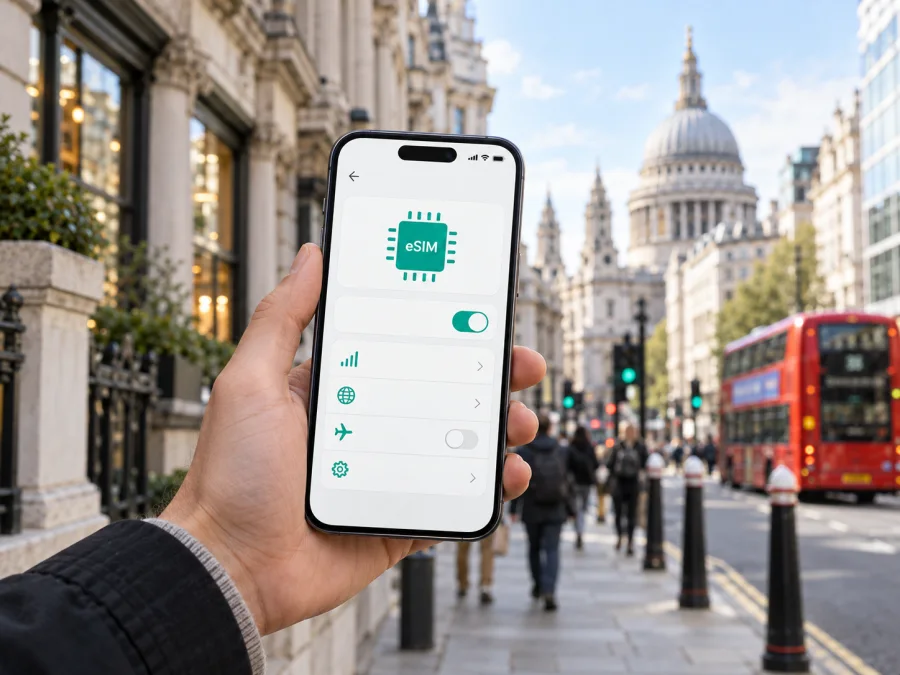
EE eSIM in the United Kingdom: connection options for your trip
EE and Kaspersky are names and marks belonging to their respective owners. Kaspersky eSIM Store is not affiliated with EE and is not its official partner or distributor. The information below was checked on 25 September 2026; availability, device support and service conditions can change, so confirm the current details with EE before ordering.
EE is a UK mobile network operator, and Ofcom’s “Map Your Mobile” lists EE among the networks users can compare by postcode. For a trip to the United Kingdom, an eSIM can mean two different things in EE’s current offer: a regular EE mobile eSIM connected with an eligible customer account, or a visitor-focused travel eSIM intended for mobile data in the UK. The best starting point depends on whether you already use EE, need to keep an existing UK number, or simply want data while visiting. The distinction matters because an eSIM is a digital SIM profile, while the service attached to it determines whether it includes a phone number, calls or texts.
EE’s Help page “Download and use an EE eSIM” confirms that the operator supports eSIM. It describes choosing eSIM with a new pay monthly device, ordering it with a SIM-only plan and downloading it through the EE app, or receiving a QR pack to scan. EE also has a separate public page called “Travel eSIM for UK Visitors and Tourists,” so a visitor option is publicly presented as well. These are different entry routes; the visitor offer should not be assumed to work like an existing customer’s ordinary mobile line.
What EE eSIM means for a visitor
An eSIM stores a mobile subscription profile inside a compatible device instead of using a removable plastic SIM. EE’s help information says the profile carries the details the device needs to connect to the EE network. Once installed and enabled, it is managed from the phone’s SIM settings. Depending on the device, you may be able to keep a physical SIM and an eSIM available on the same phone, although the exact dual-SIM behaviour depends on the handset and its software.
The visitor-oriented EE Travel Data eSIM is a data-only service. EE’s travel page and its Travel Data eSIM terms state that it does not provide a mobile number, ordinary voice calls or SMS. This includes calls to emergency services on that data-only line. If you need conventional calls, texts or a number that people can dial, keep another active SIM or eSIM with those services and select it for calls and messages. Internet calling and messaging apps may work over the data connection, subject to the apps and any other service conditions.
EE’s current public help page makes the general eSIM support clear, but the available routes are not necessarily interchangeable. Its main eSIM guide describes account-based options; its visitor page describes a separate travel service. EE’s customer-facing Pay As You Go information covers prepaid services generally, but that alone should not be read as confirmation that every regular Pay As You Go option can be issued as an eSIM. If you want an EE line with a phone number, ask EE which current account type and sign-up route are available to you before travelling. For a visitor choosing the Travel Data eSIM, check its latest terms and service description at purchase.
At a glance
| Question | What current public information says |
|---|---|
| Does EE support eSIM? | Yes. EE’s mobile help guide describes eSIM ordering, download, setup, replacement and transfer. |
| Is there a visitor-focused option? | Yes. EE publicly presents a Travel eSIM for visitors and tourists to the UK. |
| Does the visitor data eSIM include a phone number? | No. EE describes the Travel Data eSIM as data-only, without ordinary calls or SMS. |
| What does the handset need? | eSIM capability, a suitable software setup and, for the visitor service, an unlocked device. |
| Which radio technologies may be available? | EE documents 4G and 5G access where supported by the device, service and local coverage. |
Use this distinction as a starting point, and confirm availability and eligibility for your intended service directly with EE.
Check the phone before you travel
Check the exact handset model and regional variant: eSIM support can differ between versions of a phone. EE’s “Download and use an EE eSIM” guide recommends checking the manufacturer’s specifications and suggests dialling *#06# to look for an EID, the identifier associated with eSIM hardware. Treat that as a useful check, then confirm the model through the current compatibility guidance.
For EE’s visitor eSIM, the device must also be unlocked. EE’s travel eSIM pre-service information states this requirement. A phone can support eSIM and still be unable to register if it is locked to another carrier. Ask your home carrier about the unlock status before departure if you are unsure.
Check whether the phone can keep your home SIM and the travel profile available together. Dual-SIM behaviour and the number of simultaneously active profiles vary by model and software. Decide in advance which line should handle data, calls and messages, then review the mobile network settings so your home line does not unintentionally use roaming data.
EE’s guide covers compatible Apple, Android and other devices, but menu names and transfer options vary. eSIM hardware alone does not guarantee that every service or network feature will work in every place. Confirm compatibility, software readiness and the service type you need.
How EE eSIM setup generally works
The setup path depends on the EE service. For an existing customer, EE describes ordering an eSIM with an eligible new device or SIM-only connection, downloading it through the EE app, or using a QR pack. Its help guide also covers replacement, transfer and conversion. Account access may be needed, so resolve login or identity steps before travelling if you expect to manage the line away from home.
For the visitor Travel Data eSIM, follow the steps shown during purchase and in EE’s confirmation. EE’s terms say activation begins when mobile data use starts in the UK on its network. Installing the profile and beginning service are separate steps, so check the live instructions and the point at which you should turn on its data line.
A practical setup sequence:
- Confirm eSIM compatibility and, for the visitor service, that the phone is unlocked.
- Update and charge the phone; use stable Wi-Fi during installation.
- Keep order and QR instructions accessible if EE provides a QR code.
- Add the profile through the phone settings or EE’s installation flow.
- Label it clearly, select it for mobile data and check the home line’s roaming settings.
- In the UK, follow EE’s activation steps and confirm connectivity with a browser or map.
Menu labels differ by device. Kaspersky eSIM Store has general installation guides for Android and iOS; these cover its travel eSIM workflow, not EE account activation. For an EE profile, follow EE’s current directions. EE also says its QR code can be used once to download a profile. Do not delete an installed eSIM simply to troubleshoot unless EE advises it; a replacement may need to be issued. Transfer steps depend on the devices and account, so use EE’s replacement instructions rather than assuming the original QR code can be scanned again.
Choose the connection that fits your trip
If you already use EE and want to keep your number, check the operator’s account-based eSIM route. EE describes eSIM with eligible pay monthly and SIM-only connections, plus replacement or conversion in supported cases. Ask EE which sign-up route applies to your account, particularly if you are arranging it from outside the UK.
If you are visiting and mainly need internet access, EE separately advertises its Travel Data eSIM for the UK. It is data-only, requires an unlocked compatible device and begins use in the UK on EE’s network. It does not replace a voice-enabled line for ordinary calls or SMS. EE’s general Pay As You Go pages discuss prepaid services, but that does not confirm eSIM eligibility for every regular prepaid option. Verify the exact service and current terms instead of inferring features from “travel,” “prepaid” or “eSIM.”
If you need a number, verification texts or conventional calling, keep another service active and check its roaming conditions. For internet-based communication, app access depends on your account, device settings and data connection.
EE network coverage and technologies in the UK
EE documents 4G and 5G access where the device, service and local coverage support them. Its visitor terms note that connection and performance depend on location, device and geographic factors; a 5G-capable handset does not guarantee 5G reception everywhere or indoors.
EE’s coverage checker provides postcode-based coverage and signal information. Ofcom’s “Map Your Mobile” tool also lets people check predicted 4G/5G availability by postcode, including indoor or outdoor reception and whether it may be good or variable. Check places on your itinerary, such as accommodation, stations, venues and rural stops. These are estimates, not a promise of service at a particular moment.
Buildings, terrain, congestion, maintenance and handset capability can affect reception. EE’s checker and Ofcom’s independent tool are more useful for local planning than a broad nationwide claim. Save essential directions and travel details offline in case the route includes a coverage gap.
EE local service and a travel eSIM are different choices
An EE customer eSIM is attached to the account and service selected when you join or replace a SIM. EE’s visitor data eSIM is a separate travel service that, according to its published description, does not include a number, ordinary calls or SMS. The useful choice depends on whether you need a local mobile line, data only, or continuity with an existing number.
Kaspersky eSIM Store is an app and website that helps travellers choose, arrange and activate a travel eSIM for mobile internet abroad. It is not a mobile operator, network owner or provider of radio coverage. Its UK destination page is separate from EE’s own services; the store’s public home page says its eSIM products and related services are provided by a technology partner and describes its travel eSIM as data-only, with QR or in-app installation. These product details were checked on 25 September 2026.
With EE, the operator provides its account or visitor service and publishes its network checker and service conditions. Kaspersky eSIM Store provides a separate way to select and manage a travel eSIM through its app or website. Check device compatibility, calling needs, destination support and activation steps for whichever service you choose. The Kaspersky option does not imply endorsement or affiliation with EE.
To review the separate travel option, see eSIM options for the United Kingdom. Confirm its current service description against your needs, especially if you require a phone number or voice service.
Common questions about EE eSIM in the United Kingdom
Can a visitor get an EE eSIM?
EE currently publishes a Travel eSIM page for UK visitors and tourists, and a separate help guide for its general eSIM support. Check the visitor service’s current requirements and purchase route before ordering. Its terms state that the device must be unlocked and eSIM-compatible, and that first use must begin in the UK on the EE network.
Can I use the visitor eSIM for calls and texts?
EE describes the Travel Data eSIM as data-only. It does not provide a phone number, ordinary calls or SMS. Keep another line for those services, or use internet-based communication apps over data where appropriate. Do not rely on the data-only service for an ordinary emergency call.
Does an eSIM work as soon as I install it?
Installation adds the profile to the phone; activation and first data use follow the instructions for the particular service. EE’s visitor terms specify first use in the UK on EE’s network. Existing customer account eSIM setup can follow a different path. Check the current instructions for the exact product and do not assume that installing a profile is the same as beginning service.
Will EE 5G be available everywhere I visit?
No coverage map can guarantee service at every point. EE provides a postcode checker, and Ofcom’s Map Your Mobile offers independent postcode-based estimates for 4G/5G availability. Reception depends on the place, building, handset and local conditions. Check the addresses on your itinerary and prepare for gaps where service is unavailable.
What if the phone does not recognise the eSIM?
First check the exact phone variant, software, EID and network unlock status. Make sure the device has internet access during installation and that the profile has not already been downloaded using a one-time QR code. If the problem continues, contact EE for its profile or account steps; use the device maker’s instructions for menu-specific issues.


