Travel connectivity guide
Eindhoven eSIM: Mobile Internet & Travel Guide
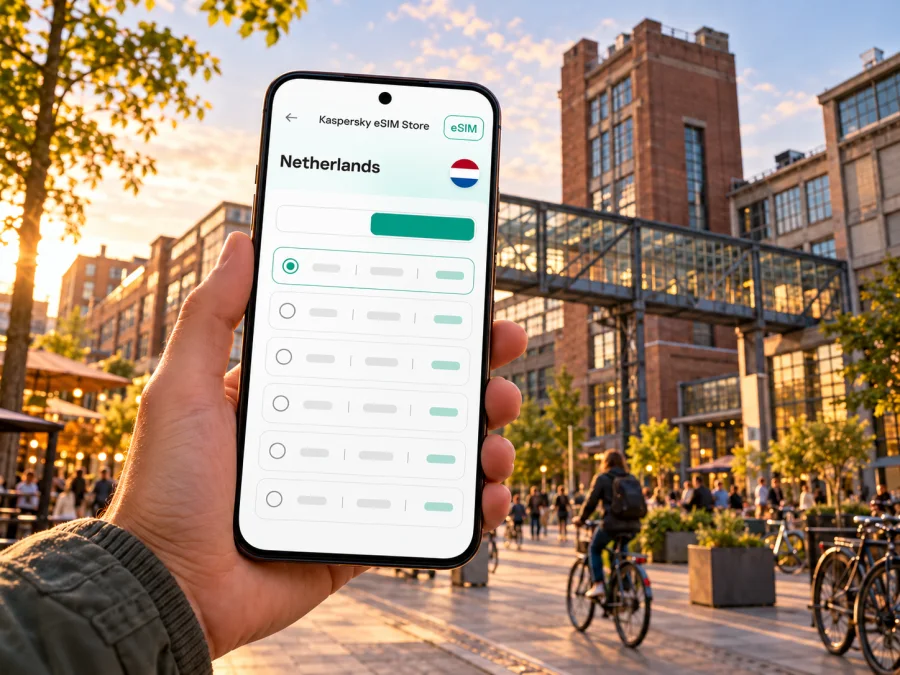
Eindhoven eSIM: mobile connection and internet for your trip
Eindhoven is compact enough to explore on foot or by bike, yet a working mobile connection makes arrival, station transfers, hotel check-in and day trips easier to coordinate. A local data connection can help you check a live route, translate a message, find an entrance or let someone know that your train is delayed. An eSIM is one way to prepare mobile internet for a visit to the Netherlands without swapping the physical SIM in your phone.
This guide focuses on Eindhoven: how to get from the airport or railway station into town, which areas you may want to navigate between, what to prepare before leaving home, and how to avoid relying on a single connection method. Mobile coverage and service quality depend on the local network, location, device and current conditions. A travel eSIM is a data option; it should not be assumed to include a regular Dutch phone number, voice calls or SMS unless the selected plan explicitly says so.
Why mobile data helps in Eindhoven
A connection is especially useful when plans change. A platform display, a route planner and a message from a colleague may all be relevant at once. Keep your hotel address, arrival instructions and any essential tickets available offline as well; a data connection is useful, but it is not a substitute for a saved backup.
| Eindhoven situation | What mobile data can help you do | Useful backup |
|---|---|---|
| Landing at Eindhoven Airport | Check onward transport and message your host | Save the hotel address and airport bus details |
| Arriving at Eindhoven Centraal | Compare walking, bus, taxi or bike routes | Keep the destination name and street address offline |
| Exploring the centre | Navigate between the station, Markt and museums | Download an offline map area before setting out |
| Visiting Strijp-S | Find the correct station, venue or entrance | Save the event ticket and meeting point |
| Taking a day trip | Check train changes and return options | Note the last practical return connection in advance |
First arrival: airport, bus and station
Eindhoven Airport is outside the city centre. The airport’s current public-transport information says that bus lines 400 and 401 connect the airport with Eindhoven Centraal; the bus stop is beside the terminal, and the trip is described as taking about 20 minutes. The airport notes that services and travel information can change, so confirm the departure and route on the day. The airport is not a railway station: if you buy or plan a train journey to Eindhoven Airport, the final leg from Eindhoven Centraal is by bus.
The airport has published a significant future travel notice: it currently states that there will be no flights to or from Eindhoven Airport from 1 February through 18 July 2027, with flights expected to resume from 19 July 2027. If your trip falls in that period, do not assume that a flight or the usual airport transfer is operating. Confirm your itinerary directly with your airline and the airport, then plan an alternative airport and onward rail or bus route. Dates and operational arrangements can be updated, so recheck close to travel.
Getting around the city
Eindhoven has two railway stations that are useful to visitors: Eindhoven Centraal, close to the city centre, and Eindhoven Strijp-S, which serves the Strijp-S area. The city’s visitor information describes walking and cycling as practical ways to get around, with buses and taxis available for longer or less convenient legs. Use a live journey planner for exact routes and departures rather than relying on a static list: timetables, diversions and event-day services can change.
The central area works well as a starting point for a first walk. From around Eindhoven Centraal, you can orient yourself toward the shopping streets, Markt and Catharinakerk, then decide whether to continue on foot or take transport to another district. The centre includes a mix of shops, food, cultural venues and evening places, so it can be useful to keep a map open while choosing where to stop. If you have a timed museum entry or a dinner reservation, save the address and allow time to find the correct entrance.
Strijp-S has a different feel: former industrial buildings and a creative, design-focused district. You can travel toward it by train to Eindhoven Strijp-S, or compare bus, bike and walking options from your starting point. The visitor guide identifies it as a major district, and the rail operator lists a short journey between Eindhoven Centraal and Eindhoven Strijp-S; check the current timetable before you set off. Large venues, events and temporary installations can use separate entrances, so navigate to the venue name or exact address rather than only to “Strijp-S.”
Other neighbourhoods you may encounter include De Bergen, Woensel-West, Strijp and the Kanaalzone. They are not interchangeable sightseeing zones: your reason for visiting may be a café, a hotel, an event, a meeting or a particular street. Search using the exact place name, then verify the pin against the address in your booking or invitation. A map pin can be inaccurate when a venue occupies a courtyard, a multi-building complex or a converted industrial site.
| If you are heading to… | A practical way to plan | What to check on your phone |
|---|---|---|
| Eindhoven Centraal and the centre | Start with the station exits and your exact destination | Walking time, entrance and any road works |
| Markt or Catharinakerk | Walk from the centre if the weather and luggage allow | Pedestrian route and the location of your next stop |
| Van Abbemuseum | Use the museum’s exact address in your route planner | Opening hours, ticket details and entry address |
| Strijp-S | Compare Eindhoven Strijp-S station with bus, bike or walking options | Venue entrance, event changes and return connection |
| A hotel outside the centre | Use the full street address, not just the hotel name | Check-in window, late-arrival instructions and last leg |
Choose a travel data option for your itinerary
Think first about what you will actually do with the connection. A short city break with occasional maps and messaging has a different pattern from a week of video calls, cloud uploads or tethering a laptop. Estimate your likely use, then compare the plan’s data allowance, validity period, supported destination and any hotspot conditions shown at checkout. Do not select a plan only by its headline allowance: the start date, validity rules and any usage limits also matter.
A Netherlands plan is relevant when Eindhoven is your only destination. If your itinerary also crosses into Belgium or Germany, check whether the selected plan includes those places or whether you need a regional option. A plan for one country should not be assumed to work across a border. Coverage is tied to the networks and terms associated with the selected plan, and performance can vary by neighbourhood, building, congestion and device.
Before you choose, check the current Netherlands options in Kaspersky eSIM Store. The app and website help you select, arrange and activate an eSIM with a suitable tariff for mobile internet during an international trip. Review the displayed destination, data amount, validity and other conditions for the specific option you are considering; availability and terms can change.
Match the plan to your days in Eindhoven
Use a simple estimate rather than trying to predict every megabyte:
- Light use: messaging, occasional maps, searches and transport checks. Save large files and entertainment for Wi-Fi where practical.
- Regular use: frequent navigation, photos shared during the day, translation and everyday browsing. Allow some room for unexpected route changes or work messages.
- Heavy use: video meetings, streaming, large uploads or hotspot use. Confirm that the plan conditions support your intended use and consider how quickly those activities can consume data.
Check your phone before buying
eSIM support depends on the exact device model, regional variant and sometimes the software or carrier-lock status. A family name alone is not enough to confirm compatibility. Check the manufacturer’s specifications for your precise model and region, and review the device’s mobile settings for an option to add an eSIM. Also confirm that the phone is not locked in a way that prevents adding a travel profile. If you are uncertain, check whether your device is compatible before selecting a plan.
Install and activate with care
For platform-specific steps, use the Android eSIM installation guide or the iOS eSIM installation guide. ### Keep your main number and travel data separate
A travel data eSIM and your existing phone line can serve different purposes. Your original line may remain useful for calls or messages, while the travel profile handles data if the plan and device support that arrangement. Confirm which line is selected for data and whether the phone may switch lines automatically. Review your home provider’s roaming terms before the trip: leaving a SIM enabled can have consequences depending on your plan and settings.
If you need calls, remember that a data-only travel plan may not provide an ordinary phone number or cellular voice service. Internet-based calling and messaging apps may work over data, subject to their own account and service requirements. For critical calls, keep a separate option available and check whether your home line can receive them while abroad.
Staying connected through common trip scenarios
An afternoon at Strijp-S. Search for the exact venue or event entrance. The district is served by Eindhoven Strijp-S station, and bus or bike routes may be convenient depending on where you start. Check return options before an evening event ends, when service frequency can differ from daytime assumptions.
A train connection onward. Check the current departure board or rail journey planner for platform and disruption information. Keep the destination and ticket available offline. If a change is announced, mobile data can help you compare alternatives, but confirm details with station displays and staff where needed.
If mobile internet does not work
Start with simple checks instead of repeatedly changing settings:
- Confirm that the eSIM profile is installed and switched on.
- Make sure the correct line is selected for mobile data.
- Check whether the plan instructions require data roaming to be enabled for that profile.
- Toggle airplane mode briefly or restart the phone, then wait for registration.
- Move to a different spot, especially if you are indoors or below ground, and check again.
- Confirm that the plan is active, covers the Netherlands and has not reached a usage or validity limit.
- Use Wi-Fi for urgent messages while reviewing the plan instructions or contacting support.
If data returns only outdoors, the location or building may be affecting reception. If it fails everywhere, check the profile and plan status before assuming there is a citywide problem. Keep important tickets, addresses and QR codes available offline so a temporary interruption does not block the next step of your journey.
A compact preparation checklist
Before the trip
- Confirm the exact phone model, regional variant and unlocked status.
- Compare the Netherlands plan details with your travel dates and expected usage.
- Check whether nearby countries on your itinerary are included separately.
- Save accommodation, meeting and airport details offline.
- Install the eSIM only at the point allowed by its instructions.
- Review the airport notice if traveling during the stated 2027 runway closure period.
After landing
- Check the live bus or other onward transport information.
- Select the intended data line and verify the eSIM’s activation requirements.
- Save battery for navigation and messages.
- Recheck routes and service changes before travelling to another district.
Eindhoven eSIM and mobile internet: common questions
Is Eindhoven Airport in the city centre?
No. The airport is outside the centre. Current airport guidance describes bus connections 400 and 401 between Eindhoven Centraal and the airport, with a journey of about 20 minutes. Check live information before travel, and remember that the airport’s published schedule can change.
Can I use one Netherlands eSIM in Belgium or Germany too?
Only if the selected plan’s destination and terms include those countries. Do not infer cross-border access from the fact that the countries are nearby. Check each destination shown for the specific option before purchase.
Will an eSIM give me a Dutch phone number?
Not necessarily. Travel eSIM plans may be data-only. Check the plan details for voice, SMS and number inclusion; if not stated, do not assume they are included. You can use internet-based communication apps over data where available.
Do I need mobile data to get around Eindhoven?
No, but it can make it easier to check current routes, find an address and respond when plans change. Offline maps and saved addresses are useful backups, especially during arrival or a temporary service interruption.
Is every phone with a recent model name eSIM-compatible?
No. Support can vary by exact model and regional version, and a carrier lock can prevent activation. Verify the precise device before choosing a plan and use the compatibility checker if you are unsure.
What if my visit overlaps the Eindhoven Airport closure?
The airport currently lists no flights from 1 February through 18 July 2027, with services expected to resume from 19 July. If your travel dates overlap, confirm your flight directly and plan a different airport and onward route. Recheck the official operational notice because schedules may change.
Prepare your connection before exploring
A little preparation makes Eindhoven easier to navigate: save addresses, check the station or airport route, confirm the plan’s destination and validity, and make sure your exact phone variant can use eSIM. Keep offline details for the moments when a network is unavailable, and use current transport information for each journey.
When you are ready, choose an eSIM option for your Netherlands trip in Kaspersky eSIM Store. Review the current plan conditions, arrange the eSIM on a compatible device and follow its activation instructions before relying on it during your visit.


