Travel connectivity guide
El Chalten eSIM: Mobile Internet in Argentina
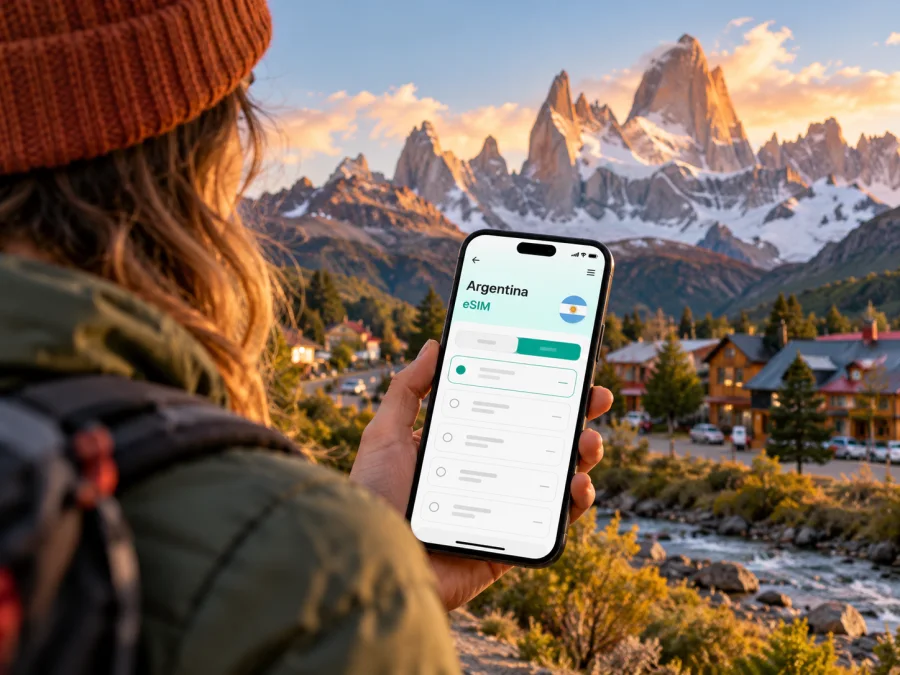
El Chalten eSIM: mobile connection and internet for your trip
El Chalten is a small Patagonian town in Santa Cruz Province, Argentina, best known as a base for walks in the northern sector of Los Glaciares National Park. A phone can help with your arrival, accommodation messages, maps and plans, but this is a mountain destination where you should not assume that mobile data will follow you from the town into every valley or trail. Prepare for both connected moments and stretches without a signal.
An eSIM can be a convenient way to arrange mobile internet for the Argentina part of a trip without swapping a physical SIM. Its usefulness in El Chalten depends on the selected plan, the network it uses, your device and local conditions. Treat the plan details as the starting point, then keep essential travel information available offline.
What to expect from connectivity in El Chalten
There are two different questions behind “Will my eSIM work in El Chalten?” The first is whether your plan includes Argentina and can register on a supported local network. The second is whether that network has usable coverage at the exact place and time you need it. A country-level plan answers the first question only; it is not a guarantee of service in a remote settlement, on a road, or on a hiking route.
El Chalten sits among steep mountains and open Patagonian terrain. Buildings, relief, weather, network capacity and infrastructure can all affect a mobile connection. Claro Argentina's coverage-map page, checked on 18 October 2026, says its mapped service area is an estimate and signal quality can vary. The National Parks Administration's visitor pages, also checked on 18 October 2026, describe outdoor routes from town but do not promise mobile service along them. Plan for data to become intermittent, especially beyond the built-up area. The Argentina destination page in Kaspersky eSIM Store, checked on 18 October 2026, identifies Claro and MOVISTAR as local providers and says service is supplied by local telecommunications providers. It does not specify which network a particular tariff will use or guarantee service in El Chalten. Check the selected tariff's network details, if shown, and do not infer local coverage from the country listing.
| Place or moment | What your phone may be useful for | How to prepare |
|---|---|---|
| El Calafate airport or town | Confirming a pickup, checking a reservation, contacting your accommodation | Save booking details and transfer contacts before landing |
| The bus or shuttle toward El Chalten | Checking messages where service is available and following a saved route | Do not rely on continuous data during the journey |
| El Chalten’s built-up area | Looking up a business, sharing an update, or checking a map | Test your eSIM after arrival and ask your host about local Wi-Fi |
| Trail approaches and mountain routes | Using downloaded maps and saved safety information | Plan as if mobile data and calls may be unavailable |
| The return journey | Coordinating a pickup or onward connection | Confirm departure details in advance and keep them accessible offline |
This is a planning guide, not a coverage map. If a live connection is important for an activity, ask your accommodation, guide or transport company about communication arrangements; do not make an emergency plan that depends on a phone signal.
Arriving: plan the journey before you leave El Calafate
The El Chalten destination guide's arrival page, checked on 18 October 2026, says the town has no airport of its own. Most visitors fly to Comandante Armando Tola International Airport (FTE), near El Calafate, then continue by road. The National Parks Administration's “How to get there” page, checked the same day, places El Calafate and El Chalten about 220 km apart and confirms daily buses between them. The destination guide describes the airport-to-town road journey as roughly 200 km and around 2.5 to 3 hours, depending on the service and stop. These figures use different starting points and route conventions, so check your ticket rather than relying on one distance estimate.
Regular buses and shared shuttles connect El Calafate, its airport and El Chalten. Some services depart from town, while others pick up at the airport; a shuttle may use accommodation pickups. Schedules change with season and operator, so confirm your departure point, baggage rules, terminal arrival time and any connection margin directly with the company when booking. In busy months, reserve transport and accommodation ahead. A missed connection can mean a long wait in a region with limited onward options.
Before leaving the airport or El Calafate, put these items somewhere you can reach without mobile data:
- Your bus or shuttle confirmation, including the correct pickup location and time.
- The name, address and phone number of your accommodation in El Chalten.
- A downloaded map of El Calafate, the road journey and El Chalten.
- Any ticket, park information or booking QR code you will need during the visit.
- A note with your onward transport plan and a meeting point in case companions are separated.
A route map can remain visible offline, but live traffic, updated departure information and messaging may not. The road passes through broad, sparsely populated country. Use the stop at Parador La Leona, if your service makes one, as a practical chance to check messages, use facilities and confirm the next leg—not as proof that the rest of the route will have service.
At the bus terminal and around town
El Chalten is compact enough that many visitors walk between the bus terminal, lodging, cafés and trail approaches. The first hours are often busy: check-in, collecting a key, buying food, arranging a guide or confirming a walk. If your mobile data is available, handle time-sensitive messages while you have a connection. If it is not, use the saved address and contact details you prepared earlier.
Ask your host whether Wi-Fi is available and where it works reliably. Accommodation internet can be useful for downloading maps, checking weather information or sending a message, but service quality and availability vary by property. Do not assume that Wi-Fi will be available in a room, remain connected during an outage, or reach the trail. Keep a charged phone and consider carrying a power bank if your route will take most of the day.
Choose an Argentina eSIM plan around the whole itinerary
A useful plan is one that fits the places and dates on your itinerary, not just the name of the destination. Many travelers to El Chalten also pass through Buenos Aires, El Calafate, Ushuaia or another Patagonian stop. Start by checking that Argentina is included, then review the plan’s stated data allowance, validity period, activation conditions and supported network information. If the journey crosses into Chile, verify that country separately; an Argentina-only plan should not be assumed to cover a cross-border leg.
Estimate data according to what you will actually do. Messaging, email, basic map searches and occasional booking checks use a different amount from video calls, photo uploads, streaming or frequent hotspot use. If you expect to have Wi-Fi at your lodging, you may be able to keep mobile use for navigation and coordination. If you need to work remotely, confirm the internet arrangements with your accommodation before booking and keep a backup plan: a mobile data plan cannot guarantee the speed, latency or continuity needed for a call.
Before choosing, compare these details on the plan page:
- Destination: Argentina is listed as a covered country, and any regional or multi-country scope includes each stop you intend to visit.
- Validity: The period covers the full trip and starts at a time that works with the plan’s activation rules.
- Data: The allowance matches your likely use, with enough room for maps, messages and essential updates.
- Network and restrictions: Read any stated network, speed, hotspot or fair-use conditions. Do not infer a local network from the eSIM brand or from the destination page alone.
- Device and payment: Your phone supports eSIM, is not carrier-locked, and can complete installation while connected to Wi-Fi or another working internet connection.
Kaspersky eSIM Store is an app and website where you can select, arrange and activate an eSIM with a suitable tariff for mobile internet while travelling abroad. It does not operate a mobile network or guarantee coverage at a particular point in Patagonia. You can review the current options for Argentina and check their conditions against your complete route before deciding.
In town, on the trail and during day trips
El Chalten’s main practical advantage is that trail access begins close to town. That does not make the hikes a continuous-coverage environment. The Los Glaciares National Park Administration's “Activities” page, checked on 18 October 2026, lists routes starting from El Chalten, including the Cerro Torre route to Laguna Torre: 18 km round trip and three to four hours each way. Conditions and route guidance can change; a long day outdoors is not the time to discover that a map or contact number was only stored online.
For a walk, download the map area before leaving your accommodation. Save the intended route, trailhead, expected return time and any park or guide instructions. Tell someone where you are going and when you expect to check in. Follow current local guidance, posted notices and the advice of qualified guides; an offline map is a navigation aid, not a substitute for route judgment or a safety plan. Do not count on a call, message, live location share or emergency app connecting once you are away from town.
| Day plan | Digital preparation before setting out |
|---|---|
| Short walk near town | Save the route and return point; carry the lodging address for the walk back |
| Full-day trail | Download the full map, note the route and expected return time, and tell a contact your plan |
| Guided activity | Save the guide’s meeting place and phone number; confirm where to meet if messages fail |
| Day trip by vehicle | Download the road route and save pickup and return details before departure |
| Rest day in town | Use available data or Wi-Fi to update bookings, maps and transport arrangements |
The town itself can still have variable service. Try a brief test after arrival: turn off Wi-Fi, select the travel eSIM for mobile data, and open a simple page or send a message. If it does not connect, check that the profile is enabled, the correct data line is selected, the plan is active and the phone is not in airplane mode. Follow the plan’s instructions for data roaming if they require it. If service remains unavailable, move to a place where you can safely ask your accommodation or provider for help; do not assume that repeated resets will create coverage where none is available.
Install and activate before the trip when practical
Set up the eSIM while you have stable Wi-Fi and enough time to follow the instructions. Installation and activation are not always the same event: the profile may be added before travel while plan validity begins according to the selected tariff’s conditions. Read those conditions carefully, and avoid deleting an installed profile unless support or the plan instructions tell you to do so.
A practical sequence is:
- Check the phone’s eSIM support and confirm it is unlocked for use with another network. Regional versions of the same device family can differ, so verify the exact device you own. Check whether your device is compatible.
- Review the destination, data amount, validity and activation rules for the Argentina plan.
- Connect the phone to reliable Wi-Fi, open the app or website and follow the installation steps shown for your device.
- Label the new line clearly, such as “Travel data,” so you can distinguish it from your home SIM.
- Keep your usual number available for calls or messages if needed, and choose the travel eSIM for mobile data when the plan is ready to use.
- At the right time, enable the eSIM and follow its data settings. Some plans require data roaming to be switched on for that profile; use the plan instructions rather than changing settings blindly.
- Test the connection in a place with likely coverage before relying on it for a transfer or a day outdoors.
For step-by-step device guidance, use the Android eSIM installation instructions or iOS eSIM installation instructions. Menu names differ by operating-system version and manufacturer. Keep the QR code or installation details secure and accessible until setup is complete, and make sure the device has battery power throughout installation.
Keep essential information available offline
A practical setup has two parts: a mobile plan for places where its network is available, and offline access to essential information. Download a map of the town and intended trails. Save lodging details, transfer tickets, booking references and meeting instructions. If a reservation uses a QR code, save it where you can open it offline and keep a second copy accessible to your travel companion.
Before a hike or a transfer, check any time-sensitive details while connected: departure changes, weather and route notices, or a message from your host. A downloaded map will not update itself with a road closure or changing trail condition. For current outdoor advice, use official park information and local staff before setting out. If conditions are uncertain, postpone or change the plan rather than depending on a data connection to resolve the uncertainty later.
A small checklist for the evening before a travel day:
- Phone charged; power bank charged if you carry one.
- eSIM profile installed and correctly labelled.
- Correct line selected for data; plan activation timing understood.
- Offline town and route maps available.
- Transport ticket, pickup point and accommodation address saved.
- Trail or excursion plan shared with a person who knows your expected return.
- Home SIM roaming settings understood so an unexpected charge does not become a surprise.
Common questions
Will an Argentina eSIM guarantee internet in El Chalten?
No. It can provide access to a supported local network where that network has service, subject to the plan and device conditions. A country listing does not promise coverage in the town, on the road or on a mountain trail. Check the exact tariff details and plan for offline access.
Can I use mobile data on the Fitz Roy or Laguna Torre hikes?
Do not plan on continuous coverage. Signal can change with terrain and location, and the park information does not guarantee mobile connectivity on trails. Download maps and instructions, tell someone your route and expected return, and follow current park guidance.
Is there an airport in El Chalten?
No. Visitors generally fly to El Calafate and continue by road. Confirm the latest bus, shuttle or transfer schedule and the pickup location directly with the transport provider. Allow a margin if you are connecting from a flight.
Will the eSIM give me a local phone number?
The Argentina page in Kaspersky eSIM Store, checked on 18 October 2026, describes its eSIM service as data-only and says it does not include a phone number for regular calls or texts. Check the selected tariff's conditions in case they change. Internet messaging apps work when you have data or Wi-Fi; ordinary calls to your home number depend on your existing mobile service.
Should I leave my home SIM active?
That depends on whether you need your usual number for calls or verification messages and on your home operator’s roaming charges. You may be able to keep it enabled for those purposes while selecting the eSIM for mobile data. Review your home plan settings and disable data roaming on the home line if you do not intend to use it.
What if the eSIM shows no service?
First check the basics: the eSIM is enabled, the Argentina plan is active, the travel line is selected for data, and the phone has the required roaming setting. Restart only if the plan’s instructions recommend it. Then consider your location: service may simply be unavailable there. Use Wi-Fi if available, consult the saved details and contact the eSIM support channel or your accommodation when you have a connection.
Can I use one plan for Argentina and Chile?
Only if the specific tariff explicitly includes both countries or a region that covers them. Check the listed destinations and any conditions before crossing a border. Do not infer coverage from geographic proximity.
A practical connection plan for El Chalten
Use mobile data as a helpful layer for arrival, messages and online tasks when the selected network is available. Use offline maps, saved confirmations and advance coordination for the road journey and hikes. Check the plan’s Argentina coverage and conditions, but keep your expectations local: no eSIM can turn a mountain route into a guaranteed coverage area.
When you are ready, choose an eSIM tariff for your Argentina trip in Kaspersky eSIM Store, compare the current conditions with your dates and itinerary, and install it on a compatible, unlocked phone before departure if that suits the plan’s activation rules. You will then have a clearer setup for El Chalten and the other stops on your journey, with offline preparations ready for the places where mobile internet may not reach.


