Travel connectivity guide
El Obeid eSIM: Mobile Data Guide for Sudan
El Obeid eSIM: Mobile Connection and Internet Planning in Sudan
El Obeid is the capital of North Kordofan, in Sudan’s Kordofan region. For anyone preparing an essential or officially authorized journey, mobile data can help with messages, digital documents, location sharing and coordination. Yet connectivity is only one part of the plan: the security situation, road access, airport operations and communications can change quickly.
This guide focuses on what a traveler should verify before relying on a phone in El Obeid: whether the journey should take place at all, how to prepare an eSIM, what a country-level network listing does and does not tell you, and how to keep important information available if mobile service drops. It is not a recommendation to visit. As of 1 November 2026, the UK Foreign, Commonwealth & Development Office advises against all travel to Sudan, while the U.S. Department of State identifies violent conflict in the Kordofan states. Check your own government’s current advice and your organization’s security procedures before making any decision.
Start with the security decision, not the data plan
El Obeid is not a routine leisure destination at this time. Official reporting in 2026 describes continuing conflict and drone attacks around the Kordofan region, including North Kordofan. Conditions may shift after an advisory is published, and a route that appeared open in a report may become unsafe or unusable without notice. Do not use a map, a travel blog, a plan page or a signal indicator as evidence that a trip or road journey is safe.
If your presence is essential, follow the travel and security decisions of your employer, humanitarian organization or other responsible authority. Confirm who has current local information, who can authorize movement, and what the evacuation or relocation procedure is. Independent travelers should not assume that a commercial itinerary, a local contact or a working mobile connection will provide a dependable safety net.
Before departure, establish a check-in schedule with someone outside the area. Agree on what they should do if you miss a check-in, which communication methods you will use, and how long they should wait before escalating. Share only the information needed for that plan. Keep copies of identity and travel documents in more than one secure place, and know which consular or organizational assistance channels are actually available to you.
A practical go/no-go checklist
Before committing to any movement, confirm each item with current, accountable sources:
- Your government’s advice specifically covers Sudan and the Kordofan region.
- Your organization has approved the destination, dates, route and personnel.
- A trusted local security contact has checked the current situation, not only a stored itinerary.
- Every flight, road segment, border crossing and transfer has been confirmed for the relevant date.
- You know what to do if a route closes, communications fail or a planned contact cannot be reached.
- Your insurance and assistance arrangements remain valid for the destination and circumstances.
- Your phone, identity documents, essential contacts and offline information are prepared before you move.
If a critical item cannot be confirmed, pause and consult the responsible authority. Do not set out on the assumption that connectivity will solve an access, security or transport problem.
What a phone can help with in El Obeid
When service is available, mobile data can support practical tasks: sending a short check-in, receiving updated instructions, retrieving an online document, translating a short message, or sharing a location with an agreed contact. A data connection may also let you use internet calling and messaging apps, subject to the app, recipient’s access and local conditions.
These are limited uses, not a substitute for a communications plan. Sudan has experienced communications blackouts, and official travel advice warns that mobile and internet services may be disrupted without warning. A phone may show a network name and still fail to load a page; messaging may work intermittently while maps or file transfers do not. Power cuts, congestion, damaged infrastructure, account restrictions or network outages can all affect access. Do not assume any provider can guarantee uninterrupted service in El Obeid.
| Need | Prepare before leaving | Keep in mind |
|---|---|---|
| Check-in message | Save a short plain-text message and agreed contact details | Send when a connection is available; do not wait for a large attachment |
| Navigation | Download the area you may need in an offline map app | Offline maps do not report road safety or closures |
| Documents | Store encrypted or otherwise protected offline copies | Carry required originals separately and follow local rules |
| Translation | Download the relevant language pack if your app allows it | Machine translation may be incomplete, especially for urgent instructions |
| Calls | Agree whether ordinary calls, internet calls or another method is the fallback | A data-only eSIM does not itself provide a local phone number or standard voice/SMS service |
| Emergency coordination | Write down the organization’s procedure and key numbers | A saved number cannot help if the network, power or receiving contact is unavailable |
Keep messages concise and conserve battery and data. Disable automatic photo backups, app updates and video autoplay before departure. If you need to send a document, reduce its size in advance and agree on an alternate way to deliver it. Where an organization has a radio or satellite communications procedure, use only equipment and methods it has approved; satellite devices and certain technical equipment may be subject to local licensing requirements.
Understanding eSIM availability for Sudan
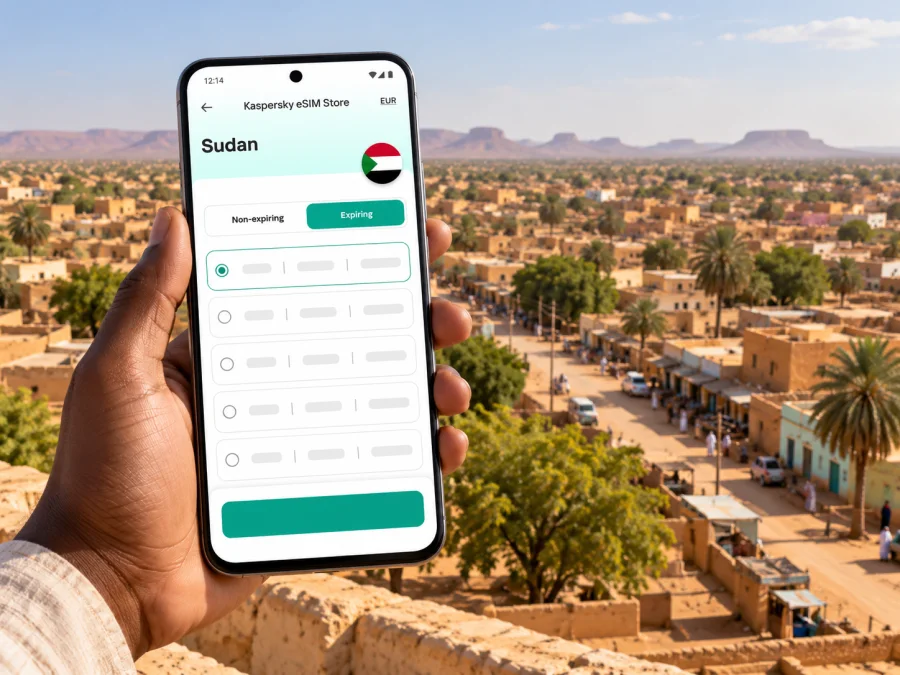
An eSIM is a digital SIM profile installed on a compatible device. For international travel, it can provide a separate mobile-data option without replacing a physical SIM card. Kaspersky eSIM Store is a website and app where users can select, arrange and activate an eSIM with a plan for mobile internet abroad. The service listing for Sudan currently identifies MTN as the local telecommunications provider for the listed plans.
That country-level listing is useful when comparing a destination plan, but it does not establish that a signal is available at a particular address, road, airport or time in El Obeid. It also cannot confirm the live condition of local infrastructure. Coverage depends on the local network and its operating conditions; conflict-related outages may override ordinary coverage expectations. Before relying on the option, review the current destination page and plan terms, then confirm whether it meets the needs of your specific trip. If the page or terms do not answer a critical question, treat the answer as unknown.
To review the current Sudan mobile-data options, compare the listed data allowance, validity period, activation conditions and supported destination before purchase. The page is for Sudan, not an El Obeid-specific service promise. Prices, plan details and provider arrangements can change, and a plan’s availability does not guarantee that the local network will be functioning when you need it.
An eSIM plan is generally intended for mobile data. Unless the specific plan terms say otherwise, do not count on it to provide a conventional telephone number, standard cellular calls or SMS. Keep your primary SIM available if you need its number for calls, account verification or messages, and check what your home carrier charges for roaming. A data eSIM may work alongside a physical SIM on some devices, but the exact configuration depends on the model, regional variant, carrier lock and operating system.
Choose a plan around the task
Estimate what you need the phone to do instead of choosing data only by trip length. Occasional check-ins and short messages use data differently from reports, video calls or large file uploads. In an area where service may be interrupted, a larger allowance will not fix an outage. Check the plan terms and choose only a data option that fits the role mobile internet will play in your approved contingency plan.
| Planned use | Estimate | Reduce unnecessary data |
|---|---|---|
| Check-ins and messages | Days and expected check-ins | Agree on short text formats |
| Maps and location sharing | How often you need updates | Download maps in advance |
| Email and documents | Attachment sizes and sync needs | Save critical files for offline use |
| Audio or video calls | Whether the call is essential | Agree on a voice-only fallback |
| Photo or file uploads | Number and size of files | Use the approved secure transfer method |
Before purchase, check when the plan’s validity starts, whether installation requires internet access, and whether activation can be delayed until arrival. Read the rules for reinstalling, transferring or deleting a profile. Save the plan instructions offline and avoid removing an installed eSIM unless its instructions confirm that it can be installed again.
Check device compatibility before you buy
Confirm that the exact device and regional model support eSIM and that the phone is not locked to a carrier that blocks another profile. Identically named phones can differ by market. If you use a managed work device, check whether its administrator allows an additional eSIM.
Check whether your device supports eSIM and review the manufacturer’s guidance for the model you have. A menu option to add a cellular plan is useful to check, but carrier restrictions and regional variants can still matter.
Before departure:
- Update the operating system on a reliable connection.
- Check eSIM support, carrier-unlock status and available profiles.
- Confirm you can access your account and purchase details.
- Save activation instructions and recovery information securely.
- Decide which SIM handles data and which handles ordinary calls or messages.
- Review home-carrier roaming charges before enabling that line.
- Understand the plan’s activation and reuse rules before installing it.
Install and activate with a fallback in mind
If travel is approved and the plan terms fit, install the eSIM while you have a stable connection and time to read the prompts. Some plans allow advance installation and begin later; others have different rules. Follow the instructions for the chosen plan.
Use the Android eSIM installation instructions or iOS eSIM installation instructions. Keep the instructions available offline. Confirm the profile appears in SIM settings, label it clearly, and understand how to select it for data. Do not delete it to troubleshoot unless the plan provider confirms that reinstallation is possible.
After arrival, follow the plan’s instructions for selecting the eSIM line and enabling data. Some plans may require data roaming for that line; others may not. Check the plan instructions rather than assuming. If the phone does not connect, verify that the profile is enabled, the correct data line is selected and the plan is active. Try automatic network selection first. Use manual selection only if plan-specific troubleshooting recommends it.
If service still fails, avoid repeatedly resetting settings or deleting the profile. Use the support channel listed with the plan when a connection is available, and switch to the agreed backup communications procedure if you are in the field. The cause may be an outage beyond the device.
Arrival, movement and staying reachable
Do not build an itinerary around assumptions that El Obeid’s airport, roads or public transport are operating normally. UK travel advice describes limited operations at Khartoum and Port Sudan airports, with possible temporary closures; this does not confirm service to El Obeid. Confirm each flight and transfer through the responsible organization and carrier for the relevant date.
UK advice says road travel in Sudan involves heightened risk and should occur only if strictly necessary. Do not use a map’s estimated journey time to decide whether a road is safe or open. Avoid publishing sensitive live routes, staff locations or accommodation details in public posts or unsecured chats.
For approved movement, agree on check-in points and a missed-contact procedure before departure. Download only the offline maps needed for the authorized journey, remembering they cannot show a new closure or security change. Keep essential directions and contacts available offline when safe and appropriate. Conserve battery by lowering brightness and limiting background synchronization.
Communications can fail alongside transport or power. Agree with your coordinator on when to try an alternate channel and what to do if a contact cannot be reached. The right response depends on your security plan; do not improvise a route based on a map pin or the last message received.
For a meeting or essential visit, keep addresses and contact details offline, and agree who will confirm arrival and departure. Do not assume a hotel desk, transport counter or public Wi-Fi will be available as a backup. During field work, follow your organization’s rules for sharing location and handling sensitive data. UK guidance warns against photographing airports, bridges, military facilities, government buildings and public utilities; follow local instructions and your employer’s policy.
Privacy, battery and account access
Review which apps can access your location, contacts and files. Turn off automatic backups and synchronization you do not need, use a strong screen lock, and keep account recovery information accessible. Send sensitive operational details only through the channel designated by your organization. Consider the recipient’s device and backups as well as the security of the connection.
Charge devices before movement and carry a compatible power bank if permitted. Download essential material in advance. If the phone continually searches for service, airplane mode may save power, but follow your agreed check-in procedure before disabling it.
Common assumptions to avoid
- “The plan lists a local network, so it works everywhere in El Obeid.” A country-level listing does not verify signal or infrastructure at a particular place or time.
- “An installed eSIM lets me make ordinary calls.” Check the plan terms; a data-only plan does not provide a conventional number, voice or SMS.
- “My phone supports this model, so mine is compatible.” Regional variants, carrier locks and work policies can differ.
- “The map shows a route, so I can travel it.” A map cannot confirm current access, security or road conditions.
- “Switching networks will fix an outage.” Manual selection cannot restore a disabled or damaged network. Follow plan support guidance and your fallback procedure.
Frequently asked questions
Is El Obeid a normal tourist stop right now?
No. As of 1 November 2026, official travel guidance warns against travel to Sudan, and government reporting describes serious conflict risks in Kordofan, including around El Obeid. This guide is for information planning, not a recommendation to travel. Check current advice and your organization’s procedures before any decision.
Is eSIM service confirmed throughout El Obeid?
No city-wide guarantee has been verified. The current Sudan destination page lists MTN for its plans, but that does not prove service at a particular address or time. Conflict-related disruption may affect availability.
Will an eSIM work during a communications blackout?
No mobile-data plan can guarantee access during a local network outage, power disruption or communications blackout. Maintain a fallback that does not depend on the same mobile connection.
Does the plan include a Sudanese phone number?
Do not assume so. Unless the plan explicitly includes voice and SMS, treat it as a data option and retain another way to make ordinary calls or receive verification messages if needed.
Should I install the eSIM before travel?
If the plan allows advance installation, setting it up on a reliable connection can simplify preparation. Check when validity begins and whether activation requires arrival or a local network. Save instructions before departure.
What if the eSIM shows no service?
Use the plan’s instructions to check activation, line selection and roaming settings. If service remains unavailable, stop repeated configuration changes and use your fallback procedure. The problem may be outside your device.
A clear preparation sequence
For essential or authorized travel, first confirm the journey with the responsible authority. Then verify that your exact device is unlocked and eSIM-compatible, review the Sudan plan terms and local network listing, and check the activation rules. Install only when you understand when validity begins; test the setup and save key information offline. An eSIM can be one prepared data option, not a guarantee of service or safety.
If travel is approved and the plan terms suit your needs, use Kaspersky eSIM Store to review the current Sudan eSIM options before departure. Confirm the allowance, validity and activation details at purchase, and keep your agreed fallback in place in case the local network is unavailable.


