Travel connectivity guide
El Valle de Antón eSIM: Mobile Internet Guide
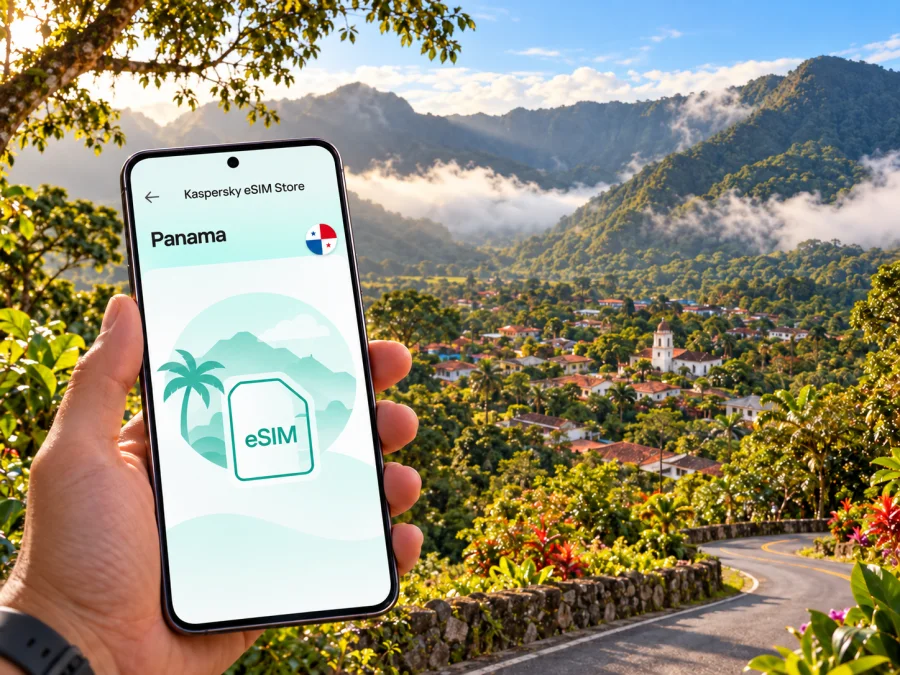
El Valle de Antón eSIM: mobile connection and internet for a mountain escape
El Valle de Antón is a small mountain town in Panama’s Coclé Province, set inside the caldera of an extinct volcano. Travellers come for forest trails, waterfalls, the Sunday market and a slower pace than Panama City. Mobile data is useful here for checking the road from the Inter-American Highway, finding a guesthouse, saving a trail map, arranging a ride or letting someone know you have arrived. The practical point is to plan for a rural destination: a working connection in town should not be treated as a guarantee of signal on every hillside or trail.
An eSIM can make the arrival process simpler if your device supports it and the plan you choose includes Panama. Kaspersky eSIM Store is an app and website where you can select, purchase and activate an eSIM with a suitable mobile-data plan for an international trip. The network that carries your service depends on the plan and its local arrangements. Before setting off, check the plan’s country coverage, validity, data allowance and activation conditions, then keep an offline route available as a backup.
What makes connectivity useful in El Valle
El Valle is not laid out like a large city with a dense grid of streets, frequent transit stops and a landmark on every corner. It is a town surrounded by steep green slopes, with sights and places to stay spread across the valley. You may use a map to reach a trail entrance in the morning, search for lunch after a hike and message your accommodation about a later arrival. A connection also helps with weather checks, translation and transport updates.
The regulator’s technical records include a transmission site named El Valle III, but this is not a live coverage map or a signal guarantee. Terrain, trees, weather, network load and your exact location can all affect reception. A phone may work near the centre and behave differently inside a room or on a steep path.
Use mobile data as a travel aid, not as your only safety plan. Download maps and reservation details before leaving a reliable connection. Tell someone where you plan to walk, especially if you are hiking alone, and do not assume an online map replaces local trail guidance or current conditions.
Getting to El Valle from Panama City
Most visitors arrive in Panama through Tocumen International Airport and continue to El Valle from Panama City. El Valle does not have an airport. The official Panama tourism guide describes the road via the Inter-American Highway to Las Uvas, then the turn toward the valley. It estimates about two hours to Las Uvas and another 45 minutes to El Valle; traffic, rain and road works can change the journey. Check a current route before travelling.
For a public-bus option, the tourism guide lists direct buses from the Gran Terminal de Transporte de Albrook, departing from platform 48 at roughly 30-minute intervals. Schedules and terminal arrangements can change, so confirm them locally before relying on a specific departure. Keep your phone charged for the route, but save the terminal name, the platform information and your accommodation address offline in case mobile data is unavailable.
| Arrival plan | What to prepare | Why mobile data helps |
|---|---|---|
| Rental car | Save the route through Las Uvas and the destination address before leaving the city | Navigation can help with turns and delays; downloaded maps remain useful if reception drops |
| Direct bus | Confirm the departure point and current schedule at Albrook | You can check updates and share your expected arrival time |
| Private transfer | Agree on the pickup location and contact method in advance | Messaging helps coordinate if your flight or transfer is delayed |
| Day trip | Keep the return transport plan and meeting point accessible offline | A late finish or weak signal should not leave you without basic details |
If you land late, avoid building a tight chain of assumptions around a bus departure, transfer and check-in. Contact your accommodation before the trip to ask about arrival procedures and whether someone will be available if you reach the town after dark. A saved phone number is only useful if your selected eSIM plan supports the service you need; data-only plans generally rely on internet messaging rather than an ordinary local voice number.
Finding your way around town
The compact centre is the easiest place to orient yourself. Shops, cafés, the market and some lodging are close enough that visitors often combine walking with a bicycle, taxi or arranged ride for farther points. Visit Panama notes that standard and electric bicycles can be rented in the area. Check the rental terms and road conditions before choosing a bicycle, especially if your route includes a slope or continues after rain.
Local landmarks are more helpful than assuming every pin is obvious. Search using the attraction’s full name, confirm it against your host’s directions and save the route while connected. For a trailhead, waterfall or thermal pool, check whether the final approach is walkable, whether a guide or admission arrangement is needed and what time you should return. Search results and map pins may refer to a business with a similar name or a starting point rather than the entrance itself.
A simple way to avoid navigation friction is to keep three versions of the day’s plan:
- Online route: use live navigation while you have a stable connection.
- Offline route: download the relevant map area and save key locations before leaving your lodging.
- Human directions: write down the accommodation name and ask your host how to describe the destination to a driver.
This layered approach is especially helpful for rural roads. A phone can lose data without losing its stored map, and a familiar place name can help when you need to ask for directions in person.
Choosing where to stay and what to expect
El Valle’s accommodation options include small hotels, vacation rentals and camping, according to the official tourism guide. Your choice affects how much you depend on mobile data. A centrally located stay may make it easier to walk to food and services; a cabin on the edge of town can offer a quieter setting but may require transport. If you need to work remotely, do not infer Wi-Fi quality or mobile reception from photographs or a booking description. Ask the host directly about recent connectivity, the best place to work and what happens during a power or internet interruption.
Before confirming a stay, check these details:
- Is the property inside the town centre or outside it?
- Is there a reliable way to reach it after arriving by bus?
- Does the property have Wi-Fi, and is it suitable for video calls or only basic browsing?
- Is there a local contact if you arrive after the reception desk closes?
- Can you reach the nearest shop or restaurant on foot, or should you arrange a ride?
- Are there restrictions on using a bicycle or vehicle on the access road?
For a short visit, save the lodging name, full address, booking confirmation and contact details in your phone. Keep a screenshot or offline copy as well. Do not rely on a browser tab that needs a fresh login when you are already on the road.
Trails, waterfalls and mobile data
The landscape is the main reason many people visit El Valle. Visit Panama highlights the La India Dormida trail, Cerro Gaital, Chorro El Macho, thermal pools, birdwatching and the local market. It describes the Ruta de la Caldera as a 30-kilometre route with sections including El Cara Iguana, La Silla, La India Dormida and Gaital. A route of that length is not a casual town stroll; choose the section that matches your fitness, time and local conditions.
Mobile internet can help with planning, but it cannot tell you whether a trail is safe at this moment. Conditions may change with rain, mud, water levels or maintenance. Ask locally whether the trail is open and whether a guide is advisable. Check daylight and return time before starting, carry drinking water and bring suitable footwear. Let your accommodation or travel companion know your route.
For a hike, prepare your phone this way:
- Charge it fully and consider carrying a small power bank.
- Download an offline map and save the trailhead, lodging and meeting point.
- Store emergency contacts and the accommodation number outside a messaging app.
- Keep the device protected from rain and moisture.
- Use location sharing only when it is useful and your battery can support it.
- Do not keep the screen at maximum brightness throughout the walk.
- Turn on data only when needed if your plan has a limited allowance.
Do not depend on continuous reception on the trail. Even where a regulator’s records identify infrastructure with a place name, those records do not show the exact usable signal along every ridge, path or waterfall. Treat the phone as one tool among several, and follow local advice.
What to check before choosing a Panama eSIM
A city-specific search can be helpful for trip planning, but an eSIM plan is usually selected for a country or region rather than a small town. For El Valle, look for a plan that explicitly covers Panama and check its details before purchase. The name of a city in an article does not mean every plan has a separate city tariff, nor does it guarantee reception at a particular attraction.
Compare the things that affect your own itinerary rather than relying on a headline data amount alone:
| Check | Why it matters for this trip |
|---|---|
| Panama is included | The plan must apply in the country where you will use it |
| Data allowance | Maps, photos, video calls and uploads use data at different rates |
| Validity period | Match the active period to the dates you need connectivity |
| Activation instructions | Some plans can be installed before departure but start later; follow the plan’s own terms |
| Network and device requirements | Available service depends on the eSIM profile, local network arrangements and handset support |
| Top-up or renewal terms | Check whether you can add data or need a separate plan if you run out |
| Voice and SMS | Do not assume a data plan includes a local number or conventional calls and texts |
Kaspersky eSIM Store lets you review and select an eSIM with a suitable plan for an international trip. To see the current options for Panama, browse eSIM plans for Panama. The page is a country-level starting point; check the plan information itself for validity, data, activation and other conditions. No plan can promise identical service in every building or on every trail.
Install before the journey, activate when appropriate
Prepare the eSIM while you have a stable internet connection and enough time to follow the instructions. First check whether your device supports eSIM. Device support can vary by model and regional version, and a carrier lock can prevent another eSIM profile from working. Check the exact device variant and its status before purchase.
Follow the plan’s installation instructions for your operating system: see the Android eSIM installation guide or the iOS eSIM installation guide. The wording in your phone settings may differ slightly by operating-system version. Keep access to the internet during installation, and do not delete an eSIM profile if you are unsure whether it can be installed again.
A careful setup sequence keeps the steps manageable:
- Check support. Confirm that your exact phone variant supports eSIM and is not carrier-locked.
- Review the plan. Read its country, data, validity, activation and roaming terms.
- Install the profile. Use the supplied instructions and QR code or in-app flow.
- Choose the travel line for data. Keep your home line available if needed and label profiles clearly.
- Wait for activation. Connection can take several minutes; enable data roaming only as the plan instructs.
- Save essentials offline. Keep directions, lodging details and reservations available without data.
If you prefer not to start the plan before travel, follow its stated activation rules and leave the profile installed but inactive when the instructions allow. Plan behavior varies, so do not assume that installation and the start of validity are always the same event. When you arrive in Panama, select the travel profile for data and check the settings supplied with the plan. If it does not connect, restart the phone once, confirm the selected data line and review the plan instructions before changing other settings.
A day trip, a weekend and a work stay
For a day trip from Panama City: save the outbound and return details before leaving. Keep a meeting point and the accommodation or driver contact accessible offline. If the return bus schedule matters, confirm it locally rather than assuming the outbound frequency also applies late in the day.
For a weekend of walking: plan one main trail or outdoor activity at a time. Download maps, check the conditions in town and carry enough battery for navigation on the way back. A two-night stay gives you more flexibility if rain changes the day’s plan; keep an indoor alternative such as the market, a café or a local nature attraction in mind.
For remote work: test your preferred connection at the property before scheduling important calls. Ask about the host’s Wi-Fi and keep mobile data as a possible backup only after checking whether the plan and signal meet your needs. Upload large files while connected to stable Wi-Fi if your eSIM data allowance is limited. A beautiful rural location is not evidence of business-grade connectivity.
For a family visit: save each adult’s key contact details and meeting point. Agree on what to do if someone’s phone battery runs down or data stops working. If children carry phones, make sure maps and essential information are available offline too.
If the connection is weak or unavailable
Start with simple checks. Confirm that airplane mode is off, the travel eSIM is enabled and the correct line is selected for mobile data. If your plan requires data roaming, enable it as instructed by the plan provider. Give the phone a few minutes to register, then restart it once if necessary. Do not repeatedly delete and reinstall the profile; some eSIMs are not reusable after removal.
If data still does not work, use Wi-Fi at your lodging or a public venue when available, and check the plan’s instructions or support channel. Save key information before setting out next time. In a low-signal location, moving to a more open area may help, but respect property boundaries and trail rules. An eSIM does not remove terrain-related gaps, and another carrier’s map is not proof that your plan can use that network.
Frequently asked questions
Is El Valle de Antón a city or a rural destination?
El Valle de Antón is a town in Coclé Province, Panama, within the caldera of an extinct volcano. For trip planning, expect a small mountain destination rather than the scale and infrastructure of Panama City.
Can I use an eSIM in El Valle de Antón?
Potentially, if your device supports eSIM and the selected plan covers Panama. Actual reception depends on local network arrangements, terrain, your exact location and the device. Confirm plan details and keep offline maps available.
Will mobile internet work on every hiking trail?
There is no reliable basis to promise that. Signal can change between the town centre, lodging, roads and higher ground. Download maps in advance and follow local guidance about trail conditions.
Does an eSIM include calls and text messages?
Not necessarily. Many travel eSIM plans are data-only and do not provide a conventional phone number, voice calls or SMS. Check the plan details; internet calling and messaging apps need data and may depend on the other person’s app and connection.
Should I install the eSIM before travelling?
You can prepare it ahead if your plan’s instructions allow. Read when validity begins, whether the profile should remain inactive until arrival and whether installation requires an internet connection. Keep the QR code or setup details accessible.
What is the easiest way to reach El Valle from Panama City?
The official tourism guide lists direct buses from Albrook’s Gran Terminal de Transporte and a driving route via Las Uvas. Check current departures, traffic and road conditions before your travel date, as schedules and journey times can change.
Prepare for the valley, not just the map
For a comfortable visit, sort out the basics before leaving Panama City: confirm how you will reach El Valle, save your accommodation details, choose a Panama plan that matches your data needs and download an offline map. In town, mobile internet can simplify navigation, messages and day-to-day decisions. Outside the centre, treat reception as variable and plan walks with local information and a charged phone.
When you are ready, review eSIM options for your Panama trip in Kaspersky eSIM Store, check the selected plan’s terms and set up the profile using its instructions. That preparation leaves you freer to focus on the mountain trails, local food and quiet pace of El Valle de Antón.


