Travel connectivity guide
Eldoret eSIM: Mobile Internet for Your Trip
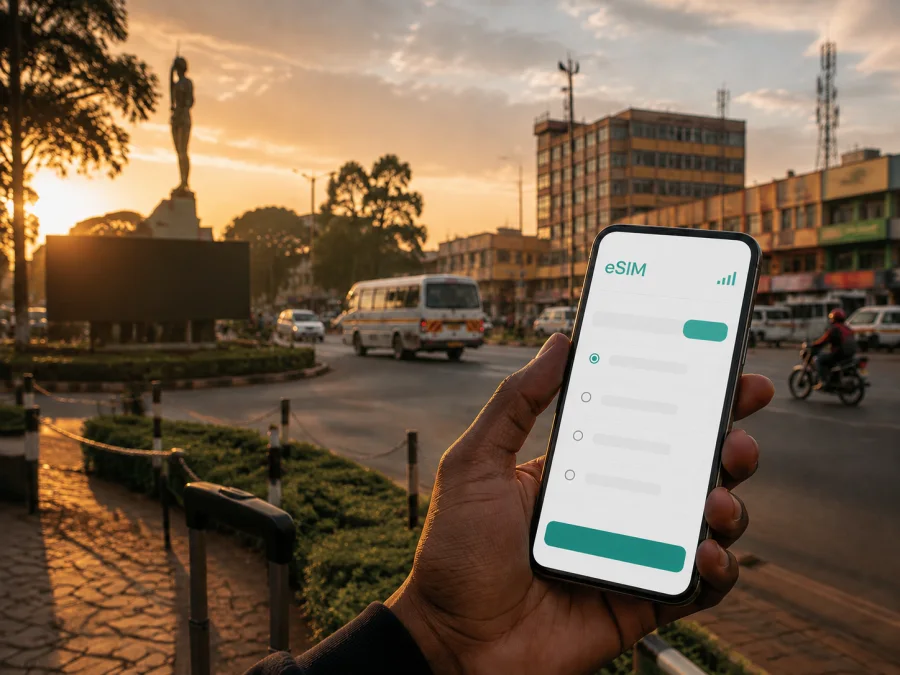
Eldoret eSIM: mobile connection and internet for your trip
Eldoret is a practical base in Kenya’s western highlands for a short business visit, an event, a family stay or an onward road journey. A reliable mobile connection helps with maps, booking messages, ride contacts and arrival updates. An eSIM, or digital SIM, lets you prepare mobile internet without replacing the physical SIM in your phone.
Plan for the shape of your Eldoret trip. A stopover may need maps and messages, while several days of navigation, video calls and photo uploads call for more data. The right choice depends on your route, device and tariff conditions.
Why mobile internet matters in Eldoret
Eldoret is a city in Uasin Gishu County and an important regional centre. The city administration describes its economy through agriculture, trade, agri-processing, education, industry and innovation. That mix creates varied travel patterns. A visitor may start in a hotel, cross town for a meeting, make a second appointment in an estate, and finish the day with a walk or dinner before an early departure. Mobile data helps join those separate parts of the day.
Here are the most common moments when an eSIM can be useful in Eldoret:
- On arrival: open a map, read the address sent by your host, message a driver and keep travel details available while leaving Eldoret International Airport.
- Around town: look up an address, confirm an appointment and move between the centre, hotels and surrounding estates.
- At work or on a day out: join a call, send a file, keep bookings available and message companions when Wi-Fi is unsuitable.
- Before leaving Eldoret: confirm the next transfer, send an arrival time and prepare the next leg while you still have a connection.
The benefit is not a promise of identical service in every location. A travel eSIM is a practical way to arrange mobile data for a selected destination; the experience can vary with the tariff, local network conditions, your handset and the exact place where you use it. Keep the conditions of the selected offer available and allow a little time for setup.
Arriving through Eldoret International Airport
Eldoret International Airport is a useful arrival reference, but you still need the exact hotel, residence, office or meeting point. Before leaving, save the full address, the host’s contact and a screenshot of the first route. Decide which line will handle data, and keep the home SIM from using roaming data.
Installing before flying lets you use a stable connection and check the profile in advance. You may prefer to wait before selecting it for data until you are ready to use the tariff in Kenya, because the start of usage depends on the selected offer. If you install after landing, keep the QR code or activation details available and allow time for setup. A charged phone and power bank are useful for a day combining an airport transfer, navigation and calls.
Moving between the centre, estates and meeting points
The city administration lists estates such as Elgon View, Langas, Kapseret, Huruma, Kapsoya, Annex and Pioneer, among many others. You do not need to memorise them, but you should record the exact estate, road, building or landmark connected with your stay. Compare a written address with the map pin and confirm it with the venue.
For local movement, choose a pre-arranged transfer, taxi, ride-hailing service where available, accommodation driver or public transport route you understand. Fares and journey times can change. Mobile data helps you contact the driver, view the route, share an updated arrival time and resolve a last-minute change.
Choosing a tariff for an Eldoret itinerary
For a city trip, the destination shown in the store is normally the country rather than a separate city package. Eldoret belongs to Kenya, so check that the selected tariff includes Kenya and that its regional scope matches the rest of your journey if you will travel onward. A city article should not be read as a promise that a tariff is restricted to Eldoret or that one package suits every route.
Review the offer against four questions:
| Question | Why it matters in Eldoret |
|---|---|
| Where is it valid? | It should cover Kenya and any other destination only when the conditions say so. |
| How long is needed? | A stopover, working week and open-ended route call for different validity planning. |
| What will you do online? | Video calls, cloud files and photo uploads use more data than maps and messages. |
| What happens at the limit? | Check whether to reduce background use, add a top-up where available or choose another option. |
Think in scenarios: prioritise maps and messages for a transfer, attachments and video meetings for work, and validity checks for an onward route.
Kaspersky eSIM Store is an app and website where you can choose, arrange and activate an eSIM with a suitable tariff for mobile internet during an international trip. The tariff conditions, including data allowance, validity, activation and any top-up or refund rules, belong to the selected offer and can vary. Review them before payment rather than assuming that a city name determines the price, speed or duration.
Once you know your dates and route, choose an eSIM tariff for a trip to Kenya and compare the displayed conditions with your plans for Eldoret. This country page is the relevant destination link for the city; it is not a separate Eldoret tariff.
Match the data allowance to your day
Use the following planning grid as a prompt, not as a fixed consumption table:
| Trip pattern | Likely online tasks | Planning question |
|---|---|---|
| Airport stopover | Messages, maps and transfer details | Can video and automatic updates wait? |
| Hotel and meetings | Navigation, email and document review | Will venue Wi-Fi cover work tasks? |
| Sightseeing | Maps, reservations and photo sharing | Will photos sync in the background? |
| Multi-stop route | Navigation, bookings and cloud access | Is every destination and day covered? |
List the tasks you really expect to perform. Video meetings and photo backups can use data faster than text messages, while automatic updates can consume data without helping your trip. Review background-data settings, control automatic media downloads and keep enough allowance for navigation and an unexpected change of plan.
Preparing the phone before departure
An eSIM is a profile stored in the phone rather than a plastic card. Your phone must support eSIM and must not be operator-locked. Models and regional versions can differ, so check your own device before payment. If you are unsure, check your device compatibility in the compatibility window.
Make a short pre-departure checklist:
- charge the phone, check storage, eSIM support and operator-unlock status;
- back up contacts and travel documents;
- keep the QR code or activation details available on another screen;
- label the line clearly, such as “Kenya travel data”;
- decide whether the home line stays on for calls and SMS;
- select the eSIM for data only when ready and check whether its instructions require data roaming.
Do not delete an existing profile just to make room. If the eSIM cannot be moved after activation, use the phone you intend to carry in Eldoret; a replacement handset may require a new setup or assistance.
How to install and activate an eSIM
Menu names differ between Android and iOS versions. Have a stable connection, your activation details and a few uninterrupted minutes.
1. Check the device
Confirm eSIM support and that the phone is not operator-locked. For a work phone, check whether adding a travel profile is permitted. Also confirm that the tariff is valid in Kenya.
2. Select a destination and tariff
Choose Kenya or the relevant region in Kaspersky eSIM Store. Compare data allowance, validity, activation conditions and top-up rules. Do not assume a Kenya-only tariff covers another country.
3. Install the profile
Use the QR code or activation method shown after your order. In mobile-network settings, select the option to add an eSIM and follow the prompts. Keep the QR code on another screen, or use the supplied manual details.
For device-specific steps, use the Android installation guide or the iOS installation guide. Still check the selected tariff’s conditions.
4. Label the line and select mobile data
Label the profile so you do not confuse it with your home SIM. Select it for mobile data when ready. If the home line stays on for calls or SMS, check that it is not selected for data; roaming charges may apply under your home operator’s conditions.
5. Test the connection calmly
After landing, allow time to register. Check that the eSIM is enabled, the correct data line is selected and the settings match the instructions. Enable data roaming if the tariff requires it, then test a simple page, message and map. If needed, toggle the line, restart the phone and recheck the activation steps one change at a time.
What eSIM does and does not replace
An eSIM profile is designed for mobile data under the selected tariff. It is not automatically a second telephone number. Unless the offer says otherwise, voice calls and SMS are not included; internet messengers can handle chats and calls through data. Keep the home line configured according to your operator’s roaming conditions.
An eSIM does not guarantee a fixed speed or identical performance at every hotel, road or venue. Buildings, congestion and local conditions can affect the experience, so keep the phone charged and addresses saved.
Troubleshooting after arrival
If the phone shows no data in Eldoret, confirm that the eSIM is enabled, Kenya is included, the travel line is selected for data and data roaming is on if required. Move briefly if the building may affect the signal, toggle airplane mode and restart if needed. Avoid deleting the profile or resetting network settings first; record the phone model, selected line and message shown before contacting support.
A compact Eldoret travel checklist
Before leaving home
- [ ] The phone supports eSIM and is not operator-locked.
- [ ] The tariff includes Kenya and covers the planned dates.
- [ ] Eldoret accommodation, airport transfer and meeting addresses are saved.
- [ ] The QR code or activation details and home-line settings are understood.
At the airport or first arrival point
- [ ] The travel profile is enabled only when you intend to use it.
- [ ] The correct line is selected for mobile data.
- [ ] The first map, message and exact destination details work.
During the stay
- [ ] Data-heavy background tasks are controlled.
- [ ] Each new estate, office or hotel has a saved pin and contact.
- [ ] The remaining allowance and validity are checked before a long transfer.
- [ ] The next destination is covered by the tariff before you leave Eldoret.
Frequently asked questions
Is an eSIM useful for a trip to Eldoret?
Yes, when your phone supports it and the selected tariff covers Kenya. It can help with maps, messages, bookings and work tasks without removing your physical SIM. The practical value depends on your route, the data allowance, validity and local conditions.
Should I install the eSIM before flying to Eldoret?
Installing before departure can simplify arrival because you can use a stable connection and check the profile in advance. Whether you select it for data before landing depends on the tariff’s conditions. Read when usage begins and turn on the travel line at the intended time.
Can I keep my regular SIM in the phone?
Usually, a dual-SIM phone that supports eSIM can keep an existing physical SIM while an eSIM profile is added, but behaviour depends on the model and regional version. Check which line handles calls, messages and mobile data; your home operator may charge for roaming.
Can I use the eSIM for phone calls and SMS?
Not necessarily. Unless the selected offer explicitly includes those services, treat the eSIM as mobile internet rather than a regular phone number. Internet-based messengers can handle calls and messages through data, while your home line remains subject to its own roaming conditions.
What if I travel onward from Eldoret?
Check the destination and region conditions before leaving. Travel within Kenya and crossing an international border are different cases, and you should also check the remaining validity and allowance.
Can the eSIM be moved to another phone?
Do not assume that it can. Transfer rules depend on the profile and tariff, and some activated eSIMs may not be transferable. Use the phone you plan to carry in Eldoret.
What is Kaspersky eSIM Store?
Kaspersky eSIM Store is an app and website that helps you choose, arrange and activate an eSIM with a suitable tariff for mobile internet during an international trip. The offer’s conditions determine the data allowance, validity and other terms; review them before payment.
Prepare your Eldoret connection
An Eldoret trip is easier to manage when the connection plan follows real actions: the airport transfer, exact estate or hotel, working day, data-heavy tasks and next destination. Check the phone, choose suitable Kenya conditions and keep the home-line settings under control.
When you are ready, choose a suitable eSIM tariff for your Kenya itinerary, then install it using the instructions for your device. Keep the confirmation and activation information accessible, and allow a little time for the phone to register after arrival. With those simple checks in place, mobile internet can support your movement through Eldoret without becoming another source of uncertainty.


