Travel connectivity guide
Elmina eSIM: Mobile Internet in Ghana
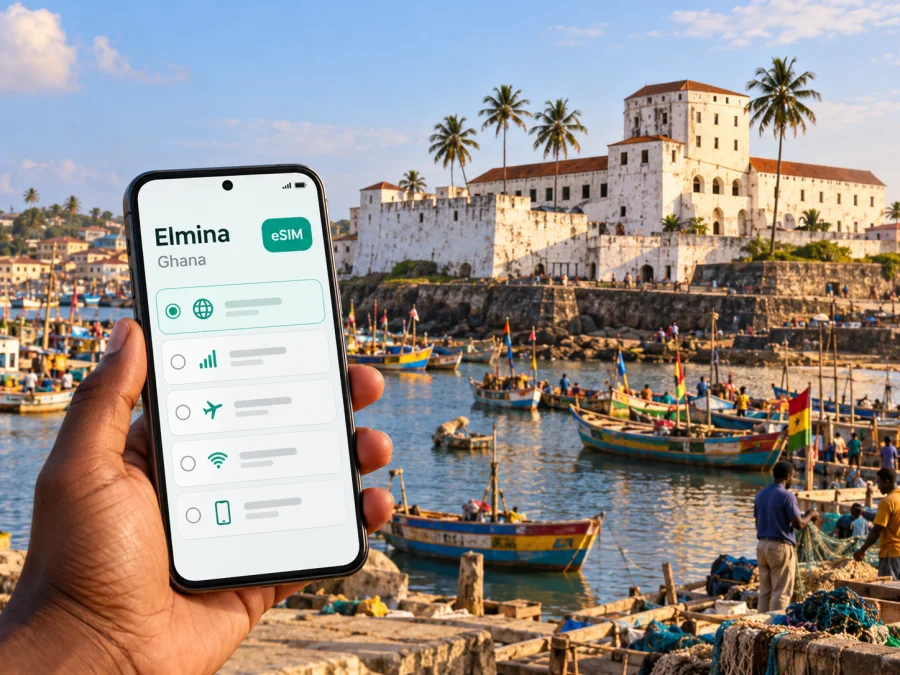
Elmina eSIM for a reliable mobile connection and internet on your trip
Elmina is a small coastal town in Ghana’s Central Region, known for its fishing harbour and historic St George’s Castle. Staying connected helps with driver coordination, accommodation, local routes and messages home. An eSIM can provide mobile data without replacing your physical SIM, provided your device and plan support it.
This guide focuses on using mobile internet in Elmina and planning around the town’s real geography. Elmina is not a separate country or a network market of its own: the destination is Ghana, and coverage and plan conditions are determined by the provider and local network used by the specific eSIM. Treat the town centre, harbour, coast and roads beyond town as different parts of one trip, not as a promise of identical signal everywhere.
What to know before you arrive
Elmina sits on Ghana’s Atlantic coast, west of Cape Coast. St George’s Castle stands beside the Benya River and lagoon, close to the harbour. Across the lagoon is Fort St Jago, also called Fort Coenraadsburg. This layout matters when navigating: a map pin for the castle, a guesthouse, the harbour or the fort may place you on different sides of the water, and a short-looking line on the map may not correspond to a direct crossing.
The castle is part of Ghana’s UNESCO-listed collection of forts and castles. The site was founded by the Portuguese in 1482 and later passed to Dutch and British control. Its history includes both trade and the transatlantic slave trade, so plan a visit with care and allow time for a guided tour if available. A charged phone with data can help with directions and coordination, but it is respectful to follow staff guidance about photography and conduct inside heritage spaces.
Elmina is a town in the Central Region, not a neighbourhood of Accra or Cape Coast. It is often combined with Cape Coast on a coastal itinerary. Accra’s Kotoka International Airport is a common international arrival point for Ghana, but the airport is not in Elmina; the onward journey is by road. Confirm your pickup point and destination with the driver before leaving the airport, and save the accommodation address offline as a backup.
| Trip detail | Why it matters for mobile data |
|---|---|
| Castle, lagoon and harbour are close together but separated by water and local streets | Check the exact destination pin and ask locally if the route is unclear |
| Elmina and Cape Coast are distinct places | Make sure a driver or booking refers to Elmina, not only “Cape Coast” |
| The road journey begins outside the town | Download maps or save the route before setting off |
| An eSIM plan is for Ghana, not a town-specific Elmina network | Confirm the country, validity, data allowance and network details on the live plan page |
Where mobile internet helps in Elmina
Arrival and the road from Accra
If your itinerary starts at Kotoka International Airport, connectivity is useful before you reach the Central Region. Keep your booking details, contact names and the final Elmina address accessible without relying on a live connection. If a driver is meeting you, agree on a specific meeting point in the terminal or at the pickup area before travel. Messages may be easier than trying to describe a moving location over a voice call, especially if your travel eSIM includes data only.
During the road journey, a map can help you follow progress, but it should supplement the driver’s local knowledge. Reception can vary along the route, so save directions in advance and avoid relying on a live map alone.
Around the castle, the harbour and the lagoon
The most familiar Elmina landmarks cluster around the coast and water. Use a map to reach the right entrance or meeting point, then put the phone away when a guide or the site’s rules call for attention. If you are meeting someone after a visit, agree on a clear landmark and a time. “Near the castle” can mean several different streets, viewpoints or harbour-side spots.
The harbour is an active working place as well as a visual landmark. Be considerate when taking photographs and do not assume that people want to be photographed. Data can help you coordinate with a companion or driver, but it cannot replace asking permission or following local instructions.
Fort St Jago lies across the lagoon from St George’s Castle. Before walking there, check the mapped route and ask a local guide or host about the suitable access. Do not assume that the water can be crossed at the point that looks nearest on a map. A phone with a route saved offline is useful if you temporarily lose signal, and a screenshot of the destination can help when asking for directions.
Accommodation, meals and everyday errands
In a guesthouse or hotel, confirm whether Wi-Fi is available and where it works best; availability in a listing does not guarantee stable service in every room. Mobile data provides another option for messaging, maps and booking details, although its performance still depends on the network at that specific location. Save your host’s number and address before you go out.
For meals, shopping or arranging a local guide, messaging is often useful for confirming hours, meeting points or changes. If you plan to use a map continuously, photos, cloud backups and video calls, estimate those needs separately: background syncing and video can use far more data than text messages or occasional route checks. Turn off automatic photo uploads and app updates on mobile data if you want to preserve your allowance for navigation and essential communication.
Plan your data around the itinerary
A short Elmina stay may be part of a longer Ghana trip. Think in days and activities rather than choosing a package only by its headline allowance. A day spent mostly at a heritage site with occasional messages has a different data pattern from a workday with video meetings or a drive where you repeatedly stream navigation and media.
| Typical use | Relative data demand | Preparation |
|---|---|---|
| Text messages, email and occasional map checks | Low | Keep attachments and auto-downloads under control |
| Frequent online navigation and ride coordination | Moderate | Save the route offline and close navigation when not needed |
| Uploading many photos or using social video | Higher | Upload over trusted Wi-Fi when practical |
| Video calls or remote work | High and variable | Check plan limits and test the connection before relying on it |
Data use varies by app settings, image quality and background activity, so these descriptions are planning guidance rather than a fixed allowance formula. Before buying, compare the package’s data amount and validity with the full itinerary, including days in Accra, Cape Coast or other stops. If the plan page offers Ghana-only and regional options, a country plan may suit a stay focused on Ghana, while a regional plan is worth considering only if the named destinations on your route are included. Read the included-country list rather than inferring coverage from the word “Africa” or “regional.”
At this point, you can review the current Ghana eSIM options for your route and compare the live data allowance, validity, price and stated network details. The page is for Ghana as a destination; it is not a separate Elmina tariff, and availability or terms can change. Choose only after checking the conditions displayed for the specific package.
Network details: read the plan, not just the country name
Mobile networks are national infrastructure; Elmina does not have a distinct operator market just because it is a separate town. Ghana’s National Communications Authority identifies AT, MTN and Telecel as mobile network operators in the country. However, that fact alone does not establish which network a particular travel eSIM uses in Elmina, what roaming arrangement applies, or how strong service will be at an individual hotel, street or stretch of road.
The current Kaspersky eSIM Store Ghana destination page displays “Vodafone” as the local telecommunications provider for its listed Ghana plans. That label is what the page currently shows; it should not be silently treated as proof of a particular local brand identity, a named network’s present coverage, or a signal guarantee. Compare the network information shown at checkout with the live destination page and ask support if the provider name or roaming arrangement is unclear. Do not buy on an assumption that a plan will connect to a specific operator unless the plan details say so.
Reception can differ indoors and outdoors, and performance may change with congestion, device support or local conditions. For work or an important transfer, arrange a backup such as accommodation Wi-Fi, another SIM or offline copies of essential information.
Check the phone and prepare the eSIM
An eSIM is a digital SIM profile installed in a compatible device. Support depends on the exact phone model and sometimes on the regional variant, carrier lock or market in which the phone was sold. Two phones with a similar retail name can differ by hardware or software configuration. Check the manufacturer’s specifications and your device settings, and check whether your device supports eSIM before purchasing. Also confirm the phone is unlocked for use with another provider’s profile.
A practical pre-trip check:
- Confirm the exact model number and regional variant, not only the marketing name.
- Look for an option to add an eSIM or mobile plan in the phone’s cellular settings.
- Confirm the device is not locked to a home operator.
- Make sure you can access the account or email used to receive installation instructions.
- Keep access to Wi-Fi available during installation, in case your device needs it.
- Decide which line will handle mobile data and which line remains available for your regular number.
- Review the selected plan’s activation timing, validity and data-only terms.
A data-only travel eSIM usually does not provide a regular phone number for conventional voice calls and SMS unless the selected terms explicitly say otherwise. Keep your usual SIM active for calls or verification messages if your home operator allows it and you understand its roaming charges. Internet messaging and voice apps can work over data if you already have the required account and the app is available to you.
Installation and activation: a careful sequence
The exact screens differ by device and operating-system version. Follow the in-app steps and the instructions supplied with the selected eSIM; do not remove an installed profile just because the connection is not immediate. Installation may require an internet connection, while service at the destination depends on the plan’s activation rules and local network availability.
- Before travel, confirm compatibility, unlock status and the plan’s activation conditions.
- Connect to stable Wi-Fi and open your purchase or installation instructions.
- Add the eSIM from the phone’s cellular settings or use the provider’s supported installation method. If scanning a QR code, display it on another device or use the manual details when offered.
- Label the new line clearly, for example “Ghana data,” so it is easy to identify alongside your regular SIM.
- Set the travel eSIM as the mobile-data line when you intend to use it. Keep data switching between SIMs disabled if you want to avoid unexpected use of your home line.
- At the destination, follow the plan’s instructions for enabling the line and data roaming if required. Check which SIM is selected for mobile data.
- Open a simple webpage or messaging app to confirm service, then check the eSIM’s data balance and the phone’s data-use settings.
For device-specific help, see the Android eSIM installation instructions or the iPhone eSIM installation instructions. The menu wording can change between operating-system versions, so follow the on-screen prompts on your own phone. If a plan requires data roaming on the travel eSIM, that setting applies to that line; verify that your home SIM is not selected for data if you want to avoid roaming charges from your regular provider.
If mobile data stops working
Try these steps in order:
- Check that the eSIM line is switched on and selected for mobile data.
- Confirm that the plan is active, within its validity period and has data remaining.
- Turn airplane mode on briefly, then off, or restart the phone.
- Check the provider’s setup instructions for the required network selection and roaming setting.
- Move to a place with a clearer view of the surroundings and test again; indoor signal may differ.
- Avoid deleting the eSIM profile unless support tells you to. Some installation codes are single-use.
- Use Wi-Fi or your regular SIM as a temporary backup and contact support with the device model, location and error message.
These checks can resolve common configuration problems, but they cannot correct a local outage or create coverage where the serving network has none. If reliable connectivity is essential at a particular property or event, ask the host or organiser about the options they have tested there.
Match the connection to your itinerary
For a heritage-focused day, save the castle entrance and tour details, use data for the approach and meeting coordination, then focus on the guide and the site. Check the route to the harbour or Fort St Jago afterward and confirm access locally. Messaging and short map checks usually demand less data than repeated photo uploads, but actual consumption depends on app settings.
For work or a coastal road trip, test the accommodation Wi-Fi and mobile data before relying on them. Video meetings can use substantial data and vary with the signal, so download files in advance and keep a second way to contact colleagues. If you travel beyond Ghana, check that the next country appears in the selected package’s country list; a Ghana plan should not be assumed to work across a border. For a short stop, compare setup time with the length of the visit and consider Wi-Fi, an existing SIM or a local option as alternatives.
Frequently asked questions
Is there an eSIM tariff specifically for Elmina?
The live destination page is for Ghana, not a separate city tariff for Elmina. Review the Ghana plan’s conditions and the network information attached to the exact option you select.
Will an eSIM work everywhere in Elmina?
No provider can responsibly promise a signal in every building, street or nearby route. Availability depends on the local network used by the plan, reception conditions and your device. Check the package details and keep offline directions or Wi-Fi as a backup.
Does a travel eSIM replace my regular phone number?
A data-only plan does not normally provide a standard number for calls and SMS. Your regular SIM can remain installed, but understand your home operator’s roaming charges and choose the correct line for mobile data.
Can I install it after I arrive?
That depends on your phone, plan and ability to get online. Installing before departure over reliable Wi-Fi reduces the number of steps you need to handle on arrival. Check when the plan’s validity begins and whether you can delay activation.
What if my phone has a different regional variant?
Use the exact model identifier to check compatibility. eSIM support can vary across regional versions and carrier-locked devices, even when the product name looks identical. Verify before purchase and do not assume that a model sold in another market has the same feature set.
Is the eSIM useful for calls to a local driver?
A data-only eSIM does not itself provide a regular voice number. Arrange contact through an internet messaging app, use your regular line if appropriate, or agree on a pickup point and time in advance.
A simple preparation plan
A reliable setup for Elmina combines a suitable data plan with realistic offline preparation. Before leaving home, confirm your phone’s exact eSIM compatibility and unlock status, compare Ghana plan terms, and save your accommodation and route details. Install the profile while you have dependable Wi-Fi, but follow the plan’s own guidance on when to activate it. In town, use mobile data for directions and coordination, keep an offline fallback, and treat coverage as location-dependent.
Choose an eSIM for your Ghana trip
Use the Kaspersky eSIM Store website or app to choose, complete and activate an eSIM with a data plan for international travel. Before confirming, check the current Ghana options, validity, allowance, activation details and the network information attached to the selected plan. Then install the profile on a compatible, unlocked device and keep your essential Elmina details available offline. Compare the current Ghana eSIM options and select the one that fits your actual route and data needs.


