Travel connectivity guide
Entebbe eSIM: mobile internet for your trip
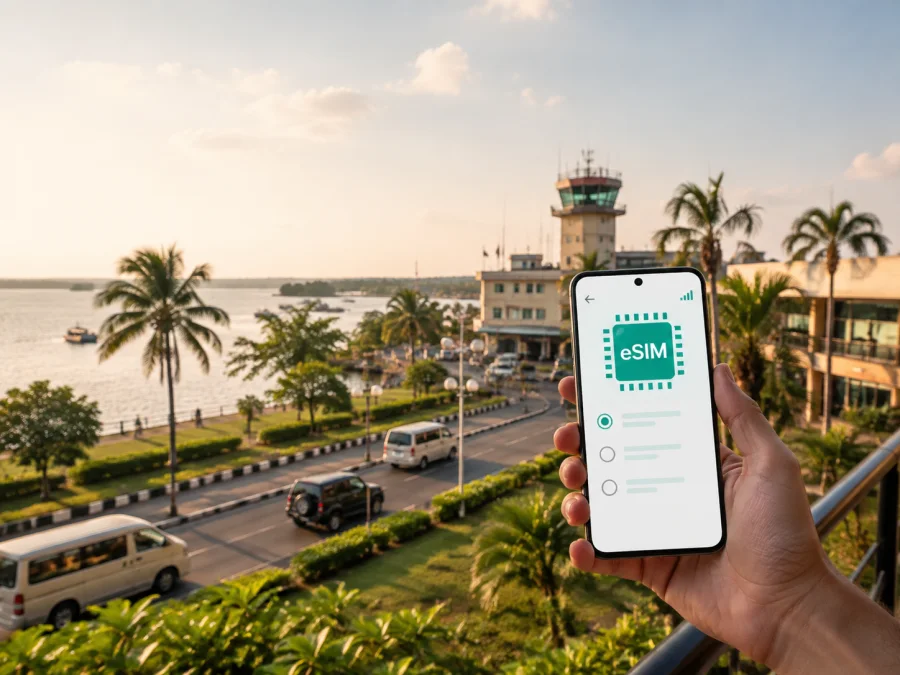
Entebbe eSIM: mobile connection and internet for your trip
Entebbe is often the first Ugandan city a traveller experiences. You may arrive through Entebbe International Airport, continue to a lakeside hotel, meet a colleague, or use the city as a calm starting point before travelling on to Kampala and other parts of Uganda. In each case, mobile internet is useful from the moment you collect your luggage: it helps you contact your driver, check a booking, follow a route, translate a message, or let people at home know that you have arrived.
An eSIM, or digital SIM, can be prepared before the trip and used for mobile data on a compatible, unlocked phone. Kaspersky eSIM Store is an app and website where you can choose, arrange, and activate an eSIM with a suitable data plan for an international journey. The choice remains yours: check the destination, traffic allowance, validity period, and device requirements before you confirm anything.
Why mobile internet matters in Entebbe
Entebbe combines an international arrival point, a compact urban area, lakeside surroundings, hotels, offices, and attractions that are not all located on one street. That makes a working data connection useful even on a relaxed itinerary. You do not need to be constantly online; you need access at the right moments.
At the airport and on the way to your hotel
After a flight, the first tasks are usually simple but time-sensitive:
- message the person meeting you;
- confirm the name and location of your accommodation;
- open a map and compare the route with the driver’s directions;
- check a reservation or send an arrival update;
- arrange the next leg if Entebbe is only an overnight stop.
Airport Wi-Fi, when available, may help with a quick message, but it is not a complete travel plan. A prepared eSIM gives you another way to use data while you leave the terminal, wait for transport, or adjust the plan after landing. Keep booking details and key phone numbers offline as well.
For lakeside plans and outdoor visits
The city’s position beside Lake Victoria is part of its appeal. Walks, gardens, wildlife-related visits, and quiet time near the water can form the main part of a stay. Before leaving your hotel, load the route, save an address, and tell a contact where you are going. Mobile data is useful when you need to change a booking, call a car, or share your location away from Wi-Fi.
Entebbe travel scenarios and the data they need
The right plan depends on your routine. Use the table as a planning aid, then compare the actual conditions shown for the destination and the selected tariff.
| Entebbe scenario | Typical online tasks | What to consider |
|---|---|---|
| Airport arrival and one night | Messages, maps, booking details, a few searches | A smaller allowance may be enough if the next destination is already arranged |
| Weekend city stay | Navigation, ride requests, messaging, photos, restaurant or activity research | Allow extra traffic for maps and media uploads |
| Several days around Entebbe | Daily navigation, calls in messengers, browsing, reservations | Match the validity period to the full stay, including arrival and departure days |
| Business visit | Email, cloud documents, authentication, calls, hotspot use if permitted | Estimate work traffic separately from personal use and check tethering conditions |
| Entebbe plus Kampala | Maps and messaging on transfer days, then regular city use | Choose a plan for Uganda or the relevant route, not a city name that may not define coverage |
| Entebbe as a transfer point | Airport updates, driver contact, onward booking, emergency messages | Have offline confirmations ready and select a plan that fits the time you will actually use it |
An eSIM tariff normally refers to a country, region, or route rather than a city name. For Entebbe, check that the destination is Uganda. If your plans continue elsewhere, verify that the same option applies to the complete route.
Your first hours after arriving
The easiest arrival is one you have prepared in layers. Before takeoff, save the accommodation address, booking number, and name of the person collecting you. Keep a screenshot available, then decide when you want the eSIM to become the source of mobile data.
A calm arrival sequence
- Finish the airport formalities and collect your luggage.
- Connect to the eSIM only when you are ready to use the selected mobile data line.
- Send an arrival message and confirm the meeting point.
- Check the route from the airport to your accommodation in Entebbe.
- Keep the phone charged while travelling to the hotel.
- Once you have settled in, review data settings and your remaining allowance.
Installing before travel can make the first minutes in Entebbe easier. If you install after landing, have the QR code or profile information ready and a way to reach the internet for setup. Travel data plans may not include a regular phone number, voice calls, or SMS unless the selected conditions say otherwise; internet messengers can handle calls and messages.
How to choose an eSIM plan for Entebbe
Start with the itinerary, not a data size in isolation. A traveller who needs an airport route and occasional messages has a different pattern from someone uploading work files or making video calls.
1. Confirm the destination
Select Uganda as the country for a stay centred on Entebbe. If the trip includes Kampala or other Ugandan stops, a country option may fit the route, subject to the conditions shown for that tariff. If you cross a border, check the next country separately instead of assuming that one eSIM covers every destination.
2. Match validity to the real trip
Count the days from the first planned use until the end of the journey, including an airport transfer, late departure, or overnight stop. Some options distinguish between data that does not expire and data with limited validity. Read when validity begins and what happens after it ends.
3. Estimate your traffic pattern
Use a simple three-level estimate:
| Use level | Entebbe examples | Planning note |
|---|---|---|
| Light | Text messages, occasional maps, short searches | Download what you can in advance and avoid automatic media backups over mobile data |
| Regular | Daily navigation, social feeds, photos, web browsing, messenger calls | Leave room for route changes and uploads during excursions |
| High | Video meetings, cloud work, frequent media sharing, hotspot use | Check the allowance carefully and confirm whether sharing data is permitted |
Maps use data for more than the first search: route recalculation, images, and background activity add to usage. Video and automatic backups usually consume more than text. For work, separate essential tasks from entertainment.
4. Check the conditions that affect activation
Before payment, read the information displayed for the selected option: country or region, data amount, validity, price, supported use, and any activation requirements. Conditions can vary by tariff. A prepaid format may make spending easier to understand, but you should still monitor the balance and know how to add traffic if that option is available.
When these points are clear, you can choose an eSIM plan for your trip to Entebbe through the Uganda destination page. Every option may have different allowances, validity, and technical conditions, so review them before confirming.
Moving around the city
The most useful travel information on a phone is local and immediate: a saved address, a meeting point, a current route, and a way to message when plans change. The airport corridor connects arrivals with hotels and the city, while central areas provide everyday services.
From the airport to accommodation
Have the full property name and address ready rather than relying on a landmark. If the hotel is on a side road, confirm the final turn on a map and communicate a nearby meeting point.
For a pre-arranged transfer, send an arrival update as agreed with the driver. For a taxi or other local transport, confirm the destination before setting off and keep the route visible.
Central Entebbe and Kitoro-area errands
Travellers staying near the centre or Kitoro area may combine short walks with local transport. Use a map to identify the entrance and save the return route. With luggage, after dark, or on unfamiliar streets, arrange transport instead of assuming a walk will be convenient.
Lakeside areas and sightseeing
The Lake Victoria shoreline and nearby green spaces invite slower plans, but outdoor routes still benefit from preparation. Save the location, note the return plan, and carry enough battery for navigation. At the Uganda Wildlife Education Centre and Entebbe Botanical Gardens, check visitor arrangements locally because access details can change.
Download tickets, addresses, and confirmations while you have a stable connection instead of assuming every stop will have dependable Wi-Fi.
Continuing to Kampala
Before a road journey to Kampala, charge the phone, confirm the destination, save accommodation details, and check that the Uganda plan covers the onward journey. Allow data and battery for traffic-related changes.
Business trips and remote work in Entebbe
For a meeting near the airport or a short working stay, save the venue, contact person, agenda, and essential documents offline. Keep large updates and video streaming off the work eSIM unless needed. If you connect a laptop, check hotspot conditions and monitor the balance. Carry a charged power bank.
Installing and activating an eSIM
Install the profile with a stable internet connection and enough battery. You may receive a QR code or setup details in your profile. Menu names differ between phone models, but the flow is usually similar.
Check your device first
Make sure your phone supports eSIM and is not restricted by an operator lock. Dual-SIM settings can also vary, so decide which line will handle calls and which one will handle mobile data. Before purchase or installation, check whether your device is compatible.
Follow these steps
- Open the mobile-network or cellular settings on your phone.
- Choose the option to add an eSIM or mobile plan.
- Scan the QR code or enter the profile details supplied for your selected tariff.
- Give the new line a clear name, such as “Uganda travel data”.
- Select the eSIM as the line for mobile data when you are ready to use it.
- Keep your primary line available for calls and messages if needed, while checking which line is selected for data.
- Turn on data roaming for the eSIM only if the tariff instructions require it.
- Wait a few minutes for registration, then test a simple webpage or message.
For device-specific help, use the Android installation instructions or the iOS installation instructions. If the connection does not appear, check that the eSIM line is enabled, mobile data is assigned to it, and airplane mode is off. Avoid deleting the profile while troubleshooting unless instructed.
What to check before and after purchase
Use this checklist before you leave for Entebbe:
- [ ] The destination is Uganda, or the selected region clearly includes the route you will take.
- [ ] You have checked device compatibility and confirmed the phone is not operator-locked.
- [ ] You know whether the validity starts on installation, activation, or first use.
- [ ] The data allowance fits maps, messages, calls, work, and media for your itinerary.
- [ ] You know whether data roaming must be enabled for the eSIM.
- [ ] Your primary SIM settings will not cause unexpected data use.
- [ ] You have the QR code or profile information available when needed.
- [ ] Your accommodation address, airport transfer details, and key bookings are saved offline.
- [ ] Your phone has enough storage, battery, and a charging option for the arrival journey.
After activation in Entebbe, check the data-line indicator and open one low-bandwidth page. Review the eSIM settings and displayed balance. If a problem continues, note the exact on-screen message and contact support; change one setting at a time.
Frequently asked questions
Does an eSIM include a normal phone number?
Usually, a travel eSIM is intended for mobile data. Voice calls and SMS are not included unless the specific tariff says they are. Internet messengers can handle calls and messages when you have data, while your primary SIM may remain enabled for ordinary communication if your phone supports it.
Should I install the eSIM before flying?
Installing before departure can make the airport arrival simpler, provided you have a stable connection and your tariff’s activation conditions are clear. You can also install after arrival if you have the required setup information and a way to access the internet. Check when validity begins so that installation timing matches your plans.
Prepare your Entebbe connection
A good Entebbe data plan is part of a wider arrival routine: save the address, confirm the route, check the phone, and understand the tariff. Kaspersky eSIM Store helps you choose, arrange, and activate an eSIM for mobile internet during an international trip; the available traffic, duration, and technical conditions belong to the option you select.
When your device check is complete and your itinerary is clear, choose an eSIM plan for Uganda and prepare for your Entebbe trip. Install it with enough time to review the settings, keep your essential details offline, and begin your stay with a practical way to use maps, messages, bookings, and work tools around the city.


