Travel connectivity guide
Entel eSIM in Chile: eligibility and setup
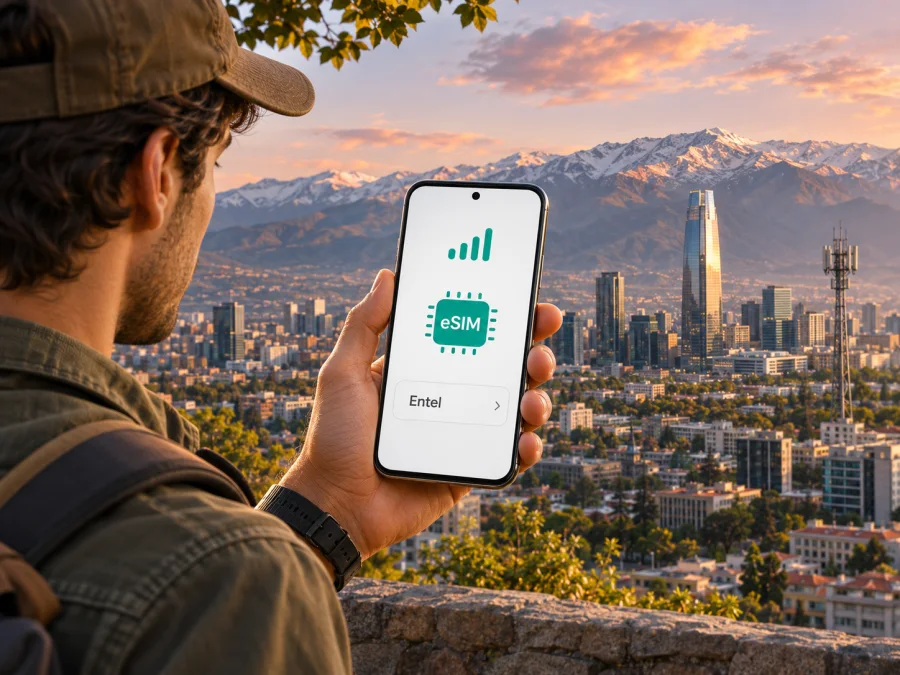
Entel eSIM in Chile: what travelers should know
If you are travelling to Chile and considering an Entel eSIM, start with one distinction: Entel’s published eSIM process is for customers with an Entel mobile plan. Its current help page says prepaid customers can activate the digital SIM only if they have a contracted mobile plan, and its eSIM guidance says the option does not apply to prepaid lines. That makes Entel eSIM different from a simple visitor data product that a traveller can assume is available on arrival. Check eligibility with Entel before relying on it.
Entel is an established Chilean telecommunications company and a major participant in the country’s mobile market. For a visitor, the practical questions are narrower than the company’s overall position: can you sign up for the relevant service, can Entel verify your identity, is your exact phone variant accepted, and will the network cover the places on your route? The answers can depend on your account status, device origin and current operator conditions.
This guide explains what Entel’s public instructions currently confirm, where a visitor may need to pause and verify details, how to prepare a compatible phone, and what to compare with a travel eSIM. It does not list or compare Entel plans. Operator offers and processes can change, so confirm the latest requirements directly with Entel before purchase or activation.
Does Entel offer eSIM in Chile?
Yes. Entel’s Chilean eSIM page describes the digital SIM and provides instructions for requesting and installing it. The page lists the Entel app and Entel stores as ways to request a SIM replacement or activation, and describes receiving a QR code by email or completing setup in the app on the phone being activated. Its instructions also require a compatible device and Wi-Fi during activation. Requests made through the app involve identity validation, including facial biometrics.
The key limitation for visitors is eligibility. Entel Help Center’s answer to “Can prepaid customers activate eSIM?” says the digital SIM can be activated only with a contracted Entel mobile plan. An Entel article about eSIM in Chile likewise says the service is not currently available for prepaid lines. In other words, do not treat Entel’s eSIM as a generally available prepaid tourist eSIM. A visitor without an existing Entel account should ask whether they can obtain an eligible mobile plan and complete the required verification before making plans around this option.
That point also affects what “tourist eSIM” means. A travel eSIM usually refers to a data-focused service selected for a destination, while Entel’s published eSIM flow is framed around an Entel mobile line or a change from a physical SIM. The operator may revise its offers or eligibility later; the current public documentation reviewed for this guide does not confirm a separate Entel eSIM product for short-term foreign visitors. Verify this directly if you need an Entel number or local account.
What the current public guidance confirms
| Question | What Entel currently says | What a traveller should do |
|---|---|---|
| Is an Entel eSIM available? | Entel publishes an eSIM service and setup guide. | Confirm eligibility for your customer type and requested service. |
| Can prepaid customers use it? | Entel Help Center says an Entel mobile plan is required; its eSIM article says prepaid lines are not eligible. | Do not assume you can buy a prepaid Entel eSIM as a visitor. Ask Entel about a contracted plan and onboarding. |
| How can a customer request it? | Through the Entel app or at an Entel store, depending on the case. | Confirm identity, documentation and in-person requirements before visiting a store. |
| How is it installed? | In-app setup on the same device or QR-code installation, with Wi-Fi for downloading the profile. | Keep another internet connection available until the profile is active. |
| Will any eSIM phone work? | Device compatibility and the specific model matter. Imported phones may need Chilean registration. | Check the precise model/region variant and registration status with Entel. |
This table summarizes the operator’s current public instructions, not an approval guarantee for a particular traveller or phone. A device can support eSIM in general while still being unsuitable for an operator’s specific activation or network requirements.
Is an Entel eSIM practical for a visitor?
It can be practical when you already meet Entel’s eligibility requirements, can complete the operator’s identity checks, and have a supported phone. For example, a traveller who is already an Entel customer and wants to replace a physical SIM may be able to use the app or a store, subject to the operator’s current steps. A person arriving without an Entel plan should first establish whether they can contract the required service and what documents or local details are needed.
Do not infer from the availability of prepaid service or prepaid top-ups in general that Entel permits prepaid eSIM activation. The current Entel Help Center explicitly links eSIM activation to a contracted mobile plan. A visitor who needs a short-term, data-only connection may find that this condition does not fit their situation. The sensible next step is to ask Entel about account eligibility, identity verification, local registration and any activation or support process that applies to non-residents.
If an Entel eSIM is not available to you, you can consider a physical local SIM where eligible, another operator’s visitor options, or a travel eSIM for mobile data. These are different service arrangements; check each provider’s terms, the destinations covered, device requirements and whether voice calls or SMS are included. A data-only travel eSIM does not automatically provide a Chilean phone number or replace a local line for calls and text messages.
If you are comparing an operator line with a travel eSIM, focus on how you will use the phone rather than on marketing labels. Ask yourself whether you need a local number, whether you can meet local sign-up conditions, whether data is enough, which places you will visit and how you will receive account-verification messages. Also consider whether you want to preserve your home SIM for calls or messages while using a second profile for data. Dual-SIM behaviour varies by phone, so check your device instructions.
For travellers whose priority is preparing mobile data before departure, browse the current Chile options in Kaspersky eSIM Store. This destination page is for checking what is currently available for travel; it is not an Entel tariff page and does not indicate that a selected travel eSIM uses Entel’s network. Review the current product details, service provider information and device conditions before ordering.
Device compatibility: check the exact variant
A product family does not mean every regional version supports eSIM. Hardware, software and carrier restrictions can differ between variants. Verify the complete model identifier, purchase country and firmware rather than relying only on a family name.
Entel’s Help Center provides a list of phones it recognizes as compatible with its eSIM service. Its page suggests checking for an EID by entering *#06#; seeing an EID is a useful indication that the phone has eSIM hardware, but it does not replace confirmation that Entel accepts that exact model. Entel’s Chile eSIM article further says that a compatible phone purchased abroad must be registered in Chile’s centralized device database so it can work on Entel’s network. Ask Entel or the relevant Chilean registration service how to complete that requirement before travel or activation.
Use this checklist before requesting a profile:
- Find the full model code in the phone’s settings or original purchase documents.
- Check that the exact regional variant supports eSIM, not just another version with the same family name.
- Confirm that the device is unlocked if you plan to use it with a separate travel eSIM.
- Check for an EID in the device information; treat this as an initial check, not final operator approval.
- Ask Entel whether it supports your precise device model for its eSIM service.
- If the phone was bought outside Chile, verify the required registration status for use on Chilean networks.
- Update the operating system and make sure you can connect to Wi-Fi during profile installation.
- Keep access to your email and Entel account while completing identity checks or receiving a QR code.
Consult both the device maker’s compatibility information and Entel’s current list. Before deleting a profile or resetting the phone, ask Entel about recovery; an activation code may be single-use.
How Entel’s eSIM request and installation work
Before setup, check whether your device supports eSIM. Entel’s instructions describe several paths, depending on whether the line is new, being moved from a physical SIM, or being activated during a port-in. The current eSIM page explains requesting the change in the Entel app or at an Entel store. For app requests, the process includes confirming the registered phone, requesting eSIM, completing facial biometric identity validation and providing an email address for the QR code. If using the same phone, the app may offer an in-app configuration action; otherwise the QR code can be opened on another screen and scanned by the phone being activated.
Keep a reliable Wi-Fi connection available. The phone needs internet access to download the eSIM profile, and having a second device or printed copy of a QR code can be helpful if the QR email is being viewed on the target phone. Do not share the QR code publicly: it is an activation credential tied to your service request. Follow the instructions supplied by Entel for your particular account and do not scan an old code if the operator has issued a replacement.
General QR setup on iPhone
Entel’s iOS directions use the phone’s cellular settings. Menu wording can vary by operating-system version, so follow the closest equivalent shown on your device.
- Connect the iPhone to Wi-Fi.
- Open Settings and choose Cellular or Mobile Service.
- Select Add eSIM.
- Choose the QR-code option and scan the code Entel issued for your line.
- Follow the on-screen prompts to add the mobile plan.
- Label the line so you can distinguish it from any other SIM profile.
- Choose which line should be used for mobile data, calls and messages.
- Wait for network registration and test the service before relying on it during a journey.
If you are replacing a physical Entel SIM, check with Entel when the old SIM will stop working and when the eSIM becomes active. Do not delete the old profile or discard a physical SIM until the replacement line is working, unless Entel instructs you to do so.
General QR setup on Android
Android menus differ across manufacturers and software versions. Entel’s instructions describe a SIM manager or connections menu; your phone may use slightly different labels.
- Connect the phone to Wi-Fi.
- Open Settings and find Connections, Network & internet or the SIM manager.
- Choose the option to add an eSIM or download a SIM.
- Select the QR-code method and scan the code Entel sent.
- Confirm the prompts to download and add the profile.
- Set a clear label for the Entel line if you use more than one SIM.
- Select the preferred line for mobile data and calls.
- Wait for the phone to register, then test data and any services you need.
Use the device maker’s instructions if the menu names differ. A profile can install successfully yet remain disabled, be assigned to the wrong data line or need additional account-side activation. If the phone shows no service, check with Entel before deleting or reinstalling the profile.
Entel eSIM and a travel eSIM: different jobs
An Entel mobile line can be useful for a customer who wants an operator-issued line in Chile and meets the operator’s conditions. The line may support the usual account relationship and services defined by the operator. The precise terms, eligibility and included services are controlled by Entel and should be checked on its current official pages.
A travel eSIM is typically selected around a destination or region and is designed to provide mobile data while travelling. Kaspersky eSIM Store is an app and website that helps users choose, order and activate an eSIM with a suitable travel data plan. It is not a mobile operator, does not own a Chilean network and does not provide mobile coverage itself. Service availability, the underlying local provider and whether an eSIM works in a particular place depend on the selected product’s current terms.
For the travel products in Kaspersky eSIM Store, treat the eSIM as data access unless the selected product explicitly says otherwise. It should not be assumed to include a local phone number, conventional voice calling or SMS. Messaging and internet calls may work through apps using data, but this is not a substitute for receiving a bank code or call to a Chilean number. Keep your primary SIM available if you need its number, and review your home carrier’s roaming settings to avoid unwanted charges.
Neither option is universally the right choice. If you need an Entel number or a direct local customer relationship, ask Entel about its mobile-plan eligibility and onboarding. If you mainly need data for navigation, messaging and online services, compare the currently available travel eSIM options for Chile. Check the product’s country coverage, activation timing, validity conditions, data restrictions and support process on the product page. Those details can change, so review them at the time you plan to buy.
A travel eSIM may use a local partner network, but the precise network and availability must be confirmed in the current product details. Do not assume it connects to Entel simply because it is intended for Chile. Similarly, Entel’s eSIM page does not by itself establish support for international visitors or prepaid tourist registration. Ask the relevant provider about the exact point you need confirmed.
Questions travellers often ask
Can I buy an Entel eSIM as a prepaid visitor?
Entel’s current Help Center says eSIM activation requires a contracted Entel mobile plan, and its eSIM article says prepaid lines are not eligible. The reviewed public material does not confirm a separate prepaid tourist eSIM. Ask Entel whether a visitor can contract an eligible plan and meet its identity and registration requirements.
Does an eSIM-ready phone automatically work with Entel?
No. eSIM hardware is only one requirement. The exact regional phone variant, operator compatibility, network support, account eligibility and registration status can matter. Entel says foreign-bought devices need registration in Chile’s centralized database to work on its network. Confirm the precise model with Entel.
Does Entel eSIM work everywhere in Chile?
No mobile coverage map should be treated as a guarantee of signal at every point. Entel asks customers to check coverage by location and provides a separate 5G map. Buildings, terrain, distance from infrastructure and local conditions can affect service. Check the specific places on your route.
Is a Kaspersky eSIM Store product the same as an Entel plan?
No. Kaspersky eSIM Store is an app and website for choosing and activating travel eSIM data plans. It is not Entel and does not operate a mobile network. Review the selected product’s current provider and coverage information; do not assume it uses Entel or includes an Entel phone number.
What should I do if the Entel QR code fails?
Check Wi-Fi, the device’s eSIM compatibility, the selected QR code and whether the profile is enabled. If the QR may already have been used or the line has not been activated, contact Entel for the account-specific next step. Do not delete a working profile or share your QR code publicly.
A practical decision
Entel has a documented eSIM service in Chile, but its current public guidance ties activation to a contracted mobile plan and excludes prepaid lines. That distinction is central for travellers: an eSIM exists, yet it may not be an option for a visitor who expects to buy a prepaid digital SIM without joining an eligible plan. Check your status with Entel, confirm any identity and device-registration requirements, and verify coverage for your route before choosing it.
If you are already an eligible Entel customer with a supported phone, the app or a store can guide you through the operator’s request and QR setup process. If you need mobile data for a trip and cannot or do not want to meet the local plan requirements, explore an appropriate travel eSIM or another lawful local option. Compare the current service conditions carefully and keep a backup for places where mobile coverage may be limited.
For a travel-data option, check the current Chile selection in Kaspersky eSIM Store and confirm the coverage and device requirements shown for the product you choose. Kaspersky eSIM Store helps you choose, order and activate a travel eSIM; the service is not an operator and does not guarantee network coverage.
This independent guide is not affiliated with, endorsed by or sponsored by Entel. Information was checked against Entel’s eSIM page and Help Center, its Chile eSIM explainer, SUBTEL’s telecommunications statistics and Entel’s corporate profile on 2 November 2026. Confirm current eligibility and coverage before acting.


