Travel connectivity guide
Erbil eSIM: Mobile Data and Travel Guide
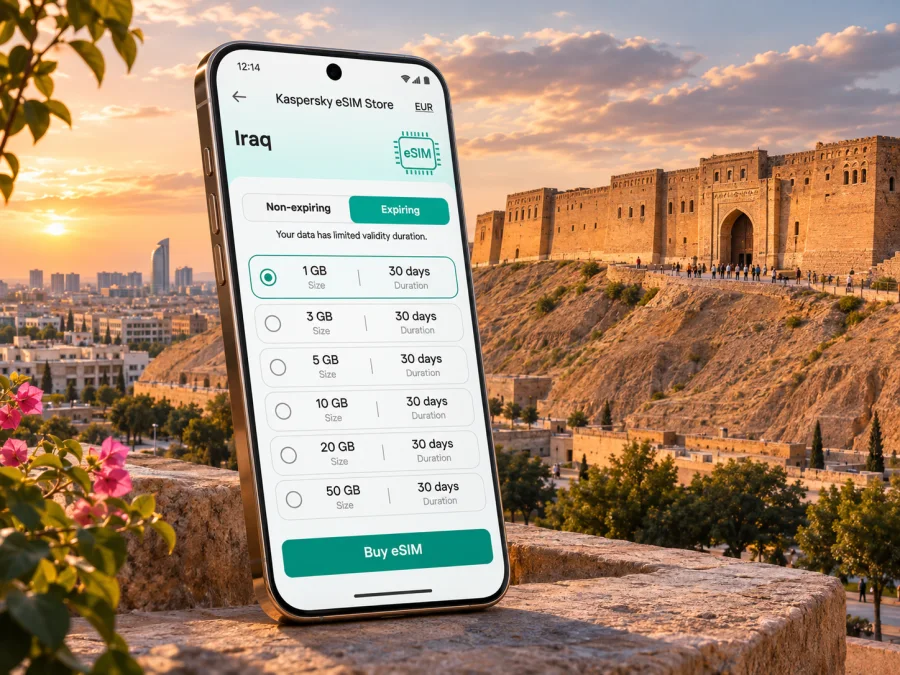
Erbil eSIM: Mobile Connection and Internet for Your City Visit
Erbil is a city where a day can move quickly between the old Citadel, the lanes of Qaysari Bazaar, a business meeting in a newer district and dinner farther out. A working mobile data connection helps with the practical transitions: confirming a hotel address, sharing your arrival time, checking a route and contacting a driver. An eSIM can make that data connection easier to prepare before you travel, provided your phone supports eSIM and the selected plan covers Iraq.
Erbil is in the Kurdistan Region of federal Iraq, and it is the region’s capital. This regional status matters when checking travel arrangements and mobile service: a plan labelled “Iraq” is the relevant starting point for a visit to Erbil, but an eSIM’s actual network access still depends on the plan and its local operator partners. Do not assume that a regional name, an airport listing or a phone’s eSIM feature alone guarantees service. Check the destination, validity, data allowance and network conditions shown for the exact plan before you buy.
This guide focuses on using mobile internet around Erbil: arriving at Erbil International Airport (EBL), finding your way into town, visiting the central sights, staying connected across different neighbourhoods and preparing for a trip beyond the city. It also explains what a travel eSIM can and cannot do, and how to avoid common setup problems.
What to know before choosing an eSIM for Erbil
Erbil’s historic centre is anchored by the Citadel, a raised settlement that dominates the cityscape. UNESCO lists Erbil Citadel as a World Heritage property. Qaysari Bazaar lies below it, while newer hotels and commercial areas are spread across the city. Your data use depends on whether your visit is a central walking day, a sequence of car trips, work meetings or an excursion beyond town.
A travel eSIM is a digital SIM profile for a compatible, unlocked phone. It can provide separate data without removing your home SIM. Kaspersky eSIM Store is an app and website where you can choose, arrange and activate an eSIM with a suitable plan for an international trip. Cellular service is supplied by local telecommunications providers; Kaspersky eSIM Store is not a mobile operator and does not own a network.
Before choosing, remember:
- A data eSIM is not automatically an Iraqi phone number. Unless the plan says otherwise, do not expect ordinary calls or SMS; internet calling apps may work over data.
- A travel plan and an eSIM sold directly by an Iraqi operator are different products, with separate terms and registration procedures.
- Reception varies by building, handset, congestion and serving network. No plan guarantees a signal at every place in the city.
- Allowances, validity, prices and provider partners can change; check the exact package details before purchase.
The Iraq destination page currently identifies Korek and Asiacell as providers for listed data packages. This does not guarantee both networks at every point or manual access to either one. If you need a local number, ask an Iraqi operator directly about its current SIM or eSIM process and identification requirements.
Arrival at Erbil International Airport
Erbil International Airport (EBL) is the usual air gateway for the city. Its passenger guidance places it about seven kilometres from the old Citadel and says it is accessible by car or taxi. Treat this as orientation rather than a journey-time estimate: traffic, checkpoints and your hotel location affect the trip.
Save your accommodation name, address and map pin offline before flying. Keep your booking and a contact number accessible without data. The airport website lists taxi service details and a free shuttle between the public parking/checkpoint area and passenger terminal; verify current procedures before travel, since arrangements can change.
A practical arrival sequence:
- Use Wi-Fi, if available, for pending eSIM setup.
- Confirm the profile is installed and that Iraq is included in the plan.
- Arrange transport through a service you have checked and show the driver the saved address.
- Load your route before leaving the airport; keep offline directions if data registration is delayed.
If you install the eSIM at the airport, read the activation terms first. Installing a profile and starting its validity are not always the same event. You may install it before departure on a stable connection and enable mobile data in Iraq, if that matches the plan instructions.
Getting around the city with mobile data
Visitors often combine walks around the centre with car journeys between a hotel, meeting, restaurant or shopping area. Maps are useful, but mobile data also helps confirm an entrance, message a driver, translate a short note or tell someone you are delayed.
The Citadel and Qaysari Bazaar form a natural central visit. Their lanes are easier to explore on foot than by navigating each turn by car. Download an offline map of the centre; use live data when you need to refresh a route or share your location. A saved pin near a recognisable entrance can be a clearer meeting point than a long street description.
For a day crossing neighbourhoods, check the destination before leaving, save the next address and keep the driver conversation available until you meet. At the end of a visit, confirm the return route before leaving a familiar landmark. Use Wi-Fi for large downloads or backups where practical, and reserve mobile data for navigation and time-sensitive information.
| Erbil visit pattern | Useful preparation | Typical data task |
|---|---|---|
| Citadel and bazaar on foot | Offline map; saved meeting point | Map checks and messages |
| Hotel, meetings and restaurants by car | Exact addresses and pins | Driver coordination and navigation |
| Work calls during a longer stay | Test hotel Wi-Fi and call setup | Email, maps and occasional calls |
| Evening outing or park visit | Agree on a pickup point | Messages and route refresh |
| Excursion outside the city | Check route and plan coverage | Essential navigation and check-ins |
This is a planning guide, not a promise of speed or reception. Estimate video calls, tethering and large uploads separately; a plan suited to maps may not suit heavy work use. Check whether hotspot use is allowed and account for battery consumption.
Choose a plan around your actual itinerary
Estimate usage from the tasks you expect to do. Maps and text messages usually consume less data than video, cloud backups or frequent hotspot use, though actual consumption depends on settings. Consider whether your hotel offers Wi-Fi, but keep mobile data for navigation and transport coordination.
You can review current eSIM options for Iraq and compare packages with your trip. Check allowance, validity, provider information, activation conditions and restrictions. Iraq is the relevant country destination for Erbil; these are country or regional packages, not a special Erbil-only tariff.
- Count your travel days and check when validity begins.
- Identify data-heavy work or media use.
- Save maps, tickets and addresses offline.
- Leave a reasonable data margin and check whether top-ups are available under current terms.
Do not choose by headline allowance alone. A single-country plan can suit a city stay, while a regional package may help if you cross borders. Compare the destinations and conditions.
Device compatibility and preparation
Check that the exact device variant supports eSIM and is not carrier-locked. Support differs between regional versions of the same model, so a family name alone is not enough. Look up the model number in settings or manufacturer documentation, then check whether your device supports eSIM.
Before leaving, make sure you can access the account or email used for the purchase, keep the QR code or installation details accessible, and decide which line will handle data. Turn off automatic data switching if you want to avoid unexpected home-SIM roaming. Check whether the plan requires data roaming for the eSIM and follow its instructions.
A travel data eSIM usually does not replace your main number. Dual-SIM behaviour varies, so confirm your phone settings and home operator’s roaming charges before departure.
Installing and activating your eSIM
Install the profile while you have a stable internet connection and time to follow the plan’s instructions. Menu labels and activation rules vary. See the Android eSIM installation instructions or the iPhone and iOS eSIM installation instructions.
- Confirm compatibility and unlock status. The exact model must support eSIM and allow another carrier profile.
- Read activation terms. Check when validity starts and whether roaming must be enabled for this profile.
- Install the profile. Use the app flow, QR code or manual details provided. If setup is delayed, check troubleshooting guidance before deleting anything.
- Label the line (for example, “Iraq data”) and select it for mobile data. Choose your preferred voice/SMS line separately.
- Connect at the right time. If activation begins in Iraq, follow the plan steps after arrival; avoid enabling data early if that could start validity.
- If there is no data, verify the eSIM is on, selected for data and included in the plan’s destination. Enable roaming only if instructed. Restart once or use only network-selection options permitted by the plan.
Keep the QR code until service is working. eSIM profiles may not transfer like physical SIMs; check reinstallation rules before changing phones, resetting a device or deleting a profile.
Work, hotels and short stopovers
For a business trip, save the airport, hotel, office and meeting addresses, and keep calendar details and key files available offline. Use hotel or office Wi-Fi for large transfers where practical. For a short stopover, prioritise the airport-to-hotel route, saved destinations and a way to contact your host. Compare plan validity and activation timing with the length of your stay.
A central hotel may make the Citadel and Qaysari Bazaar easier to reach on foot; a hotel elsewhere may mean more car trips and live navigation. When arranging a pickup, share a map pin as well as a neighbourhood name.
Beyond Erbil: trips around the region
Some visitors use Erbil as a base for day trips around the Kurdistan Region. The governorate extends well beyond town, and journeys toward places such as Shaqlawa or mountain areas involve longer road travel. Outside the city, coverage depends on the route and network; a plan that works in town may not provide continuous service on every road or in every valley.
Before setting out, download offline maps, confirm driver or tour details, and share your itinerary. Save accommodation and essential contacts offline. Check the plan’s provider and coverage information for the full route rather than inferring it from an Erbil stay. In remote areas, conserve battery and do not rely on live navigation as your only route record.
Troubleshooting: when the eSIM is installed but data is unavailable
Check that the eSIM is enabled and selected for data, the plan includes Iraq and is within its validity period, and the data balance is available. If the instructions require roaming, enable it for that line. Move to a clearer-signal location and restart the phone once. Use manual network selection only if the plan permits it.
If the issue continues, contact support with your phone model, plan name and steps already tried. Do not share passwords or one-time codes. Keep offline maps while troubleshooting over Wi-Fi, and do not delete the profile or reset network settings unless instructed.
A practical checklist for an Erbil visit
Before departure
- [ ] Verify destination, providers, allowance and validity for the Iraq plan.
- [ ] Check eSIM support for your precise phone variant and confirm it is unlocked.
- [ ] Save hotel, pickup and essential contact details offline; download a central Erbil map.
- [ ] Choose the data line and review home-SIM roaming settings.
- [ ] Install the eSIM when recommended by its instructions.
After landing and during the stay
- [ ] Follow activation steps and confirm the eSIM is selected for data.
- [ ] Confirm the pickup point and destination before setting off.
- [ ] Save a pin before going to an unfamiliar area.
- [ ] Check data balance and validity before work calls or excursions.
- [ ] Keep the profile details until you know you no longer need them.
Frequently asked questions
Is Erbil in Iraq or in the Kurdistan Region?
Both descriptions are accurate: Erbil is the capital of the Kurdistan Region, an autonomous region within federal Iraq. For an international data plan, verify Iraq unless the package explicitly lists another arrangement.
Will an Iraq eSIM work everywhere in Erbil?
No plan guarantees reception at every indoor or outdoor location. Service depends on local providers, handset, buildings and network conditions. Check package details and keep offline maps as backup.
Does a travel eSIM give me an Iraqi number?
Usually not if it is a data-only travel plan. Check its terms. For a local number and ordinary calls or SMS, ask an Iraqi operator about its current service and registration requirements.
Can I keep my usual SIM in the phone?
Often, if the phone supports dual SIM. You may be able to assign data to the travel eSIM and keep your home line for calls, but settings and roaming charges vary. Confirm both before travel.
Should I activate before flying?
Follow the plan’s activation terms. Some plans allow installation in advance but start validity in the destination; others differ. Check the exact rules to avoid starting validity early.
Prepare your connection before the city visit
Save addresses offline, choose a data plan that matches your itinerary, and check your phone before travelling. Kaspersky eSIM Store’s app and website let you review, arrange and activate an eSIM with a suitable plan for an international trip; local providers and plan terms determine how the data service works.
Review current eSIM options for Iraq and compare the destination, allowance, validity and activation details with your Erbil plans. Install the profile using the supplied instructions, then keep offline maps and important contacts as a backup.


