Travel connectivity guide
Eschen eSIM: Mobile Data & Travel Connectivity
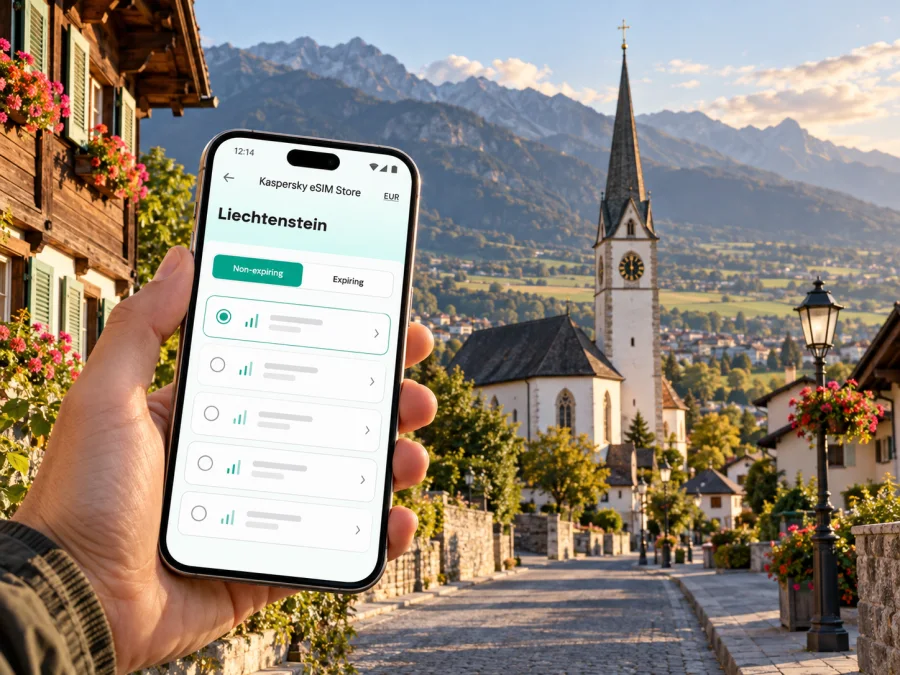
eSIM in Eschen: mobile connection and internet for your Liechtenstein trip
Eschen is a small municipality in Liechtenstein’s northern lowlands, close to the Austrian and Swiss borders. A visit may combine a quiet village stay, a meeting in the Unterland, a walk on the Eschnerberg, or onward travel through the Rhine Valley. A dependable way to check maps, bus connections, messages and bookings can make those changes of pace easier. An eSIM can be one option for mobile data, provided the device, plan and local network arrangements fit your trip.
This guide focuses on practical connectivity in Eschen and its immediate surroundings. It explains how to plan for arrival, where a mobile connection is useful, what to check before choosing an eSIM, and how to avoid common surprises near international borders. Network access, data allowances and activation rules depend on the selected plan and the network it uses; no single service can promise coverage in every building or location.
What to expect in Eschen
Eschen is part of the municipality officially named Eschen-Nendeln. It is not a large city with a central metro hub or a single major visitor district. Instead, visitors use village streets, local bus stops, accommodation addresses and nearby regional connections. The local authority’s site lists the Eschen Dorfplatz stop as a way to reach the municipal offices, with bus connections from Nendeln, Bendern and Mauren. Routes and departure times can change, so check a current timetable on the day you travel rather than relying on a saved screenshot.
The village sits within the wider Rhine Valley setting of Liechtenstein’s Unterland. Short distances on a map can still involve a change of bus, a walk from a stop, a hill route or a border crossing. For that reason, mobile data is most useful when it supports a plan: look up the correct stop, confirm the address, save a route, then keep a downloaded map available in case reception drops temporarily.
A useful working assumption is that Eschen will feel more like a connected village base than a destination where every stop is reached on foot from one square. Your exact accommodation and itinerary matter. Before leaving, add the lodging address, meeting point and return stop to a map app, and check whether the route involves Eschen, Nendeln or another nearby village. Place names can be similar across the region, so confirm the municipality and street rather than selecting the first result with a familiar name.
Quick orientation
| Trip need | Why mobile data helps | Practical backup |
|---|---|---|
| Reaching your accommodation | Check the exact street, entrance and arrival notes | Save the address offline and keep the host’s directions |
| Finding a bus stop | Confirm the stop name and current departure information | Screenshot the route and note the direction of travel |
| Walking around the village | Re-check turns and nearby landmarks | Use an offline map and look for street signs |
| A day trip beyond Eschen | Compare connections and changes before setting out | Keep the return option and last planned connection visible |
| A work visit | Open calendar details, messages and shared documents | Download meeting details before leaving Wi-Fi |
Arriving in Liechtenstein and continuing to Eschen
Liechtenstein has no international passenger airport of its own. Many visitors arrive via an airport in Switzerland or Austria and continue by rail, bus or car. Choose the route around your actual arrival time and accommodation rather than assuming one interchange is always best.
Eschen is served by regional road connections; Nendeln has a railway stop on the Feldkirch–Buchs line. They are distinct places, so a train arrival at Nendeln may still leave a final bus, taxi or walk to an Eschen address. Check the exact stop, transfer and last leg on the current timetable. Mobile data can help during a transfer, but download the route and save your lodging address before leaving Wi-Fi.
A route may cross into Switzerland or Austria. Check the plan’s included countries and your home operator’s roaming terms; a country name on a plan page does not guarantee reception at every address.
Arrival checklist
- Confirm the airport, train station or bus interchange on your actual booking.
- Check the current departure time and the exact stop name for Eschen or Nendeln.
- Save your lodging’s full address, postcode and arrival instructions for offline access.
- Keep the booking confirmation and any access code available without a data connection.
- If you expect to cross the border, check which countries the plan includes and what happens when the phone registers on another network.
- Leave enough time for a missed connection or a delayed arrival; do not assume that a late-night alternative will be available.
Choosing mobile data for a stay in Eschen
A suitable option depends on the role you want your eSIM to play. Some visitors want data for maps and messaging while keeping their usual number active for calls or verification codes. Others need more frequent access to email, document sharing or tethering. A short stop may use little data if maps and tickets are downloaded in advance; video calls, large file transfers and frequent hotspot use can consume substantially more.
Kaspersky eSIM Store is an app and website where you can select, purchase and activate an eSIM with a plan for mobile data on an international trip. It is not the mobile network itself. The selected plan’s details determine the included destinations, data amount, validity period, activation conditions and any restrictions. Review those details before purchase, and compare them with your route through Liechtenstein and nearby countries. If you plan to cross a border, make sure each country is explicitly included rather than assuming a Liechtenstein plan extends to a neighbor.
Before you decide, think about your own usage rather than choosing only by the largest data allowance. A traveler checking maps, transit updates and text messages has a different pattern from someone uploading video or sharing a laptop connection. Consider how many days you will use the plan, whether its validity begins at installation or first network connection, and whether a top-up is available if your plans change. If the plan’s conditions are unclear, resolve that question before checkout.
You can browse current eSIM options for a trip to Liechtenstein and review the plan details for your dates and itinerary. The page is a country-level destination page, not a promise that a particular plan has a specific allowance or local partner network. Confirm the current offer, supported destination and activation terms in the app or website before buying.
Match the plan to the day
| Usage pattern | What to estimate | Helpful habit |
|---|---|---|
| Basic sightseeing | Map searches, messaging, occasional web pages | Download maps and tickets over Wi-Fi |
| Business visit | Email, calendar, messaging and possible video calls | Use hotel or office Wi-Fi for long calls and large downloads |
| Hiking or countryside outing | Navigation checks, weather and coordination | Save an offline map and carry a charged power bank |
| Short stopover | Arrival directions and a few updates | Keep the trip essentials accessible offline |
| Multi-country itinerary | Data use in every country on the route | Verify destination coverage and roaming terms country by country |
Device and account checks before you travel
An eSIM is a digital SIM profile installed on a compatible device. Compatibility varies by device model, regional version and carrier or software restrictions. The same product family can include variants with different SIM capabilities, and some phones sold for particular markets may not support eSIM. Do not infer support from the brand name or from another person’s visually similar phone. Check your device’s eSIM compatibility before purchasing, and confirm that the phone is unlocked if the manufacturer or your current carrier requires it.
Review the setup instructions for your operating system before departure: install an eSIM on Android or install an eSIM on iOS. Menu names vary by device and software version. If your phone uses a physical SIM for your usual number, check how calls, SMS and mobile data are assigned between lines. Keep the home line’s roaming setting under control, and select the travel eSIM for data only when you are ready to use it.
Before checkout
- Check eSIM support. Confirm the exact phone model and regional variant, not just its product family.
- Check the lock status. If the device is carrier-locked, ask the current carrier whether another eSIM profile can be used.
- Check destination coverage. Look for Liechtenstein and every additional country on your itinerary in the plan’s current details.
- Read activation terms. Confirm when the validity period starts and whether installation alone starts the clock.
- Estimate data. Account for maps, messaging, work and any hotspot use.
- Prepare access. Keep your purchase confirmation and installation details available securely.
Installing and activating without a last-minute scramble
If you have already confirmed compatibility and selected a suitable plan, install it where you have reliable Wi-Fi and enough time to follow the instructions. Depending on the plan, it may be possible to install before departure and activate later, or activation may begin as soon as the eSIM connects to a supported network. Read the plan’s specific terms; do not assume that every profile follows the same timing.
A simple sequence is:
- Connect to stable Wi-Fi and open the provider’s installation instructions.
- Add the eSIM profile using the method provided for your device.
- Give the line a clear label such as “Travel data” so you can identify it in settings.
- Decide which line should handle mobile data and which line should handle calls or SMS.
- Turn on data roaming for the travel eSIM only if the plan instructions require it. Check this setting with the provider’s conditions.
- Keep your home SIM’s data roaming disabled if you do not intend to use it abroad, and review any home-plan exceptions with your carrier.
- At the right time, enable the travel line and check the phone’s network and data indicators.
Using a phone around Eschen
At the bus stop or railway station
Before boarding, verify the destination and direction, especially if you are changing between a regional train and a bus. A stop name alone may not identify the right platform or side of the road. Keep the next connection in view and download it as a screenshot in case the app reloads. If you are using live departure information, refresh it while you have service, but leave enough time to read signs and confirm with the driver or station information when needed.
If you arrive at Nendeln but are staying in Eschen village, confirm whether your final leg is a bus, taxi, walk or pickup. The place names are related but they are not interchangeable as a precise destination. A navigation app can help with the walking section, though its suggested route may not reflect temporary works or local access restrictions. Follow posted signs and use the accommodation’s directions for the final entrance.
In the village center
Eschen’s municipal site identifies the Dorfplatz as a bus stop for the local administration and maps civic destinations such as the parish church of St Martin, the post office and other community facilities. These landmarks can orient a visitor, but check opening hours directly before planning a visit. A map pin may lead to a building entrance or a general point, so verify the street address if you are going to an appointment.
For a relaxed walk, keep the phone’s map available without staring at the screen continuously. Save your starting point, note the route back and take a screenshot if you are heading along a less familiar path. Offline maps are particularly useful if you leave the built-up center or climb toward the Eschnerberg. Mobile coverage and battery life can vary with terrain, buildings and the network in use; never rely on the phone as the only way to navigate outdoors.
Border awareness: Liechtenstein, Switzerland and Austria
Eschen is near international borders, and a phone can sometimes register on a network from a neighboring country. Liechtenstein’s communications authority specifically warns that unintended roaming can happen in border areas when a device receives a foreign network. The phone’s automatic network selection may choose a network that is not the one you expected. This is a practical reason to check the country list and roaming terms of your travel plan, not a reason to assume that a phone will stay on one network everywhere.
If your device unexpectedly shows a different network, pause before using substantial data. Check which network is selected and whether the plan includes that country. If necessary, choose a permitted network manually as directed by your plan provider, or turn off mobile data until you confirm the terms. Manual selection can help avoid an unwanted network choice, but it does not create coverage if the selected network is unavailable. Your home SIM may have separate roaming conditions, so keep its data roaming setting in mind as well.
The legal and commercial treatment of roaming can differ by SIM provider and by the country where the SIM was issued. Even within a small region, a phone number’s home market and the network visited are not the same thing. Do not assume that rules for a Liechtenstein-issued subscription apply to a travel eSIM from a different market. Read the actual plan conditions and check your home operator’s rates for calls, messages and data before departure.
Troubleshooting in a few minutes
| Symptom | First checks |
|---|---|
| No signal after arrival | Confirm the travel line is enabled, check the plan’s destination and restart the phone if instructions allow |
| Signal appears but apps cannot connect | Confirm that the travel line is selected for data and that the plan is active |
| Unexpected network name | Check whether it is a neighboring-country network and review included destinations before using data |
| Data allowance drops quickly | Review the phone’s app-by-app usage and pause background sync or hotspot use |
| Installation screen rejects the QR code | Confirm that the code is current, the profile has not already been used and the device supports eSIM |
| Maps are unavailable offline | Reconnect to Wi-Fi, download the area and save key addresses before setting out |
If the phone shows a network but data still fails, check whether the plan’s validity has begun, whether roaming is required for that eSIM and whether the provider specifies network selection or APN settings. Follow the plan’s own instructions because settings differ among providers. If you contact support, include your location in Eschen, the time, phone model and a brief description of what the status bar shows. Keep personal authentication codes and the QR code out of the message unless support provides a secure method to share them.
Frequently asked questions
Will the eSIM work across the border?
Only if the selected plan includes the neighboring country. Check its destination list before using data after a network change.
Should I install it before arrival?
You can often install over Wi-Fi in advance, but activation timing varies. Follow the selected plan’s instructions and validity terms.
Can I keep my regular number active?
Often yes, if your phone supports multiple lines. Assign travel data deliberately and check your home carrier’s roaming charges.
A practical plan for staying connected
For an Eschen visit, prepare the route first, confirm the exact destination and decide how you will use your phone. Check that your specific device variant supports eSIM, review the Liechtenstein plan details and include neighboring countries only if the itinerary requires them. Install over Wi-Fi, assign your data line intentionally, and keep addresses and maps available offline. Around the border, watch the selected network and avoid using data until you know that the destination is included.
When you are ready, choose an eSIM plan for your Liechtenstein trip in Kaspersky eSIM Store, the app and website for selecting, purchasing and activating an eSIM plan for international travel. Review current destinations, data, validity and activation terms before you complete your choice, then follow the installation instructions for your device.


