Travel connectivity guide
Esteli eSIM: Mobile Internet for Your Trip
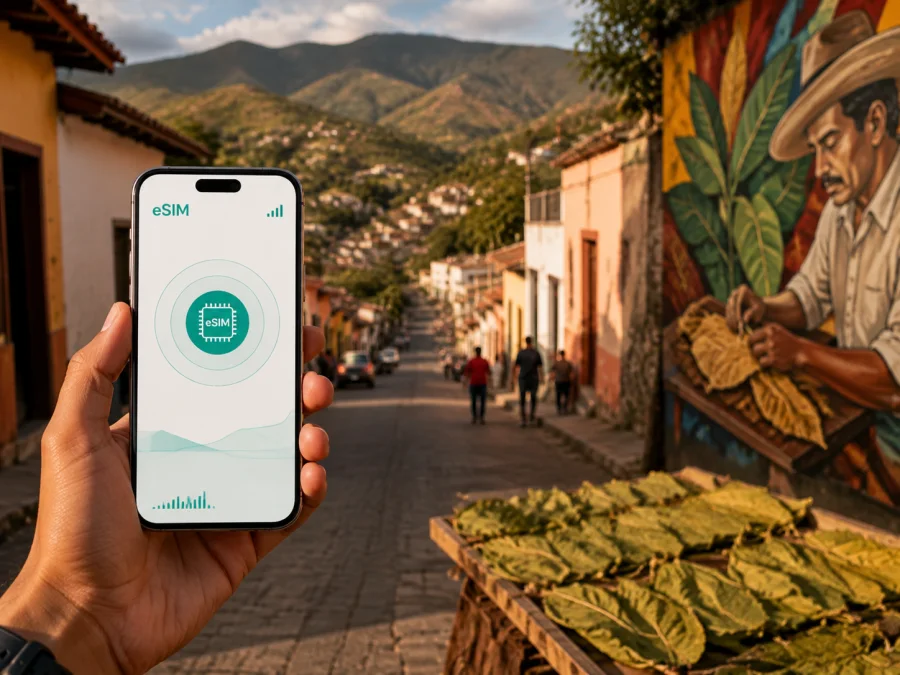
Esteli eSIM: mobile connection and internet for your Nicaragua trip
Esteli is a practical base for exploring northern Nicaragua, combining a compact urban centre with tobacco workshops, painted walls, mountain roads and rural reserves. If you are travelling to the city, reliable mobile internet can make the first hours much easier: you can coordinate a transfer, open a map, message your accommodation and check the details of a day trip without looking for a physical SIM card at the roadside.
An eSIM, or digital SIM, is a profile added to a compatible phone. Kaspersky eSIM Store is an app and website that helps you choose, arrange and activate an eSIM plan for mobile internet while travelling. It is useful when Nicaragua and Esteli are stops on a wider route, because you can prepare before leaving and keep your physical SIM in the phone.
Why mobile internet matters in Esteli
Esteli is not a resort town where every part of the day happens inside one hotel complex. You may move between the central streets, a cigar workshop, a café, a bus terminal and accommodation on the edge of the urban area. On another day, your route may leave the city for Miraflor-Moropotente or Tisey-Estanzuela. Each change of place creates a small information task, and mobile data keeps those tasks together.
In the centre, a connection is useful for walking directions, location sharing, booking confirmations, short translations, arranging transport and messages to family without searching for a café network.
The value is not that every moment requires heavy data use. It is that a short connection is available when the route changes. Maps, messages and booking pages normally need less data than video streaming, so choose around real usage rather than the number of days alone.
Arrival: make the road leg less stressful
Many international itineraries to northern Nicaragua begin with arrival in Managua and an onward road journey. If Esteli is your first destination after the flight, prepare the phone before the transfer starts. Downloading an offline map can help, but an active connection is still useful for messages, updated directions and coordination if the pickup point changes.
Before leaving the airport area or another arrival point, keep the full name and address of your Esteli accommodation, your driver or host’s contact method, a booking screenshot, the planned route and a charged phone with a power bank accessible.
Avoid making the first connection decision while carrying luggage. Install and label the eSIM in a calm place with Wi‑Fi or another internet connection, then select the correct line for mobile data. You can leave your primary SIM available for calls if your device and plan support that arrangement. Check the price, data allowance, validity period and activation conditions of the selected plan before payment; the terms can differ by destination and plan.
Esteli lies in northern Nicaragua and is connected to the wider country by the Pan-American Highway. That makes the city a natural stop for travellers continuing toward other parts of Las Segovias or returning south. For a road itinerary, a working data line is particularly helpful at the moments between fixed stops: confirming where a bus leaves, sending an updated arrival time or checking whether a rural accommodation has received your message.
Moving around Esteli
Treat Esteli as a set of short journeys rather than one single attraction. A morning may begin near the central area, continue to a tobacco-related visit, and end at a restaurant or hotel elsewhere in town. Save your accommodation address, meeting points and the next destination before setting out. A live connection helps you adjust a map, share a location, send an updated arrival time or message a driver, while keeping the phone away between checks lets you pay attention to the street.
Esteli is a transport point for northern Nicaragua, but schedules, boarding locations and local practices can change. Check current details locally and keep the relevant Spanish names written down. Before entering a bus or shared vehicle, screenshot the destination and accommodation address. For taxis or arranged rides, confirm the vehicle and meeting point, and send the address in writing if possible. Internet messaging and calling apps may work over data, but an eSIM plan for mobile internet does not automatically include a regular number, voice calls or SMS unless the plan conditions say so.
Accommodation and daily routines
The best eSIM plan for Esteli depends partly on where you sleep and how often you leave the urban area. A central stay usually means data for walking, messages and bookings; a rural route may require more navigation and coordination. If you work from the room, allow for video calls, file transfers and hotspot use.
Ask the accommodation about its exact entrance and the easiest landmark to use for a pickup. A written address is more reliable than a vague description such as “near the park”. Save the information in your notes and send it to anyone meeting you.
Tobacco, murals and a connected city walk
Esteli is widely associated with tobacco cultivation and cigar-making, and its workshops are a distinctive part of the city’s identity. The city is also known for mural art and a strong visual character in public spaces. For a self-guided visit, save a few destinations on a map, leave room for detours and use the connection only for the next leg.
A practical half-day has one planned activity, a break and a confirmed return arrangement, limiting battery and data use.
Day trips from Esteli
Esteli is a useful starting point for nature and rural experiences in the surrounding highlands. Miraflor-Moropotente and Tisey-Estanzuela are associated with forests, farms, viewpoints and community-based tourism; Tisey-Estanzuela is also known for the La Estanzuela waterfall area and El Jalacate stone sculptures. Roads, hosts, weather and walking conditions differ, so confirm the exact destination before leaving town.
For a reserve day, save the host’s name and meeting instructions, the route for offline viewing, a reservation screenshot and the return plan. Keep some data for an unexpected message or map request, and carry a charged power bank.
Do not assume that a rural route has the same connectivity or transport options as central Esteli. A plan can help with the mobile-internet part of the journey, but it does not replace local guidance, a suitable vehicle, sensible footwear or weather awareness.
Choosing an eSIM plan for Esteli
There is no single correct data allowance for every visitor. Start with the way you will use the phone and the number of days the plan must cover.
Light use
Choose a smaller allowance when you mainly need messages, occasional navigation, booking checks and short searches. Download maps and hotel details in advance, use Wi‑Fi for large updates, and avoid automatic photo backup over mobile data.
Regular travel use
Choose a medium allowance when you will navigate every day, share locations, use ride or translation apps and send photos. This is a common pattern for a city break that includes one or two road trips from Esteli.
Work or high-use travel
Allow more data when you plan video meetings, tethering, cloud documents, frequent uploads or several connected devices. Check whether the selected conditions allow a hotspot before relying on it for a laptop. Streaming and automatic backups can consume data quickly, so set limits in the phone before departure.
Compare plans by more than the number of gigabytes:
| Detail to compare | Practical question |
|---|---|
| Destination | Does the plan include Nicaragua, and is that the right country for the itinerary? |
| Validity | Does the period match the whole trip, including the road journey to and from Esteli? |
| Data allowance | Is it enough for maps, messaging and your planned work or media use? |
| Start of validity | Does the term begin on installation, activation or first use according to the conditions? |
| Top-up or renewal | What options are available if your trip lasts longer than expected? |
| Device limits | Can the profile be used on your phone, and can it be transferred if the device changes? |
Kaspersky eSIM Store helps you review the destination and plan details, then complete the eSIM setup through the app or website. For Nicaragua, you can choose an eSIM plan for your trip to Esteli and compare the available conditions before you travel. The travel eSIM is intended for mobile internet; review the plan conditions for the exact inclusions.
Install before departure or after arrival
The safest time to install an eSIM is when you have a stable internet connection and enough battery. Purchase or arrange the selected plan, open the profile in the app or use the QR code provided in the relevant account flow, and follow the instructions shown for your device. If you need a detailed walkthrough, use the Android installation instructions or the iOS installation instructions.
Before you begin, check whether your device supports eSIM and confirm that it is not locked to another operator. Some models and regional versions differ, so the model name alone is not always enough.
Five-step setup
- Check the device. Confirm eSIM compatibility, remove any operator lock that prevents another profile, and update the operating system if your manufacturer recommends it.
- Prepare internet access. Use Wi‑Fi or another working connection while downloading the profile. Keep the QR code or account details available on a second screen if your phone cannot scan its own display.
- Add the eSIM. Open the mobile-network settings, select the option to add a cellular or mobile plan, and scan the QR code or follow the in-app flow.
- Label the lines. Give the new profile a clear name such as “Nicaragua trip” so that you do not confuse it with your primary SIM.
- Select mobile data. Choose the travel eSIM for mobile data when you want to use it. If the device or plan requires data roaming for the eSIM, enable it only after checking the conditions; keep data roaming disabled on the primary line if you want to avoid unexpected roaming charges.
Installation and activation are separate moments on some devices and plans. Follow the displayed status and the plan conditions rather than assuming that adding the profile starts the validity period. Connection can take several minutes and depends on the device and local network. If you want the profile to begin only after reaching Nicaragua, review the activation rules before installing it.
Troubleshooting on the road
If mobile data is not working in Esteli, check that the travel eSIM is enabled and selected for data, airplane mode is off, and the plan is valid with data remaining. Confirm whether data roaming is required for the eSIM, then move to a safe, more open location and restart the phone if needed. Do not delete the profile while troubleshooting. If the issue remains, contact support through the app or website with the phone model, eSIM status, location and steps already tried.
Checklist for the day before travel
- [ ] Confirm that the destination is Nicaragua and that the plan validity matches the itinerary.
- [ ] Check eSIM compatibility and operator lock status.
- [ ] Review the data allowance, activation rule and hotspot conditions.
- [ ] Install the profile while connected to stable internet.
- [ ] Label the travel line clearly.
- [ ] Save your Esteli accommodation address and meeting points.
- [ ] Download maps and essential documents for offline access.
- [ ] Decide which line handles calls and which line handles mobile data.
- [ ] Pack a charger or power bank.
- [ ] Test the data-line selection before leaving home.
Frequently asked questions
Is an eSIM useful if I am staying only in Esteli?
Yes. It can cover maps, messages, reservations and transport coordination during a short stay. Choose a plan that includes Nicaragua and matches your usage.
Can I keep my regular SIM active?
Often, a compatible dual-line phone lets you keep the primary SIM active while the eSIM handles mobile data. Select the travel line deliberately and review roaming settings for the primary SIM.
Does the travel eSIM include ordinary calls and SMS?
Not usually. It is intended for mobile internet; a number, voice calls or SMS are included only if the plan conditions say so. Messaging and calling apps can use data.
Should I install the eSIM before flying to Nicaragua?
It can be convenient because you have time, battery and stable internet. Check whether validity starts at installation, activation or first use before completing setup. If the phone cannot add the profile, also check regional model differences, operator lock status and system requirements before contacting support.
A simple plan for staying connected
For Esteli, prepare around the journey: install with stable internet, save accommodation and transport details, use the travel line for mobile data, and reserve enough allowance for your road trips. Treat the city centre, tobacco workshops and nearby reserves as different movement patterns, then choose a plan whose destination, validity and data allowance match the full route.
Kaspersky eSIM Store helps you choose, arrange and activate an eSIM plan for mobile internet during an international trip. Review the conditions, check your device, and select an eSIM plan for a trip to Esteli in Nicaragua before the first transfer.


