Travel connectivity guide
Etisalat eSIM in Egypt: Traveler Guide
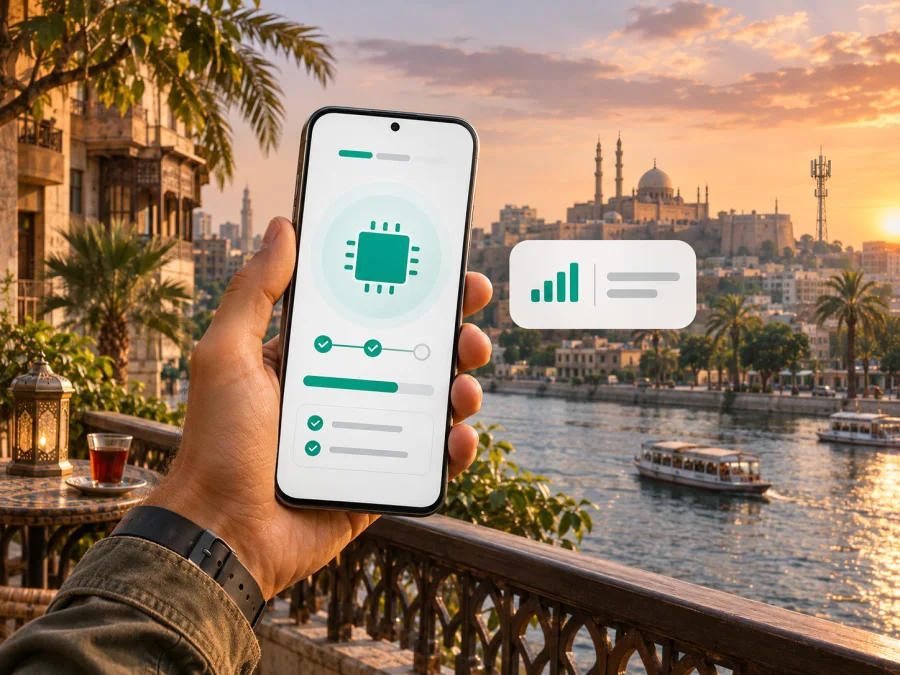
Etisalat eSIM in Egypt: what travelers should check
If you are travelling to Egypt and searching for an Etisalat eSIM, check both eSIM support and visitor eligibility for a new local line. The official e& Egypt eSIM page confirms eSIM and describes converting an existing physical SIM through My e&. The app steps are framed for Egyptian customers, and the profile must be downloaded inside Egypt. Public information does not clearly confirm remote sign-up for every foreign visitor, so ask the operator before depending on this option.
Here, “Etisalat” refers to the Egypt operation presented on current official pages as e& Egypt. The National Telecommunications Regulatory Authority (NTRA) lists e& Egypt among Egypt’s licensed mobile operators. Brand names belong to their owners. Kaspersky eSIM Store is not affiliated with or an official partner of Etisalat or e& Egypt.
Quick answer: can you use an Etisalat eSIM in Egypt?
Yes, e& Egypt supports eSIM. Its official service page describes switching an existing physical SIM to eSIM using My e& and digital identity verification. It also says that the documented app conversion request is for Egyptian customers and that eSIM profile download is possible only inside Egypt. These limits matter if you are planning to arrange service before departure.
The operator’s separate “Traveling to Egypt” page confirms that it has tourist-oriented offers. That does not establish that all such offers can be issued as eSIM, or that every foreign visitor can register a new eSIM line remotely. Contact e& Egypt to confirm the accepted identification, sign-up location, and whether the visitor offer is available as a physical SIM, eSIM, or both.
In short: eSIM support is confirmed; the app route is documented for eligible existing customers; profile download must happen in Egypt; tourist offers exist, but visitor eSIM eligibility needs confirmation. If this process does not fit, consider a travel eSIM for data or ask about an in-person tourist SIM.
Etisalat and e& Egypt in the local market
Current operator pages use the e& Egypt identity, while some older addresses and listings still show “Etisalat Egypt.” The NTRA lists e& Egypt among Egypt’s licensed mobile operators. The two labels here refer to the same Egypt operation.
A local line may suit visitors who need an Egyptian number or local operator services. Digital eSIM installation does not determine whether a visitor may register, which documents are accepted, or whether a line includes voice and SMS. The e& Egypt “Traveling to Egypt” page confirms tourist-oriented offers in general. Ask whether an offer is available as eSIM and check its current conditions directly with the operator.
What the eSIM instructions mean for visitors
The e& Egypt eSIM page discusses new lines and SIM replacement, but its clear app conversion flow applies to Egyptian customers with an existing physical line. The steps are to update My e&, sign in, select eSIM service, and follow the app. The operator says digital identity verification (eKYC) is integrated into replacement. Do not assume this route also applies to a tourist registering a new line.
The page says the eSIM profile can only be downloaded inside Egypt. Existing eligible customers planning a replacement should confirm the steps with the operator and complete the download in the country. Visitors seeking a new line should ask:
- Can a non-Egyptian visitor register a new eSIM line, or is the visitor offer physical-SIM only?
- Which identity document and registration information are required?
- Can sign-up be completed online, or is an in-person visit required?
- Must the phone be in Egypt to download or activate the profile?
- Does the line include a local number and the services you need?
- How do you recover the line if the profile is deleted or the phone is replaced?
Use an official e& Egypt contact channel for current answers. If a branch visit is required, confirm that the branch can register visitors for eSIM before travelling there, and bring the identification requested by the operator. New-line registration and replacement of an existing SIM are different processes; instructions for one do not necessarily apply to the other.
Coverage and mobile technologies
eSIM describes a digital subscriber profile, not the strength or speed of a signal. Service depends on the operator’s network, device support, line permissions, and local conditions.
e& Egypt publishes information about 4G and 5G, including expansion of 5G service. This confirms the technologies are offered in Egypt, but does not promise 5G at every address or on every compatible phone. Check the operator’s coverage information for the specific places on your itinerary. Reception can differ between cities, resorts, indoor locations, and remote routes; terrain, buildings, network demand, and maintenance also matter.
The NTRA describes periodic network-quality measurements across representative areas. These results give market context but cannot predict reception at one hotel, station, or road. Treat coverage maps as planning aids, not a guarantee. Check your exact phone model and regional version for eSIM support, and confirm it is carrier-unlocked; variants within one device family can differ.
Local Etisalat eSIM or travel eSIM?
A local operator line may suit someone who needs an Egyptian number or local operator services. A travel eSIM may suit someone who mainly needs data and wants to prepare connectivity separately from a home SIM. Eligibility, device compatibility, identity rules, coverage, and the terms at purchase determine which option fits.
| Consideration | Local e& Egypt line | Travel eSIM |
|---|---|---|
| Typical purpose | Local operator service; a local number may be available | Mobile data for travel, subject to plan terms |
| Visitor registration | Confirm eligibility, documents, and in-person requirements | Follow the provider’s purchase and registration rules |
| Setup location | e& Egypt says its profile download must take place inside Egypt | Check whether installation is allowed before travel |
| Network access | Depends on e& Egypt’s network and local conditions | Depends on the networks and destinations stated in the terms |
| Calls and number | Confirm services attached to the line | Many travel eSIMs are data-focused; check the exact product |
This is a checklist, not a price or plan comparison. If your phone supports dual SIM, you may be able to keep a home number active while selecting another line for data. Check your home operator’s roaming rules and make sure the intended line is selected. If you need an Egyptian number, ask e& Egypt about visitor registration first. If you only need data and local eSIM eligibility is unclear, check that a travel eSIM covers Egypt and confirm its features and installation timing. Do not describe it as an Etisalat product unless its provider explicitly identifies it that way.
Prepare your phone before installation
Before requesting or buying an eSIM, check:
- Compatibility: Verify the exact model and regional variant with the manufacturer; look for “Add eSIM” in the phone’s settings.
- Carrier lock: Ask your home carrier whether the handset is unlocked.
- Internet access: Use reliable Wi-Fi during installation so the phone can download the profile.
- Eligibility: Confirm e& Egypt’s registration requirements if applying for a local line.
- Timing and recovery: Check where installation is allowed and save the issuer’s support instructions in case the profile is removed or the phone is replaced.
Do not delete an installed profile unless the issuer tells you to. Some activation codes are single-use. If you use multiple lines, note which is selected for data, calls, and messages.
How to add an eSIM on iPhone or Android
Menu names vary by model and software. Follow the operator’s instructions if they differ from this general guide. For e& Egypt, confirm eligibility first and download the profile only where its current instructions allow.
Before starting, have internet access and any account or identity verification required. If using a QR code, display it on another screen or follow the issuer’s supported manual-entry method. Keep the activation code private.
On iPhone
- Open Settings and choose Cellular or Mobile Service.
- Select Add eSIM.
- Scan the QR code or follow the provider’s in-app steps.
- Wait for the profile to download and label the line clearly.
- Select the intended line for mobile data; enable roaming only if the provider instructs you to.
On Android
- Open Settings, then Network & internet, Connections, or the mobile-network section.
- Choose SIMs, SIM manager, or Add eSIM.
- Scan the QR code or use another method supported by the provider.
- Download and label the profile, then choose it for mobile data when ready.
- Enable roaming for that profile only if instructed.
If the eSIM does not connect, check that it is switched on and selected for data, airplane mode is off, and roaming matches the provider’s instructions. Restart once, then contact the issuer before deleting or reinstalling the profile. For device-specific guidance, use the eSIM device compatibility check. Compatibility does not guarantee that an operator will issue a line to every visitor.
Calls, messages, and data while travelling
On a dual-SIM phone, you may be able to keep your home number active while using another eSIM for data. Choose the intended data line and check your home carrier’s roaming terms; device controls differ by model. Many travel eSIMs are data-only and do not replace a regular number or standard cellular calls and SMS. Internet calls and messaging apps can work over data, but verification texts still arrive through the line associated with that number. Check the selected product if you need local voice service or SMS.
Common problems and checks
There is no “Add eSIM” option. The model or regional version may not support eSIM, or the phone may be locked. Check the exact model with its manufacturer and confirm lock status with your carrier.
The QR code will not scan. Make sure it is visible and not blurred or cropped. Use manual entry only if the issuer supports it. If the code may be single-use, ask support to check it before retrying.
The profile installs but data does not work. Confirm it is enabled and selected for mobile data, the phone has registered on a permitted network, and roaming matches the instructions. If it still fails, contact support with your model, location, and error message; do not post the activation code publicly.
The e& Egypt app requests verification, or the phone was replaced. The published replacement flow uses eKYC. Visitors should ask which registration path applies. For a deleted profile or replacement phone, contact the issuer before attempting to reinstall; recovery and identity checks depend on the provider.
Frequently asked questions
Does Etisalat Egypt offer eSIM?
Yes. The current e& Egypt page confirms eSIM support and describes converting an existing SIM through My e&. The app conversion route is stated for Egyptian customers, and profile download must take place inside Egypt. Confirm visitor eligibility with the operator.
Can I arrange an Etisalat eSIM before flying to Egypt?
The public instructions do not confirm a complete remote sign-up route for foreign visitors. They say the profile must be downloaded in Egypt and describe app replacement for Egyptian customers. Ask e& Egypt about visitor registration and activation location.
Can a tourist use the e& Egypt visitor offer on eSIM?
The “Traveling to Egypt” page confirms tourist-oriented offers, but does not clearly establish that every offer is available as eSIM. Ask whether the current offer is issued as a physical SIM, eSIM, or either format.
Does eSIM guarantee 5G or include a local number?
No. 5G depends on local coverage, handset, eligibility, and current terms. A local number and voice or SMS features also depend on the selected line; many travel eSIMs are data-focused. Confirm what you need with the issuer.
Can I use a regular SIM and eSIM together?
Often, if the phone supports dual SIM, although combinations vary. Select the intended data line and check your home carrier’s roaming terms.
A practical option for mobile data in Egypt
If you need a local number or Egyptian operator account, ask e& Egypt about visitor registration and whether it can issue an eSIM for your case. Its public pages confirm eSIM support and tourist-oriented offers in general, but do not clearly settle every visitor’s new-line eligibility or whether each tourist offer is digital. Confirm documents, sign-up location, and profile download before depending on the service.
If your main need is data for a trip, Kaspersky eSIM Store is an app and website that helps you choose, purchase, and activate an eSIM with a travel data plan. It is not a mobile operator, network owner, or provider of mobile internet. Service is supplied through the relevant telecommunications provider under the selected plan’s terms. Check that Egypt is included, confirm device compatibility and installation timing, and see whether the product is data-only. You can browse current eSIM options for Egypt and decide whether that route fits your itinerary.
A travel eSIM is separate from a local Etisalat line and should not be assumed to include an Egyptian phone number. Before purchase, check the exact phone variant, country coverage, installation timing, selected data line, and support process. If local eligibility is unclear, verify it before leaving home or visiting a branch.
Source and update note
Checked on 3 November 2026 against e& Egypt’s official “eSIM,” “Traveling to Egypt,” and 5G pages; the NTRA’s operator and network-quality information; and the Kaspersky eSIM Store Egypt destination page. e& Egypt confirms eSIM support, the My e& replacement process, and its customer and location limits. Its tourist page confirms visitor offers generally, but does not settle every visitor’s new-line eligibility or whether each offer is eSIM. Confirm current requirements and service terms directly. The brands belong to their respective owners; Kaspersky eSIM Store is not affiliated with or an official partner of the operator.


