Travel connectivity guide
Faisalabad eSIM: Mobile Internet Guide
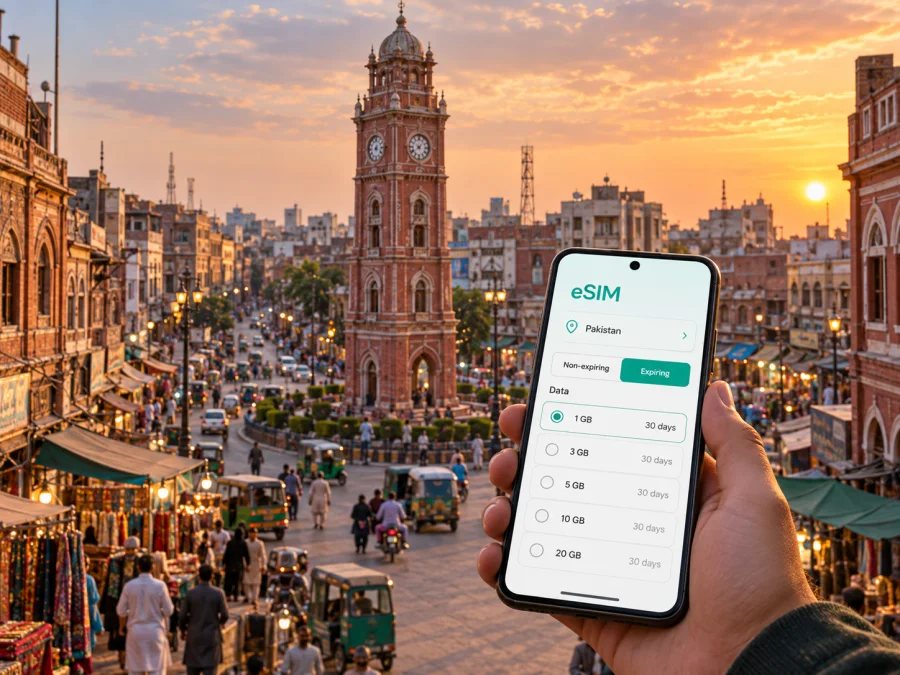
Faisalabad eSIM: reliable mobile connection and internet for your trip
Faisalabad rewards visitors who arrive with a little practical planning. The city is a major industrial and textile centre in Punjab, with a busy historic core, broad commercial areas, university and residential districts, and roads that lead onward to other cities. A map, ride booking, translation, hotel messages, work calls and payment checks can all depend on mobile internet during the first hours after arrival. Preparing an eSIM before departure gives you a clear way to plan that part of the journey without removing your usual physical SIM.
An eSIM is a digital SIM profile installed in a compatible phone. In Faisalabad, it can handle mobile data while your regular SIM remains available for the functions you still need at home. The practical value is a prepared option for navigation and communication when you leave the airport or railway station.
Why mobile internet matters in Faisalabad
Faisalabad is easy to underestimate from a map. The old centre is concentrated around the Clock Tower, but a hotel, factory, campus, restaurant or meeting point may be in a different part of the urban area. A journey that looks simple on paper can involve a change of road, a driver calling to confirm a gate, or a short stop to check the next destination. Keeping data available helps you make those decisions while you are moving.
Mobile internet is especially useful for checking a hotel or office entrance, sharing your arrival time, translating a sign or message, comparing walking and road routes, and confirming transport details before you leave. It also keeps a day trip outside Faisalabad easier to coordinate.
The right plan matches the way you will use the city. A short stopover needs less data than a week of navigation, video calls and laptop tethering, while a business traveller who sends files needs a different allowance from someone who mainly checks maps and messages.
Arriving in Faisalabad: prepare the first transfer
Faisalabad International Airport is southwest of the city centre on Jhang Road. After landing, you may need to coordinate a pickup, read the hotel address, check the route into town and contact the person meeting you. Those tasks are easier when the phone is ready before you pass through the terminal and start the road transfer.
If you arrive by rail, Faisalabad railway station is a central arrival point for train travellers. Keep booking details and the accommodation address available offline, but use mobile data for live route checks.
For an airport or station arrival:
- Check the accommodation address and the name of the neighbourhood before leaving.
- Send a short message to your host, driver or colleague with your expected arrival.
- Open the route while you still have time and battery to spare.
- Keep the phone’s main SIM selected for calls only if that is your preference, and select the travel eSIM for mobile data.
- Download or screenshot essential booking details so a weak signal does not turn a routine transfer into a search problem.
If possible, install and label the eSIM at home, then activate data according to the tariff instructions and your arrival plan. If you install after landing, keep the purchase details available and allow time to check the settings calmly.
Reading Faisalabad’s layout before you travel
The Clock Tower, locally known as Ghanta Ghar, is the visual and commercial anchor of the old city. Eight bazaars radiate from the centre, creating a memorable pattern but also a demanding environment for first-time navigation. In the central markets, a pin may take you to the correct bazaar while the most convenient entrance or road approach is less obvious. Use the map to identify a nearby landmark, then confirm the final short section with your host or driver.
The historic centre is only one part of the city. Addresses may refer to areas such as Lyallpur Town, Madina Town, Iqbal Town or Jinnah Town. Treat the district or town name as an important part of the destination, not as decorative text. When you book accommodation or arrange a meeting, save three pieces of information together: the property or company name, the local area, and a map pin. This is more reliable than remembering only a street name.
For a first visit, separate your plans into three practical zones:
| Zone | Typical reason to visit | Connection task |
|---|---|---|
| Clock Tower and the eight bazaars | Markets, heritage and short walking visits | Keep maps and translation available for the final turns |
| Your hotel and meeting area | Check-in, rest, work and meals | Confirm the address, pickup point and Wi-Fi details |
| Roads to the airport, station or outer districts | Arrival, departure and business appointments | Monitor the route and share timing changes |
This is not a fixed tourist itinerary. Put accommodation, meeting points and transport hubs in one saved list so that a changed plan does not require starting the search again.
Choosing an eSIM tariff for a Faisalabad trip
Start with the length of your stay, then estimate your daily activities. Navigation and messaging usually require less data than video meetings, cloud uploads or frequent hotspot use. Consider whether your accommodation has reliable Wi-Fi, but do not build the entire plan around it: your arrival, daytime movement and road transfers happen outside the hotel.
Use this planning table as a starting point:
| Travel pattern | What to include in your estimate | What to check before purchase |
|---|---|---|
| One-day stopover | Arrival route, messages, a few map searches | Validity period and activation timing |
| Short city break | Maps, translation, ride coordination and photos | Total data allowance for several active days |
| Business visit | Video calls, email attachments, maps and messaging | Whether tethering is supported for your workflow |
| Longer stay with day trips | Navigation beyond the centre, media and regular calls through apps | Coverage conditions along the planned route and top-up options |
The price, data allowance and validity period depend on the selected Pakistan tariff. Review those details on the purchase screen rather than assuming that a plan designed for a short visit will fit a longer itinerary. Kaspersky eSIM Store is an app and website that helps you choose, arrange and activate an eSIM with a suitable tariff for mobile internet during an overseas trip. You can choose an eSIM tariff for your trip to Pakistan after you have estimated your usage.
The service is intended for mobile data. An eSIM tariff does not automatically add a conventional local phone number, ordinary voice calls or SMS unless the specific conditions say otherwise. For calls and messages, plan to use services that work over the internet, and keep your regular number available if you need it for account verification or contact with people at home.
Getting around: maps, roads and public transport
Faisalabad’s everyday transport mix includes buses, auto-rickshaws, road transfers and rail. The city’s official transport information describes the Faisalabad Urban Transport System Service as a major bus operator. For a visitor, the priority is keeping the destination, pickup point and next step visible on the phone.
When using a car or rickshaw, share the pin for the entrance you need, check the vehicle is heading toward the right town or market area, keep the hotel address in a form you can show quickly, and allow extra time for a cross-city meeting or airport departure.
Walking is most useful for compact visits in a clearly identified market or heritage area. Heat, traffic and uneven pavements can make a route feel different from its map preview, so use the phone for orientation while staying attentive to crossings and vehicles.
Rail is relevant for arriving and onward journeys, while road links including motorway connections support regional business travel. If you are leaving the city, save the departure point, destination and return route before setting out. A Pakistan data tariff may be convenient for the whole itinerary, but suitability depends on the route and its conditions.
Hotels and neighbourhood planning
Choose a hotel for the shape of your day, not only for its room rate. A central location may suit a short visit focused on the bazaars and heritage sights, while a property closer to a meeting area may save road time during a business trip. Compare addresses before booking if you have several appointments.
Ask the hotel for the exact entrance and pickup point before arrival. Large properties can have several map results, so keep the hotel’s phone number in your normal contacts as well.
In a new neighbourhood, use a two-stage navigation method:
- Navigate to the broader area or landmark.
- Once nearby, confirm the building, gate, shop name or meeting room with the person expecting you.
This approach is useful around busy commercial streets, where a precise pin may stop at the edge of a market rather than at the door. It also helps when a driver knows a local landmark better than an English transliteration of the street name.
A practical setup before departure
Before departure, confirm that the phone is unlocked and supports eSIM, review the tariff’s data, validity and activation rules, install the profile on a chargeable phone, save the hotel and first meeting point, decide which SIM handles data, and keep the confirmation and a charger accessible.
Before buying or installing, check whether your device supports eSIM. Compatibility can vary by model and region, and a carrier lock may affect installation. A phone that accepts two SIMs is not automatically guaranteed to support eSIM, so check the exact model in the device settings and confirm that it is unlocked.
How to install and activate the eSIM
Menu names differ between phone models, but the process usually follows the same order: purchase the tariff, keep the confirmation available, add the eSIM through the mobile-network or SIM settings using the method shown with the order, and name the profile so you can recognise it beside your regular SIM.
For detailed device-specific steps, use the Android installation instructions or the iOS installation instructions. After installation, select the travel eSIM for mobile data, check data roaming settings if the instructions require it, and leave your primary SIM configured according to your calling and SMS needs.
A careful activation check:
- The eSIM profile appears in the phone’s SIM or mobile-network settings.
- The profile is switched on when you intend to use it.
- Mobile data is assigned to the travel eSIM.
- Automatic switching between SIMs is configured deliberately.
- A small map search or message confirms that data works after activation.
Activation can depend on the phone, local network and tariff conditions. If the profile does not connect, check the instructions, selected data line, signal, roaming setting and start date. If a problem remains, contact support with the order and device details.
Using Faisalabad for work
Faisalabad’s textile and manufacturing identity brings visitors for supplier meetings, factory visits, trade discussions and regional distribution work. Business travel adds a few connection requirements beyond sightseeing: sending a document from a car, joining a meeting from a hotel, confirming a gate or sharing a revised arrival time.
Before the first appointment, create a compact work folder with:
- the company name, meeting contact, full address and map pin;
- the planned arrival window and documents needed offline;
- the hotel and airport details.
Use mobile data selectively for large files or video calls, and keep a reserve for the return journey. If you need a laptop, confirm whether the tariff and device support tethering. Choose the allowance around the most demanding task rather than simple messaging.
Short stopovers and onward trips
A stopover is easier when you choose one compact objective. The Clock Tower and nearby bazaars give a concentrated look at the historic centre, while Bagh-e-Jinnah and Lyallpur Museum offer different city context. Save the return route and departure point first, then choose a visit with a comfortable margin.
For a trip beyond the city, save the outbound destination, departure point, return plan and Faisalabad accommodation address. Revisit the tariff conditions if your data needs change outside the city; a regional road journey is a different use case from a day near the hotel.
Common questions about eSIM in Faisalabad
Can I keep my normal SIM in the phone?
Many compatible dual-SIM phones allow that arrangement, but the controls depend on the model. Keep the regular SIM for the functions you need, select the travel eSIM for mobile data, and review data-roaming and automatic-switching settings.
Will the eSIM give me a Pakistani phone number?
Not necessarily. The travel eSIM described here is for mobile internet, and ordinary calls or SMS are not included unless the chosen tariff explicitly says so. Internet-based calling and messaging apps can be used for communication when appropriate.
What if my phone does not connect after installation?
Check that the profile is enabled, the travel eSIM is selected for mobile data, the phone is unlocked, and any required data-roaming setting is enabled. Recheck the activation instructions and the tariff status. If the problem continues, contact support with your order and device details.
A calmer connection plan for Faisalabad
Kaspersky eSIM Store helps you choose, arrange and activate an eSIM tariff for mobile internet during an overseas trip. Review the Pakistan options, match the allowance to your itinerary, and prepare mobile data for your Faisalabad journey before you leave.


