Travel connectivity guide
Fajara eSIM: Mobile Internet & Travel Guide
Fajara eSIM: Mobile Connection and Internet for Your Stay
Fajara is a coastal base in the wider Bakau–Banjul area, where a day may move between a hotel, the waterfront, a meeting, and nearby parts of the Atlantic coast. A phone helps confirm pickups, find restaurants, check hotel pins, and share changes. Mobile internet makes these tasks easier to manage.
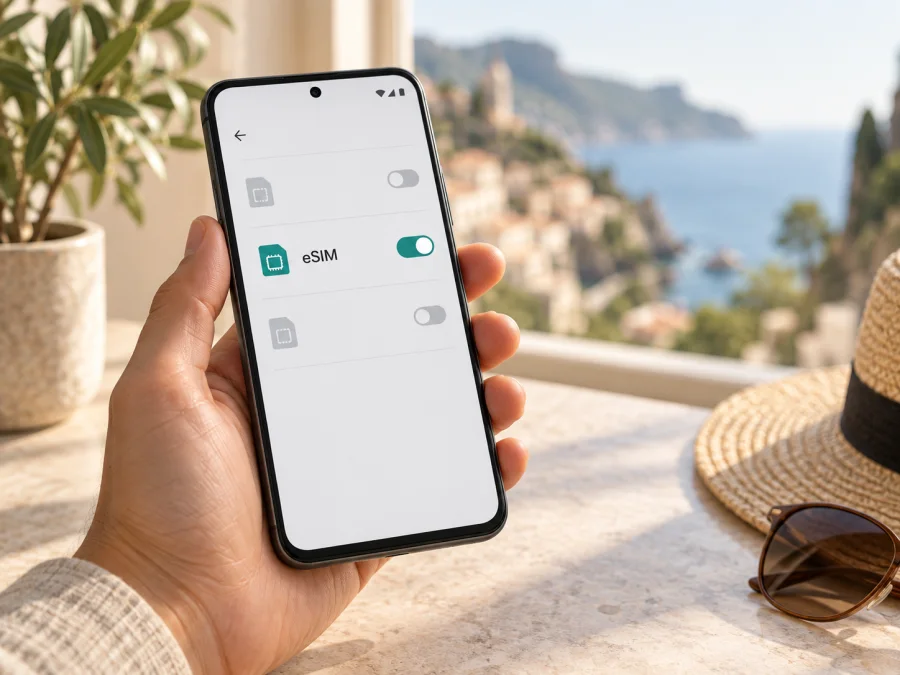
An eSIM can provide mobile data without replacing the physical SIM already in your phone. It is particularly useful if you want maps and messaging available after arrival, while keeping your usual number available for calls and verification messages. The exact service, data allowance, validity period, and activation steps depend on the plan you choose and the device you use.
What makes Fajara a useful base
Fajara sits on Gambia’s Atlantic side, close to Bakau and within the coastal cluster that also includes Kotu, Kololi, and the Senegambia area. Visitors may choose it for a quieter hotel stay, access to the beach, or as a base between Banjul and the busier resort and dining areas farther along the coast. The wider area is not a single compact pedestrian centre: your hotel, the waterfront, and an evening destination may be separate points, so it helps to plan each movement rather than assume every stop is a short walk.
The practical rhythm of a stay often looks like this:
- At the hotel: confirm the exact entrance and reception contact before leaving for an appointment or transfer.
- Along the coast: use a saved map pin and a recognizable nearby landmark when arranging a pickup.
- For meals or errands: check the destination and opening details on the day, then keep the route available offline as a backup.
- For a trip elsewhere: agree the pickup point and return plan before setting out, especially if you are unfamiliar with the route.
Mobile internet supports these details without deciding the trip for you. A map can show a likely route, but a local driver or your accommodation can clarify the most convenient entrance, current road access, or a landmark that is easier to recognize than a street name.
Arrival: getting from the airport to Fajara
For international arrivals by air, Banjul International Airport, also known as Yundum, is the main airport serving the capital. It is outside the coastal hotel area, so the airport-to-Fajara leg is a road transfer rather than a short walk from the terminal. The time can vary with traffic, the pickup arrangement, and the exact accommodation. If your flight lands late or you are travelling with family, confirm in advance whether the hotel has arranged a driver and where that person will meet you.
Keep the first transfer simple:
- Save the accommodation name, address, and phone number before departure.
- Ask the hotel for a clear pickup instruction and a point to look for after exiting the terminal.
- Keep the driver’s name or vehicle details somewhere accessible, if they have been provided.
- Open your saved map pin before leaving the airport area, then check that it points to the correct entrance.
- If the driver cannot locate the property, contact reception and let them coordinate directions.
A data connection can help share your location or reopen a route. Save essential details before takeoff: setup may require Wi-Fi, and registration can take a little time. Compare any unfamiliar pin with your booking and confirm the final turn with the accommodation.
Moving around: routes, taxis, and meeting points
Fajara is best approached as one part of a connected coastal area. Some journeys are short on a map but less straightforward on foot, particularly when heat, luggage, road conditions, or an unfamiliar crossing is involved. For longer hops, ask your hotel about a taxi or other locally appropriate transfer. For shorter walks, check the route in daylight first and follow local guidance around roads and access points.
Use your phone as a planning aid rather than as the only source of direction:
| Situation | What to check on your phone | Useful local confirmation |
|---|---|---|
| Leaving the hotel | Destination pin and route options | Which entrance or pickup point the driver should use |
| Meeting a colleague | Shared pin and a clear message | A nearby landmark both people can recognize |
| Going to the waterfront | Walking route and return point | Whether the access path is open and suitable |
| Visiting another coastal area | Route and estimated distance | The best transport option and a return arrangement |
| Heading back after dinner | Hotel address and contact | A visible meeting point for the driver |
On a limited allowance, search on Wi-Fi, save the area offline if your navigation app permits it, and avoid repeatedly loading large media. Use the saved address and local directions if the map seems inconsistent.
Choosing where to stay and how to plan each day
Fajara accommodation can suit travellers who want the coast nearby while keeping access to Bakau, Banjul, and other west-coast destinations in mind. The best location depends on the shape of your trip. A business visitor may value a predictable route to the meeting venue; a beach-focused traveller may prefer to minimize transfers; someone staying briefly may want the hotel to coordinate both airport legs.
Before booking, compare practical details rather than relying on a neighbourhood label alone:
- How far is the room from the waterfront, dining, or the place you need to visit?
- Does the property provide an airport transfer, or can it recommend a driver?
- Is reception staffed when your flight is due to arrive?
- Can the hotel send a precise location pin and explain the final approach?
- Is there a reliable place to meet a taxi without standing on a busy road?
- Will your daily plans require trips to Banjul, Bakau, Kotu, Kololi, or elsewhere?
For a beach day, carry the hotel’s address and plan your return before you settle in. For an evening out, agree on a pickup time and point, or make sure you know how to request another ride. For an early appointment, confirm the morning transfer the night before. These are small steps, but they matter more in an unfamiliar place than a perfect-looking route on screen.
Prepare mobile internet for Fajara
Kaspersky eSIM Store is an app and website where you can select, arrange, and activate an eSIM with a suitable data plan for an international trip. It does not replace your accommodation’s local advice or guarantee a particular signal in every building. Before choosing a plan, check its destination, data allowance, validity, and any other conditions displayed at purchase.
For a Fajara stay, think about what you will use data for: maps between the airport, hotel, and coastal destinations; messaging with a driver or host; email and work calls over internet-based apps; and occasional browsing while away from Wi-Fi. Choose an allowance that reflects your expected use and the length of your visit. Video calls, streaming, and automatic photo backups can consume data more quickly than route checks and text messages.
You can choose an eSIM plan for your trip to Gambia after confirming the plan details for your dates. The city is a useful planning focus, but the destination and coverage conditions are determined by the selected plan, so review those details rather than assuming every plan has identical terms.
Before you buy
Check the following before completing an order:
- Device support: make sure the phone supports eSIM and is not restricted by a carrier lock. Regional versions of the same phone model can differ; check your device’s eSIM compatibility before purchase.
- Plan destination: confirm the plan applies to Gambia and suits the full route you expect to take.
- Data and validity: match the allowance and active period to the trip, including arrival and departure days.
- Activation conditions: read when validity begins and whether installation and first use are separate steps.
- Primary number: decide which SIM should handle mobile data and which should remain available for your usual number.
- Internet access for setup: keep Wi-Fi available when you install the profile, in case the device or purchase flow needs an online connection.
An eSIM is generally for mobile data unless the plan specifically says otherwise. It does not automatically provide a local phone number, standard voice calls, or SMS. Keep your regular SIM active if you need incoming verification messages, and check your home operator’s roaming settings and charges for calls or texts. Internet calling and messaging apps can work over data, subject to the apps and your contacts being available.
Install before departure or after arrival?
Installing in advance can reduce the number of tasks you have to handle after landing, but follow the plan’s activation instructions. Some plans start their validity at installation, while others start when the eSIM first connects or when a condition in the plan is met. Check the exact wording before you install it. If you prefer to wait, make sure you will have Wi-Fi and enough time to complete setup once you reach your accommodation.
A careful setup sequence is:
- Check the device. Confirm eSIM support and remove any carrier restriction that would prevent another profile from being added. Use the compatibility check linked above.
- Read the plan instructions. Note when the validity period starts and whether data roaming needs to be enabled for that eSIM.
- Connect to Wi-Fi. Keep a stable internet connection available during installation.
- Add the eSIM profile. Follow the instructions for Android or iPhone and iOS.
- Label the line. Give it a name such as “Gambia data” so it is easy to identify beside your usual SIM.
- Select mobile data. Choose the travel eSIM for data when you are ready to use it, and keep your normal line set according to your calling and messaging needs.
- Wait for registration. Connection may take a few minutes. If it does not work, check the plan instructions, selected data line, and any required roaming setting before trying again.
Business trips, short stays, and stopovers
Fajara can be part of a short work trip as well as a longer coastal visit. The data needs differ, but the planning principle is the same: build the connection around the movement that matters most.
For a meeting in Fajara: save the venue and hotel pins separately, then send the meeting host a realistic arrival update. Download presentations or large files before leaving Wi-Fi. Keep email and calendar access available, but avoid assuming that a video meeting will be comfortable on mobile data; check the connection at the location first.
For a longer coastal visit: decide whether you will regularly travel between Fajara and nearby areas such as Bakau, Kotu, Kololi, or Senegambia. A clear list of destinations helps you estimate data use and organize transport. If you plan an excursion farther away, ask the provider of that excursion about its meeting point, travel time, and return arrangements rather than relying only on an automatically suggested route.
Frequently asked questions
Is an eSIM useful if I am staying only in Fajara?
Yes, if you want mobile data for maps, messaging, work, or coordinating local transport. Consider your actual usage and stay length before choosing an allowance. Hotel Wi-Fi can handle some tasks, while an eSIM can be useful when you are away from the property.
Will an eSIM give me a Gambian phone number?
Not necessarily. The travel eSIM described here is for mobile data unless the plan specifically states that voice or messaging services are included. You can use internet-based messaging apps over data; keep your regular number if you need ordinary calls or SMS.
What should I do if my map points to the wrong entrance?
Compare the pin with the address and property name in your booking. Call or message reception, then ask for a nearby landmark or a description of the final turn. Share that information with the driver instead of repeatedly following a confusing pin.
How much data should I choose?
There is no single allowance that fits every traveller. Navigation and text messages generally use less data than video calls, streaming, and automatic uploads. Estimate your daily use, account for the validity period, and check whether the plan lets you monitor remaining data or add more under its terms.
A practical Fajara connection checklist
Before leaving home, confirm device compatibility, read the selected plan’s destination and activation rules, and save your hotel details. Install the eSIM when it suits those rules, then confirm which line will carry mobile data. Before each trip around Fajara, check the destination pin, agree on a pickup point, and keep the accommodation contact available. For a longer journey, confirm local transport and return arrangements as well as the route.
That preparation leaves your phone ready for the useful parts of a visit: finding the hotel, keeping in touch, navigating between coastal stops, and adjusting plans when the day changes. Kaspersky eSIM Store lets you review and activate an eSIM plan for an international trip from its app or website. Choose the plan that matches your dates and expected data use, and prepare your eSIM for a stay in Gambia.


