
Travel connectivity guide
Faleniu eSIM for Mobile Internet in American Samoa
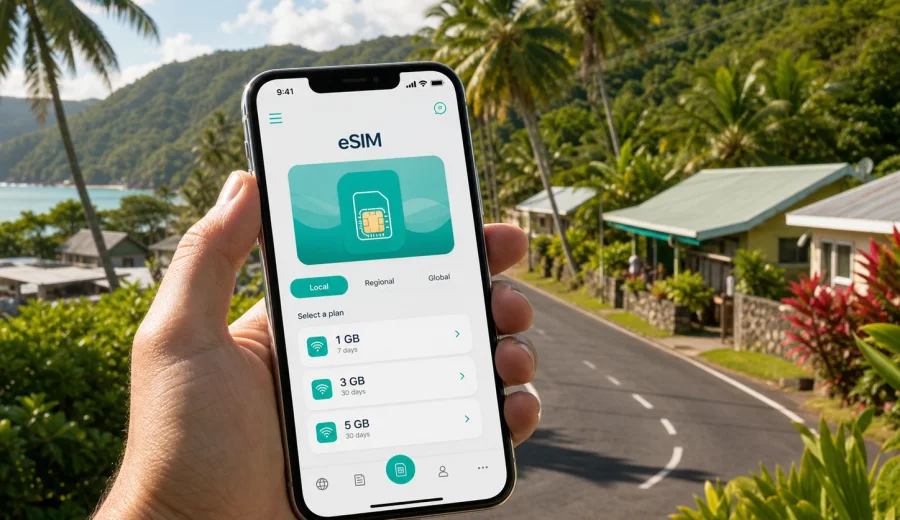
Faleniu eSIM: mobile connection and internet for a trip to American Samoa
Faleniu is a practical base for a trip on Tutuila, the main island of American Samoa. It is close enough to Tafuna, airport roads, village routes, shops, offices, and island drives that mobile internet becomes part of the trip from the first hour. You may need maps for the road from Pago Pago International Airport, messages for pickup arrangements, hotel details, ride coordination, weather checks, and quick searches while moving between villages.
An eSIM can make that start simpler. Instead of looking for a physical SIM card after arrival, you can prepare a compatible phone before the trip and use a data plan for American Samoa when you need mobile internet. That is especially useful in a place like Faleniu, where your day may include short local movements rather than one long urban commute: airport arrival, a stop in Tafuna, a drive toward Pago Pago, a meeting nearby, or a family visit that depends on messages and maps.
This guide focuses on Faleniu as a city-village travel scenario: arrival, local movement, navigation, hotels and guest stays, business trips, stopovers, and onward routes around Tutuila. It also explains how to choose, install, and manage an eSIM through Kaspersky eSIM Store without treating the product as a mobile operator or a source of coverage. The goal is simple: help you prepare mobile internet for your trip with fewer decisions after landing.
Why mobile internet matters in Faleniu
Faleniu is not a large city where every service is concentrated in a single downtown area. Travel usually depends on nearby roads, village landmarks, pickup points, and local timing. A working data connection helps you handle the small decisions that shape the day.
Common mobile internet tasks in Faleniu include:
- confirming an airport pickup or taxi meeting point;
- checking directions between Faleniu, Tafuna, Nu'uuli, Pago Pago, and nearby villages;
- sharing your live location with family, colleagues, or hosts;
- opening hotel, guesthouse, or meeting details from email;
- using messengers for internet-based calls;
- checking weather before coastal drives or outdoor plans;
- managing bookings, boarding passes, and payment confirmations;
- translating short messages or practical travel phrases when needed.
For many travelers, the main value of an eSIM is not constant browsing. It is having a dependable way to get online when a small delay could become stressful: the driver cannot find you, the road route changes, the hotel address is unclear, or you need to message someone while away from Wi-Fi.
Arrival: from the airport to Faleniu
Most international arrivals for Tutuila use Pago Pago International Airport in the Tafuna area. Faleniu is part of the same west-side travel pattern, so the first mobile internet tasks often happen before you reach your accommodation.
The useful arrival sequence is simple:
1. Turn off airplane mode after landing.
2. Make sure the eSIM profile is selected for mobile data if you installed it in advance.
3. Check whether data roaming needs to be enabled for the eSIM profile, depending on the plan instructions.
4. Message your pickup contact or host.
5. Open your saved address and route before leaving the airport area.
6. Keep key booking details available offline in case the local signal is uneven during the drive.
If you prefer to install the eSIM after landing, use airport or accommodation Wi-Fi only for the setup step, then switch mobile data to the eSIM profile. Installing before departure is often calmer because you can follow instructions at home, check settings, and avoid doing everything while handling luggage.
Local movement around Faleniu
Faleniu travel is often local and practical. You may not be moving through a dense metro network, but you still need orientation. Roads, village names, pickup points, churches, schools, shops, and family homes can be more relevant than street numbers.
Mobile internet helps with three types of movement:
| Situation in Faleniu | Why data helps | Practical tip |
|---|---|---|
| Airport transfer | You can message a driver or host if timing changes | Save the phone number and address before the flight |
| Local taxi or pickup | You can share your current location | Send a map pin, then confirm the landmark in words |
| Village-to-village route | You can check directions and estimated time | Download offline maps too, especially for longer drives |
| Hotel or guest stay | You can open booking details and contact reception | Keep screenshots of reservation details |
| Business visit | You can join calls, check files, and coordinate meetings | Use Wi-Fi for heavy uploads when available |
The best approach is to treat mobile data as a travel tool, not as unlimited background usage. Keep maps, messages, booking apps, and essential services ready. Save large app updates, cloud backups, and video streaming for Wi-Fi unless your selected plan has enough data for them.
How much data may you need in Faleniu?
Your data needs depend on how you travel. A short stopover with taxi coordination is different from a two-week family visit with daily maps, messages, and video calls. Before choosing a plan, think about the number of days, the amount of time away from Wi-Fi, and whether you will travel beyond Faleniu.
Here is a practical planning guide:
| Trip style | Typical data use | What to prioritize |
|---|---|---|
| 1-2 day stopover | Low to moderate | Maps, messages, booking access, ride coordination |
| 3-5 day visit | Moderate | Daily navigation, messengers, light browsing, email |
| Business trip | Moderate to high | Email, calendar, files, hotspot needs, backup access |
| Family or village stay | Variable | Messaging, internet calls, photo sharing, local routes |
| Island exploration | Moderate | Maps, weather, route checks, accommodation messages |
If your accommodation has reliable Wi-Fi, you may only need mobile data for movement. If you expect to spend much of the day away from Wi-Fi, choose more data and watch background usage. On most phones, you can reduce unnecessary consumption by disabling automatic app updates, limiting cloud photo sync, and downloading maps before the trip.
Choosing an eSIM plan for Faleniu
For a Faleniu trip, choose a plan for American Samoa rather than searching for a separate city product. A city article helps you understand the local travel scenario, but the eSIM plan should match the country or region where your phone will use mobile data.
Before you choose a plan, check:
- destination: American Samoa;
- trip length: the number of days you need mobile internet;
- data volume: light, normal, or heavy use;
- activation rules: when the validity period starts;
- device compatibility: whether your phone supports eSIM and is not locked to one carrier;
- route: whether you will stay on Tutuila or continue to another country or territory.
Kaspersky eSIM Store is an app and website where you can quickly choose, arrange, and activate an eSIM with a suitable data plan for mobile internet in an international trip. For Faleniu, you can use it to review available options for the destination and choose a data plan for your trip to American Samoa before you rely on airport Wi-Fi or a physical SIM card search after arrival.
What makes Faleniu different from a big-city eSIM trip
In a large city, mobile data is often about metro apps, ride-hailing, restaurant reservations, and dense tourist districts. In Faleniu, the use case is more grounded: local road movement, village landmarks, airport proximity, family coordination, and practical errands across west Tutuila.
That changes how you should think about your plan:
- Maps are important, but you should also save addresses and landmarks in plain text.
- Messaging may matter more than browsing because pickups and visits are often coordinated directly.
- Offline preparation is still useful because island routes can move through areas where signal quality changes.
- Heavy data use is usually avoidable if you have accommodation Wi-Fi.
- A short plan may be enough for a stopover, but a longer stay needs a validity period that covers the full trip.
The best eSIM plan is the one that fits your real pattern, not the largest option by default. If you mainly need maps, messages, boarding passes, and email, a moderate data allowance may be sufficient. If you expect frequent video calls, hotspot use, or remote work sessions, plan more carefully.
Installation before departure or after arrival
You can usually prepare an eSIM before your trip, then activate mobile data when it is time to use it. The exact steps depend on your phone and the selected plan, so always follow the instructions shown after purchase.
For a smoother Faleniu arrival, use this checklist:
1. Check that your phone supports eSIM and is not carrier-locked.
2. Choose American Samoa as the destination.
3. Select a plan based on trip length and data needs.
4. Install the eSIM profile while you have stable internet.
5. Label the profile clearly, for example "American Samoa travel".
6. Keep your primary SIM active if you need calls or SMS on your usual number.
7. On arrival, select the eSIM profile for mobile data.
8. Enable data roaming for the eSIM profile if the plan instructions require it.
If you need detailed setup steps, use the official Android installation guide or the iOS installation guide. Before you choose a plan, check your device so you know it supports eSIM and can use the profile during the trip.
Practical scenarios in Faleniu
A short stopover
If you are in Faleniu or the Tafuna area for a short stop, mobile data is mainly for time-sensitive tasks. You may need to contact a host, check a connecting flight, find food nearby, or confirm transport. Install the eSIM before the flight if possible, keep your booking screenshots offline, and avoid heavy streaming.
A family or village visit
For a longer stay, messaging and internet calls may be the main use cases. An eSIM gives you mobile data for messages when you are away from home Wi-Fi, visiting relatives, or moving between villages. Keep in mind that eSIM data plans usually do not include a regular local phone number, voice calls, or SMS unless the plan conditions say otherwise. For calls, use internet-based apps.
A business trip
Faleniu can be part of a west Tutuila business route involving Tafuna, Nu'uuli, Pago Pago, government offices, suppliers, or local partners. Mobile data helps with calendars, email, maps, and meeting changes. If you need to use a laptop, check whether your phone and plan allow hotspot use, and keep large file transfers for Wi-Fi where possible.
A road day around Tutuila
If you plan to leave Faleniu for Pago Pago, Leone, coastal viewpoints, or other villages, mobile data supports route checks, weather updates, and contact with your accommodation. Download offline maps in advance, because offline preparation remains useful even when you have an eSIM.
What to prepare before you travel
A calm eSIM setup starts before the airport. Use this quick preparation list:
- Save your accommodation address, host contact, and arrival instructions.
- Screenshot the eSIM installation details after purchase.
- Download offline maps for Tutuila.
- Keep your passport, booking references, and flight details available offline.
- Turn off automatic cloud backup on mobile data unless you need it.
- Decide which SIM handles mobile data and which SIM handles calls or SMS.
- Check whether your banking and travel apps need SMS verification on your primary number.
- Charge your phone and carry a power bank for arrival day.
This preparation matters in Faleniu because your first decisions may happen while you are moving: leaving the airport, finding the correct road, confirming a pickup, or coordinating with someone who describes a landmark rather than a formal street address.
Using public Wi-Fi and mobile data together
Wi-Fi can be useful at an airport, hotel, office, or home stay, but you should not depend on it for every travel task. Mobile data is helpful when you step outside, change plans, or need to contact someone before you reach a known Wi-Fi network.
Use Wi-Fi for:
- system updates;
- large photo and video backups;
- streaming;
- long video meetings;
- downloading large files.
Use eSIM mobile data for:
- maps and route checks;
- messengers and internet calls;
- booking confirmations;
- email and calendar updates;
- ride or pickup coordination;
- urgent searches when Wi-Fi is not available.
This split helps your data plan last longer and keeps the eSIM focused on the moments when mobility matters most.
Common mistakes to avoid
Do not wait until you are already outside the airport with no Wi-Fi to start reading installation instructions. Install the eSIM profile while you still have a stable connection.
Do not assume every phone supports eSIM. Compatibility depends on the model, region, and carrier lock status. Check this before buying a plan.
Do not remove the eSIM profile too early. Some eSIM profiles cannot be moved or reinstalled freely after activation, depending on the plan conditions.
Do not set the wrong SIM for data. If your primary home SIM stays selected for mobile data, you may trigger roaming charges from your regular carrier.
Do not spend the first day on background data. Disable automatic app updates, cloud photo sync, and large downloads on mobile data unless your plan is sized for that use.
Quick answers about Faleniu eSIM use
Do I need a Faleniu-specific eSIM plan?
No. For a city or village trip, choose the plan for the country where the city is located. For Faleniu, that means American Samoa.
Can I install the eSIM before flying to American Samoa?
In many cases, yes. Install the profile while you have stable internet, then follow the plan instructions for activation and mobile data use.
Will an eSIM give me a local phone number in Faleniu?
Usually, travel eSIM data plans are focused on mobile internet. Voice calls and SMS are not included unless the specific plan states otherwise. Use internet-based calling and messaging apps when you need them.
Should I keep my regular SIM active?
Yes, if you need calls, SMS, banking verification, or messages on your usual number. Set the travel eSIM for mobile data and check your phone settings carefully.
Is eSIM useful if my hotel has Wi-Fi?
Yes. Hotel Wi-Fi helps inside the property, but mobile data is useful for airport arrival, local movement, pickup coordination, maps, and unexpected changes.
A simple Faleniu mobile internet plan
For most travelers, the best setup is straightforward:
| Step | Action | Why it helps |
|---|---|---|
| Before departure | Check eSIM compatibility | Avoid buying a plan for an unsupported phone |
| Before departure | Choose an American Samoa plan | Match the actual destination for Faleniu |
| Before departure | Install the eSIM profile | Reduce setup pressure after landing |
| Arrival day | Select eSIM for mobile data | Use the travel plan for maps and messages |
| During the trip | Use Wi-Fi for heavy tasks | Keep mobile data for movement and urgent needs |
| Before leaving | Review profile settings | Avoid using the travel profile after the trip |
This plan works for a stopover, a business visit, or a longer stay because it keeps the phone setup simple. You know which profile handles data, you keep your main number available if needed, and you avoid relying only on public Wi-Fi during local movement.
Choose an eSIM plan for your Faleniu trip
Faleniu is a practical place to arrive, stay, visit, and move around west Tutuila. Mobile internet can help with the small details that make the trip run smoothly: finding your pickup, sharing a location, checking directions, reading hotel instructions, joining a work call, or contacting family while away from Wi-Fi.
Before you travel, check that your device supports eSIM, choose a plan that fits your length of stay and expected data use, and install the profile while you have a stable connection. In Kaspersky eSIM Store, you can review destination options and prepare an eSIM plan for American Samoa so your Faleniu trip starts with a clearer mobile internet setup.