
Travel connectivity guide
Falmouth eSIM for Mobile Internet
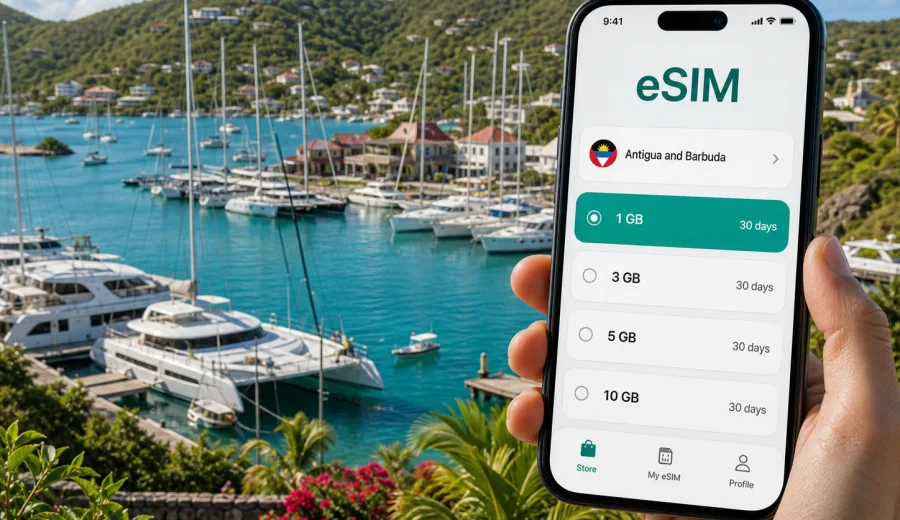
Falmouth eSIM: mobile connection and internet for your trip
Falmouth in Antigua and Barbuda is a compact harbour town where a reliable mobile connection can shape the whole rhythm of your visit. You may arrive by road from V. C. Bird International Airport, check in near Falmouth Harbour or English Harbour, walk between marinas, meet a yacht crew, visit Nelson's Dockyard, or use the town as a base for beaches, viewpoints, restaurants, and day trips around Antigua. In each of these moments, mobile internet is not just a convenience. It helps you confirm pickup details, open maps, message a hotel, check a restaurant location, use ride or taxi apps where available, and stay reachable while moving between bays.
An eSIM is useful in Falmouth because many travel tasks happen before you have time to look for a local SIM card. The town is relaxed, but your first hours can still be busy: airport transfer, luggage, marina check-in, route decisions, and finding the exact entrance to a hotel or villa. With an eSIM prepared in advance, you can connect on a compatible phone without changing a physical SIM card. Kaspersky eSIM Store is an app and website where you can choose, arrange, and activate an eSIM with a suitable mobile internet plan for an international trip.
Why mobile internet matters in Falmouth
Falmouth is not a large capital city with a dense grid of public transport stops. It is a harbour-focused destination where visitors often move between nearby but separate places: Falmouth Harbour, English Harbour, Nelson's Dockyard, Pigeon Point Beach, Galleon Beach, Shirley Heights, villas in the hills, yacht clubs, small restaurants, and marina services. Distances can look short on a map, but hills, narrow roads, heat, rain showers, and evening plans make real-time navigation valuable.
Mobile internet is especially useful when you need to:
- share your live location with a driver or host;
- compare walking time with taxi time between Falmouth and English Harbour;
- check the route to a beach, dock, restaurant, villa, or viewpoint;
- message a marina office, charter company, hotel, or travel companion;
- translate menus, notices, or local service information;
- use online banking or payment confirmation while travelling;
- call through a messenger when a plan changes.
For many travellers, the most important benefit is control. You are not waiting until you find Wi-Fi, you are not relying only on hotel reception, and you can decide when to activate and use your data plan according to the terms shown for the selected eSIM.
Arrival in Falmouth: where eSIM helps first
Most international visitors reach Falmouth after landing at V. C. Bird International Airport near St. John's, then continue by private transfer, taxi, rental car, hotel pickup, or yacht-related transport. The drive crosses the island, and the exact route can depend on traffic, road works, weather, and where in Falmouth or English Harbour you are staying.
An eSIM helps during this first leg because you can:
1. Message your driver after baggage claim.
2. Confirm whether the pickup point is inside or outside the terminal area.
3. Share your location if the driver is waiting at a different door.
4. Open the route to Falmouth Harbour or English Harbour.
5. Tell your hotel or villa host your updated arrival time.
6. Keep family or colleagues informed without searching for airport Wi-Fi.
This is also the moment when you do not want to spend time comparing unfamiliar SIM options in a hurry. If the eSIM is installed before travel, you can focus on getting from the airport to the south coast smoothly.
Falmouth, English Harbour, and local movement
Visitors often talk about Falmouth and English Harbour together because the two areas sit close to each other and share many travel routines. Falmouth Harbour is known for its marina activity, yachts, marine services, and hillside accommodation. English Harbour adds heritage sites, bars, restaurants, docks, and access to Nelson's Dockyard. A mobile connection makes these small-area movements easier because the trip may be too short to plan like a long excursion but too specific to handle without a map.
Typical local routes include:
| Situation | Why mobile internet helps |
|---|---|
| Hotel to marina | Confirm the correct dock, gate, or meeting point. |
| Falmouth Harbour to English Harbour | Check walking route, taxi pickup, and weather before leaving. |
| Beach visit | Open maps, coordinate return transport, and message your group. |
| Evening restaurant plan | Check the location, reservation time, and route after dark. |
| Yacht or charter meeting | Stay reachable if the berth, tender point, or schedule changes. |
| Hillside villa stay | Share location details with drivers, food delivery contacts, or hosts. |
In a small harbour town, the challenge is rarely distance alone. The challenge is precision: which road, which dock, which driveway, which entrance, and which pickup point. That is why mobile internet can feel more important in Falmouth than the size of the town suggests.
Choosing an eSIM data plan for Falmouth
Before choosing a plan, think about how you will use your phone in and around Falmouth. A weekend sailor has different needs from a family staying in a villa for ten days. A business visitor attending meetings near the marina may use less navigation but more email and file access. A traveller creating video content may need a larger data allowance than someone who mostly uses messaging.
Use this simple guide:
- Short stopover or two-day visit: maps, messages, ride coordination, restaurant searches, and a few uploads.
- Five to seven days: regular navigation, social media, hotel communication, weather checks, and beach or island routes.
- Yacht week or sailing event: marina updates, crew messages, weather apps, route coordination, and regular photo sharing.
- Remote work stay: email, cloud tools, video calls, hotspot use if included, and backup data when Wi-Fi is unstable.
- Family trip: multiple navigation checks, group chats, bookings, menus, and child-friendly activity searches.
For Falmouth, it is usually better to choose a plan that matches your full stay in Antigua and Barbuda, not only the hours you expect to spend in the harbour. Many visitors add Half Moon Bay, St. John's, Fig Tree Drive, beaches on the west coast, or viewpoints around English Harbour. A country plan keeps the choice aligned with the full destination.
When you are ready to prepare mobile internet before your trip, you can choose an eSIM plan for Antigua and Barbuda and compare available options by destination, data amount, validity period, and price. Check the conditions of the selected plan before purchase, because activation timing, validity, hotspot availability, and included services can vary.
Before you buy: compatibility and phone setup
An eSIM works only on devices that support eSIM and are not restricted by a carrier lock. Before you pay for any travel data plan, open your phone settings and confirm that your model can add an eSIM profile. You should also check whether your primary SIM can remain active for calls or SMS while the eSIM handles mobile data.
Use this pre-trip checklist:
- Check your device for eSIM support before choosing a plan.
- Make sure the phone is not locked to one carrier.
- Update the operating system if an update is pending.
- Keep your regular SIM active if you need bank SMS or calls on your usual number.
- Save your eSIM QR code or installation details somewhere accessible.
- Install the eSIM while you have stable Wi-Fi, unless the plan instructions say otherwise.
- Read when the validity period starts: after installation, after activation, or after first connection.
How to install and activate your eSIM
The exact steps depend on your device, but the travel sequence is usually simple: choose the destination, select a plan, complete checkout, install the eSIM profile, and then activate mobile data according to the plan instructions. If you need device-specific help, follow the Android installation instructions or the iOS installation instructions.
For a Falmouth trip, a practical setup process looks like this:
1. Choose Antigua and Barbuda as the destination.
2. Select a data amount and validity period that covers your full stay.
3. Install the eSIM on the phone you will carry during the trip.
4. Label it clearly, for example "Antigua data" or "Travel eSIM".
5. Keep your main SIM for calls and messages if you still need it.
6. Set the eSIM as the mobile data line when you are ready to use it.
7. Turn on data roaming for the eSIM if the plan instructions require it.
8. Monitor data usage in your phone settings and in the available plan details.
Do not delete the eSIM profile unless you are sure you no longer need it. Some eSIM profiles cannot be moved or reinstalled after activation, depending on the plan terms.
Sailing, business, and trips beyond the harbour
Falmouth Harbour is one of Antigua's important yachting areas, so plans can change quickly: a berth may shift, a tender pickup can move, or a crew member may need updated instructions. Mobile internet supports crew chats, marina messages, supplier routes, weather checks, and document access for bookings or travel details. If you expect heavy use during a sailing event or charter week, choose a larger allowance and check whether hotspot use is included in the selected plan.
Business travellers also benefit from preparing mobile data before arrival. Falmouth can be a base for marine services, hospitality meetings, property visits, event planning, and remote work. Email and calendars may only need light data, while video calls, cloud files, and hotspot sessions can use much more. Keep your regular SIM active if you rely on SMS codes, and download important files before leaving Wi-Fi.
For short trips from Falmouth, combine mobile data with offline preparation. Save maps for Pigeon Point Beach, Galleon Beach, Shirley Heights, Half Moon Bay, Fig Tree Drive, and St. John's before you leave. Screenshot your accommodation address, confirm return transport before evening plans, and keep a power bank with you. An eSIM helps with flexible route changes and group messages; offline maps help if battery, signal, or app access becomes less predictable.
Data use and connection choices
Data use depends on your apps and habits. Messaging and maps are usually light. Photo uploads, social media video, calls, and hotspot use can consume data quickly. To make your plan last longer, disable automatic cloud backup on mobile data, download playlists and maps on Wi-Fi, reduce video autoplay, and send large media files when you are back on a stable Wi-Fi network.
An eSIM is not the only connection option in Falmouth, but it is often convenient because it can be prepared before arrival and used without changing a physical SIM. Standard roaming may be simple but depends on your home operator's terms. A local physical SIM may suit a longer stay, but it takes time and requires a SIM slot. Hotel, marina, and cafe Wi-Fi can help with large downloads, yet it will not cover every transfer, beach visit, road trip, or dockside task.
Practical checklist for your Falmouth trip
Use this list before departure:
- Confirm your accommodation address in Falmouth, English Harbour, or nearby hills.
- Save transfer details from the airport.
- Install your eSIM before leaving home if the instructions allow it.
- Keep the QR code or activation details available offline.
- Check whether your plan validity starts at installation or first use.
- Save offline maps for Falmouth, English Harbour, and St. John's.
- Keep your regular SIM active if you need calls or SMS.
- Pack a power bank for marina days, hikes, and beach trips.
- Turn off automatic video uploads on mobile data.
- Share your location with a trusted contact when travelling late or alone.
FAQ: eSIM and mobile internet in Falmouth
Is Falmouth a good place to use an eSIM?
Yes, if your phone supports eSIM and the selected plan covers Antigua and Barbuda. Falmouth travel often involves airport transfers, marina coordination, beach routes, and hotel communication, so mobile internet is useful beyond basic browsing.
Should I choose a city plan or a country plan?
For Falmouth, choose a plan for Antigua and Barbuda. A city article focuses on local travel, but the mobile data plan should match the country where the city is located.
Does an eSIM include calls and SMS?
Travel eSIM plans are commonly focused on mobile data. Calls and SMS are not included unless the selected plan specifically says so. Many travellers use internet-based messaging and calling apps over mobile data.
When should I install the eSIM?
Install it while you have stable Wi-Fi, often before departure. Activate mobile data according to the plan instructions, and read when the validity period begins.
Final preparation before you travel
Falmouth rewards travellers who can move at the harbour's pace without losing practical control. You may spend one hour at a dock, the next on a beach road, and the evening at a hillside viewpoint. A prepared eSIM can make these transitions easier by giving you mobile internet for maps, messages, reservations, and travel coordination from the moment you are ready to use it.
Before you fly, check device compatibility, choose a data amount that matches your itinerary, install the eSIM on the phone you will carry, and save the most important trip details offline. For a smoother start to your stay, prepare an eSIM plan for Antigua and Barbuda through Kaspersky eSIM Store before you arrive in Falmouth.