Travel connectivity guide
Farim eSIM: Mobile Internet in Guinea-Bissau
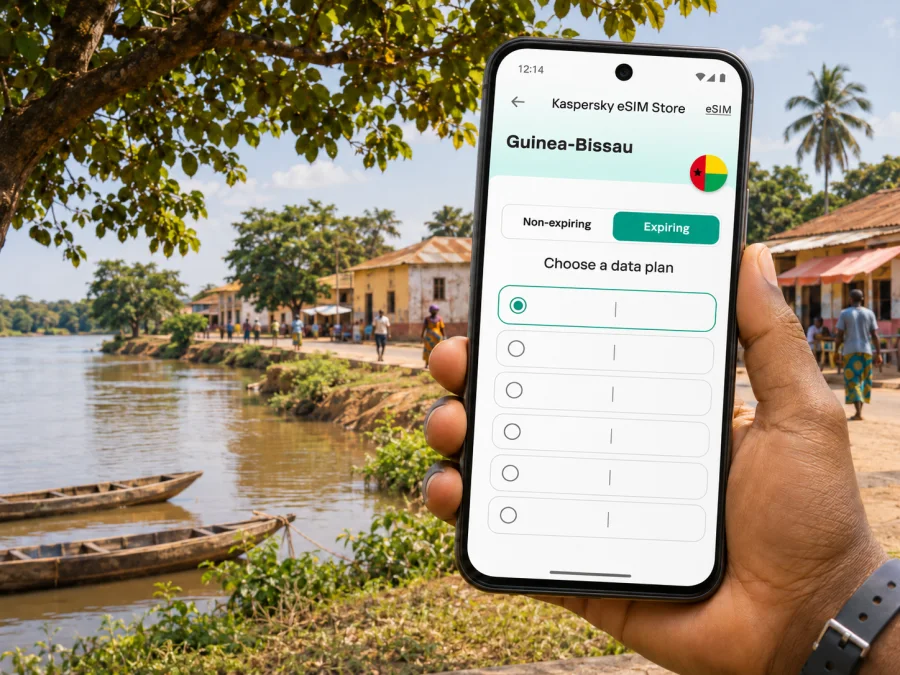
Farim eSIM for mobile connection and internet on your trip
Farim is a small town in northern Guinea-Bissau, in the Oio region, on the Cacheu River. A visit here calls for a different connectivity plan from a stay in a large capital: you may need to coordinate a ride, confirm accommodation, find a local contact, or check a river crossing before setting out. Mobile data can help with those tasks, but service, speed and availability can vary by place and moment. Plan for offline access as well as a working data connection.
This guide focuses on using mobile internet in Farim: getting there, navigating the town, arranging local travel and preparing an eSIM. It does not assume that a particular operator, network generation or eSIM profile will work at every address. Check the conditions shown for the specific plan you choose, and keep essential details available without internet.
What to expect from connectivity in Farim
Farim is not a large urban network environment where it is sensible to assume continuous high-speed service indoors, on every road or across the river. Country-level operator information does not establish signal strength at a particular guesthouse, market or ferry landing. A plan may connect through a local partner network, but the available network and service can depend on the eSIM product, device, location and current local conditions.
The practical approach is to treat data as a useful tool, not as the only way to navigate. Before travelling, save the address and phone number of your accommodation, a map of Farim and your onward route. Download any translation or travel information you rely on. If a map app loses its connection, an offline map can still help you orient yourself, though live traffic, search and route updates may stop working.
| What you need in Farim | Prepare before setting out |
|---|---|
| Finding accommodation | Save its name, written address, map pin and a contact number or message. |
| Getting around | Download an offline map and mark your lodging, meeting point and return destination. |
| Confirming transport | Ask the driver or local contact about the current pickup point, fare and timing before departure. |
| Crossing the Cacheu River | Confirm whether a crossing is operating, where it departs and whether vehicles can cross that day. |
| Staying reachable | Keep your accommodation and travel contacts accessible offline; do not rely on a data-only eSIM for ordinary calls or SMS. |
Arriving in Guinea-Bissau and continuing to Farim
International visitors normally begin their journey in Bissau before continuing overland toward Oio. Farim is inland and north of the capital, so the final leg requires its own arrangements. Do not assume that your airline arrival, onward vehicle and arrival in Farim will happen in one uninterrupted trip. Leave time for immigration, baggage, meeting your driver, road conditions and any river-crossing logistics on your chosen route.
The Cacheu River is a defining part of Farim’s setting. Published descriptions of the area have noted ferry access to the town, but those references do not confirm a present-day timetable, fares, vehicle capacity or daily operation. Confirm the crossing directly with your driver, accommodation or another reliable local contact shortly before you travel. If the crossing is relevant to your route, ask what happens if it is delayed or unavailable, and avoid planning a tight onward connection around an unconfirmed departure.
Mobile data can support coordination once you have service, but prepare for gaps during the journey:
- Save your accommodation’s contact details and precise meeting instructions before leaving Bissau.
- Download the map area that includes your route and Farim. Keep a screenshot of the final approach or pin as a backup.
- Agree with the driver how you will identify one another if messaging is unavailable. A written name or meeting landmark can be more reliable than a live location link.
- Confirm the current river crossing arrangements and whether your vehicle can use them.
- Send an arrival update when you have a usable connection, then keep the contact details saved for the return journey.
Mobile internet for town days
A downloaded map is useful for finding your way back to accommodation, but it will not answer every local question. Ask your host or a trusted local contact about the best route, whether a point is open, and how to arrange transport. In a smaller destination, a named person or agreed meeting point can be more useful than a street address alone.
A simple connectivity routine for a day in Farim:
- Before leaving, check that mobile data is enabled on the intended eSIM line and that the plan is active for Guinea-Bissau.
- Open your offline map and confirm that the relevant area has been saved.
- Share your rough plan with your host or travel companion while you have a connection.
- Use messaging, maps and translation when needed; postpone nonessential updates until Wi-Fi is available.
- Keep your phone charged and carry a power bank if you expect a long day away from your accommodation.
- At the end of the day, check the next day’s transport and crossing plans with a person who can confirm current conditions.
Choose a Guinea-Bissau eSIM plan for your itinerary
An eSIM is a digital SIM profile that can be installed on a compatible, unlocked device. It can provide mobile data while leaving a physical SIM in place, depending on your phone’s capabilities and settings. In Kaspersky eSIM Store, the website and app let you choose, purchase and activate an eSIM with a suitable data plan for an international trip. The service is not a mobile network operator, and the exact local network, coverage and plan terms depend on the selected offer.
Before choosing, check the current Guinea-Bissau destination page for the plan’s allowance, validity, supported network details and other conditions. These details can change, so use the information displayed at the time of purchase rather than relying on an old price or a general promise about coverage. To review available options for your destination, browse eSIM plans for Guinea-Bissau.
Match the plan to the way you will use data rather than choosing only by the largest allowance. For a short visit, messaging, occasional navigation and check-ins may require less data than frequent video calls or cloud backups. If you will share data with another device, verify whether tethering is permitted and account for the additional use. The selected plan’s stated validity and activation rules matter: understand when its validity begins, what counts as data use and whether unused data expires.
| Trip pattern | Questions to consider before selecting a plan |
|---|---|
| A brief stop in Farim | How many days will the plan remain valid, and when does its validity start? |
| Several days with navigation and messaging | Is the data allowance sufficient for maps, translation, messaging and check-ins? |
| Remote work or frequent video calls | Is the connection dependable enough for your work needs? Do not assume so without local confirmation and a backup. |
| Travel with a companion | Does the plan allow hotspot use, and will one phone’s data be enough for both people? |
| Farim plus other destinations | Does the selected plan cover every country or region on your route, or only Guinea-Bissau? |
A city name in your itinerary does not mean that the plan is city-specific. Plans are usually associated with a country or region, while actual service depends on the partner network and local conditions. Check the destination and network information on the selected offer, especially if the route continues toward Senegal or another country. A Guinea-Bissau plan should not be assumed to cover an international border crossing.
Check your device before the trip
Confirm that your exact phone model and regional variant support eSIM. Devices with similar marketing names can differ by country or carrier version, and a phone may also be locked to its original operator. Check the manufacturer’s specifications and settings, and check whether your device is compatible with eSIM before purchase. Do not assume compatibility from the brand name or a family resemblance to another model.
Before departure, review these settings and safeguards:
- Know which line should handle mobile data and which line should remain available for your existing number.
- Check whether data roaming must be enabled for the travel eSIM; this depends on the device and plan instructions.
- Disable automatic data switching if your phone might switch to a home line and incur roaming charges.
- Keep the eSIM profile installed unless the provider’s instructions tell you to remove it.
- Save any QR code or installation details securely, but do not assume a QR code can be reused after installation.
- Keep the original SIM active only if you understand its roaming charges and want to receive calls or messages on that line.
Install and activate the eSIM
If possible, install the eSIM before travelling while you have a stable Wi-Fi connection. Follow the instructions shown for the purchased plan and your device. Some plans start their validity at installation, while others begin when the eSIM first connects to a supported network; check the offer terms before installing early. If you prefer to wait until arrival, make sure you have another way to access the installation details and the internet needed to complete setup.
Typical setup steps may look like this, but the order and labels vary by operating system and plan:
- Open the Kaspersky eSIM Store app or website and locate the purchased eSIM and its setup instructions.
- Add the eSIM through the phone’s mobile or cellular settings, either by following the in-app flow or scanning the supplied QR code.
- Label the new line clearly, for example “Guinea-Bissau data,” so you can identify it later.
- Choose the travel eSIM as the mobile data line when you want to use its plan. Keep your primary number configured according to your needs and roaming costs.
- Turn on data roaming for the eSIM only if the plan instructions require it. Check the phone’s status and the plan account before relying on it.
- Once service is available, open a simple webpage or send a short message to confirm data access. Avoid large downloads during the first check.
For detailed device-specific steps, use the Android eSIM installation instructions or the iOS eSIM installation instructions. Menu names can differ across software versions. If setup does not match the guide, consult the current on-screen instructions before deleting or resetting the profile.
If the connection does not work
Troubleshoot one setting at a time so you do not lose access to the profile or confuse your primary line with the travel line.
- Check the basics. Confirm that the eSIM is installed, enabled and selected for mobile data. Verify that the plan is active and has remaining data or validity.
- Check location and partner details. The plan must be intended for Guinea-Bissau, and the phone must be able to connect to a supported local network. Do not assume that a network name seen in another country will be available in Farim.
- Review roaming instructions. If the offer requires data roaming, enable it for the travel eSIM rather than changing every line indiscriminately.
- Refresh the connection. Move to a place with a more open signal path, wait a few minutes, or briefly toggle the eSIM line off and on. Avoid removing the profile.
- Reduce the test. Try a text-only website or message. If the test works but media does not load, the issue may be weak service, a data limit or background settings.
- Use your backup. Switch to saved offline maps, contact your accommodation through another available method and ask locally about service conditions.
- Contact support when you can. Keep the order details and the phone’s error message available; do not share passwords or verification codes.
If data works in one part of Farim and not another, that does not necessarily indicate a problem with the eSIM. Coverage can vary indoors, near the river, along roads and between settlements. When the connection is essential for a transfer or meeting, arrange the details in advance and avoid depending on a last-minute data connection.
Scenarios: plan for the connection you actually need
A short visit centred on the town
Save your accommodation pin and local contact before leaving Bissau. Use data for check-ins and occasional map searches, then keep the offline map ready. Ask your host about the market, river access and return transport rather than assuming every destination is marked accurately in an app. A modest plan may fit light use, but compare the actual allowance and validity with your schedule.
A transfer that depends on a river crossing
Ask the driver to confirm where the crossing departs from and whether it is operating on your travel date. Keep your driver’s details and a written alternative plan offline. Send your arrival message while you still have a signal. Do not treat a map pin, an old travel account or a network connection as proof that a ferry is running.
Working while staying in Farim
Before the trip, test the apps you need and make a list of tasks that can be completed offline. Download documents, make local copies of schedules and tell colleagues when you may be unavailable. A travel eSIM can help with ordinary data tasks when a supported network is available, but it should not be treated as a guaranteed fixed broadband connection or a substitute for a tested work network.
Spend data carefully
In a destination where you may have uneven access to mobile service, data discipline improves both predictability and battery life. Set app updates and photo backups to Wi-Fi only. Use text instead of sending high-resolution images when a brief update is enough. Download maps, tickets and accommodation details before travelling, and close apps that refresh in the background.
You can estimate your needs by listing the activities you expect rather than relying on a universal daily figure:
- Low use: messaging, occasional map checks, email and a few searches.
- Moderate use: regular navigation, photo sharing, web research and voice or video messages.
- High use: frequent video calls, streaming, cloud backup, large downloads or hotspot sharing.
Keep a dependable offline backup
A data connection can be intermittent for reasons outside your control, so a few minutes of preparation can prevent a difficult arrival. Save the address of your lodging in plain text, not only as a map pin. Keep important contacts in your phone and, if useful, on paper. Download the language pack for an offline translator and store essential travel documents securely on the device.
A useful Farim travel note can include:
- accommodation name, address or directions and contact details;
- the name and agreed meeting place for your driver;
- the route and any crossing details confirmed shortly before travel;
- a map screenshot showing the town and your lodging;
- the name of a nearby landmark that you and your contact both recognize;
- a backup plan if the driver, crossing or mobile service is delayed.
Frequently asked questions
Does an eSIM guarantee mobile internet throughout Farim?
No. An eSIM profile connects through supported partner networks, and service depends on local coverage, the selected offer, your device and current network conditions. Check the plan details and prepare offline alternatives.
Can I use an eSIM for regular phone calls and SMS?
A data-only eSIM does not automatically include a regular phone number, ordinary voice calls or SMS. Check the selected plan’s terms. Internet messaging and voice apps may work when data service is available; keep another contact method for essential coordination.
Will the connection work during the journey from Bissau?
It cannot be guaranteed for the full route. The signal may change along roads and around the river crossing. Download maps and save contact details before departure, then confirm transport arrangements with a local contact.
Should I install the eSIM before I leave home?
Often this is convenient because installation can require a stable internet connection, but the right timing depends on when the plan’s validity begins. Check the selected offer’s activation rules and follow its instructions.
Prepare your connection before travelling
Farim is a river town where local arrangements and current travel conditions matter as much as phone settings. Save the information you will need offline, confirm transport and crossing details close to departure, and choose a data plan by checking its current country coverage, validity and allowance. Kaspersky eSIM Store’s app and website can help you select, purchase and activate an eSIM for an international trip. Review Guinea-Bissau eSIM options and check that the selected plan fits your route before travelling.


