Travel connectivity guide
Faro eSIM: Mobile Internet & Local Travel Guide
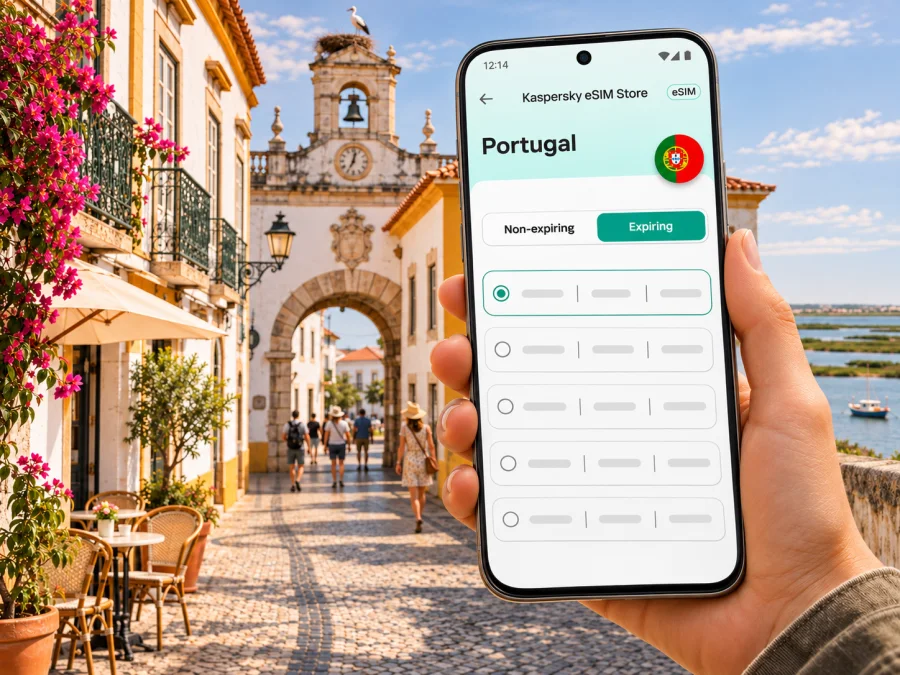
Faro eSIM: mobile connection and internet for your trip
Faro is more than the arrival point for an Algarve holiday. It is a compact city with a historic centre, a working transport hub and the Ria Formosa lagoon landscape close by. A mobile data connection can help you check your accommodation details, find the right bus stop, message your host and adjust plans when a flight or ferry schedule changes. An eSIM lets you prepare mobile internet for Portugal without swapping a physical SIM card, provided your device and chosen plan are compatible.
This guide focuses on the practical moments when a connection is useful in Faro: landing at the airport, getting into town, walking between the station and the old city, planning a boat trip, working remotely or continuing along the Algarve. Faro is in Portugal’s Algarve region. It is not the Faroe Islands; those are a separate North Atlantic destination with a similar English name.
The first connection after landing at Faro Airport
Faro Airport is close enough to the city that your first decisions are often simple but time-sensitive: where to meet a driver, whether to take a bus, and how to reach your accommodation with luggage. The airport’s public-transport information lists daily buses between the airport and Faro city centre, including local routes 14 and 16. Taxis are also available at the airport, and the airport information explains that Faro’s railway station is reached from the airport by bus or taxi rather than being inside the terminal.
Before leaving the arrivals area, check the live departure board and the stop information for your actual travel date. Bus frequency, operating hours and route details can change. If you arrive late, have bulky bags, are travelling with children, or need a direct ride to a door that is not near a stop, compare the available options before choosing. A map app can help you see whether your accommodation is near the bus station, the railway station, the marina or the old town, but confirm the exact address with your host.
A practical landing checklist:
- Save your accommodation address and booking confirmation for offline access.
- Confirm the current airport bus route and departure time for your travel date.
- Note the exact meeting point for a taxi or pre-booked transfer.
- Keep your phone charged and the address accessible offline.
Where mobile internet helps around the city
Faro’s main visitor areas are close enough to combine on foot, but a phone is useful for the transitions between them. In the walled area known as Vila-Adentro, narrow lanes and historic buildings can make turn-by-turn navigation easier than trying to follow a route from memory. Near the marina and central streets, you may be checking a restaurant reservation, opening hours or the next bus. At the station, you may need to confirm a platform or see whether a regional train fits the rest of your day.
Connectivity is particularly useful for small changes of plan. You might decide to stay longer in the old town, take a different route back to your hotel, or check a ferry departure after looking at the weather. A map and messaging app can reduce the need to find a café or hotel network every time you need directions. Still, mobile data is only one part of trip preparation: save key addresses, tickets and contact details before setting out, especially if you expect to spend time on the water or away from the centre.
| Faro situation | What a mobile connection can help you do | Useful offline backup |
|---|---|---|
| Arrival at the airport | Check bus information, message a host, open a ride booking | Accommodation address and pickup note saved on the phone |
| Walk to Vila-Adentro | Follow streets, locate a meeting point, translate a short message | Downloaded map area and a written landmark |
| Marina or waterfront | Review a booking or check a return plan | Ticket details saved as a screenshot |
| Faro railway station | Review a route and service updates | Train ticket and departure time saved offline |
| Remote-work day | Join a call or send files where the local network allows | Downloaded documents and a second connection option |
| Day trip from Faro | Check connections and coordinate a meeting | Return options noted before departure |
The table describes uses, not a promise of constant signal or a particular speed. Mobile service depends on the local network, your location, the plan and your device. Inside thick-walled historic buildings, underground areas, busy transport spaces or on a boat route, performance can vary. Keep important booking details available offline and allow extra time when a connection is essential to the next step.
Choose an eSIM plan around your Faro itinerary
Faro can be a short city break, a base for several days in the Algarve, or the first stop on a longer Portugal trip. Think about the route before choosing a plan. A plan intended for Portugal is the relevant starting point for a stay in Faro; if you will cross borders, check the coverage area stated for the exact plan rather than assuming a Portugal plan includes another country.
It also helps to separate the city plan from the travel plan. Your accommodation may have Wi-Fi, but the route from the airport, a change at Faro station and a walk to a meeting point all happen outside that connection. Note the days when you expect to rely on mobile data, and keep tickets or addresses available offline as a backup. If your itinerary includes only Faro and other stops in Portugal, compare options for that destination; if you will cross a border, confirm the coverage shown for the exact plan before checkout. For a Faro-only stay, note whether your hotel is near the historic centre, marina or station; this helps estimate how often you will navigate on foot or check onward transport. A longer Algarve route calls for a separate check of each destination and transfer. Save those journey details offline before setting out, then use data when you need a live update or to contact someone. For current Portugal options, you can review eSIM plans for a trip to Portugal.
Estimate your data use from the tasks you expect to do, not from a generic “tourist” profile. A day of maps, messages, transport checks and occasional browsing is different from frequent video calls, uploading large photo files or streaming. Hotel Wi-Fi may cover some evening use, but it should not be your only plan if you need connectivity while moving around. Select an amount and validity period that suit your own itinerary and confirm both in the current plan conditions before checkout.
Use these questions to compare options:
- Where will you travel? Check that the plan is valid in Portugal and in every other country on your route, if applicable.
- How long will you need mobile data? Compare the validity period with your full travel window, including arrival and departure days.
- What will you do online? Navigation, messaging and booking checks use a different amount of data from video meetings, cloud backups and streaming.
- When does validity begin? Read the plan terms for the start of validity and activation. Installing a profile and starting to use its data may be separate events.
- Can you top up or change plans? Check the current terms in the product flow instead of assuming every plan supports the same options.
- Will you need calls or SMS? A travel eSIM is generally for mobile data; do not assume it includes a local phone number, voice calls or texts unless the specific conditions say so.
Kaspersky eSIM Store is an app and website that helps travellers choose, order and activate an eSIM with a suitable plan for mobile internet abroad. The service is not a mobile operator and does not own the local network. The network and service conditions depend on the selected plan and the mobile operator that supports it. Review the details shown for your chosen plan before purchase.
Getting around Faro and the Algarve
In central Faro, you may combine walking with local buses, taxis or a short ride from the station. The historic core, marina and main transport points are useful landmarks when giving directions to a driver or meeting someone. Pin the accommodation entrance, not just the neighbourhood, and check whether the street is accessible by car. If your booking is in a pedestrian area or on a narrow lane, arrange a nearby drop-off point with your host.
For regional travel, Faro’s railway station connects with destinations along the Algarve line. Current CP information describes the regional line between Lagos and Vila Real de Santo António, with Faro among the stops; services and timetables can change. Coaches also serve regional and national routes from Faro. Check the departure location and the latest timetable for the date you travel, because a coach terminal, city bus stop and railway station are different places. A route planner can help you compare connections, but allow time for transfers and confirm the final segment to your lodging.
| If your plan is… | Before leaving Faro, check… | Why it matters |
|---|---|---|
| A short stay in the old centre | Walking route, check-in time and a precise meeting point | Narrow streets and pedestrian areas can make a pin or landmark useful |
| A trip to another Algarve town | Train or coach departure point, current timetable and return option | Services vary by date and the stations are not interchangeable |
| A visit to a barrier island | Ferry departure point, timetable and last return service | Boat schedules and conditions affect how long you can stay |
| A workday away from your hotel | Mobile-data allowance, call needs and a backup location | Video calls and uploads can use data quickly and need a stable connection |
| A late arrival | Transport operating times and an alternate ride option | The best daytime option may not match a late flight |
For an island excursion, Faro’s waterfront is a practical starting point for checking boats to the Ria Formosa area. Visit Portugal describes Farol as accessible by a regular ferry departing from Faro. The route is seasonal and timetables can change, so verify the current sailing and return before you set out. Save the pier name and your return details offline. Mobile internet can help with a last-minute message or map check, but do not rely on a signal as your only way to remember the final boat time.
Preparing an eSIM before departure
Set up the essentials while you still have a reliable internet connection. First, confirm that your phone supports eSIM and is not restricted by a carrier lock. Device capabilities can differ by model and by the market where a phone was sold, so check the exact variant with the manufacturer or seller and check whether your device is compatible. Do not rely only on a model family name when regional versions may differ.
Next, choose a Portugal plan that fits your dates and data needs. Read the coverage area, validity period, activation conditions and any restrictions shown during purchase. After ordering, follow the instructions provided in the app or website. Installation normally requires a compatible device and an internet connection to download the profile. Depending on the device and plan, activation may happen before departure or after arrival; follow the displayed steps and plan conditions.
A simple setup sequence
- Check the phone. Confirm eSIM support and that the device is unlocked for use with another provider.
- Choose the plan. Match the destination, travel dates, data allowance and validity period to your itinerary.
- Read the conditions. Note when the plan starts, whether data roaming must be enabled for the eSIM, and what the plan includes.
- Install over a stable connection. Keep the QR code or in-app setup details available and follow the instructions for your phone.
- Label the line clearly. Use a name such as “Portugal travel” so it is easy to distinguish from your regular SIM.
- Set mobile data deliberately. Select the travel eSIM for data only when you intend to use it; check which line handles calls and messages.
- Test without deleting anything. After arrival, check the selected data line and network registration. If it does not connect, review the plan instructions before making changes.
For step-by-step help, use the Android eSIM installation guide or the iOS eSIM installation guide. Menu names vary between devices and operating-system versions, so follow the prompts shown on your own phone. Do not delete an eSIM profile as a first troubleshooting step; some profiles cannot be installed again after removal.
If you prefer to wait until Faro, make sure you can access the purchase and installation details after landing. That may require airport Wi-Fi or another working connection before the travel eSIM is active. Installing ahead of time can reduce the number of tasks after a flight, but the right timing depends on the plan’s activation rules. Keep the confirmation and instructions accessible in case you need them offline.
If the eSIM does not connect
A connection issue can have several causes: the device may not support eSIM, the phone may be carrier-locked, the wrong line may be selected for mobile data, or the plan may not yet be active in the destination. Start with the simplest checks and compare them with the installation instructions and plan conditions.
- Confirm that the eSIM is installed, switched on and selected for mobile data.
- Verify that the plan is active and valid in Portugal; check whether data roaming is required for that profile.
- Restart the phone once and allow it time to register with a local network.
- If it still fails, use Wi-Fi to check the instructions or contact support.
Avoid deleting and reinstalling the profile unless the instructions or support team tell you to do so. If the problem remains, contact the service that issued the plan and share the device model, the step where setup stopped and any error message. Do not post account details or QR codes publicly.
Quick planning checklist for Faro
Before leaving home:
- [ ] Save your accommodation address, check-in instructions and emergency contact details.
- [ ] Confirm your device’s eSIM compatibility and carrier-unlock status.
- [ ] Choose a plan that covers Portugal and the full dates of your trip.
- [ ] Read the activation, validity and data-roaming conditions.
- [ ] Install or prepare the eSIM while you have a stable internet connection, if the plan instructions allow it.
- [ ] Download an offline map and save tickets, bookings and transport details.
- [ ] Decide which SIM handles mobile data and which line remains available for calls or verification messages.
On arrival in Faro:
- [ ] Check the airport’s current bus and taxi information.
- [ ] Confirm the correct stop, station or pickup point for your onward journey.
- [ ] Select the intended data line and test a basic web page or map.
- [ ] Keep your phone charged and your key addresses accessible offline.
For a day trip:
- [ ] Check current train, coach or ferry times for the day you travel.
- [ ] Save the return connection and the location where you need to board.
- [ ] Leave room for changes and keep a backup route in mind.
Frequently asked questions
Is Faro in Portugal or the Faroe Islands?
Faro is a city in Portugal’s Algarve region. The Faroe Islands are a separate destination in the North Atlantic. Check that your plan is for Portugal when preparing a trip to Faro.
Can I use an eSIM as soon as I land?
Possibly, if your device is compatible, the eSIM is installed, the plan covers Portugal and its activation conditions have been met. The exact timing depends on the plan and device. Follow the instructions shown for your purchase.
Does a travel eSIM give me a Portuguese phone number?
Do not assume that it does. Travel eSIM plans are commonly intended for mobile data and may not include a regular number, voice calls or SMS. Check the specific plan conditions; internet calling apps can be used when you have data access.
Do I need to turn on data roaming?
Some eSIM instructions require data roaming to be enabled for the travel profile. Follow the instructions for your plan and make sure the setting applies to the correct line. Check your home operator’s roaming terms if its SIM remains active.
Can I rely on my connection on a boat or island?
No specific signal level can be guaranteed. Service can vary with location, network and device. Save your ferry ticket, pier location and return details offline before leaving Faro.
What should I do if my phone shows no service?
Check that the eSIM is enabled and selected for data, verify that the plan is active and valid for Portugal, and follow its network-selection instructions. If it still fails, use Wi-Fi to contact the provider shown in your order details.
Prepare your mobile connection for Faro
A little preparation makes the first hours in Faro easier: keep your arrival address handy, check the current airport transport options, and save the details for any train, coach or ferry you plan to take. Before you travel, confirm device compatibility and compare the plan’s destination, data allowance, validity and activation terms with your actual itinerary.
Use Kaspersky eSIM Store, the app and website, to choose, order and activate a suitable eSIM plan for mobile internet abroad. Explore eSIM plans for Portugal and prepare your connection for the trip before you leave.


