Travel connectivity guide
Fastweb + Vodafone eSIM in Italy: Setup Guide
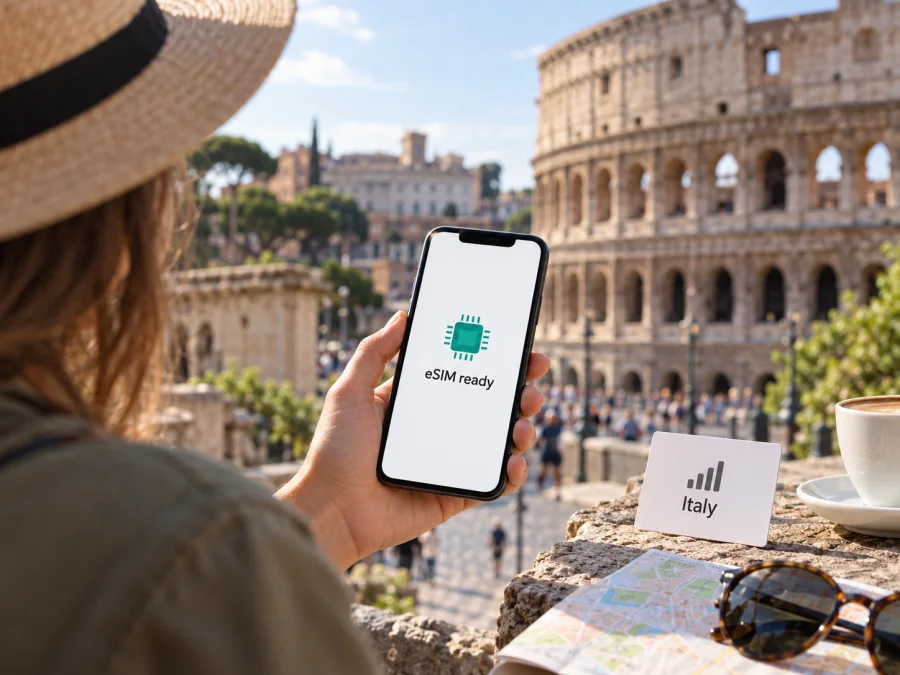
Fastweb + Vodafone eSIM in Italy: availability, setup and travel checks
If you are travelling to Italy and searching for a Fastweb + Vodafone eSIM, start by separating two questions: whether the device can use an eSIM and whether you can complete the operator’s customer registration from your situation. Fastweb currently confirms eSIM support for its mobile service. Its public instructions describe ordering online or in a store, verifying the customer’s identity, and installing the downloaded profile on a compatible phone. A visitor should check the latest eligibility and document requirements before placing an order, because an eSIM profile does not remove local registration steps.
The requested name Fastweb + Vodafone is the current corporate identity used in Italy. The company’s announcement says Fastweb S.p.A. and Vodafone Italia S.p.A. became a single legal entity under the name Fastweb S.p.A. on 1 January 2026, while the public consumer eSIM flow is presented by Fastweb. This guide therefore keeps the requested operator name while referring to the Fastweb help pages for the specific eSIM instructions. Information below was checked against current public operator pages on 27 September 2026; activation paths and eligibility can change, so verify them again before travel.
What to know before choosing a local eSIM
An operator eSIM is a digital profile connected to a mobile subscription. It removes the physical card, but remains subject to the operator’s sales, identity, device and service conditions. A local line may suit someone who needs an Italian number or expects to use domestic mobile service. For a short visit, check registration requirements before choosing it.
Fastweb confirms eSIM for its mobile service and publishes instructions for online or store ordering, identity verification and QR-code installation. Its general mobile information also describes rechargeable service. These pages establish that eSIM and prepaid-style options exist, but do not establish that every visitor is eligible or that Fastweb offers a dedicated tourist service. Ask the operator about visitor registration and accepted documents.
An installed profile is not necessarily an active line. Complete identity checks, wait for activation confirmation, and check that the profile is enabled in your phone’s SIM settings. Before ordering, confirm whether you can install it before departure and what event starts service. Do not assume a domestic customer’s terms automatically apply to a visitor.
Fastweb + Vodafone’s place in Italy
Fastweb + Vodafone is a major telecommunications operator in Italy. Its corporate notice states that Fastweb S.p.A. and Vodafone Italia S.p.A. became a single legal entity, Fastweb S.p.A., on 1 January 2026. The consumer eSIM support flow is published under Fastweb, so this guide uses those pages for practical instructions while retaining the requested operator name.
Fastweb’s network information describes 4G and 5G in Italy and provides a coverage checker. It says service depends on coverage, compatible equipment and the relevant mobile service. Broad population coverage does not guarantee reception indoors, on every train route or in remote areas. Check each destination on the current map; terrain, buildings, congestion, handset bands and temporary conditions can affect service. The corporate and eSIM pages were checked on 27 September 2026.
| Travel question | What to check |
|---|---|
| eSIM availability | Fastweb confirms eSIM for mobile service; confirm current ordering and eligibility. |
| Traveller registration | Ask which identity documents and tax details apply to you. |
| Installation | The published process uses a QR code or customer area and device settings. |
| Network access | Check 4G/5G coverage for your destinations and device compatibility. |
| Prepaid service | Rechargeable mobile service is described generally; confirm visitor eligibility and terms. |
Can travellers activate a Fastweb eSIM?
Fastweb’s new-activation process includes customer identification. Its online instructions reference the tax identification details associated with the order and an identity check. Depending on the route, verification may use an Italian digital identity method or video identification. The operator’s process may require an original document and a camera-enabled device; eSIM does not bypass these steps.
The public instructions do not give one answer for every nationality or residency status. Do not assume a passport alone will be accepted, or that visitors are automatically excluded. Before purchase, contact Fastweb or visit a store and ask if you can register as a non-resident, whether you need an Italian codice fiscale, which original documents are accepted, and whether your sales channel supports your situation. Store guidance refers to identity documents and a tax code; requirements can vary by route.
A new activation differs from replacing an existing physical SIM. Fastweb says physical-to-eSIM replacement is handled in a store, while a new line can follow online or in-store steps. Number portability is a separate process. If you need to transfer an Italian number, confirm the sequence and wait for completion before cancelling the old service.
Compatibility and preparation
An eSIM needs a device with eSIM capability enabled in its hardware and software. Support can vary by model variant, country of sale and operating-system version. Before purchase, check the exact model with the manufacturer and Fastweb, confirm the phone is unlocked, and make sure you have Wi-Fi for setup.
Prepare the phone model, customer contact details, original identity documents and any tax detail Fastweb confirms is needed. Keep the activation messages and QR code secure. Do not delete a profile to fix a temporary connection problem: profile reuse or transfer may follow specific operator procedures. Contact support before resetting the phone or moving the line to another device.
Installation and first connection
Fastweb’s public instructions say to scan the QR code and enable the downloaded eSIM profile in device settings. Depending on how you ordered, the code may be available in the customer area or supplied during activation. Keep Wi-Fi available and follow the directions for your specific device.
- Complete the order and required identity verification.
- Wait for confirmation that the profile or line is ready.
- Connect to Wi-Fi and open the eSIM or mobile-network settings.
- Add the mobile plan by scanning the operator’s QR code or using its supported setup flow.
- Label the line, select the mobile data line and review voice, messaging and roaming settings.
- Test the connection after activation before relying on it for travel arrangements.
On many iPhones, eSIM controls are under Settings and Cellular or Mobile Data. On many Android phones, look under Settings and Network, Internet, SIMs or Connections. Menu names vary by manufacturer and OS version; Fastweb’s device-specific guidance takes precedence. A profile can be installed while identity validation or service activation is still pending. If it does not connect, verify activation status, selected data line, coverage and operator settings before trying anything destructive.
Ask whether pre-installation is supported and when service starts. Some products begin at installation and others at first connection in the destination, so do not assume. If you wait until arrival, remember that downloading the profile requires internet access; arrange Wi-Fi or another way to reach essential travel information.
Coverage and supported technologies
Fastweb’s mobile pages describe 4G and 5G and link to a location-based coverage map. The operator says 5G requires coverage and compatible equipment, with 4G available in areas without 5G. Treat the map as a planning guide rather than a guarantee for each building or route. Check the places you expect to visit.
A 5G-capable phone may use 4G where 5G is unavailable. Voice over 4G and other calling features depend on the device and line configuration; confirm them if calls matter. An operator eSIM is a digital format for a mobile line, while a travel eSIM is often selected for mobile data in a destination or region and may not provide a conventional local number, calls or SMS. Check the exact service terms rather than assuming these features.
The public pages confirm Fastweb’s eSIM installation method, general network technologies and rechargeable mobile service. Roaming, data settings, number portability, profile transfer and customer eligibility can depend on the individual line. Confirm those details with Fastweb.
Local operator eSIM or travel eSIM?
A local operator eSIM may suit travellers who need an Italian number or expect to stay longer. It requires meeting local registration rules and understanding the subscription terms. eSIM availability alone does not establish that every visitor can start every service.
A travel eSIM may suit a shorter visit when the main need is mobile data and you want to arrange connectivity before flying. It still requires a compatible, unlocked phone, profile installation and correct data settings. Check destination coverage, start conditions, validity and support for the product you select.
Kaspersky eSIM Store is an app and website that helps travellers choose, arrange and activate an eSIM plan for mobile internet abroad. It is an alternative to consider separately from a Fastweb + Vodafone domestic subscription. Kaspersky eSIM Store is not an operator, network owner or mobile internet provider; the selected travel eSIM uses the arrangements and networks that apply to that product.
If you are considering a travel eSIM for Italy, see the Italy options in Kaspersky eSIM Store. Review current product details for destination, coverage, activation and support before purchase. This independent guide is not affiliated with or endorsed by Fastweb + Vodafone.
Common questions
Does Fastweb + Vodafone support eSIM in Italy?
Fastweb’s current public pages confirm eSIM for its mobile service and describe QR-code installation. Check current availability and eligibility before ordering.
Can I activate it as a tourist?
Fastweb’s activation instructions require identity verification and refer to Italian tax identity details. The reviewed pages do not set one tourist rule for all visitors. Ask the operator about your nationality, residency status and documents before purchase.
What should I bring?
The activation and store guidance refers to identity documentation and a tax code. Ask whether your passport is suitable and whether you need a codice fiscale. Bring original documents if required for verification.
Can I install it before arrival?
The operator describes QR-code installation, but the activation point depends on the order. Ask whether pre-installation is supported and when the line becomes usable. Keep Wi-Fi available and do not remove a working profile without checking recovery steps.
Will 5G work throughout Italy?
No. Fastweb’s map provides location-based guidance and its page says 5G requires covered areas and compatible equipment. Check your destinations; reception can vary by location, buildings, route and device.
Does it include a local number?
Fastweb’s eSIM is the digital format of its mobile service. Travel eSIMs may be data-only. Check the conditions of the exact service if calls, SMS or a local number matter.
What if it does not connect?
Confirm activation, enable the eSIM, select the intended data line and check coverage. Follow device-specific instructions and contact Fastweb if the profile is installed but service remains pending. Avoid deleting or repeatedly reinstalling it without guidance.
Before you go
Fastweb confirms eSIM availability for its mobile service in Italy, and its public pages explain online or store ordering, identity checks, QR-code installation and device compatibility. Its current network information covers 4G and 5G and offers a location-based coverage check. Fastweb also describes rechargeable mobile service generally. The unresolved point for many visitors is personal eligibility: public material reviewed on 27 September 2026 does not establish one document rule or one tourist route for every nationality.
Before committing, contact Fastweb with the details of your trip and ask whether you can register, what original documents and tax details are needed, whether your specific phone is compatible, and how and when the eSIM activates. Then compare the role of a local mobile subscription with a travel eSIM based on your need for a local number, data access and setup support. Kaspersky eSIM Store can help you choose, arrange and activate an eSIM plan for mobile internet during a trip; check the current Italy options and product terms before relying on one.


