Travel connectivity guide
Ferizaj eSIM: Mobile Internet for Travel
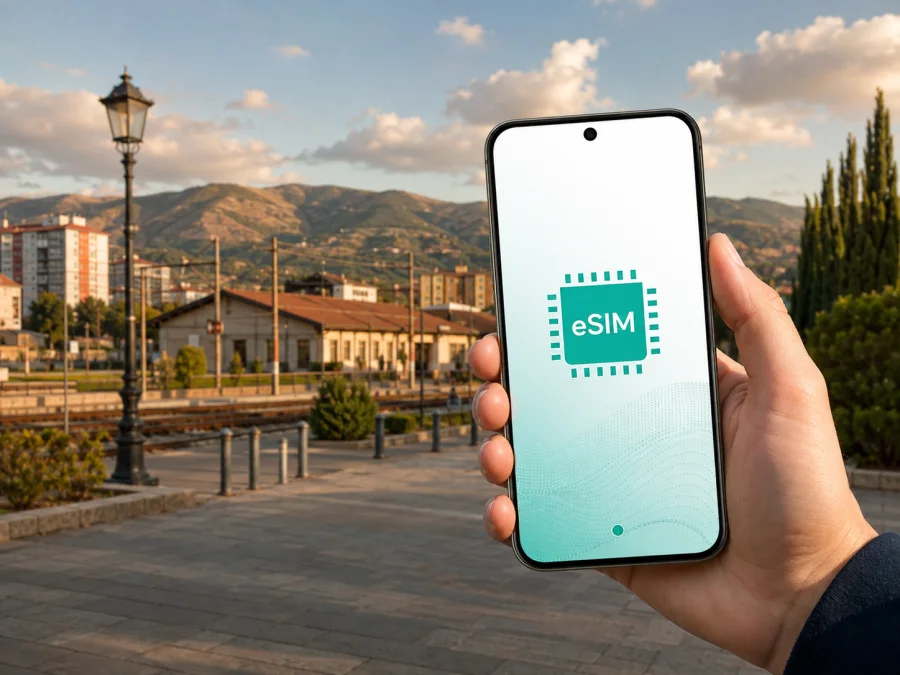
Ferizaj eSIM: mobile connection and internet for your trip
Ferizaj is a useful base for exploring southern Kosovo, attending a meeting, or making a short stop on a wider Balkan route. The city is positioned on the road corridor between Pristina and Skopje, so mobile internet can be helpful as soon as you leave an airport, bus, or car. You may need directions to a hotel, a message to a host, a ride across town, or a map for the next stage before you have time to look for a physical SIM card.
An eSIM, or digital SIM, can prepare mobile data for Ferizaj without removing the SIM card you use at home. You select a plan for the relevant destination or region, arrange it through the Kaspersky eSIM Store app or website, and install it on a compatible, unlocked device. The usual travel eSIM scenario is data only: it does not add a regular phone number, and calls or SMS are not included unless the selected plan says otherwise. Messaging and internet calls can still work through your existing accounts.
This guide stays focused on Ferizaj: arrival, local movement, accommodation, work visits, stopovers, and trips into the surrounding area. Your choice depends on your dates, route, phone, and data habits, so read the exact plan conditions before purchase.
Why mobile data matters in Ferizaj
Several types of travel overlap in Ferizaj. You might walk through the centre, take a taxi to a meeting on the edge of town, and then continue towards a village or mountain area. Every change makes it useful to check a route, contact someone, or confirm the next part of the itinerary.
Mobile data can help you:
- find accommodation after arriving from the Pristina direction;
- send a message to a host, driver, colleague, or travel companion;
- check a map between the centre, the main road corridor, and outer areas;
- confirm an appointment without depending on hotel or café Wi-Fi;
- translate a short message while walking;
- request a taxi or share your position if plans change;
- keep a route visible during a day trip from Ferizaj.
The municipality describes passenger transport in Ferizaj in terms of buses, taxis, and other road services, including urban and suburban travel. Plan for more than one walkable centre: the exact route, stop, fare, and availability can vary. Save your destination address offline as well as in an online map.
The railway is another useful orientation feature. Ferizaj’s development is connected with the railway and station built in the nineteenth century, and the corridor helps explain the city’s layout. Use it as a landmark, but check current passenger-service information before relying on a train for a time-sensitive journey.
Arriving and getting oriented
Many international visitors reach Ferizaj by travelling onward from Pristina or by road from another Balkan destination. If you arrive through Pristina International Airport, have the accommodation address, a contact for your driver or host, and a route ready. An eSIM for Kosovo or an applicable European region can support that first stage if the plan lists the destination.
Before leaving an arrival point, use this short sequence:
- Save the hotel or apartment address in your phone’s notes.
- Keep the booking reference and host contact available offline.
- Open the route while you have a stable connection and note the main road or area.
- Decide whether the eSIM or your home line will handle mobile data.
- Confirm the driver, bus, or meeting point before setting off.
Moving around the city
Ferizaj is compact enough for some central walks, but your real route depends on accommodation, meetings, weather, luggage, and the purpose of your visit. Plan for a mixture of walking, taxis, buses, and road transfers rather than assuming that every destination is next to the main square.
In the centre
Central streets are the easiest place to combine walking with online navigation. Keep your accommodation pin open, identify a nearby meeting point, and check the route before leaving a hotel or café. When streets or entrances are unfamiliar, save a screenshot of the final part of the route in case your connection changes temporarily.
Photos, short videos, translation tools, and repeated map searches can consume more data than expected. With a limited package, turn off automatic photo backup and postpone large downloads.
Across the railway corridor
The railway line is a useful mental dividing line when comparing two points on a city map. It can help you explain a direction to a driver or recognise that a route which looks short may require a particular crossing. Save the full address and a nearby landmark instead of giving only the name of a venue.
On the edge of town
Outlying addresses, commercial areas, villages, and rural attractions make a data connection more valuable because there are fewer visual cues and fewer convenient places to ask for directions. Share your intended route with a companion, keep map notes offline, and allow extra time for a taxi or road transfer. A regional plan is relevant only if its details include Kosovo and the other stops on your itinerary.
How to choose an eSIM plan for Ferizaj
There is no single data amount for every visitor. A hotel guest using Wi-Fi for video needs less than a traveller navigating by car, using messenger calls, sharing a hotspot, and working from the road. Start with the shape of your Ferizaj trip, then compare the displayed plan conditions.
Confirm the destination scope
Look for a Kosovo option if one is displayed, or a regional option that clearly names Kosovo among its included destinations. Do not treat a Europe plan as automatically suitable just because the trip is on the continent. Read the destination list at the time of selection, especially if you will continue to North Macedonia, Albania, Montenegro, Serbia, or another nearby country.
The useful question is not “Which plan sounds broadest?” but “Does this exact plan cover every place where I expect to use data?” If your itinerary changes, revisit the destination scope before activating or adding data. Once your route is clear, you can review regional eSIM plans for a Kosovo trip and compare the displayed destination, data allowance, validity, activation method, and price.
Match validity to your dates
Write down the day you expect to use the eSIM in Ferizaj and the day you will leave the covered area. An expiring plan may suit a defined trip; a non-expiring option may be useful when timing is uncertain if it is available and its terms fit your needs. Do not assume that installing a profile and using data are the same event. Read when validity begins and whether scheduled activation is offered.
Estimate your data use
| Ferizaj travel pattern | Likely online tasks | Check before choosing |
|---|---|---|
| Short stopover | Arrival messages, a few routes, transport coordination | Validity and activation timing |
| City break | Maps, bookings, messaging, translation, photos | Data for regular navigation and communication |
| Business visit | Email, documents, messenger calls, possible hotspot | Allowance and tethering conditions |
| Regional road trip | Routes across several places and border crossings | Destination list and validity |
| Outdoor day trip | Directions, meeting points, return route | Offline backup and reserve data |
Video calls, social feeds, automatic backups, and hotspot use can consume more data than map checks or text messages. Choose around the tasks you cannot afford to lose. Kaspersky eSIM Store helps you choose, arrange, activate, and manage an eSIM plan through its app or website.
Review cost and refill rules
Check the currency, price, remaining-data display, and top-up process before payment. Review how long the data lasts, whether extra data can be added, and whether a refill applies to the same destination. Prices and availability can change, so use the information shown when selecting your plan.
Install the eSIM before departure or after arrival
Install when your phone has a stable internet connection and the purchase details are accessible. You may receive an install flow in the app or a QR code in your profile. Keep the QR code on another screen if the phone cannot scan a code displayed on itself.
Before installation, check that your phone supports eSIM and is not locked to an operator. Some models differ by region of sale. You can check device compatibility before purchasing, especially if the phone was bought in another country.
Android steps
Menu names vary by manufacturer and Android version, but the sequence is usually similar:
- Connect the phone to Wi-Fi or another working internet connection.
- Open Settings and go to mobile network or SIM manager.
- Choose the option to add a mobile plan or eSIM.
- Scan the QR code or follow the install flow in your Kaspersky eSIM Store profile.
- Wait for the eSIM profile to finish downloading.
- Label the line so you can identify it as your travel data line.
- Keep your home SIM available for the calls or messages you still need.
For screen-specific help, use the Android eSIM installation instructions. Do not delete the profile while troubleshooting: an activation code may be one-time or device-specific.
iPhone steps
On an iPhone, use a stable internet connection and open the mobile-service settings. Select the option to add an eSIM, scan the QR code or use the available installation flow, and follow the prompts until the profile appears among the cellular lines. Give it a clear label, then decide which line will handle mobile data in Ferizaj.
Use the iOS eSIM installation instructions for supported devices. Menu names can change with the operating-system version, so follow the labels visible on your phone.
Decide when to activate
Plan installation and activation separately. You can prepare the profile before the trip, then select it for data on arrival if the plan allows that sequence. Some devices may require data roaming on the travel eSIM; check your home line so it does not unintentionally use roaming data.
If the connection does not appear immediately, check the selected data line, review the instructions, and wait a few minutes. Connection time depends on the device, settings, and local network.
A practical phone setup
Rename the eSIM “Ferizaj data” or “Kosovo travel” so that the active line is obvious. Set it as the mobile-data line when needed, and disable automatic switching if the phone could move data back to the home SIM. Exact controls differ by device.
Before you start moving, review this list:
- travel eSIM installed and visible in mobile settings;
- home line retained for the calls or SMS you need;
- mobile data assigned to the travel eSIM;
- data roaming checked for the travel line if required;
- automatic updates and cloud photo uploads limited where appropriate;
- hotspot disabled unless the device and plan support tethering;
- hotel pin, booking details, and return route saved offline.
Hotels, meetings, and workdays
For a hotel stay, mobile data is most useful before check-in and between places. A host may send an entrance instruction or you may need to confirm a reservation while travelling. Save the address in more than one format and keep the contact name with it; a map pin alone may not show which entrance to use.
Business travellers should separate essential work from background traffic. Email, documents, authentication, and a short messenger call can fit a modest package, while video meetings and hotspot use need more planning. Test the eSIM and data-line setting before the meeting day.
Do not assume a fixed speed or uninterrupted availability. The experience depends on the local network, device, indoor conditions, and selected plan.
Day trips from Ferizaj
Ferizaj is a starting point for exploring the municipality and nearby scenery. The local tourism guide highlights the Nerodime bifurcation, Nika’s Mill, the city theatre, cultural sites, Jezerc waterfall, and the wider Šar Mountains. Some are urban stops; others require a road transfer and more careful route planning.
For a trip beyond the centre:
- Confirm the destination name and save its location.
- Check whether the plan covers the place outside the city route.
- Note the return route and the address of your base in Ferizaj.
- Tell a companion where you are going when travelling outside the centre.
- Bring a charging cable or power bank and keep some data in reserve.
Final pre-departure checklist
- [ ] Ferizaj is marked as the main destination and the wider route is written down.
- [ ] The plan’s destination list includes Kosovo and any additional stops.
- [ ] The eSIM is compatible and the phone is not operator-locked.
- [ ] Validity and activation conditions match the trip dates.
- [ ] The allowance fits maps, messages, work, calls, and hotspot needs.
- [ ] Installation details or the QR code are available in the app or profile.
- [ ] The travel eSIM is labelled and the home SIM’s data roaming is controlled.
- [ ] Hotel details, meeting points, and a return route are available offline.
- [ ] The phone is charged and background data is limited where necessary.
Frequently asked questions
Is an eSIM useful for a trip to Ferizaj?
Yes, if your phone supports eSIM and the selected plan covers Kosovo. It can give you a prepared data line for maps, messages, bookings, and transport coordination without replacing your physical SIM. Check the device, destination, validity, allowance, and activation conditions before purchase.
Does a Europe eSIM automatically cover Ferizaj?
No. Read the included-country list for the exact plan and confirm that Kosovo is named or clearly covered. If your route includes neighbouring countries, check them separately.
Do I need to switch on data roaming?
Sometimes. Some travel eSIMs require roaming to be enabled on the eSIM line to use a covered local network. Follow the plan and device instructions, and make sure your home SIM is not selected for data if you want to avoid unexpected roaming charges.
Can I make calls with the eSIM?
Not as a normal phone line unless voice service is specifically included. The standard travel eSIM scenario is mobile data without a separate phone number. Messaging and calling apps can work through internet data with your existing accounts.
What if the eSIM does not connect in Ferizaj?
Confirm that the travel eSIM is switched on, selected for mobile data, and allowed to use data roaming if required. Check that Kosovo is included, restart the phone if the instructions allow it, and wait a few minutes. If the problem continues, contact support with your purchase details. Do not delete the profile if the activation code may be one-time or device-specific.
Can I move the eSIM to another phone?
Do not assume that you can. Activation codes and profiles may be assigned to one device and may not be transferable after activation. Check the conditions before installing, especially if you are choosing which phone to take to Ferizaj.
Where can I manage the plan?
Kaspersky eSIM Store is an app and website that help you choose, arrange, and activate an eSIM with a suitable data plan for an international trip. After purchase, the available profile and app controls let you review usage and manage top-ups according to the plan’s conditions. The actual mobile service depends on the selected plan, device, and local network.
Prepare your Ferizaj connection
The simplest setup is a clear one: confirm the destination, match data to the route, check the phone, install the eSIM, and decide which line will handle mobile data on arrival. Keep maps and essential addresses offline so the trip does not depend on one signal or one battery.
When your dates and route are ready, choose an eSIM plan for your Ferizaj and Kosovo journey, read the current destination and usage conditions, and prepare the profile before departure. Kaspersky eSIM Store helps bring selection, installation, activation, and balance management together through its app and website, while the final choice remains matched to your device and itinerary.


