Travel connectivity guide
FL1 eSIM in Liechtenstein: what to check
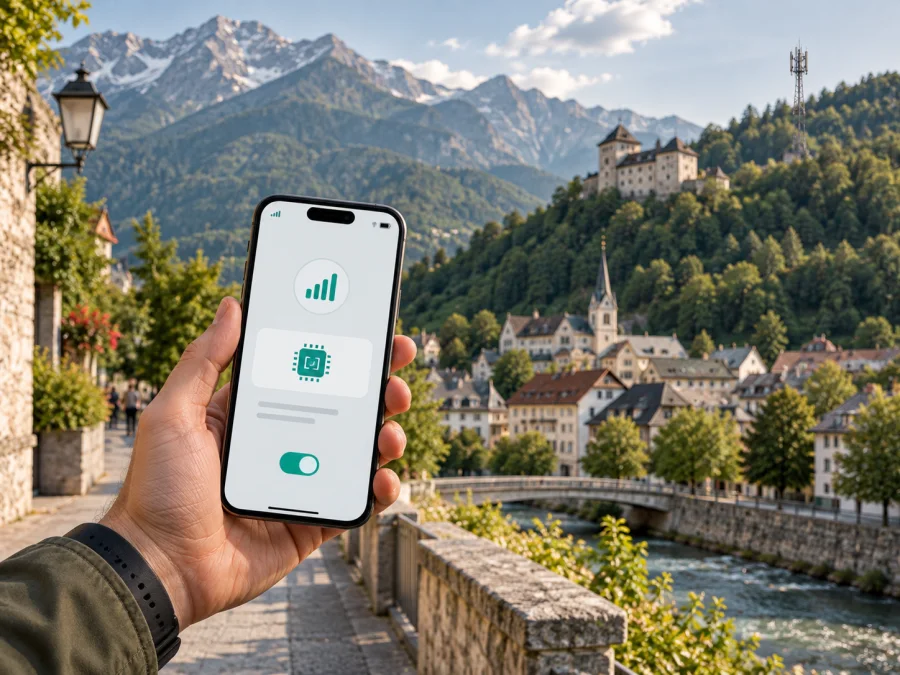
FL1 eSIM in Liechtenstein: what travelers should know
Planning a trip to Liechtenstein often means crossing borders, moving between towns and relying on maps, tickets, messages and online bookings. If you are researching FL1 eSIM options in Liechtenstein, separate three questions: whether FL1 issues eSIMs for its mobile service, how a local connection is activated, and whether a travel eSIM is a better fit for a short visit.
This guide covers what public information confirms, what a visitor should verify, how coverage and technology should be assessed, and how a travel eSIM can fit alongside a home SIM. Conditions and access can change, so confirm current terms with FL1 before purchase.
FL1 in the Liechtenstein mobile market
FL1 is the consumer-facing mobile brand of Telecom Liechtenstein AG. The company operates in the Liechtenstein telecommunications market and offers mobile communications together with other telecom services. Its 2021 annual report described FL1 as a mobile provider in Liechtenstein and discussed both Liechtenstein and Swiss mobile numbers within its customer offering.
The same official report is the clearest public FL1 record of the start of eSIM support. It states that, from the second half of 2021, eSIMs could be used with FL1 mobile subscriptions. A separate FL1 service-fee document published in 2024 lists services related to a SIM card or eSIM, including replacement and device-related support. These documents support the conclusion that FL1 has offered eSIM support; they do not define the current ordering route for every customer or device. The documents were checked on 21 September 2026.
The distinction matters for a traveler: a local operator eSIM belongs to an operator account, while a travel eSIM is prepared for temporary data use through a travel app or website. They can coexist on a compatible dual-SIM phone.
What the current verification confirms
| Topic | What can be stated carefully |
|---|---|
| Operator | FL1 is the mobile brand of Telecom Liechtenstein AG. |
| eSIM | Official FL1 material confirms eSIM use with mobile subscriptions. |
| Prepaid or tourist offer | No separate current FL1 offer was confirmed on 21 September 2026. Ask FL1. |
| Activation | Confirm the current account, device and purchase flow before ordering. |
| Coverage | Government guidance is country-level; a particular address or trail can differ. |
This is a market overview, not an endorsement or a substitute for the operator's current support answer.
Is an FL1 eSIM suitable for a visitor?
The answer depends on the journey. Someone moving to Liechtenstein, working there, staying longer or needing a local mobile relationship may investigate a direct FL1 eSIM. A short-term visitor who mainly needs data may prefer a travel eSIM that can be prepared before departure while the home SIM remains in the phone.
Before choosing a direct FL1 eSIM, clarify the following points with FL1:
- whether visitors can order remotely or need an FL1 account or service channel;
- which identity, registration or address requirements apply;
- whether the eSIM works with the exact device model and regional version;
- whether the service provides a local number and voice or messaging functions;
- whether the phone must be unlocked and how replacement or failed installation is handled;
- which support channel is available while you are abroad.
The public FL1 pages confirm eSIM-related support, but not one universal visitor checklist. Do not assume that a resident's sign-up path automatically applies to a tourist.
Coverage in Liechtenstein: read the figures correctly
Liechtenstein is compact, but its terrain is not uniform. A connection in Vaduz cannot be used as proof of the same experience on a mountain road, inside a building or at a hiking destination. The Amt für Kommunikation of the Liechtenstein government says subscribers of a Liechtenstein operator can expect coverage above 98% of the settled area. It also notes that Alpine coverage is limited to inhabited places such as Steg and Malbun.
Those statements describe the national environment, not a guarantee for every FL1 customer at every point. If your trip includes remote routes, underground parking, thick walls or border crossings, download essentials in advance and plan for short interruptions.
FL1's support page for a no-service situation recommends restarting the phone and, where needed, changing from automatic to manual network selection. Its checklist distinguishes the FL1 network in Liechtenstein from networks used in neighboring Switzerland. This is a practical reminder for travelers crossing the border: the phone may not always choose the expected network immediately, and manual selection should be used only when the device is in the correct country and the operator's instructions call for it.
Technologies and roaming are separate questions
Official FL1 material should be read by date and service type. The Telecom Liechtenstein annual report describes 2G, 3G and 4G mobile technologies and discusses the conditions around 5G. A newer FL1 roaming-partner document, current on 1 August 2026, lists data roaming, 4G and 5G for partner networks abroad. It is relevant to travel use, not a promise that every place, service or handset will use 5G.
For a visitor, confirm eSIM and band support, make sure the phone is unlocked, ask whether the line covers neighboring countries, and check the required roaming setting. Use address-specific guidance for rural or mountainous stays where available.
Do not infer speed or indoor reception from a technology label alone. 4G or 5G availability depends on location, device, settings and current network conditions.
A travel eSIM option for Liechtenstein
Kaspersky eSIM Store is a possible alternative when your goal is mobile data during a trip rather than a local FL1 customer relationship. It is an app and website that help you choose, arrange and activate a travel eSIM. It is not a mobile operator, does not own the FL1 network and does not provide Liechtenstein coverage.
The current Liechtenstein page in Kaspersky eSIM Store includes a compatibility check and explains that the eSIM is data-only, without a separate phone number for ordinary calls and texts. Kaspersky's official travel guide, checked on 21 September 2026, describes checking the device, choosing the destination, activating through the app or website and managing the connection. Commercial conditions can change.
Explore eSIM options for Liechtenstein in Kaspersky eSIM Store
This route can suit a short stay because you can prepare data before leaving home and keep your regular SIM for calls or messages. A travel eSIM is not a replacement for a local FL1 account, does not automatically provide a Liechtenstein number, and does not change the underlying local coverage. Check the current conditions in the store.
FL1 local eSIM or travel eSIM?
The choice is about the connection you need. A direct FL1 eSIM may make sense when you want a local mobile service, expect to stay longer, need an operator account or need functions that a data-only travel eSIM does not provide. A travel eSIM may fit a short visit focused on navigation, messaging, translation, work access and bookings. It can reduce the need to find a physical SIM on arrival, but you still need to check compatibility, network selection and roaming settings.
| Question | Direct FL1 eSIM | Travel eSIM through Kaspersky eSIM Store |
|---|---|---|
| Main relationship | Local mobile service with FL1 | Travel-data setup managed through an app or website |
| Phone number | Confirm with FL1 for the requested service | Generally data-only; do not assume a new number |
| Best starting point | Contact FL1 and verify eligibility and activation | Check device compatibility and destination availability |
| Border travel | Ask FL1 about cross-border use and roaming | Check the destination scope and settings before departure |
| Support | FL1 account or operator support | Kaspersky eSIM Store app, website and support flow |
The table compares service roles, not specific offers. Check availability and conditions at purchase.
How to prepare and activate a connection
1. Check the device
Confirm that the exact phone or tablet supports eSIM and is not carrier-locked. Model support can differ by country of sale. Apple's current eSIM reference, checked on 21 September 2026, explains that activation may use carrier activation, a QR code or a carrier app. Android menus vary, so look for an option to add a mobile plan or eSIM.
For a travel eSIM, you can also use the compatibility check in Kaspersky eSIM Store. Do not delete an existing eSIM simply to make room until you know whether the device can store another profile and whether the old profile can be reinstalled.
2. Confirm the service before purchase
For a direct FL1 eSIM, ask FL1 to confirm that your visitor status, documents and intended use are accepted. Clarify whether the request is for a local subscription or short-term data, how the eSIM is delivered and whether installation can be completed outside Liechtenstein.
For a travel eSIM, select Liechtenstein as the destination, read the current conditions, and confirm that the service is data-only if that is what you want. Avoid relying on an old screenshot or a remembered offer. Destination availability, supported networks and activation rules can change.
3. Install while you have a stable connection
If the provider supplies a QR code, keep it available on another screen or device. If it offers in-app installation, follow that flow. Kaspersky's official guide recommends preparing the travel eSIM before departure because installation needs a stable connection. Select the mobile-data line deliberately after installation.
4. Set the data line after arrival
Open mobile-network settings and choose which SIM or eSIM is used for data. If the travel provider instructs you to enable data roaming for the travel eSIM, follow it while keeping roaming for the home line disabled if you want to avoid unintended use. Do not change the default voice line unless needed.
If the phone does not connect, restart it, check that the eSIM is enabled, verify the selected data line and try the operator's recommended network-selection setting. In Liechtenstein, FL1's support guidance shows that manual selection can be useful in a no-service scenario. After crossing into Switzerland or another country, return to automatic selection or follow the relevant support instruction.
5. Keep the activation details safe
Treat the QR code, confirmation email and account login as access information. If the phone is replaced, moving or reinstalling an eSIM depends on the provider's rules; contact the provider before deleting a profile or resetting the device.
Common traveler questions
Does FL1 support eSIM in Liechtenstein?
Yes, official Telecom Liechtenstein material confirms eSIM support for FL1 mobile subscriptions, and a later FL1 service document refers to SIM and eSIM-related services. Confirm the current ordering and eligibility steps with FL1.
Does FL1 offer a prepaid or tourist eSIM?
A separate current FL1 prepaid or tourist offer was not confirmed in the public FL1 pages checked on 21 September 2026. Do not assume that a standard FL1 mobile eSIM is a tourist product. Ask FL1 whether a visitor can obtain the requested service, which documents are needed and how long activation takes.
Will an eSIM work everywhere in Liechtenstein?
No provider can promise identical service at every indoor, rural or alpine location. Government guidance describes broad settlement coverage but notes limits in the Alpine area. Check the location and prepare offline essentials for mountain routes or buildings where reception may vary.
Does the Kaspersky eSIM Store travel eSIM include calls and SMS?
The Liechtenstein page in Kaspersky eSIM Store describes the travel eSIM as data-only. It does not provide a separate ordinary phone number for calls and texts. Internet messengers can be used over the data connection if their accounts are already configured.
What should I do if there is no connection?
Check that the eSIM is enabled, the correct data line is selected and airplane mode is off. Restart the device, review roaming settings and use manual selection only if recommended. If the problem continues, contact the provider with the device model, location and steps completed.
Final checklist for a Liechtenstein trip
- Verify eSIM compatibility and that the phone is unlocked.
- Decide whether you need a local FL1 relationship or travel data only.
- Ask FL1 about visitor eligibility, documents, activation and support.
- If choosing a travel eSIM, check Liechtenstein availability and the current conditions in Kaspersky eSIM Store.
- Install the eSIM while you have a stable internet connection.
- Select the correct mobile-data line after arrival.
- Review roaming settings before crossing the Liechtenstein–Switzerland border.
- Download essentials for locations with variable reception.
- Keep the QR code, account access and support details private.
Public Telecom Liechtenstein material supports FL1 eSIM availability, but verification on 21 September 2026 did not confirm a separate current FL1 prepaid or tourist offer or one universal visitor activation path. Ask FL1 for a local service when you need an operator relationship, or use Kaspersky eSIM Store when a data-only travel setup fits. Check current terms, compatibility and coverage before departure.
This article is independent and is not affiliated with FL1, Telecom Liechtenstein AG or Kaspersky eSIM Store.


