Travel connectivity guide
FLOW eSIM in Barbados: what to check before travel
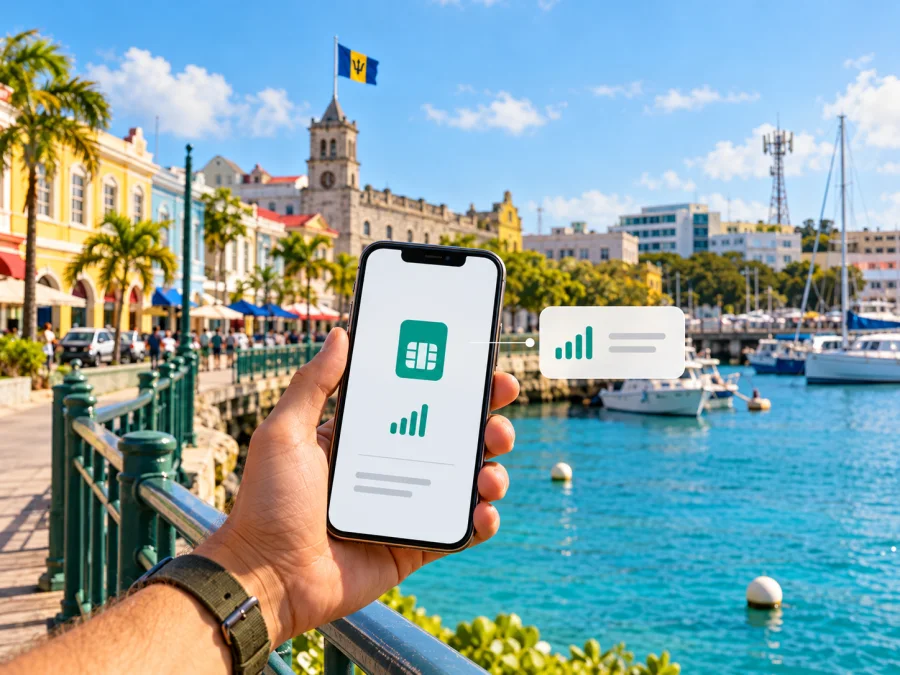
FLOW eSIM in Barbados: how to connect while travelling
If you are travelling to Barbados and searching for a FLOW eSIM, the operator’s current guidance confirms that eSIM is available for eSIM-capable devices: FLOW says to contact it through WhatsApp and that it will send an eSIM by email. That confirms an operator-supported activation route, but the public instructions do not explain whether every visitor can use it, whether it is available with prepaid service, or what registration steps apply. Contact FLOW before relying on this option and ask about your own device, account status and trip.
FLOW is a mobile service provider in Barbados. Its local network information describes LTE and newer 5G+ service, with 5G+ available in selected active sites and LTE outside those mapped areas. Actual service depends on where you are, the phone and its settings. On 2 November 2026, FLOW’s Barbados “5G+ Network” page described the eSIM-by-email process and the current network map; check that page again before travelling because coverage and service conditions can change.
This guide explains what FLOW confirms, how to ask about its eSIM in Barbados, and what to check before choosing a local or travel eSIM.
FLOW in Barbados: local service and travel context
FLOW provides mobile service in Barbados. For a visitor, the key distinction is that a FLOW eSIM for Barbados is a local operator service, governed by FLOW’s local terms. A FLOW-branded offer in another country may follow different rules, so confirm that all instructions refer to Barbados.
A local operator connection may suit someone who needs a domestic number, local calling or SMS, or an account managed directly with a provider in the country. A travel eSIM may suit someone who mainly needs data and wants to prepare a connection before departure. These arrangements can differ in phone-number features, eligibility, network access and support.
FLOW’s Barbados “Prepaid mobile plans” page confirms prepaid service, but its eSIM instructions do not say whether visitors can obtain an eSIM on prepaid service. I checked both pages on 2 November 2026. Ask whether a new customer can request an eSIM, whether registration or an in-person visit is required, and whether activation can be completed during a short stay. FLOW’s “5G+ Network” page confirms the request route: contact the operator through WhatsApp and receive the eSIM by email. The page does not explain every tourist or account condition.
What FLOW confirms about eSIM
FLOW’s Barbados “5G+ Network” page says users with eSIM-capable devices can send a WhatsApp message and receive an eSIM by email. This confirms an operator-supported request route. It does not establish that every phone sold worldwide is compatible, every visitor is eligible, or that the eSIM will be issued immediately.
The public page does not specify whether the eSIM is available to new prepaid customers, whether an existing FLOW account is required, whether it includes a local number, or which documents a visitor must provide. Before relying on it, tell FLOW your phone’s exact model and region of sale, whether it is unlocked, and whether you are a visitor or existing customer. Ask what the eSIM includes, whether a store visit is needed, and when you can install the profile.
Keep FLOW’s reply and installation instructions accessible. If the operator sends a QR code or other profile, follow the instructions for that profile. Avoid deleting a working eSIM or trying to move it to another phone without confirming the replacement procedure; transfer rules can depend on the profile.
Coverage and network technology
FLOW’s current Barbados 5G+ page says 5G+ is available at selected active sites and that devices outside those mapped areas connect to LTE. Use the operator’s current coverage map for your accommodation, airport route and planned excursions. The map can change and cannot guarantee reception inside a particular building, hotel room, vehicle or coastal location.
FLOW’s “Understanding Mobile Data Services: Terms and Conditions” page also refers to GPRS and LTE and explains that service depends on device compatibility, network availability and coverage. I checked it on 2 November 2026. These are descriptions of technologies, not a promise of speed or uninterrupted service. A 5G-capable phone alone does not guarantee 5G+: model, software, eSIM support and location also matter.
Distinguish FLOW’s local network from international roaming. A travel eSIM that lists FLOW as a local network does not make you a direct FLOW customer. The travel provider’s profile, network access and support terms apply. Check the network and technology named for the exact travel product.
FLOW local eSIM or a travel eSIM?
The right arrangement depends on what you need. A local FLOW service may suit a visitor who needs a Barbados number or local operator account and can meet FLOW’s conditions. A travel eSIM may suit someone who mainly needs data and prefers to prepare before departure. Neither is automatically right for every phone or itinerary.
| What to compare | Local FLOW eSIM | Travel eSIM |
|---|---|---|
| Provider | FLOW in Barbados, under its local terms | The travel eSIM service and its network partners |
| Starting point | FLOW currently directs eSIM-capable users to WhatsApp and says it sends the eSIM by email | Purchase and installation steps depend on the selected service |
| Eligibility | Confirm account type, visitor access, documents and any store visit with FLOW | Check destination availability and the product’s conditions |
| Number and calls | Ask what number, voice and SMS features are included | Many are intended for data; check the specific conditions |
| Network and support | FLOW’s Barbados network and local support | The network and support named for that travel product |
This is a general distinction, not a promise about a particular product. FLOW’s public page does not confirm that tourists can activate the eSIM as prepaid service or whether it includes a local number. Travel eSIMs also vary. If you need calls, SMS or account verification, ask FLOW directly. If data is the priority, check a travel eSIM’s Barbados coverage, local network, activation timing and conditions.
If you are considering mobile data for your trip, browse current eSIM options for Barbados. This destination page is for checking travel eSIM options; it is not a FLOW tariff page. Review its current availability and conditions before purchase.
How to request a FLOW eSIM before your trip
Use FLOW’s Barbados instructions as the starting point, then confirm the visitor process with support:
- Check your phone. Record its exact model and region variant. Confirm eSIM support and that it is not carrier locked. If you want 5G+, check FLOW’s current device information too.
- Contact FLOW Barbados. Use the WhatsApp route on its “5G+ Network” page. Say that you want an eSIM for use in Barbados and explain that you are travelling, if applicable.
- Confirm eligibility. Ask whether new customers and visitors qualify, whether an account type or local registration is required, and whether you must visit a store.
- Confirm features. Ask whether the eSIM includes data, a local number, calls or SMS. Do not infer these from eSIM availability.
- Get the setup details. FLOW says it sends an eSIM by email. Ask when it will arrive, how to install it and whether you can install before arrival.
- Save support instructions. Keep them accessible offline and ask what to do if the eSIM does not connect after landing.
Do not buy or change a phone line based only on a general eSIM statement. If FLOW cannot confirm visitor eligibility or requires a step you cannot complete, make a backup plan for data, such as checking a travel eSIM that explicitly covers Barbados or reviewing your home provider’s roaming terms.
Install and activate an eSIM safely
The exact steps depend on the phone and the delivery method FLOW provides. On iPhone, eSIM is generally added through cellular or mobile service settings; on Android, look under network, SIM or mobile network settings. Menu names vary by model, software and region. Follow FLOW’s instructions for the specific profile.
Before installation, use reliable Wi‑Fi, charge your phone and open the email or QR code FLOW sent. Keep your existing line available until you know which line is set for calls, messages and data. On a dual-SIM phone, label the profiles so you can distinguish your home line from the Barbados eSIM.
After adding the profile, select it for mobile data if that is what you intend. Follow any roaming instructions FLOW provides. Data roaming may be needed by some eSIM arrangements, but check which SIM is selected first because roaming on your home line may incur charges. If the phone shows no service after arrival, verify that the eSIM is on, airplane mode is off, and the profile installed correctly; restart the phone and allow time for registration. Do not erase the profile as a shortcut. Ask FLOW whether it can be reissued.
If you choose a travel eSIM, use that provider’s instructions and check its conditions for installation timing and activation. To review device support, check eSIM compatibility. Some phone variants differ by region, and a phone may be locked even when its hardware supports eSIM.
What visitors should verify with FLOW
Before departure, ask whether a visitor can request the eSIM as a new customer, whether a local account, address, documents or store visit are required, and when activation can take place. Confirm whether the service includes a number, voice, SMS and data, and ask about lost-phone replacement or profile transfer. FLOW’s public instructions do not map the eSIM request to a particular account type, so do not assume physical-SIM rules apply.
Check the current coverage map for places you plan to visit and ask about your exact phone variant if 5G+ matters. Confirm how long the email process takes, what connection is needed for installation, and whether you can install the eSIM before arrival. Keep another way to get online available for the airport and first hours of your stay.
Common questions about FLOW eSIM in Barbados
Does FLOW support eSIM in Barbados?
Yes. FLOW’s Barbados “5G+ Network” page says eSIM-capable users can contact the operator through WhatsApp and receive an eSIM by email. The page does not answer every visitor or account question; confirm those details before relying on it.
Can a tourist get a FLOW eSIM?
The public instruction does not say whether every tourist or new customer qualifies. Ask FLOW whether an account, documents or store visit are required. If eligibility remains unclear, consider a travel eSIM that explicitly covers Barbados.
Is FLOW eSIM prepaid or does it include a local number?
The eSIM page does not specify account type, number, voice or SMS features. FLOW publishes prepaid mobile information, but that alone does not establish prepaid eSIM eligibility. Ask the operator about the service offered to you.
Will my phone connect to 5G+?
Only if your device and eSIM are compatible and you are in an area where FLOW’s 5G+ network is available. Check the current map and device information. FLOW says devices outside mapped 5G+ sites connect to LTE, subject to local conditions.
Can I keep my home SIM active?
That depends on the phone’s dual-SIM capability and configuration. Check which line handles data, calls and messages, and review roaming settings to avoid charges on the home line.
Is a travel eSIM the same as a FLOW eSIM?
No. A FLOW eSIM is arranged with the local operator under its service terms. A travel eSIM is provided through a travel service and may use a local partner network. Check the specific provider, network, included services and support process.
A practical checklist before departure
- Confirm that your exact phone variant supports eSIM and is unlocked.
- Contact FLOW through the Barbados support route and verify visitor eligibility.
- Ask whether an account, local registration, documents or an in-person visit is required.
- Confirm whether the service includes data, a local number, voice calls or SMS.
- Check FLOW’s current coverage map for the places you plan to visit.
- Ask when the profile will arrive and whether it can be installed before travel.
- Save the instructions and support contact details where you can access them offline.
- Set your preferred line for mobile data and check roaming settings on each SIM.
- Keep a backup way to connect until the eSIM has registered successfully.
FLOW eSIM is a confirmed option to ask about in Barbados, with a current official route that starts through WhatsApp and continues by email. What remains unclear in the public instructions is whether that route fits every visitor, account type and trip. Verify those points with FLOW, check the current map and handset compatibility, and choose a connection based on whether you need a local mobile account or mainly data while travelling.
Kaspersky eSIM Store is an app and website that helps travellers select, purchase and activate an eSIM with a plan for mobile internet abroad. It is not a mobile operator, does not own a network and does not provide mobile connectivity. Its available options can change, so review the destination and conditions on the page before deciding. To see current travel eSIM options, view eSIM options for Barbados. This is a travel eSIM destination page, not a statement that FLOW offers a particular plan through the operator.
Kaspersky eSIM Store is not affiliated with FLOW. The operator’s eSIM availability, onboarding requirements, network map and service conditions may change; confirm them with FLOW before your trip.


