Travel connectivity guide
Forest eSIM: Mobile Internet in Guernsey
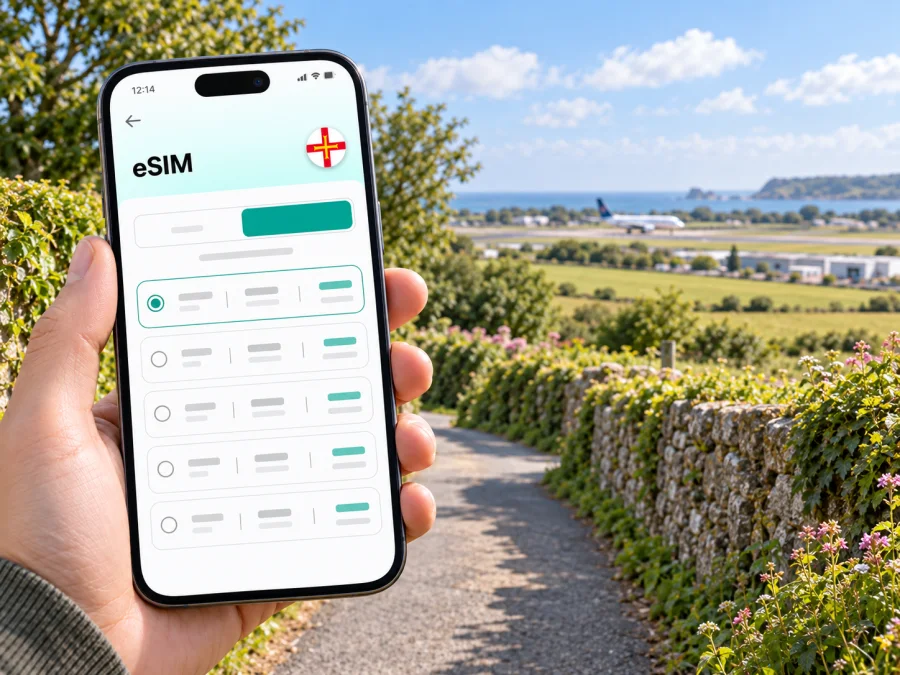
Forest eSIM: mobile connection and internet for your trip
Forest is a useful place to plan around when visiting Guernsey: the island’s airport is here, while many visitors continue on to St Peter Port or other parts of the island after landing. A mobile data connection can help with the first practical steps—checking a transfer, opening a map, confirming accommodation details, or messaging the person meeting you. An eSIM lets you prepare a travel data plan digitally, without swapping the physical SIM already in your phone.
Forest is a parish, not a dense city centre with one obvious transit hub. Your plans may include the airport, a nearby stay, a visit to the German Occupation Museum, or onward travel across Guernsey. The useful question is therefore not simply how much data to buy, but where your route goes, how long you will stay, and which navigation and communication tasks you expect to do on your phone.
Why mobile data can be useful around Forest
Forest is a parish, not a dense city centre with one obvious transit hub. Guernsey Airport is here, so many visitors begin their island journey in Forest before continuing to St Peter Port or another parish. A mobile data connection can help with practical first steps: opening a map, checking a bus journey, confirming accommodation details, arranging a pickup, or messaging someone about a changed arrival time.
The German Occupation Museum is also in Forest and is described by the island’s visitor information as being within walking distance of the airport. It can be a convenient stop around an arrival or departure, subject to your schedule. Check current opening information and directions before planning a tight connection; walking time depends on your exact starting point, pace, luggage, and conditions.
Data can be helpful for navigation, transport updates, booking confirmations, and internet-based messages. It does not guarantee uninterrupted service: availability depends on the selected plan, device, local network, and surroundings. Save key addresses and confirmations offline as a backup, and keep your phone charged.
Typical uses include:
- checking the route from the airport to a stay or meeting point;
- finding a bus stop and checking current journey information;
- contacting a host or driver if plans change;
- opening directions to a local attraction;
- viewing bookings, tickets, calendars, and messages away from Wi-Fi.
If Forest is one stop on a wider itinerary, confirm that your plan covers every destination on your route.
Plan your arrival through Forest
Since Guernsey Airport is in Forest, decide before landing how you will reach your accommodation or next stop. Save the exact address, booking reference, and host or reception contact details somewhere accessible offline. Agree on a clear pickup point with a driver, or check the latest public transport information for your travel date. Routes and timetables can change, so avoid relying on an old screenshot or route number.
Before leaving the terminal, check the destination in your map app and consider the full route, including any walking section. If you are carrying luggage, check the distance from the stop to your accommodation. For a rental car, set directions while parked or ask a passenger to manage navigation. Follow road signs and local rules, and allow time for parking and walking.
A simple arrival sequence:
- Save the accommodation address and important contacts.
- Download the local map area for offline reference if your app supports it.
- Check your airport transfer or bus plan for the day you arrive.
- Charge your phone and keep a cable or power bank with you.
- Select the travel eSIM for data when you intend to use it, following the plan instructions.
Choosing an eSIM data plan for Forest
Start by confirming that Guernsey is named in the destination list. Forest is within Guernsey, so do not assume a plan labelled for the United Kingdom or Europe includes the island. Read the actual coverage terms, especially if you will visit other Channel Islands or mainland destinations as part of the same trip.
Match the duration and allowance to your schedule and habits. A short airport stop with a few messages differs from several days of navigation, photo uploads, video calls, or remote work. Wi-Fi use, background refresh, and streaming also affect how much data you use; no single allowance suits every traveller.
| Travel pattern | What to consider |
|---|---|
| Brief Forest stop | Cover arrival and departure days; save maps and confirmations offline. |
| Several days on Guernsey | Allow for repeated navigation, messages, and booking updates between parishes. |
| Work meetings | Account for video calls and file transfers; check plan terms and workplace requirements. |
| Multi-stop itinerary | Confirm that every destination is explicitly covered. |
Kaspersky eSIM Store is an app and website where you can select, arrange, and activate an eSIM with a suitable data plan for an international trip. Review travel eSIM options for Guernsey and check each plan’s destination, validity, data allowance, activation details, and restrictions before choosing it. A travel data plan may not include a phone number, standard calls, or SMS unless its terms say so.
Setting up an eSIM before or after arrival
If possible, prepare the eSIM over reliable Wi-Fi before departure. Follow the plan’s activation conditions: some travellers install in advance and enable the travel line after landing, while others set it up on arrival. Do not delete the profile unless the instructions tell you to.
- Confirm that the phone supports eSIM and is not carrier-locked. Check your device’s eSIM compatibility.
- Read the plan’s destination, validity, data, and activation terms.
- Add the eSIM over Wi-Fi, following the on-screen setup steps.
- Label the line “Travel data” and select it for mobile data when appropriate.
- Review data roaming settings as directed, and decide how your usual SIM should handle calls and messages.
- After landing, test a basic task such as loading a map before relying on data for a timed transfer.
Use the Android eSIM installation instructions or the iOS eSIM installation instructions. Menu names vary by device and software version. If you install at Forest, you will need an internet connection for setup; having account and activation details ready can make the process easier.
Getting around: airport, transport, and local stops
A route in Forest may be only the first leg of an island-wide journey. Guernsey Airport information describes bus services between the airport and St Peter Port, as well as island-circuit services; check current stops, timetables, and payment arrangements for your date. If a service changes, mobile data can help you look up another departure or update your accommodation.
The German Occupation Museum is a distinctive local stop for visitors interested in Guernsey’s wartime history. Its proximity to the airport can suit an arrival or departure day, but leave a safe margin for baggage, transport, and check-in. The Little Chapel is in St Andrew, not Forest, so treat it as a separate leg if you combine the two places. Enter the precise destination in your map or ride app rather than relying on the parish name alone.
Download directions in advance and compare the suggested route with the surroundings. A direct line on a map may not be the most comfortable walk, particularly with luggage or in poor weather. Use live data for changes and save a fallback meeting point in case a phone loses power or connectivity.
| Task | Prepare offline | Live data may help when |
|---|---|---|
| Reaching your stay | Save the address and booking details | Arrival time or pickup plans change |
| Bus journey | Keep the route or schedule handy | You need an updated departure or alternative |
| Local visit | Save the place and directions | You want to check a route change |
| Work travel | Download files you can use offline | You need email, cloud files, or a meeting link |
Hotels, business travel, and short stays
Accommodation in or near Forest can be an overnight stop close to the airport, a base for exploring Guernsey, or a convenient location for a meeting. Save the property’s exact address and confirm check-in arrangements, especially if you expect to arrive late. Keep instructions available offline in case you need them before mobile data is ready.
For business travel, check whether your accommodation Wi-Fi suits your work. Mobile data can help with maps, calendar updates, email, and messages while you are away from the hotel, but it should not be treated as a guaranteed replacement for a company connection. Video calls and file transfers can use more data than navigation or text messages, so account for those tasks when choosing an allowance.
For a short stopover, calculate the usable time after allowing for baggage, transport both ways, and returning to the airport. Choose a nearby activity rather than fitting too many island stops into a narrow window. Save directions and onward travel details before leaving, then use live updates if timing changes.
A compact preparation checklist
- [ ] Confirm the plan lists Guernsey and check its validity, data allowance, and activation terms.
- [ ] Confirm eSIM support and that the phone is not carrier-locked.
- [ ] Save your accommodation address, airport transfer details, and key contacts offline.
- [ ] Check current transport information and download a map for offline reference.
- [ ] Review which SIM is selected for mobile data and how your usual line will work abroad.
- [ ] Charge the phone, pack a cable or power bank, and confirm attraction hours before setting out.
This keeps the first connection steps separate from the rest of your itinerary. Knowing your destination and transport plan makes it easier to adapt if a pickup or departure changes.
Common questions about eSIM in Forest
Is Forest a city?
Forest is a parish on Guernsey. It is useful to plan for because Guernsey Airport is located here, and visitors may stay, meet, or explore in the parish before travelling elsewhere on the island.
Does a Guernsey eSIM plan cover Forest?
A plan that explicitly includes Guernsey is the relevant option to review for Forest. Check the destination and terms on the plan before purchase. Coverage and service depend on the plan and the local network; the name of a nearby country or region alone is not enough to confirm inclusion.
Can I rely on mobile data immediately after landing?
Prepare the profile and read its activation instructions before travelling. After arrival, select the travel eSIM for data as directed and test a basic connection. Availability can depend on the device, settings, plan, and local network conditions, so keep essential booking details and addresses available offline too.
Will an eSIM provide calls and text messages?
A travel data plan may be data-only. Check its terms rather than assuming it includes a phone number, conventional calls, or SMS. Internet-based messaging and calling apps may work over data when the other requirements for those apps are met.
Should I install the eSIM before reaching Forest?
Installing in advance over reliable Wi-Fi can make arrival easier, provided the plan’s activation conditions suit your travel dates. Some plans have specific activation timing, so read the details before setting up. If you install after landing, you will need a working internet connection for the process.
Is mobile data enough for navigation around the parish?
Data can help load maps and check route changes, but it is wise to download an offline map and save your destination first. Follow local signs and use a route suitable for your transport mode. For walking directions, inspect the route before setting out, especially with luggage or in poor weather.
Prepare your connection for the Forest leg
Forest may be your first stop on Guernsey because the airport is here, or one part of a wider island visit. Save your address, check current transport information, choose a plan that names Guernsey, and set up your travel eSIM according to its terms. Keep essential details offline as a backup.
When ready, review eSIM plans for Guernsey through Kaspersky eSIM Store, the app and website for selecting, arranging, and activating an eSIM plan for an international trip. Check the plan for your dates and route, then follow its setup instructions.


