Travel connectivity guide
Fort Portal eSIM: Mobile Internet for City Travel
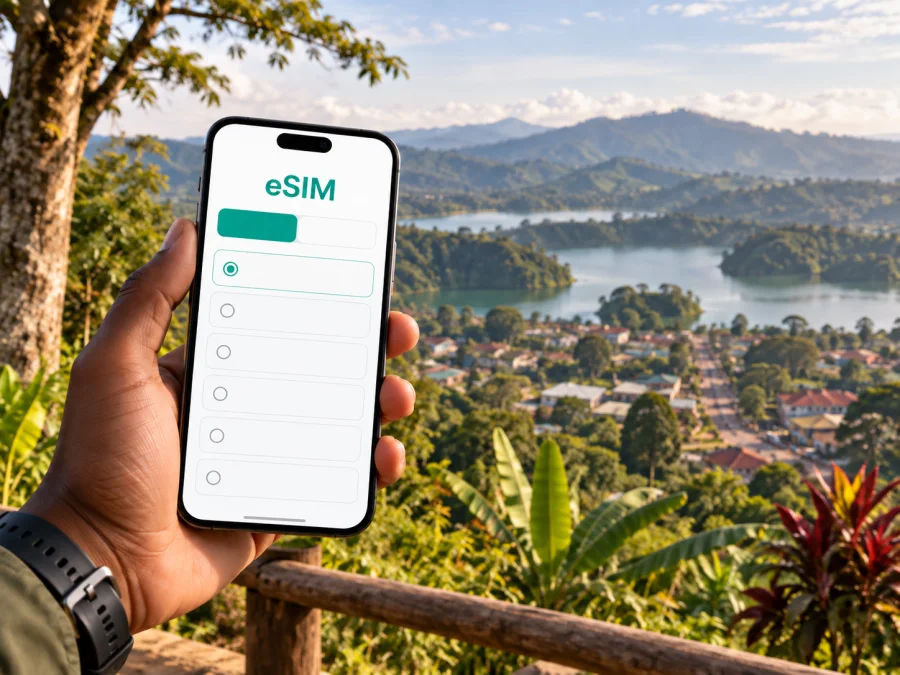
Fort Portal eSIM: Mobile Connection and Internet for Your City Stay
Fort Portal is a useful place to slow down, settle in and plan a western Uganda itinerary. You may arrive for a night before visiting Kibale, stay in town for work, or use it as a base for seeing the surrounding landscape. In each case, a working mobile internet connection helps with the practical parts: checking your next stop, contacting a host, sharing a meeting location and keeping travel details close at hand.
An eSIM can make that preparation easier. It is a digital SIM profile installed on a compatible device, so you can arrange a mobile data plan for a trip without inserting a separate plastic SIM. Kaspersky eSIM Store is an app and website where you can choose, purchase and activate an eSIM with a suitable plan for mobile internet abroad. The plan’s coverage, validity, data allowance and activation conditions depend on the selected offer, so check them before you travel.
Start with the shape of your Fort Portal trip
A short city stop and a multi-day itinerary around the area create different data needs. Consider where you will use your phone and what you need it to do, rather than choosing only by trip length.
| Your plans | Useful mobile-data tasks | Prepare |
|---|---|---|
| One night in town | Find lodging, message your host, check a route | Save address and booking details offline |
| Several days in town | Look up places, coordinate rides, confirm arrangements | Estimate map, messaging and upload use |
| Work from a hotel | Email, messaging, maps and occasional calls | Ask about Wi-Fi and keep mobile data as backup |
| Excursion beyond town | Confirm pickup and stay in touch when possible | Ask the guide about route and connectivity |
| Passing through | Recheck onward plans and contact your next host | Save tickets and addresses before leaving Wi-Fi |
These are planning prompts, not a promise of service at every point. Reception varies by location, terrain, buildings and network. Keep a backup for important calls or uploads, such as a confirmed meeting point or offline details.
Arriving and finding your way into town
Fort Portal is in western Uganda and can be a base for visiting places in the wider area. Your journey may include a road transfer from another Ugandan city. Check the exact arrival point and handover details: a terminal, a hotel entrance and a meeting place outside town are different destinations, even if a message uses the same city name.
Before setting out, save your accommodation’s full name and address, your host’s contact and any pickup instructions. A map pin helps, but keep a written address or recognizable landmark too. If you expect to arrive late, confirm who will meet you and how to identify the vehicle. A live connection is useful for updates, but do not rely on loading a map at the last minute.
- Open the route and save the destination while you have Wi-Fi.
- Confirm whether your driver or host will meet you at the arrival point or a nearby landmark.
- Keep the address and reservation reference in an offline note.
- Send an arrival update once you have mobile data.
Agree on the destination before starting a hired ride. For the final stretch to a property, local directions can clarify entrances or road conditions that a map does not show.
Moving around Fort Portal
Group nearby errands and visits together. Before leaving your accommodation, check the places you want to reach and ask a local contact what transport arrangement suits that journey. A quick trip across town, an evening return and a day excursion beyond the centre may call for different plans.
Motorcycle taxis, locally known as boda bodas, are a familiar way to travel in Uganda. If you choose one, agree on the destination and fare beforehand, and use your judgement about the driver, route, luggage and time of day. For a longer journey, a group or a tight schedule, ask your accommodation or tour provider about arranging a suitable vehicle. Do not assume a short map distance means a predictable travel time; weather and road conditions can affect the journey.
Mobile data can help you share a pin, message someone if a meeting point changes or check whether a stop fits your route. Leave time for delays, confirm appointments in advance and save details offline.
Navigation checklist
- Check that the pin marks the right place, not just a similarly named road or business.
- Keep a written address or landmark to share with a driver.
- Charge your phone before a longer outing.
- Save the route where your map app allows; offline maps may not show temporary changes.
- Tell anyone expecting you if your estimated arrival changes.
Choosing where to stay and what to ask
A central stay may suit errands and visits around town; a property outside the centre may fit better with a planned excursion or the setting you want. Compare its actual address with your daily plans rather than relying only on labels such as “city centre” or “near the park.”
Before arrival, ask whether Wi-Fi reaches your room, whether it suits the work you expect to do, and how staff recommend explaining the entrance to a driver. You can then decide whether mobile data is your main connection while out or a backup to Wi-Fi. An eSIM helps with data away from a known network, but does not guarantee uninterrupted coverage. For an important online meeting, download files, test the property’s Wi-Fi and prepare a lower-bandwidth option.
Planning excursions from the city
Fort Portal offers access to several outings in the surrounding region. Tooro Botanical Gardens are in the city; Kibale National Park, crater-lake scenery and Amabere ga Nyina Mwiru are among places travellers may consider beyond the centre. These are separate destinations, so do not assume they can all be combined into a short walk or one quick outing.
Ask your guide or accommodation to confirm pickup point, departure time, expected return and what the day includes. Save the details and the contact person’s number before leaving. Agree where to regroup if your party becomes separated. Maps and messaging can help, but a pre-arranged meeting point is a useful fallback where coverage is uncertain.
The evening before: confirm transport and return details, save the destination and charge your phone.
Before departure: tell your accommodation your plan, keep key contacts accessible and download anything you need to read offline.
During the outing: keep your phone secure, send an update at an agreed stop if needed and confirm itinerary changes with your guide rather than guessing from a map.
Mobile data for business visits and longer stays
A business trip may include meetings at different addresses, shared rides or a stay that extends into a weekend. Put meeting addresses and contact names in your calendar, save map pins and confirm whom to contact if delayed. If colleagues are meeting you, share one agreed location instead of a broad venue name.
Estimate data needs from your tasks. Email and messaging use less data than frequent uploads, cloud backups or video calls. Keep large downloads and updates for Wi-Fi, pause automatic photo backup if appropriate, and use lower video quality when it is sufficient. For an important call, ask about venue Wi-Fi, download your presentation and keep the organizer’s details offline.
An eSIM is a mobile-data option for travel, not a guarantee of a particular speed or signal indoors. Check whether your selected plan includes voice or SMS: many travel data plans do not provide a regular local number or traditional calling service.
Decide what eSIM plan fits your route
Match the plan’s published terms to your itinerary: destinations, days of use, expected data and whether your route includes Uganda alone or other countries. Coverage, validity and activation rules differ by plan, so review the exact offer before purchase.
| Consideration | Ask yourself |
|---|---|
| Destination | Does the plan include Uganda and other stops on your route? |
| Duration | How many days will you need data, including transfers and excursions? |
| Data use | Will you mostly message and navigate, or also upload and join calls? |
| Activation | When does validity begin, and what setup is required? |
| Device | Does your phone support eSIM, and is it unlocked? |
Kaspersky eSIM Store is an app and website that helps you choose, purchase and activate an eSIM with a suitable plan for mobile internet abroad. Review the destination, allowance, validity and other conditions, then compare them with your schedule. You can review eSIM options for Uganda when you are ready to check available terms.
Estimate your use instead of choosing by allowance alone. Occasional map checks and messages differ from remote work, video calls and frequent photo uploads. Use Wi-Fi for large transfers where practical, and check your phone’s data-usage settings during the trip.
Check your phone and prepare the eSIM
Before buying, check your phone’s eSIM compatibility and confirm that it is not restricted by a carrier lock. Steps vary by model, so use your manufacturer’s guidance if needed. Check that the plan is intended for Uganda and understand when validity begins. If you use two SIMs, decide which line should handle mobile data.
Install the eSIM while you have a stable internet connection and time to follow the steps. Keep any QR code or activation details accessible if your installation method requires them. Do not delete an installed profile to troubleshoot unless the plan instructions say to; some profiles cannot simply be installed again. Follow the setup guide for Android or iOS.
Label the travel eSIM so it is easy to identify. Depending on the plan and device, you may need to select it for mobile data and enable data roaming for that line. Follow the plan instructions, and check your home operator’s roaming conditions before changing its settings.
Before departure
- Confirm eSIM support and device unlock status.
- Read the destination, allowance, validity and activation terms.
- Install the profile with a stable connection and follow the device-specific guide.
- Label the travel eSIM and check which line is selected for mobile data.
- Save lodging, excursion contacts and key directions offline.
A data-only eSIM does not necessarily include a regular number, calls or SMS. If an account sends verification codes only to your usual number, check how you will receive them under your home plan.
Manage data while exploring
Load routes before leaving Wi-Fi, save large downloads and app updates for later, and check whether photos upload automatically over mobile data. These habits preserve data for navigation and messages. Keep a note of key addresses and pickup times too: live maps may not be available throughout a journey beyond town.
Use a screen lock, keep your device with you and avoid entering sensitive details on an unfamiliar shared device. Mobile data can reduce reliance on public Wi-Fi for routine tasks, but account security still matters. Use trusted apps and sign out on devices you do not own.
Quick answers for a Fort Portal visit
Is an eSIM useful if I am staying mainly in town?
It can help with maps, messages and contacting a driver when you are away from Wi-Fi. If you will mostly stay where Wi-Fi is available, choose a plan based on the time you expect to spend out and about.
Can I rely on navigation on excursions?
Treat it as a helpful tool, not a guarantee. Save maps and addresses where possible, and confirm important directions with your accommodation, driver or guide. Coverage and map detail can vary beyond the city.
Will an eSIM let me make ordinary calls?
A data-only plan may support calls through internet apps, but does not necessarily include a regular number, voice minutes or SMS. Check the plan terms and keep your usual number available if needed.
When should I install it?
Follow the selected plan’s installation and validity rules. Read when service begins and install with a stable connection rather than leaving setup until you are in a hurry.
What if the connection does not work?
Check that the eSIM is enabled and selected for data, then review its activation and roaming instructions. If the issue continues, contact the support option connected with your purchase. For an urgent update, use a backup such as accommodation Wi-Fi or another available line.
A simple plan for staying connected
Before travelling to Fort Portal, save details offline, confirm transport arrangements and choose a data plan that matches your route. During your stay, use maps and messaging for city visits and excursions, with a backup for places where live service may not be available. For work or fixed appointments, confirm Wi-Fi and meeting details ahead of time.
When you are ready, review the plan conditions and choose an eSIM plan for Uganda through Kaspersky eSIM Store. Install it according to its instructions, keep essential travel details accessible and explore Fort Portal with a practical plan for mobile internet on the move.


