Travel connectivity guide
Franceville eSIM: mobile internet in Gabon
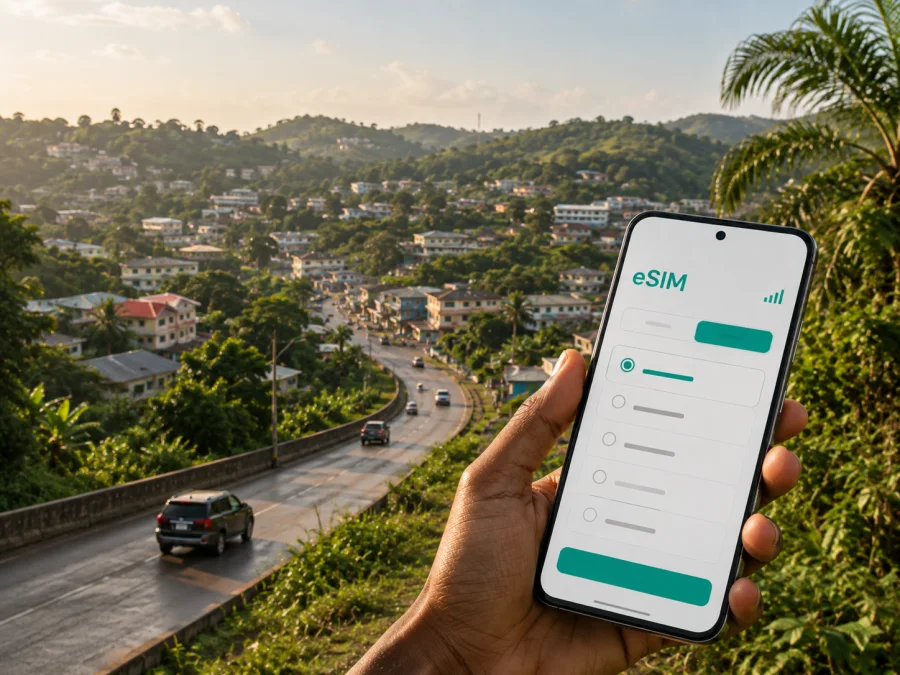
Franceville eSIM: mobile connection and internet for a smoother trip
Franceville is a practical base for a journey through southeastern Gabon. You may arrive for work, a family visit, a short stopover or a wider route through Haut-Ogooué. In each case, mobile internet is useful from the first hour: you may need to confirm a transfer, open a map, contact a hotel, check a meeting address or tell someone that you have arrived. An eSIM, or digital SIM, can help you prepare that connection without handling a physical SIM card immediately after your journey.
Why mobile internet matters in Franceville
The first part of a city visit often involves several small decisions. After landing, you may need to coordinate a pickup, find the right road, contact a host or review a booking. Later, a map can help you orient yourself between the arrival point, the city centre, accommodation and a meeting venue. A working data connection also makes it easier to use translation tools, send messages and keep travel details in one place.
An eSIM may be useful in these city situations:
- Arrival and transfer: use messages and maps while arranging the first ride and confirming where to meet.
- Hotel check-in: keep reservation details available and contact the property if your arrival changes.
- Getting around: compare a route, share your position or look up a street between districts.
- Business travel: exchange documents, check a calendar or remain reachable between meetings, subject to the tariff and signal at your location.
- Short stopovers: avoid spending limited time searching for a physical SIM card.
- Trips outside the centre: download essential information before leaving a reliable connection and keep data for navigation and messages.
The aim is not to stay online every minute. It is to have a practical option when Wi-Fi is unavailable or inconvenient during a transfer.
Franceville at a glance for a connected trip
Franceville sits in southeastern Gabon and is an important urban base in the Haut-Ogooué area. Its built-up streets, green surroundings and routes beyond the centre create different data needs for a short city walk and a day involving transfers.
| Travel situation in Franceville | What may need mobile data | Preparation that helps |
|---|---|---|
| Arrival at Mvengue Airport | Messages, transfer details, maps and booking information | Save the accommodation address and arrival contact |
| Stay in the central area | Navigation, meeting searches and messaging | Keep a small reserve for the return journey |
| Business visit | Email, calendars, calls and document access | Confirm how much data work apps use |
| Rail or road connection | Route checks, messages and plan changes | Charge the phone and note essential details |
| Visit beyond the city | Navigation, weather checks and communication | Review country coverage and validity first |
This table is a planning aid, not a promise about a particular network. Service depends on the selected tariff, its local partner network, your device and the place where you use it. If your route continues beyond Franceville, check that the next destination is included.
Choosing an eSIM tariff for Franceville
Start with the itinerary, not with a large data figure. Note how many days you will be in Franceville, whether you will use Wi-Fi and whether you will travel outside the city. Navigation and messaging usually demand less data than video calls, backups or streaming.
Match the tariff to the stay
For a short visit, a modest prepaid allowance may be enough if you mainly use maps, messages and booking confirmations. A longer business stay or route with several transfers may call for more headroom. Look at validity as well as data volume. A package that looks suitable by size may not cover all your dates if it expires earlier than expected.
Before payment, read the current details shown for the destination: allowance, validity, country or regional scope and conditions for activation or use. Product details can change, so follow the tariff displayed at the time of purchase.
Separate city use from the onward route
Your data needs can change when you leave Franceville. A day trip may involve more map use and messages to coordinate a driver or host. If the route crosses into another country, a Gabon tariff may not cover that section. Review every additional destination separately.
Make a short route note:
- Franceville arrival point.
- First accommodation and meeting place.
- Planned city journeys.
- Any rail or road segment away from the centre.
- The date on which mobile data should stop.
After checking the current conditions, compare the tariff scope with your route.
Estimate realistic data use
Ask whether you will use navigation for hours each day, sync photos, make video calls, stream or connect another device by hotspot. Restrict automatic updates and photo backup over mobile data when you want to keep the allowance for essential tasks. Use trusted Wi-Fi for large transfers. After this check, you can choose an eSIM tariff for a trip to Franceville.
Arrival planning: airport, station and first ride
An organised arrival is more valuable than a complicated setup. Before leaving home, save the Franceville accommodation address, meeting contact, booking reference and transfer details offline, because activation or local signal may take time.
If you arrive through Mvengue Airport, do not wait until you are outside with luggage to decide how you will find your transfer. Install the eSIM while connected to Wi-Fi, or keep the activation details ready for later. If your journey uses Franceville’s rail connection, save the accommodation address and meeting point before boarding, then use mobile data for changes as you move around.
Arrival checklist
- Charge the phone and carry a power bank if possible.
- Save the hotel or host address in notes.
- Keep the booking reference and transfer contact offline.
- Install the eSIM before departure when connected to Wi-Fi.
- Keep your usual SIM for calls if needed, but review its data roaming.
- Select the travel eSIM for mobile data when ready.
- Test a simple page or message before leaving the arrival area.
Moving around Franceville
The city can feel straightforward on one journey and less familiar on the next. Use mobile data for tasks that reduce uncertainty: checking a route, confirming a destination, sharing a location and messaging when plans change.
Central streets and errands
For short movements, check the route before leaving. If you coordinate with a driver, confirm the pickup point in plain language and share a visible landmark or street reference.
Hotel and meeting searches
Map pins can be imprecise. Save the exact address and contact details supplied by the hotel, host or organiser, and ask for a business meeting location in advance.
Work and remote communication
Test work apps before travelling. Disable background sync for non-essential services and use Wi-Fi for large uploads when suitable. Keep the allowance in view so a long video meeting does not use the reserve needed for arrival or onward travel.
Trips beyond the city
Before leaving the urban area, save accommodation details, directions, contacts and the next transport step. Review whether the tariff includes the next part of the route; a city-centred choice may not suit every regional extension.
Installing an eSIM before departure or after arrival
Installation is easiest with stable internet and access to the QR code or activation profile. First, check that your phone supports eSIM and is not locked to another operator. Check your device compatibility before purchasing or installing a profile; model support can vary by region and device version.
The menu names differ between manufacturers, but the sequence is usually similar:
1. Check the conditions
Confirm compatibility, make sure the phone can access the internet during setup and keep the QR code or activation details available. If the tariff has an activation window, read it before starting.
2. Open mobile-network settings
Go to mobile-network or cellular settings and choose the option for adding an eSIM or mobile plan.
3. Scan the QR code
Scan the QR code from the Kaspersky eSIM Store profile or use manual details if offered. Follow the screen instructions and do not delete the profile while installation is in progress.
4. Select the travel profile for data
When asked which line should provide mobile data, select the eSIM intended for Gabon. Keep your regular line for calls if needed, but review its data-roaming setting.
5. Wait for activation
Activation can take several minutes. If the tariff requires data roaming for the eSIM, enable it for the travel profile and follow the current setup instructions. To begin later, leave the profile installed but keep the travel line or data selection off until arrival.
For device-specific guidance, use the Android installation instructions or the iOS installation instructions. Installing a profile and selecting it for mobile data are separate steps.
Settings worth checking in Franceville
Once the eSIM is installed, confirm that the travel profile is selected for mobile data, data roaming follows the tariff instructions, automatic line switching is controlled and background data is restricted for non-essential apps. Leave network selection on automatic unless instructed otherwise, and review battery use before a long journey.
If the connection does not appear, check the selected data line first, then confirm that the eSIM profile is on. Give activation a few minutes, move to a clearer-signal location and restart only if the instructions suggest it. Avoid deleting the profile as a first response, because reinstallation may require new activation details.
Three practical Franceville scenarios
A short business visit
You arrive at a hotel and have a meeting the same day. Prepare the address and contact, install the eSIM on Wi-Fi and select it for data after landing. Use it for messages, email and route checks; keep large transfers for Wi-Fi.
A flexible city stay
You have several days of errands and visits. Choose validity that covers the stay, keep a reserve for the final day and save addresses as you discover them. Confirm pickup points before leaving a familiar area.
Franceville as one stop on a longer route
Treat Franceville and the onward route separately. Confirm the tariff’s scope and validity, save the next accommodation offline and download what you need before leaving the city.
What to check before buying
- [ ] The tariff includes Gabon and matches the dates of your visit.
- [ ] The data amount reflects navigation, messaging, work and hotspot use.
- [ ] The validity covers arrival, the stay and departure.
- [ ] Your phone supports eSIM and is not operator-locked.
- [ ] You know whether data roaming is required for the travel profile.
- [ ] The QR code or activation information will be available at setup.
- [ ] Accommodation and transfer details are saved offline.
- [ ] Your regular SIM’s data roaming is controlled.
- [ ] You have a plan for Wi-Fi and charging during longer journeys.
Interpret a tariff using the current information shown at purchase. Do not assume that a data amount, network name or activation rule from an earlier trip will be identical on a new journey. If anything is unclear, review the product details before leaving.
Frequently asked questions
Is an eSIM useful for a short visit to Franceville?
Yes. It can provide data for arrival messages, navigation and booking details without organising a physical SIM card immediately. Choose the allowance and validity for the stopover.
Does an eSIM provide a regular phone number?
Usually not. A travel eSIM is generally intended for mobile data, not a separate local number, ordinary calls or SMS. Check the tariff description; messaging and calling apps can work over internet data when their conditions allow it.
Do I need to check my phone before purchasing?
Yes. Confirm that the model and regional version support eSIM and that the device is not locked to another operator. Use the compatibility check in the installation section before committing to a tariff.
What if the eSIM does not connect immediately?
Confirm that the travel profile is enabled and selected for mobile data. Check the data-roaming instruction, allow a few minutes for activation and move to a clearer-signal location. If the issue remains, use the support information associated with the order rather than deleting the profile.
A calm digital setup for Franceville
An eSIM does not replace a charged phone or offline copies of important details. It can remove one avoidable task from the first hours in Franceville. Decide how you will arrive, where you will stay, how often you will move around the city and whether your trip continues beyond it. Then choose a suitable tariff, install the profile carefully and keep control of the data line.
Kaspersky eSIM Store is an app and website where you can choose, arrange and activate an eSIM with a suitable tariff for mobile internet during an international trip. The local network and service conditions depend on the selected tariff and its partners, so review the current information for Gabon before travelling.
Prepare your eSIM for Franceville
Check your device, review the current Gabon tariff details and install the eSIM while you have dependable Wi-Fi. When ready, choose the eSIM tariff for your Franceville trip and keep the activation information available for arrival.


