
Travel connectivity guide
Francistown eSIM for Mobile Internet
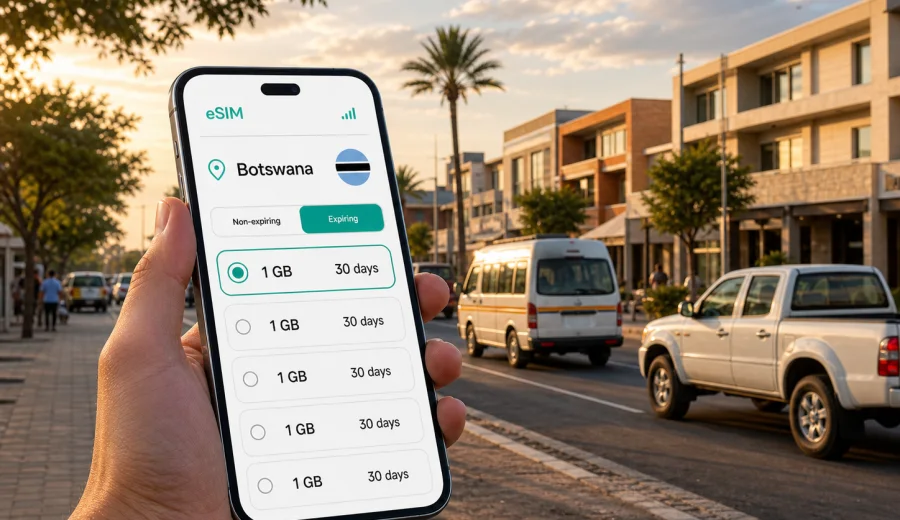
Francistown eSIM: mobile connection and internet for a trip to Botswana
Francistown is often a practical first or second stop in Botswana: a mining and business city, a road hub on the A1, and a useful base for routes toward Gaborone, Nata, Kasane, Maun, or the Zimbabwe border. For travelers, the main mobile connection question is simple: how do you keep maps, bookings, messages, ride arrangements, and work tools available without spending your first hours searching for a physical SIM card?
An eSIM can help you prepare mobile internet before you arrive in Francistown or shortly after landing. Instead of replacing your regular number, an eSIM works as a digital SIM profile for mobile data on a compatible phone or tablet. You choose a tariff for the country or region, install the eSIM, and use it for internet access during the trip while your primary SIM can remain available for calls or banking messages if your device supports dual SIM use.
Kaspersky eSIM Store is an app and website where you can choose, arrange, install, and activate an eSIM with a suitable tariff for mobile internet in an international trip. The important point is control: before paying, you can check the destination, data allowance, validity period, and basic tariff conditions, then decide whether the option fits your Francistown itinerary.
Why mobile internet matters in Francistown
Francistown is not a city where every travel moment happens in one compact tourist district. You may arrive at Francistown Airport, continue by car to a hotel, meet a local partner in the city center, visit shopping areas, or use the city as a road stop before driving farther north. Mobile data becomes useful in ordinary but important moments:
- opening maps after arrival and confirming the route to your hotel;
- contacting a driver, host, colleague, or tour organizer;
- checking banking alerts and booking confirmations;
- translating short messages, menus, or transport details;
- using messaging apps when you do not want to rely on hotel Wi-Fi;
- sharing your live location with family or colleagues;
- planning onward travel to Nata, Kasane, Maun, Gaborone, or nearby border routes.
Public Wi-Fi can help in a hotel or cafe, but it is not always where you need it. The first hour after arrival, a stop at a filling station, a route change, or a late check-in can all be easier when your phone already has mobile internet.
When an eSIM is useful for a Francistown trip
An eSIM is especially convenient when your trip has several small movements rather than one fixed hotel stay. Francistown is a working city as much as a travel stop, so visitors often move between the airport, central streets, office locations, hotels, restaurants, shops, and road connections.
| Trip scenario | Why mobile data helps |
|---|---|
| Arrival at Francistown Airport | Confirm pickup details, open maps, message your hotel, and check the address before leaving the terminal area. |
| Business visit | Keep email, calendars, cloud files, and messaging apps available between meetings. |
| Road trip stop | Check fuel stops, route timing, accommodation messages, and weather before continuing north or south. |
| Short stay in the city | Navigate between hotels, shopping areas, restaurants, and local meeting points without repeated Wi-Fi logins. |
| Onward travel in Botswana | Keep one data setup for routes beyond Francistown if the selected tariff covers the right country or region. |
For a short stopover, you may only need light data for maps and messaging. For a longer stay, remote work, video calls, or route planning across Botswana, you should choose a larger data allowance and check the validity period carefully.
Arrival and first-hour checklist
Before leaving the airport or bus station area, it is worth checking that your phone is ready for the city:
1. Confirm that the eSIM profile is installed on the device you will use in Francistown.
2. Set the eSIM line as the mobile data line if you want to use it for internet.
3. Check whether data roaming must be enabled for that eSIM profile.
4. Save your hotel address and one offline map area in case signal quality changes on the road.
5. Keep your regular SIM active only if you need calls, SMS, or banking verification messages.
6. Open your booking, pickup, or meeting details before you start moving.
This checklist is useful because eSIM data usually does not include a standard phone number, voice calls, or SMS unless the chosen tariff states otherwise. For calls and messages, many travelers use internet-based apps once mobile data is working.
How to choose an eSIM tariff for Francistown
For Francistown, the correct destination is Botswana. If your route stays inside Botswana, a country or regional tariff that includes Botswana is usually the most direct choice. If you cross borders or combine Francistown with a wider route through southern Africa, check whether a regional tariff is more appropriate for the full itinerary.
Use these questions before choosing:
- How many days will you spend in Francistown and Botswana?
- Will you mostly use maps and messaging, or will you also use video calls, cloud storage, and hotspot mode?
- Does the tariff validity period cover the entire stay, including arrival and departure days?
- Does the tariff cover Botswana or the exact region you need?
- Does your device support eSIM, and is it unlocked for eSIM use?
- Do the conditions allow tethering if you plan to use your laptop?
If your trip includes Francistown, Gaborone, and a northern route, avoid choosing only for the first night. Think about the full movement pattern: airport transfer, hotel Wi-Fi gaps, business meetings, road navigation, and onward travel.
Practical data estimates for city use
Data use depends on your apps and phone settings, so treat any estimate as a planning guide rather than a guarantee. A traveler who uses maps, messaging, email, and booking apps may need much less data than someone who streams video, joins long video calls, or shares a hotspot with a laptop.
| Use pattern in Francistown | Typical activities | Planning note |
|---|---|---|
| Light | Maps, messaging, ride coordination, restaurant searches | Suitable for short stays if you avoid video and large downloads. |
| Moderate | Maps, email, photo uploads, banking, translation, some social media | Better for several city days or mixed work and travel. |
| Heavy | Video calls, cloud files, hotspot, frequent media uploads | Choose more data and watch background app updates. |
To reduce unnecessary data use, download offline map areas before the trip, disable automatic cloud backups on mobile data, and update apps over trusted Wi-Fi when possible. If you use a laptop hotspot, check the selected tariff conditions first and monitor usage from the device settings.
Preparing before you travel
The calmest setup is usually before departure, while you still have reliable Wi-Fi. Install the eSIM profile, read the activation instructions, and keep the QR code or installation details available. You can then decide whether to activate mobile data before takeoff or after arrival, depending on the tariff conditions and when validity starts.
Before buying or installing an eSIM, check your device to make sure it supports eSIM and is not locked by an operator. Some phone models differ by region of sale, and some devices that support eSIM in one market may not support it in another. If the phone is locked, the eSIM may not work as expected.
When you are ready to prepare mobile internet for Botswana, you can use Kaspersky eSIM Store to choose an eSIM plan for travel in Francistown and Botswana. The page helps you move from destination selection to the tariff details, so you can compare data amount and validity before arranging the eSIM.
Installing an eSIM for Francistown
Installation is usually a short process, but you should do it carefully. Keep your phone connected to Wi-Fi during installation, make sure the battery is charged, and do not delete the eSIM profile after activation unless you are sure the tariff terms allow reinstalling it.
Basic steps:
1. Open Kaspersky eSIM Store on the website or in the app.
2. Choose the destination or regional option that fits your Botswana route.
3. Check the data allowance, validity period, and tariff conditions.
4. Arrange the selected eSIM and open the installation details.
5. Add the eSIM profile to your device using the on-screen instructions or QR code.
6. Set the eSIM as the mobile data line when you want to use it.
7. If required by the selected profile, enable data roaming for that eSIM line.
8. Wait a few minutes for network registration after arrival or activation.
For device-specific help, use the Android installation instructions or the iOS installation instructions. The exact menu names can vary by phone model and operating system version, so follow the prompts on your device as well.
City movement: airport, hotels, taxis, and meetings
In Francistown, mobile data is most valuable when your plan changes during the day. You may land, discover that the pickup point has moved, receive a message from your hotel, or need to confirm a meeting location near the city center. With an eSIM set for mobile data, you can handle these small changes without waiting for a Wi-Fi password.
For hotel stays, keep the hotel address saved in your map app and in a note. If you are moving between a hotel, a business location, a restaurant, and a shopping area, mobile internet helps you check routes without asking for directions each time. In the evening, it is also useful for confirming return transport and sharing your location with someone you trust.
Business travelers should check two extra points. First, confirm whether the chosen data allowance is enough for email attachments and video meetings. Second, check whether the tariff permits hotspot use if you expect to connect a laptop. If the trip involves sensitive work, avoid sending confidential information over unknown public Wi-Fi and use your organization’s approved security tools where required.
eSIM or local SIM card in Francistown
Both options can work, but they suit different travel styles. A local physical SIM may be useful for a longer stay if you want a local number and are ready to visit a retail point. An eSIM is often more convenient for travelers who want mobile internet without changing physical cards or spending arrival time on shop opening hours.
| Option | Better when | What to check |
|---|---|---|
| eSIM | You want mobile data prepared before arrival or soon after landing. | Device compatibility, destination coverage, data allowance, validity, and activation rules. |
| Local physical SIM | You need a local number or are staying for an extended period. | Registration process, store location, opening hours, tariff terms, and SIM size. |
| Standard roaming | You prefer to keep your home operator settings unchanged. | Roaming price, data limits, speed policy, and whether Botswana is included in your package. |
The best choice depends on your device, trip length, and data needs. eSIM is mainly about practical mobile internet for travel, not replacing every feature of a local mobile subscription.
What to verify before purchase
Before arranging an eSIM for Francistown, review the details with the same care you would use for a flight or hotel booking:
- The destination must include Botswana or the required region.
- The validity period should cover the dates when you need mobile data.
- The data allowance should fit your expected usage.
- The phone must support eSIM and be unlocked.
- The tariff conditions should mention whether hotspot use is allowed if you need it.
- You should understand when the validity period starts.
- You should keep installation details available until the eSIM is working.
Avoid relying on assumptions such as “all phones support eSIM” or “any regional tariff covers my route.” Check the actual conditions before you travel.
FAQ
Can I use an eSIM as soon as I arrive in Francistown?
You can use it after the eSIM profile is installed, the tariff is active under its conditions, and the device registers on an available local network. Connection may take a few minutes and depends on the device, selected profile, and local network conditions.
Does an eSIM include calls and SMS?
Usually no, unless the selected tariff specifically says otherwise. eSIM tariffs in this travel context are mainly for mobile internet. You can use messaging and calling apps over data if they are available on your phone.
Should I install the eSIM before I fly to Botswana?
Installing it before departure is often easier because you can use stable Wi-Fi and read the instructions calmly. Check when validity begins, then decide when to turn on the eSIM for mobile data.
Can I use one eSIM for Francistown and other parts of Botswana?
That depends on the destination coverage of the selected tariff. If it covers Botswana or the region you need, it can be used beyond Francistown under the tariff conditions. Always check the destination and validity details before purchase.
What if my phone does not support eSIM?
You will need another option, such as a physical SIM card or roaming through your home operator. Before buying, use the compatibility check and confirm that your device is unlocked.
Choose mobile internet for your Francistown trip
Francistown is easier to manage when your phone is ready for the small tasks that make travel work: maps, messages, bookings, airport pickup, hotel check-in, business coordination, and route planning across Botswana. An eSIM can help you prepare mobile internet without a physical SIM card, while still letting you check the data allowance, validity period, and destination before you commit.
To get ready for the trip, open Kaspersky eSIM Store and choose an eSIM plan for travel in Francistown and Botswana. Check your device compatibility first, review the tariff conditions, install the eSIM on Wi-Fi, and keep the setup ready for the moment you need mobile data in the city.