Travel connectivity guide
Free Mobile eSIM in France: What to Know
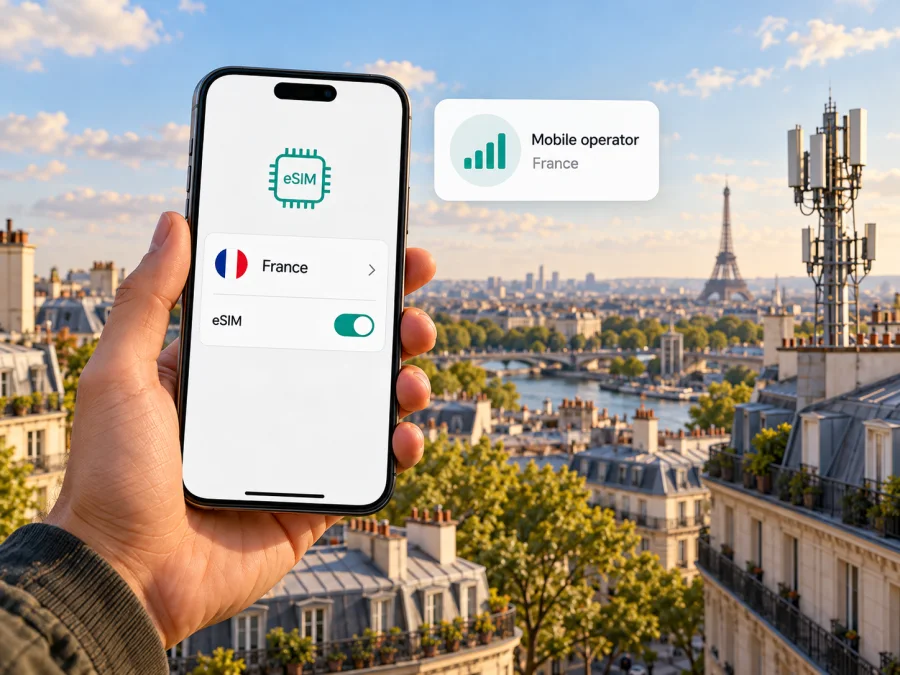
Free Mobile eSIM in France: what travelers should know
Free Mobile supports eSIM for compatible phones, and its official travel information describes a way for visitors to arrange a mobile subscription in France. That makes Free Mobile one option to consider if you want a French mobile line during a stay. It is not a travel data product that you can assume will be ready before landing: the operator’s visitor information points travelers to an in-person Free shop or self-service kiosk, followed by account and eSIM setup. Check the current process and eligibility with Free before you rely on it.
This guide explains what is confirmed about Free Mobile eSIM in France, what a visitor should verify, and how to prepare a phone for mobile data. Free Mobile and its name belong to their respective rights holders. Kaspersky eSIM Store is not affiliated with, sponsored by, or an official partner or distributor of Free Mobile.
Is Free Mobile eSIM available in France?
Yes. Free Mobile’s official support pages explain how to activate and download an eSIM, and the operator’s mobile service pages say an eSIM can be selected when subscribing. Its support guidance also describes installing a profile from the subscriber area or Free app, through a QR code, or with a compatible phone’s guided installation flow. The available route depends on how you obtained the line and the device you use.
The operator also publishes visitor-focused information for people spending a holiday or trip in France. It says a visitor can subscribe in a Free shop or at a Free kiosk, and that eSIM is an available SIM format where the phone is compatible. This is useful to know, but it does not mean that every visitor can complete the same process remotely, that every kiosk offers every option, or that an eSIM will be pre-installed. Confirm the current visitor procedure, identification and payment requirements, and whether you need to visit a staffed location before you travel.
Free’s ordinary subscriptions and its visitor information should not be treated as interchangeable. The operator’s general subscription materials state that some offers are reserved for people who reside in metropolitan France or can demonstrate a stable connection to it. The separate visitor page describes an in-person route for holidaymakers. If you are visiting temporarily, follow the visitor-specific instructions and ask Free which conditions apply to your circumstances instead of assuming that an online subscription intended for residents will work for you.
Free Mobile is a French mobile operator. It provides service over its own radio network and through roaming arrangements where applicable. This article is about Free Mobile in France; it does not imply that the Free Mobile network is available in every French territory or that a French eSIM will have the same terms abroad. If your itinerary includes an overseas department or territory, check the service area and roaming rules for that specific destination.
What a traveler can arrange
A Free Mobile eSIM is a digital SIM profile for a Free mobile line. Free’s visitor information describes an in-person subscription at a shop or kiosk and allows eSIM or physical SIM, subject to a compatible phone. A physical SIM is a fallback if your device does not support eSIM. Confirm the current visitor procedure, eligibility, identification, payment, and available SIM format directly with Free.
A local subscription may be relevant if you want a French mobile line. Ask Free which services apply to the current visitor offer; eSIM itself does not define calls, texts, data, or roaming terms. Do not assume that a general online subscription will be available to a temporary visitor: Free’s general subscription materials state that some offers are reserved for people who reside in metropolitan France or can demonstrate a stable connection to it.
A travel eSIM is another option when the main need is mobile data. It can be arranged around a destination and installed as an additional profile, if your phone supports that setup. Check its coverage, whether it is data-only, validity start, and hotspot conditions. Kaspersky eSIM Store is a website and app that helps travelers choose, arrange, and activate a travel eSIM plan for mobile internet abroad. It is not an operator, network owner, or source of mobile coverage. Its France page is for browsing travel options, not a Free Mobile subscription.
How Free Mobile eSIM activation works
Free’s support article “Activer et télécharger ma eSIM” describes several installation paths. Depending on the subscription and phone, the user signs into the Free Mobile subscriber area and opens the eSIM section, then follows the activation and download steps. The profile can be installed through Free’s app, through a phone browser, or by scanning a QR code and entering a confirmation code. Free also describes a guided automatic installation for a phone supplied with an eSIM pre-installed. The operator’s public instructions may change, so use the current steps displayed in your own subscriber account.
Keep a reliable internet connection available while you install the profile. Wi-Fi is useful if the phone does not yet have mobile service. If the operator provides a QR code, display it on another screen or print it so the phone can scan it; some phone models allow direct installation instead. Do not delete a working profile or reset the phone simply because setup is taking longer than expected. First check Free’s account instructions and support guidance.
Free says that after downloading its eSIM, restarting the phone may be needed. Its help page also explains that moving an eSIM to another phone requires removing it from the first phone and activating it on the second, with an internet connection available when removing the old profile. Treat transfer as a deliberate change: check the current process before replacing, erasing, or trading in your phone, and retain access to your Free account and any verification method required for the line.
A practical installation checklist
- Check the phone. Confirm that the exact model and regional version support eSIM. Some devices with a familiar commercial name differ by market or hardware variant.
- Check the lock status. Make sure the phone is not restricted to another carrier. A phone can support eSIM in its hardware and still reject a profile because of a carrier lock or service restriction.
- Confirm the subscription route. If you are visiting, ask Free whether you need to subscribe in a shop or kiosk and what documents or payment methods to bring. Check that the location can provide eSIM for your device.
- Get online. Connect to Wi-Fi or another working data connection before downloading the profile.
- Follow Free’s current instructions. Use the app, subscriber area, QR code, or supported guided installation route shown for your line.
- Label the line. Give the profile a clear name such as “Free France” so you can distinguish it from your home SIM or a travel eSIM.
- Choose the data line. In mobile settings, select the intended profile for mobile data. Keep calls and texts on the line you want to use, if your phone lets you configure these separately.
- Test before relying on it. Check that the line registers and data works in the place you are staying. If it does not, verify the selected data line, mobile data setting, coverage, and account status before changing or deleting the eSIM.
The labels in phone settings vary across iOS, Android, manufacturers, and software versions. Free’s official installation guidance is the source for its account-specific steps; use the device maker’s instructions for menu names on your particular phone. For general device checks, you can also review eSIM compatibility before arranging a travel eSIM.
Is your phone compatible?
Compatibility has two parts: the device must have eSIM capability, and the exact variant must be allowed to use it on the relevant network. A model sold under the same product name may differ by country or carrier. Before you travel, check the precise model identifier in the phone settings or on the device packaging, then compare it with Free’s current compatibility information and the phone manufacturer’s specifications.
Also make sure that the phone is not carrier-locked. If it was purchased through a carrier, ask that carrier whether it can accept another provider’s eSIM. Check for current operating-system updates and enough free space for the profile. A compatibility list is a starting point rather than a guarantee of successful service in every configuration, especially for imported or refurbished devices.
A phone may store more than one eSIM profile, but how many can be active at once depends on the model. Dual-SIM behavior also varies: one line may be selected for mobile data while another remains enabled for calls or messages. Check the phone’s instructions and understand which line will use data to avoid unwanted roaming on your home SIM. If you need your usual number for incoming calls or verification messages, confirm that keeping it active will not trigger charges from your home carrier.
Coverage and mobile technologies in France
Free Mobile’s public network information identifies 4G and 5G service in metropolitan France, subject to the coverage area, compatible handset, and subscription conditions. Actual availability depends on where you are, the phone’s supported bands, buildings, terrain, congestion, and other local conditions. A national coverage statement cannot guarantee a signal inside a hotel, underground station, rural property, or a particular street.
For a specific address or route, check Free Mobile’s official coverage map shortly before travel. Review the map for the places where you expect to use data, including accommodation, transport connections, and day-trip locations. If dependable access is important, consider what backup you can use, such as Wi-Fi or another compatible line. Network maps are planning tools and can change as infrastructure is updated.
Free’s website describes 4G and 5G access subject to coverage and a compatible phone. That does not establish that every Free eSIM subscription, every phone, or every place will connect to 5G. The phone must support the relevant technology and radio bands, the subscription must permit access, and the location must be covered. It is sensible to treat 4G as a possible fallback where 5G is unavailable rather than plan around an unverified speed or quality claim.
The geographic scope matters. “France” in a travel search may mean metropolitan France, while a trip could include Corsica, an overseas department, or another territory with separate network arrangements. Confirm the exact location and operator terms if you are travelling beyond metropolitan France. If you cross a national border, check whether your subscription includes roaming in that destination and how the operator applies its rules. Coverage and roaming are not the same thing.
Local operator eSIM or a travel eSIM?
There is no single right choice for every trip. The two approaches solve overlapping but different needs, so compare them against your itinerary rather than assuming that one is always better.
| What you need to check | Free Mobile local line | Travel eSIM |
|---|---|---|
| How you arrange it | Free’s visitor information points to an in-person shop or kiosk route; confirm the current steps with Free. | Usually selected for a destination through the travel eSIM provider’s app or website; check the exact purchase and activation flow. |
| Phone number | Ask Free which number and calling or messaging services apply to the current visitor subscription. | Many travel eSIMs are intended for data; confirm whether a phone number, voice, or SMS is included. |
| Eligibility | Ask which subscription conditions and identity or payment checks apply to you. | Check the provider’s purchase requirements and whether the service is available to you. |
| Coverage | Review Free’s map and the terms for the precise places you will visit. | Check the listed destination, partner-network conditions, and route coverage. |
| Setup | Follow Free’s subscriber-area, app, QR, or supported guided process. | Follow the provider’s installation instructions and learn when the plan becomes active. |
| Best fit depends on | Need for a local line, eligibility, and how much time you can spend arranging service. | Need for trip data, destination coverage, setup preference, and the plan’s terms. |
A local subscription may suit you if you want a French line and can complete Free’s current in-person process. A travel eSIM may suit a visitor who mainly needs data and prefers to arrange connectivity before the trip. Compare coverage, voice service, activation and validity rules, roaming, device support, and which line will handle data. “eSIM” describes the digital format, not a standard set of services.
Choosing a travel data option for France
If a travel eSIM suits your trip, check whether it covers metropolitan France and every other place on your route. Consider how you use data—maps, messaging, browsing, video calls, and hotspot use—and match that to the provider’s current conditions. Confirm when validity begins: some plans start on installation, others at first network connection. Keep setup instructions available offline and do not remove an installed profile unless the provider advises it.
Kaspersky eSIM Store helps users browse, choose, arrange, and activate travel eSIM plans through its website and app. Use the France eSIM destination page to check currently displayed travel options and their terms. Coverage, partners, and conditions can change, so verify your dates and locations before purchase. This is not a Free Mobile plan and does not imply that Kaspersky eSIM Store owns or operates a mobile network.
Before you leave for France
A day or two before departure, confirm that your exact phone variant supports eSIM and is unlocked. Decide whether you need a French number or data only. If choosing Free Mobile, ask Free about the visitor route, eligibility, required documents, payment, and where you can arrange an eSIM. If choosing a travel eSIM, check coverage, validity start, data conditions, and support. Install the profile over stable internet if its instructions allow advance setup; save the instructions offline, select the intended data line, and review roaming settings on every active SIM. Keep an alternative connection available for troubleshooting.
For Free’s current process, consult “Activer et télécharger ma eSIM” and “Votre forfait mobile pour voyager en France et en Europe.” For coverage and technology availability, use “Carte de couverture réseau mobile” and Free Mobile’s network information. These official pages were checked on 1 November 2026. Free’s general subscription page also sets out eligibility conditions for certain subscriptions; do not assume they describe the separate visitor route.
Frequently asked questions
Can a visitor get Free Mobile eSIM in France?
Free’s official visitor information describes subscribing in a Free shop or at a Free kiosk and says eSIM is available for compatible phones. Confirm the current process, eligibility, and documents directly with Free before travelling; do not assume that a resident-focused online subscription follows the same rules.
Can I install Free Mobile eSIM before I arrive?
The official visitor route describes an in-person subscription in France. Other Free customers may have eSIM access through their subscriber account, but that does not establish that a visitor can complete the entire process remotely. Ask Free whether your circumstances and chosen subscription allow advance installation.
Does Free Mobile eSIM work on every phone?
No. The phone must support eSIM, the exact regional variant must be compatible, and the device must not be blocked from using another provider. Check Free’s current compatibility information and your manufacturer’s specifications for the exact model number.
Is Kaspersky eSIM Store the same as Free Mobile?
No. Free Mobile is a mobile operator in France. Kaspersky eSIM Store is a website and app that helps users choose, arrange, and activate an eSIM plan for mobile internet abroad. It does not operate Free Mobile’s network, provide Free Mobile service, or represent Free Mobile.
Plan your connection before the trip
Free Mobile eSIM is a confirmed option in France, and Free publishes a visitor-oriented route through its shops and kiosks. The practical details still depend on your eligibility, the current subscription conditions, the location where you arrange service, and whether your precise phone variant is compatible. Check those points with Free before making it your only connection plan.
If you mainly need mobile data for travel and want to review a separate travel eSIM option, use the France destination page to check the currently displayed coverage and terms. Kaspersky eSIM Store helps you choose and activate an eSIM plan for a trip; it is not an operator or a source of mobile coverage. Whichever route you choose, verify compatibility, setup steps, validity, and coverage for the places you will actually visit.


